TimeLapseCam Turns Your Old Android Into a Free Time-Lapse Rig
Key Takeaways
- TimeLapseCam is a free, GPL-3.0 licensed app that records time-lapses with the screen off
- Old Android phones make ideal time-lapse cameras since you don't need your main device tied up for days
- The app outputs raw JPEG frames, giving you full control over post-processing
Your Old Phone Already Has a Camera. Use It.
That Android phone gathering dust in your drawer still has a perfectly functional camera. TimeLapseCam, a free and open-source app, turns it into a dedicated time-lapse recording station. The app is built for one purpose: capturing time-lapse footage without draining your battery or requiring your main phone.
Ismar Hrnjicevic, Senior Author at How-To Geek, tested the app and found it solved a practical problem. Time-lapses often take days or weeks to capture. Think growing plants, construction projects, or cloud formations. You don't want your primary phone unavailable that whole time.
“The best camera is the one you already have—or in this case, the one collecting dust in your drawer.”
— Ismar Hrnjicevic, Senior Author at How-To Geek
What Makes TimeLapseCam Different
Most camera apps keep the screen on while recording. TimeLapseCam runs in the background with the display off. This single feature changes everything about battery consumption and device heat. The app is also completely free. No subscriptions, no ads, no in-app purchases.
Developed by woheller69, the app is licensed under GPL-3.0. It outputs raw JPEG frames rather than rendered video files. This gives you full control during post-processing. You can adjust frame rates, add music, or apply color grading in your preferred editing software.
Why an Old Phone Works Better
You can shoot time-lapses on any Android phone. But using your daily driver for a week-long recording project isn't practical. An old phone solves this. Most people already have one sitting unused.
Camera quality matters less than you'd think for time-lapses. The focus is on the subject and the passage of time, not pixel-level detail. Even a phone from 2019 produces usable footage. The main exception is low-light scenarios like starry skies or nighttime hyperlapses, where newer sensors perform noticeably better.
Where to Get the App
TimeLapseCam is available on F-Droid, the open-source app repository. This matters because the developer has indicated he won't comply with Google Play's upcoming identity verification requirements. F-Droid users in r/fossdroid and r/androidapps have praised the app as a privacy-focused alternative to commercial time-lapse tools.
Setup is straightforward. Install the app, position your phone, set the interval between frames, and start recording. The app handles the rest while you ignore it for hours, days, or weeks.
Use Cases Worth Trying
- Plant growth over weeks or months
- Construction or renovation projects
- Cloud and weather patterns
- Busy street or office activity
- Art projects like painting or drawing
- 3D printing from start to finish
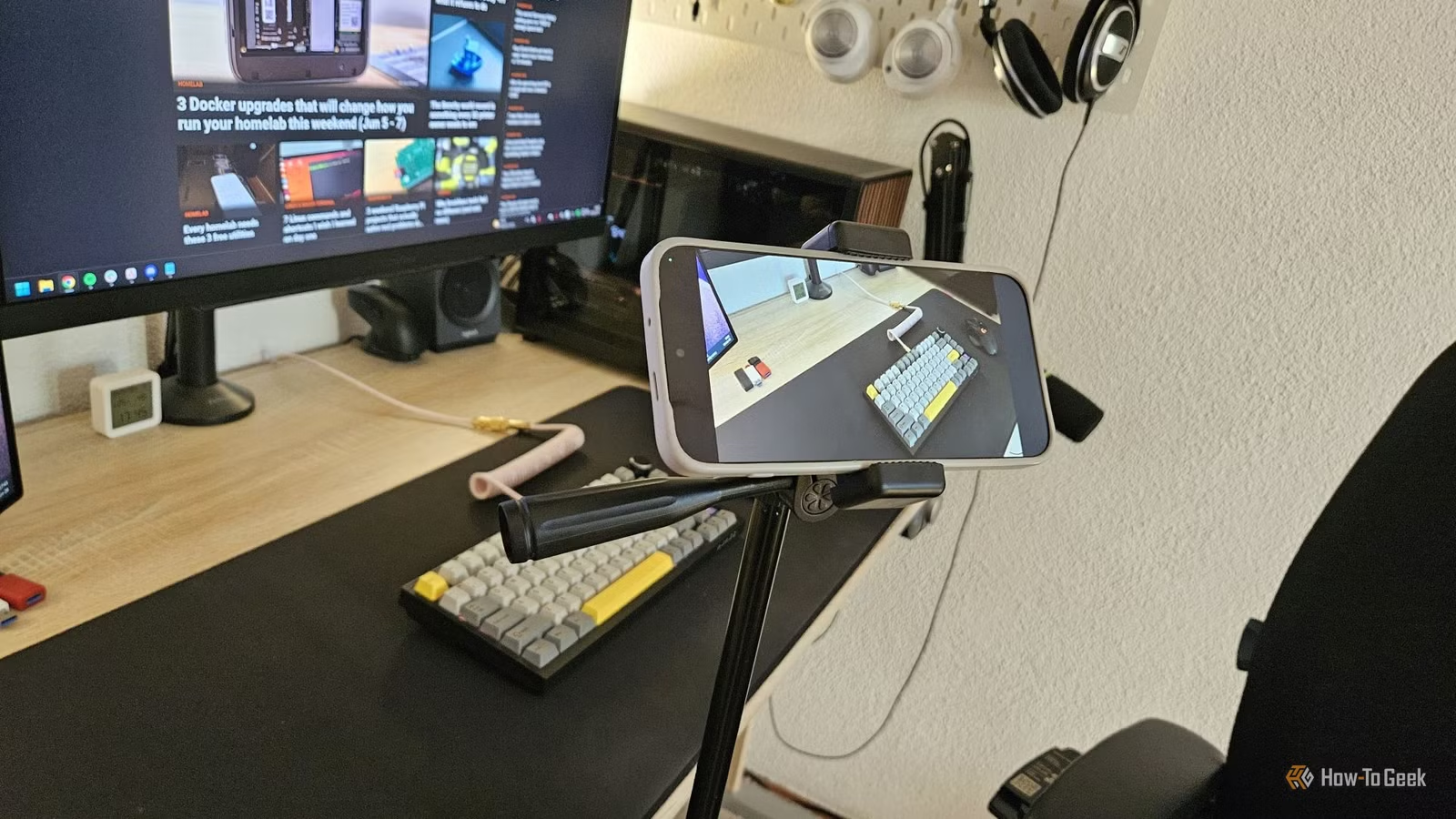
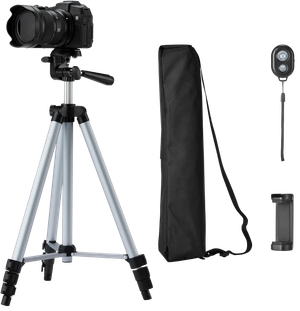
The app works best when mounted on a tripod or stable surface. Frame your shot, make sure the phone stays charged, and let it run. Reviewing hundreds of raw frames later is part of the fun.
Logicity's Take
Limitations to Know
The app outputs JPEG frames, not finished video. You'll need separate software to compile the images. This is actually a feature for anyone who wants control, but it adds a step if you just want a ready-to-share clip.
Storage fills up fast with long recordings. Plan accordingly, especially on older phones with limited internal memory. A phone with 32GB might fill up in a few days of continuous shooting depending on your interval settings.
More practical ways to get extra utility from hardware you already own
Another approach to repurposing tech for creative projects
Frequently Asked Questions
Does TimeLapseCam work with the screen off?
Yes. The app runs in the background and records without keeping the display on, which significantly reduces battery drain and heat.
Where can I download TimeLapseCam?
The app is available on F-Droid. The developer has indicated he won't comply with Google Play's identity verification requirements, so F-Droid is the primary source.
Does TimeLapseCam output video files?
No. It saves raw JPEG frames. You'll need separate software to compile them into a video, which gives you full control over post-processing.
Do I need a new phone to shoot time-lapses?
No. An old Android phone works well for most time-lapse projects. Camera quality matters less than you'd expect unless you're shooting in low light.
Need Help Implementing This?
Source: How-To Geek
Manaal Khan
Tech & Innovation Writer
اقرأ أيضاً

رأي مغاير: كيف يؤثر اختراق الأمن الداخلي الأميركي على شركاتنا الخاصة؟
في ظل اختراق عقود الأمن الداخلي الأميركي مع شركات خاصة، نناقش تأثير هذا الاختراق على مستقبل الأمن السيبراني. نستعرض الإحصاءات الموثوقة ونناقش كيف يمكن للشركات الخاصة أن تتعامل مع هذا التهديد. استمتع بقراءة هذا التحليل العميق

الإنسان في زمن ما بعد الوجود البشري: نحو نظام للتعايش بين الإنسان والروبوت - Centre for Arab Unity Studies
في هذا المقال، سنناقش كيف يمكن للبشر والروبوتات التعايش في نظام متكامل. سنستعرض التحديات والحلول المحتملة التي تضعها شركات مثل جوجل وأمازون. كما سنلقي نظرة على التوقعات المستقبلية وفقًا لتقرير ماكنزي

إطلاق ناسا لمهمة مأهولة إلى القمر: خطوة تاريخية نحو استكشاف الفضاء
تعتبر المهمة الجديدة خطوة هامة نحو استكشاف الفضاء وتطوير التكنولوجيا. سوف تشمل المهمة إرسال رواد فضاء إلى سطح القمر لconducting تجارب علمية. ستسهم هذه المهمة في تطوير فهمنا للفضاء وتحسين التكنولوجيا المستخدمة في استكشاف الفضاء.