Super Productivity: The Free App Replacing Paid Task Managers
Key Takeaways
- Super Productivity is MIT-licensed and completely free, with no premium tier or hidden costs
- The app integrates natively with 10+ platforms including Jira, GitHub, GitLab, and Linear
- All data stays local on your device, addressing growing concerns about cloud-locked productivity tools
Productivity apps have a subscription problem. TickTick charges $36/year for basic calendar integration. Todoist locks reminders behind a $48/year paywall. Notion's AI features cost $10/month. For tools that are supposed to save time, they're spending a lot of yours managing billing cycles.
Super Productivity takes a different approach. It's a free, open-source task manager with zero premium tiers, zero cloud lock-in, and a feature set that rivals paid alternatives. The project has accumulated over 18,000 GitHub stars, making it one of the most popular productivity tools in the open-source ecosystem.
What Super Productivity Actually Does
At its core, Super Productivity is a task capture and time management system. But unlike stripped-down free alternatives, it ships with features that paid apps treat as premium.
The task capture system works from anywhere on your computer. Press Ctrl+Shift+A (customizable) and a capture window appears, even if the app isn't open. Type your task, hit enter, and it's saved. Tasks land in an Inbox by default, and you can organize them with inline syntax: +ProjectName assigns a project, #TagName adds a tag, @due_date sets a deadline.
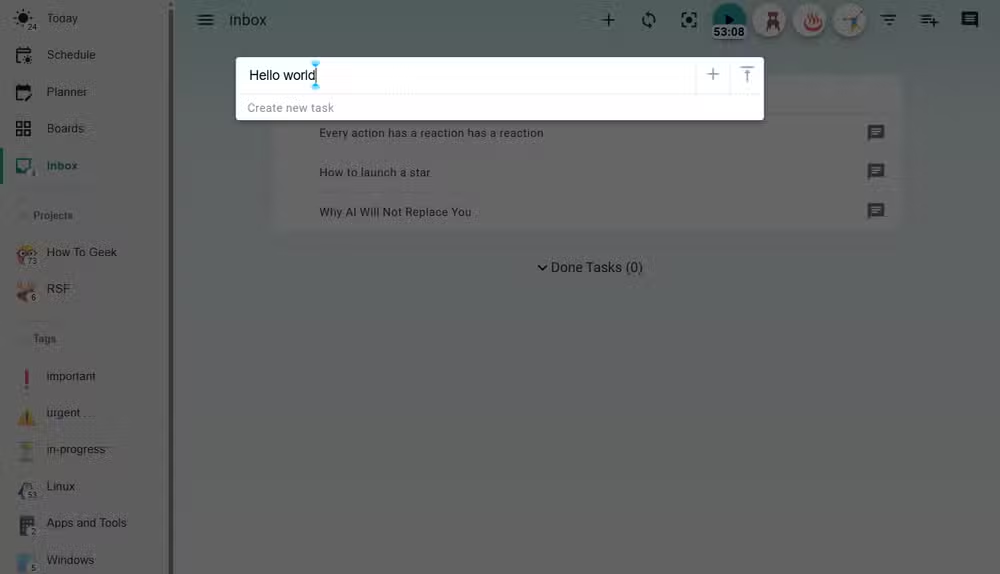
Each task supports one level of sub-tasks. That sounds like a limitation, but it's intentional. Deep sub-task trees create the illusion of progress while hiding real work. The one-level constraint keeps tasks actionable.
Five Ways to View Your Work
Super Productivity offers five visualization modes, each serving a different mental state.
- Inbox: Unsorted tasks waiting for assignment
- Today: A flat list of everything due today
- Schedule: Calendar-style view for time blocking
- Planner: Weekly overview for batch planning sessions
- Boards: Kanban-style columns for project-based work
The separation matters. Most productivity apps force you into one paradigm. Super Productivity lets you switch based on context. Planning mode in the morning, execution mode during deep work, triage mode when things pile up.
Time Tracking Without the Overhead
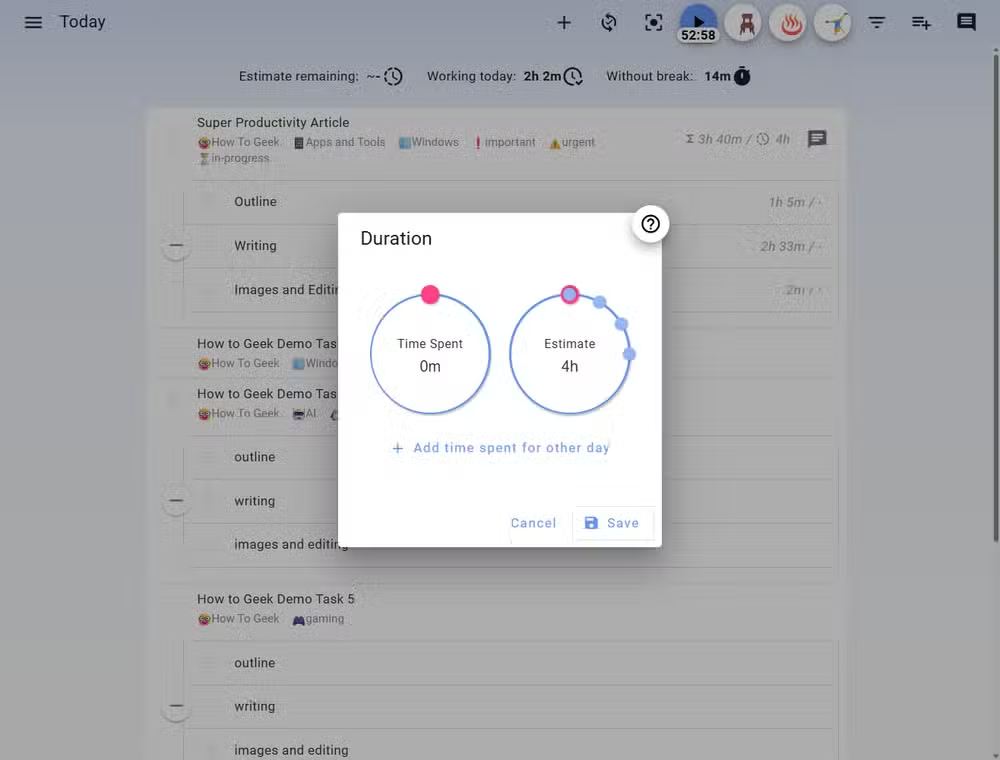
Every task can have a time estimate attached. The app tracks actual time spent and compares it against your estimates. Over time, this builds a feedback loop. You start to notice which types of work you consistently underestimate.
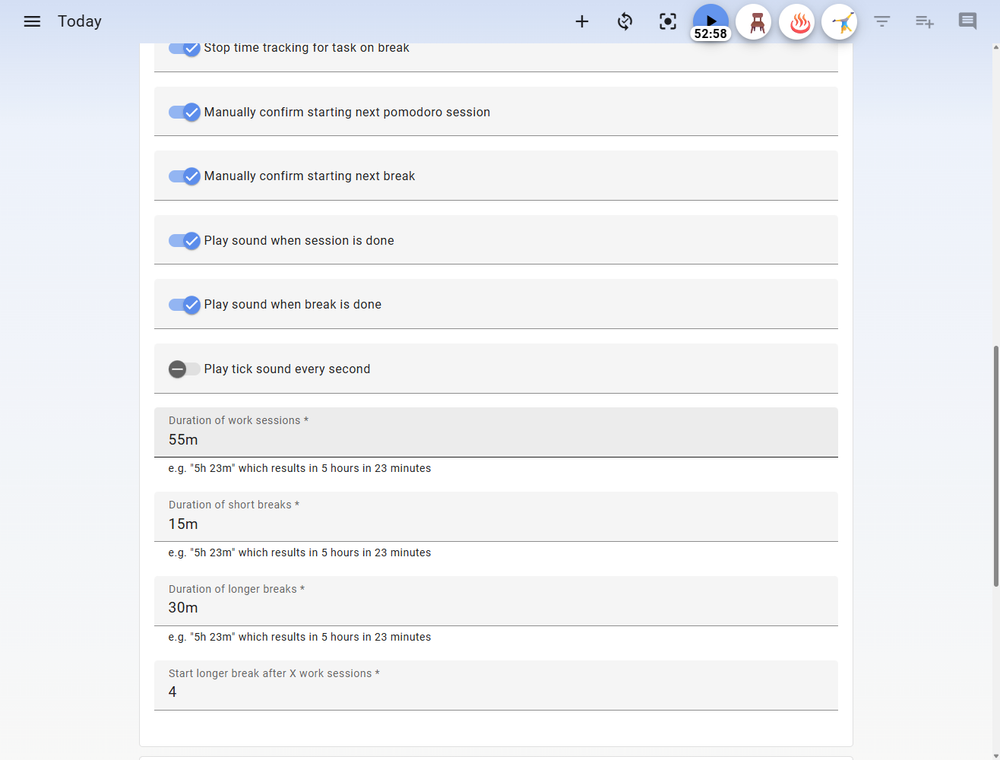
A built-in Pomodoro timer handles focus sessions. You can customize work intervals, break lengths, and the number of cycles before a long break. The timer integrates with the task you're working on, so time automatically logs to the right place.
The Idle Detection Feature
Here's where Super Productivity gets clever. The app detects when you've been away from your computer. When you return, it asks what you were doing during that time. You can assign the idle time to a task, mark it as a break, or discard it entirely.
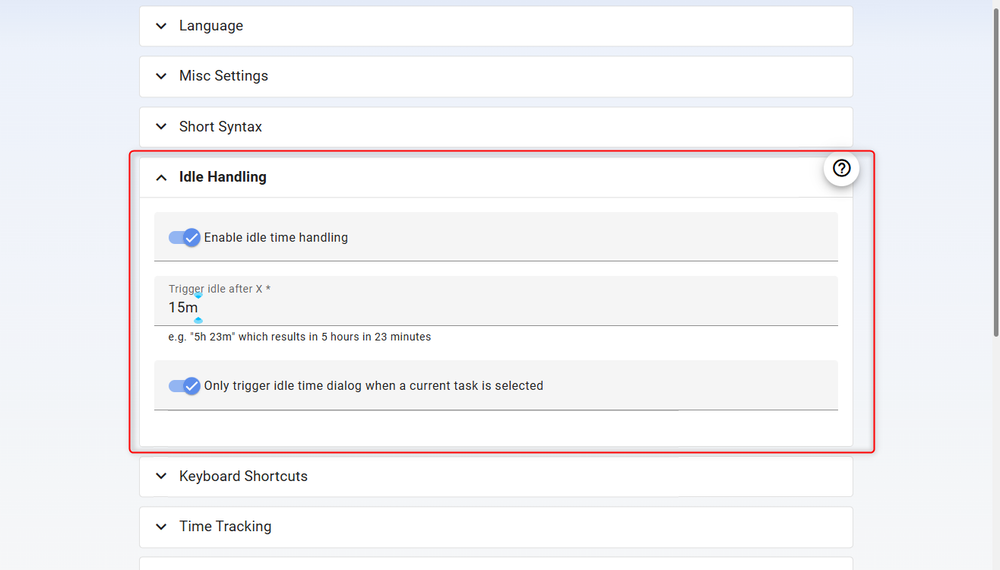
This solves a real problem with time tracking tools. You start a timer, get pulled into a meeting, return two hours later, and your data is corrupted. Super Productivity's approach keeps records accurate without requiring constant manual adjustment.
Integration with Developer Tools
Super Productivity connects natively with over 10 professional platforms. The list includes Jira, GitHub, GitLab, Linear, Redmine, OpenProject, and Gitea. You can import issues directly as tasks, sync progress bidirectionally, and work from a single interface instead of juggling browser tabs.
For teams using multiple project management systems, this is significant. A developer might have Jira tickets from their employer, GitHub issues from an open-source project, and Linear tasks from a freelance client. Super Productivity pulls them into one place.
The Local-First Philosophy
All data in Super Productivity stays on your device by default. There's no account creation, no cloud sync that phones home, no terms of service granting the developer access to your task history.
This addresses a growing concern in the productivity space. Cloud-based tools create dependency. If the company shuts down, raises prices, or changes their privacy policy, your workflow goes with it. Local-first tools avoid that lock-in.
If you do want sync across devices, Super Productivity supports self-hosted options. You can use Dropbox, Google Drive, or WebDAV to sync the data file. The key difference: you control where the data lives.
Who This Is Actually For
Super Productivity is opinionated software. It assumes you want to track time, use focus techniques, and integrate with development tools. If you just need a simple checklist, it's overkill.
The sweet spot is developers, technical managers, and anyone doing knowledge work that spans multiple systems. Reddit users in r/superProductivity frequently mention its effectiveness for managing ADHD, citing the built-in structure and visual feedback.
✅ Pros
- • Completely free with no premium tier or feature gating
- • Native integration with Jira, GitHub, GitLab, Linear, and more
- • Local-first data storage with optional self-hosted sync
- • Built-in Pomodoro timer and time tracking
- • Idle detection for accurate time logging
❌ Cons
- • Steeper learning curve than minimal to-do apps
- • Sub-tasks limited to one level deep
- • No mobile app (desktop and web only)
- • Sync requires manual configuration with cloud storage or WebDAV
The Subscription Fatigue Problem
Super Productivity's popularity reflects broader frustration with SaaS pricing. Productivity tools have moved from one-time purchases to recurring subscriptions, often charging monthly for features that were standard in desktop software a decade ago.
The MIT license means Super Productivity can't pull this bait-and-switch. The code is open. If the maintainer abandoned the project tomorrow, anyone could fork it and continue development. That's a structural guarantee no corporate tool can offer.
Logicity's Take
Another open-source tool challenging paid incumbents
Frequently Asked Questions
Is Super Productivity really free?
Yes. The software is MIT-licensed with no premium tier, no ads, and no paid features. The entire codebase is open on GitHub.
Does Super Productivity work offline?
Yes. All data is stored locally by default. The app functions fully without an internet connection.
Can Super Productivity sync with Jira?
Yes. Super Productivity natively integrates with Jira, GitHub, GitLab, Linear, Redmine, OpenProject, and Gitea for task import and sync.
Is there a mobile app for Super Productivity?
Not currently. Super Productivity runs on Windows, macOS, Linux, and as a web app, but there's no dedicated mobile application.
How do I sync Super Productivity across devices?
You can configure sync through Dropbox, Google Drive, or WebDAV. The app stores data in a portable file format that these services can keep synchronized.
Need Help Implementing This?
Source: How-To Geek
Huma Shazia
Senior AI & Tech Writer
اقرأ أيضاً

رأي مغاير: كيف يؤثر اختراق الأمن الداخلي الأميركي على شركاتنا الخاصة؟
في ظل اختراق عقود الأمن الداخلي الأميركي مع شركات خاصة، نناقش تأثير هذا الاختراق على مستقبل الأمن السيبراني. نستعرض الإحصاءات الموثوقة ونناقش كيف يمكن للشركات الخاصة أن تتعامل مع هذا التهديد. استمتع بقراءة هذا التحليل العميق

الإنسان في زمن ما بعد الوجود البشري: نحو نظام للتعايش بين الإنسان والروبوت - Centre for Arab Unity Studies
في هذا المقال، سنناقش كيف يمكن للبشر والروبوتات التعايش في نظام متكامل. سنستعرض التحديات والحلول المحتملة التي تضعها شركات مثل جوجل وأمازون. كما سنلقي نظرة على التوقعات المستقبلية وفقًا لتقرير ماكنزي

إطلاق ناسا لمهمة مأهولة إلى القمر: خطوة تاريخية نحو استكشاف الفضاء
تعتبر المهمة الجديدة خطوة هامة نحو استكشاف الفضاء وتطوير التكنولوجيا. سوف تشمل المهمة إرسال رواد فضاء إلى سطح القمر لconducting تجارب علمية. ستسهم هذه المهمة في تطوير فهمنا للفضاء وتحسين التكنولوجيا المستخدمة في استكشاف الفضاء.