Stop Using Claude Like a Chatbot: How to Unlock Its Full Power
Key Takeaways
- Claude's web chat captures only about 20% of its capabilities. Agentic tools unlock the rest.
- Claude Code built the entire Claude Cowork product autonomously in 15 days.
- Moving from chat to agentic workflows means Claude can access your files, run tasks, and iterate without constant prompting.
The 20% Problem
Open Claude. Type a question. Read the answer. Close the tab. That's how most people use it. The workflow is simple, and honestly, it works. Claude's chat interface beats Google for a lot of tasks.
But if that's all you're doing, you're leaving roughly 80% of Claude's capabilities untouched.
The chat interface is reactive by design. It responds to what you type, then waits. It can't touch your file system, run tasks in the background, or remember anything from your last session. Every conversation starts from zero.
That's not a flaw. It's a limitation of the medium. And Anthropic has built tools that remove it.
What Claude Chat Actually Does Well
Before dismissing the chat interface, it's worth recognizing what it handles competently. Claude can draft emails, research topics, analyze documents, write code snippets, and produce what Anthropic calls Artifacts. These are self-contained outputs like formatted reports, working HTML pages, or data visualizations rendered inside the conversation.
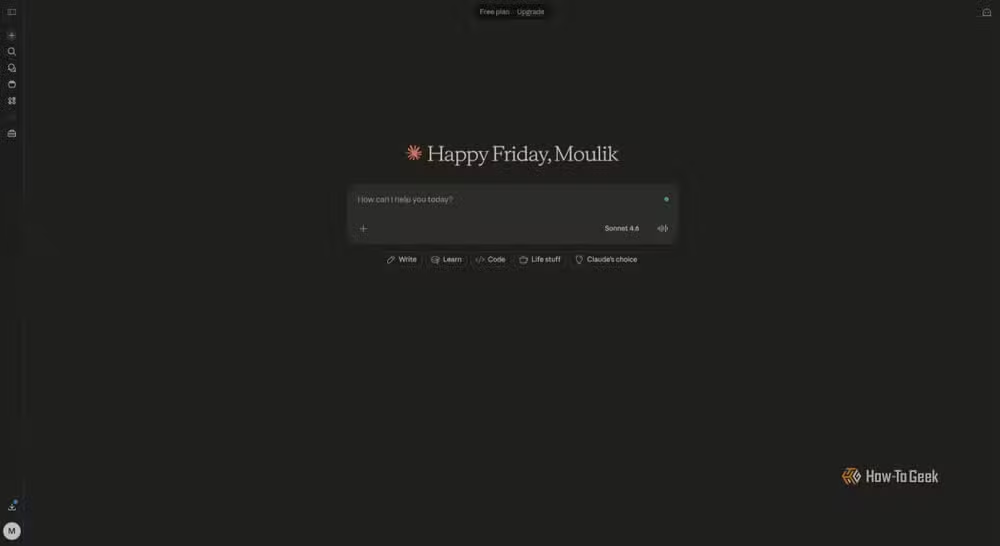
Recent additions have expanded its reach. Web search means Claude isn't stuck behind a knowledge cutoff for current events. Deep Research mode can go several layers into a topic, pulling from multiple sources and synthesizing them into something closer to a briefing than a chat reply.
You can connect external services through MCP connectors. Link your Google Drive, pull in context from your calendar, and Claude starts feeling less like an isolated tool.
But there's a ceiling. Chat remains fundamentally reactive. You prompt, it responds. It can't take initiative, can't work while you sleep, can't iterate on a project without your constant input.
Claude Code: Your Terminal Becomes Agentic
Claude Code changes the relationship entirely. Instead of asking Claude about code, you give it access to your codebase and let it work.
The tool runs in your terminal. It can read your files, understand project structure, write and execute code, and iterate based on results. You describe what you want built. Claude Code figures out how to build it.
The shift from prompting to delegation is significant. Instead of copying code snippets from chat and pasting them into your editor, Claude Code operates directly in your development environment. It sees the same files you see. It runs the same commands you'd run.
“I told Claude Code what the problem was, and it made the thing that we built last year [at Google] in an hour.”
— Jaana Dogan, Engineer at Google
The implications go beyond convenience. When an AI can iterate on its own output, catch its own errors, and refine its approach based on test results, the quality ceiling rises substantially.
Claude Cowork: AI That Built Itself
Here's where it gets interesting. Claude Cowork is Anthropic's desktop-based agentic mode. It can analyze your local files, manage projects, and work across applications on your computer.
The tool was built by Claude Code. All of it.
Boris Cherny, the creator of Claude Code, confirmed that the entire Claude Cowork product was authored autonomously. The timeline: 15 days from start to functional product.
This isn't a marketing claim about theoretical capabilities. It's a shipped product built by AI with minimal human intervention. The code is running. People are using it.
Real-World Agentic Examples
The practical applications range from mundane to absurd. An Anthropic engineer used Claude Code to analyze 12 years of iMessages for a wedding. The tool processed the entire archive, identified patterns, and found an "angry face" emoji trend that the engineer summarized as "I'm cooked brother."
That tweet got over 3 million views. Not because emoji analysis is profound, but because it demonstrated something people hadn't internalized: AI can now work with your personal data at scale, finding patterns you'd never have the patience to find yourself.
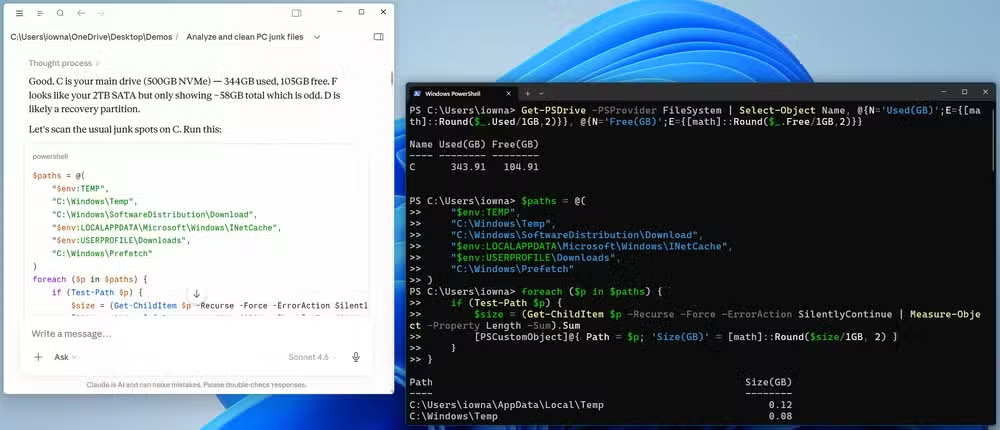
More practical examples include codebase refactoring, automated documentation generation, system diagnostics, and project management tasks that previously required either tedious manual work or expensive specialized tools.
The Permission Question
Giving an AI access to your file system requires trust. The community conversation around agentic AI has shifted noticeably in the past year. On HackerNews and Reddit, the consensus has moved past skepticism toward practical discussion of permission models and workflow integration.
Users are increasingly comfortable giving AI broad permissions to read codebases and manage local file systems. The tradeoff is clear: restricted access means restricted capability. If Claude can only see what you paste into chat, it can only help with what you paste into chat.
The security model matters, of course. You probably don't want to give filesystem access to every AI tool that asks. But for trusted tools from established vendors, the productivity gains are pushing people past their initial hesitation.
How to Start
Moving from chat to agentic workflows doesn't require abandoning your current setup. Start with one project.
- Install Claude Code and point it at a codebase you know well. The familiarity helps you evaluate what it's doing.
- Give it a real task, not a test. Ask it to add a feature, fix a bug, or refactor a module. Watch how it approaches the problem.
- Compare the time investment. How long would that task have taken with chat-based prompting? How long with Claude Code?
- Expand gradually. Once you trust the tool's judgment on code, try Claude Cowork for broader system tasks.
The learning curve is less about mastering new commands and more about adjusting your mental model. You're not prompting anymore. You're delegating.
Another example of building practical AI-powered tools
The Chatbot Era Is Ending
The distinction matters more than terminology suggests. Chatbots respond to questions. Agentic AI executes tasks. The difference is between asking for directions and having someone drive you there.
Claude's chat interface isn't going anywhere. It remains useful for quick questions, brainstorming, and tasks that don't need persistent context. But treating it as the whole product is like using your smartphone only for calls.
The 80% you're leaving on the table includes autonomous execution, iterative refinement, filesystem access, cross-application workflows, and persistent project context. It includes AI that works while you don't.
More on AI tools that have moved beyond novelty to daily utility
Logicity's Take
Frequently Asked Questions
Is Claude Code free to use?
Claude Code requires a Claude Pro subscription. It runs in your terminal and needs API access, which involves usage-based costs beyond the base subscription.
Can Claude Code access files outside my project directory?
You control what Claude Code can access. By default, it works within the directory you specify. You can grant broader permissions, but the tool respects the boundaries you set.
What's the difference between Claude Cowork and Claude Code?
Claude Code is terminal-based and focused on development workflows. Claude Cowork is a desktop application with broader system access for non-coding tasks like file management and analysis.
Is it safe to give AI access to my file system?
The risk depends on the tool and your setup. Anthropic's tools include permission systems and operate locally. The practical advice: start with non-sensitive projects and expand access as you build trust.
How does agentic AI handle errors?
Unlike chat-based AI that stops when it hits a problem, agentic tools can iterate. Claude Code, for example, can run code, see the error, adjust its approach, and try again without your intervention.
Need Help Implementing This?
Source: How-To Geek
Manaal Khan
Tech & Innovation Writer
اقرأ أيضاً

رأي مغاير: كيف يؤثر اختراق الأمن الداخلي الأميركي على شركاتنا الخاصة؟
في ظل اختراق عقود الأمن الداخلي الأميركي مع شركات خاصة، نناقش تأثير هذا الاختراق على مستقبل الأمن السيبراني. نستعرض الإحصاءات الموثوقة ونناقش كيف يمكن للشركات الخاصة أن تتعامل مع هذا التهديد. استمتع بقراءة هذا التحليل العميق

الإنسان في زمن ما بعد الوجود البشري: نحو نظام للتعايش بين الإنسان والروبوت - Centre for Arab Unity Studies
في هذا المقال، سنناقش كيف يمكن للبشر والروبوتات التعايش في نظام متكامل. سنستعرض التحديات والحلول المحتملة التي تضعها شركات مثل جوجل وأمازون. كما سنلقي نظرة على التوقعات المستقبلية وفقًا لتقرير ماكنزي

إطلاق ناسا لمهمة مأهولة إلى القمر: خطوة تاريخية نحو استكشاف الفضاء
تعتبر المهمة الجديدة خطوة هامة نحو استكشاف الفضاء وتطوير التكنولوجيا. سوف تشمل المهمة إرسال رواد فضاء إلى سطح القمر لconducting تجارب علمية. ستسهم هذه المهمة في تطوير فهمنا للفضاء وتحسين التكنولوجيا المستخدمة في استكشاف الفضاء.