Joplin Note App: Why CTOs Choose It Over Notion
Key Takeaways
- Zero licensing costs with enterprise-grade encryption
- Full data ownership eliminates vendor lock-in risk
- Cross-platform consistency reduces employee training time
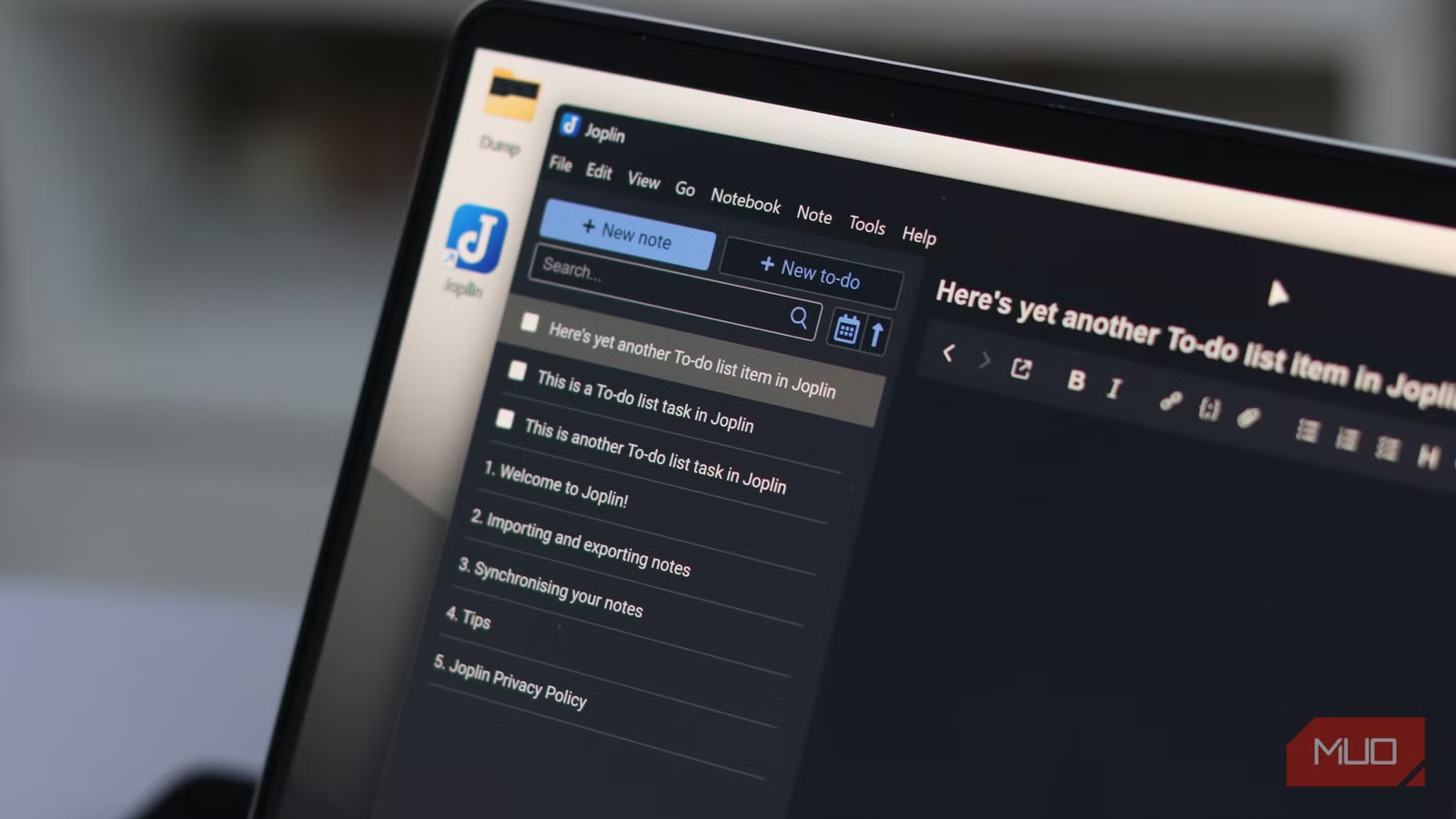
According to [MakeUseOf](https://www.makeuseof.com/nobody-talks-about-this-polished-open-source-note-taking-app-and-i-dont-get-it/), Joplin is a remarkably polished open-source note-taking app that deserves far more attention than it currently receives. The article highlights how this free tool consistently outperforms popular alternatives for users who prioritize data control and cross-platform consistency.
Read in Short
Joplin is a free, open-source note-taking app with end-to-end encryption, self-hosting options, and zero vendor lock-in. For businesses worried about data sovereignty and SaaS fatigue, it's worth serious consideration. You trade Notion's visual polish for complete ownership of your knowledge base.
Why Should Business Leaders Care About Note Apps?
Here's the uncomfortable truth: your company's institutional knowledge probably lives in a SaaS tool you don't control. Notion, Evernote, or whatever productivity darling your team adopted three years ago now holds meeting notes, project documentation, client insights, and strategic plans. You're paying monthly fees for access to your own information.
The Joplin note app flips this model. It's completely free, runs on every platform your team uses, and stores data wherever you choose: your own servers, Dropbox, Nextcloud, or Joplin's paid cloud service. When a vendor goes out of business or changes pricing, you're not scrambling to export years of documentation.
What Makes Joplin Different From Notion and Evernote?
Most note-taking apps compete on features: databases, kanban boards, AI summaries, collaborative editing. Joplin competes on fundamentals that enterprise security teams actually care about. End-to-end encryption means your notes are unreadable to anyone without your key, including Joplin's own developers if you use their cloud service.
| Feature | Joplin | Notion | Evernote |
|---|---|---|---|
| Annual Cost (50 users) | $0-$1,740 | $4,800-$9,600 | $8,700 |
| End-to-End Encryption | Yes | No | No |
| Self-Hosting Option | Yes | No | No |
| Data Export | Full (Markdown) | Limited | Limited |
| Offline Access | Full | Limited | Limited |
| Open Source | Yes | No | No |
The cost difference compounds over time. A 50-person team on Notion's Plus plan runs about $400/month. Over five years, that's $24,000 for access to your own notes. Joplin's optional cloud service costs $2.99/user/month, but many businesses skip it entirely by syncing through existing infrastructure.
The Hidden Cost of Vendor Lock-In Nobody Calculates
When Evernote changed ownership in 2022, users faced price hikes and feature removals. When Notion experiences outages, entire teams lose access to critical documentation. These aren't hypothetical risks. They're operational realities that rarely appear in TCO calculations.
Joplin stores everything in standard Markdown files. If you decide to switch tools next year, your data comes with you. No export limitations, no proprietary formats, no negotiating with vendor support. Your notes remain readable in any text editor until the end of time.
Executive Summary: When Joplin Makes Sense
Choose Joplin if your organization handles sensitive data, operates in regulated industries, or simply wants to own its knowledge base without ongoing SaaS fees. The trade-off is a less visual interface and limited real-time collaboration. For teams that primarily need individual note-taking with shared access, it's a compelling choice.
How Does Joplin Handle Security and Compliance?
For businesses in healthcare, finance, or legal services, data residency matters. Joplin's self-hosting capability means notes never leave your infrastructure. Combine this with end-to-end encryption, and you've addressed two major compliance concerns that plague cloud-first tools.
The app supports WebDAV sync, meaning it integrates with existing file servers many enterprises already operate. IT teams don't need to approve another vendor or conduct another security review. Joplin runs on infrastructure you already control and audit.
Understanding vendor security risks helps contextualize why self-hosted tools matter
Cross-Platform Consistency Reduces Training Costs
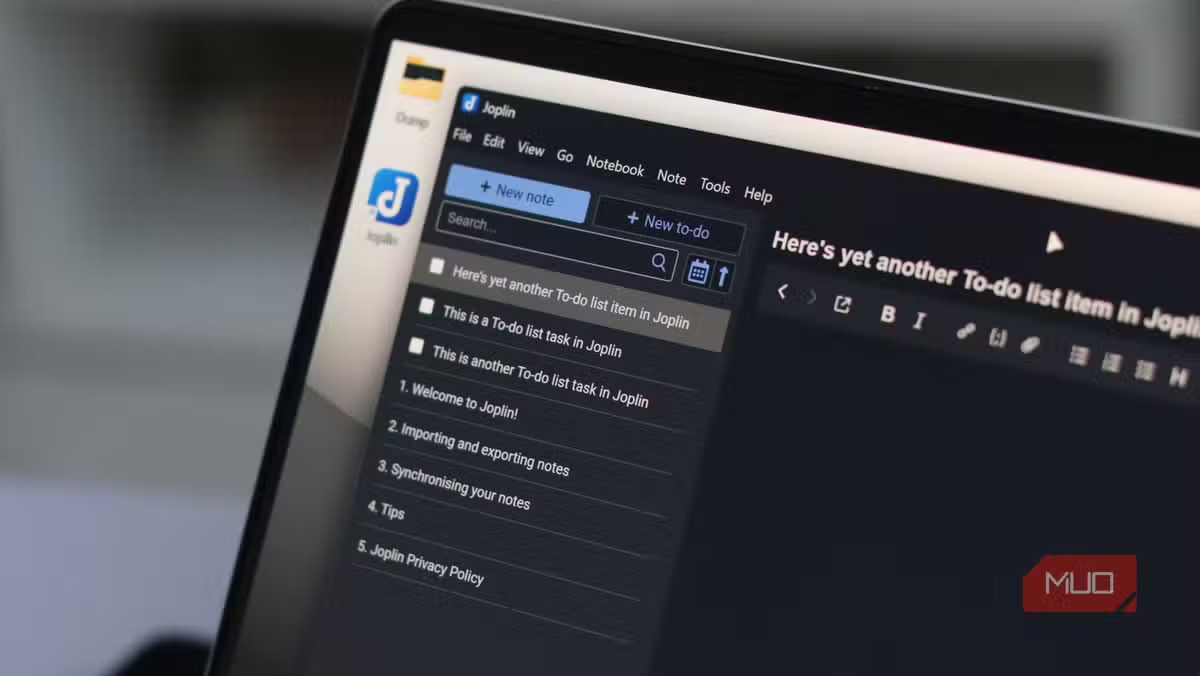
One underrated feature: Joplin looks and works identically on Windows, macOS, Linux, iOS, and Android. The three-panel layout (notebooks, notes, editor) stays consistent everywhere. When employees switch between devices, there's no learning curve.
Compare this to tools that offer "lite" mobile versions or web apps with different feature sets. Every inconsistency creates friction. Every friction point costs time. Joplin's boring consistency is actually a productivity feature that compounds across large teams.
For organizations building internal knowledge management systems, Joplin integrates well with other open-source tools. Teams already using Obsidian for research and knowledge graphs can complement it with Joplin for simpler daily notes and task management.
Building a complete knowledge management ecosystem with complementary tools
What Are Joplin's Limitations for Business Use?
Let's be honest about the gaps. Joplin isn't Notion. It doesn't have databases, relational linking between pages, or the visual flexibility that makes Notion popular for project management. Real-time collaboration is limited compared to Google Docs-style simultaneous editing.
✅ Pros
- • Zero licensing costs at any scale
- • Complete data ownership and portability
- • End-to-end encryption included free
- • Works offline with full functionality
- • Plugin ecosystem for customization
❌ Cons
- • No real-time collaborative editing
- • Visual design feels dated
- • Steeper setup for self-hosting
- • No built-in database features
- • Smaller community than major alternatives
The target user is clear: professionals who need reliable note-taking with privacy, not teams building collaborative workspaces. If your use case is individual documentation, research notes, or private journaling, Joplin excels. If you need a full project management suite, look elsewhere.
How to Evaluate Joplin for Your Organization
Before committing, run a 30-day pilot with a small team. Joplin imports from Evernote directly, making migration straightforward for organizations leaving that platform. Test the sync mechanism you plan to use, whether that's Joplin Cloud, Dropbox, or self-hosted WebDAV.
- Download Joplin on test devices (5 minutes per device)
- Import existing notes from Evernote or Markdown files
- Configure sync with your chosen backend
- Enable end-to-end encryption
- Run pilot with 3-5 team members for 30 days
- Evaluate against current tool costs and pain points
The plugin ecosystem deserves attention during evaluation. Community developers have built integrations for everything from Vim keybindings to custom themes. If your team has specific workflow needs, chances are someone has already solved them.
The Business Case for Open-Source Productivity Tools
Joplin represents a broader trend worth watching: mature open-source alternatives to enterprise SaaS. The same forces driving adoption of Linux servers, PostgreSQL databases, and Kubernetes containers are now reaching productivity software. Organizations tired of vendor lock-in are finding viable alternatives.
For CTOs managing software budgets, every SaaS subscription adds risk and ongoing cost. Tools like Joplin don't eliminate the need for commercial software, but they offer options. When a free, well-maintained alternative exists, the business case for paying premium prices weakens.
More strategies for reducing operational costs with overlooked free tools
Frequently Asked Questions
How much does Joplin cost for enterprise use?
Joplin itself is completely free and open-source with no user limits. Joplin Cloud, their optional sync service, costs $2.99/user/month for the Pro plan or $5.99/user/month for Teams. Most enterprises skip the paid service entirely by syncing through existing infrastructure like Dropbox, OneDrive, or self-hosted WebDAV servers.
Is Joplin secure enough for sensitive business data?
Yes. Joplin offers AES-256 end-to-end encryption, the same standard used by banks and governments. Unlike Notion or Evernote, your notes are encrypted before leaving your device, meaning even Joplin's servers can't read them. Self-hosting adds another layer of control for regulated industries.
How long does it take to migrate from Evernote to Joplin?
Joplin includes a built-in Evernote importer. Most users complete migration in under an hour, including note attachments and notebooks. The process preserves formatting and organization, making it one of the smoothest migration paths available.
Can Joplin replace Notion for team collaboration?
Not entirely. Joplin lacks Notion's databases, real-time co-editing, and visual flexibility. It works best for individual note-taking with shared access rather than collaborative workspaces. Many teams use Joplin for private notes and a separate tool for team projects.
What happens if the Joplin project gets abandoned?
Your data remains accessible regardless of the project's future. Notes are stored as standard Markdown files, readable by any text editor. The open-source codebase means the community can maintain it independently if the original developers move on.
Logicity's Take
We've evaluated dozens of note-taking and knowledge management tools while building documentation systems for clients. Joplin occupies a specific niche that's genuinely useful: organizations that need privacy-first note-taking without the complexity of full-scale knowledge management platforms. For Indian startups and SMEs especially, the zero-cost licensing removes a real barrier. We've seen early-stage companies lock themselves into expensive SaaS contracts before they have revenue to justify the expense. Joplin offers a pragmatic middle ground. That said, we wouldn't recommend it as a Notion replacement for collaborative teams. The use cases are different. If your team needs shared databases and real-time editing, Notion or Coda still make sense. But for individual professionals who want their notes encrypted, portable, and under their control? Joplin deserves serious consideration. The self-hosting angle also matters for clients in regulated industries. We've helped healthcare and fintech companies implement privacy-compliant documentation systems, and tools like Joplin simplify compliance conversations significantly.
Need Help Implementing This?
Logicity helps businesses evaluate and implement productivity tools that actually fit their workflows. Whether you're considering open-source alternatives or building custom knowledge management systems, we can help you make the right choice. Reach out to discuss your specific needs.
Source: MakeUseOf
Huma Shazia
Senior AI & Tech Writer
اقرأ أيضاً

رأي مغاير: كيف يؤثر اختراق الأمن الداخلي الأميركي على شركاتنا الخاصة؟
في ظل اختراق عقود الأمن الداخلي الأميركي مع شركات خاصة، نناقش تأثير هذا الاختراق على مستقبل الأمن السيبراني. نستعرض الإحصاءات الموثوقة ونناقش كيف يمكن للشركات الخاصة أن تتعامل مع هذا التهديد. استمتع بقراءة هذا التحليل العميق

الإنسان في زمن ما بعد الوجود البشري: نحو نظام للتعايش بين الإنسان والروبوت - Centre for Arab Unity Studies
في هذا المقال، سنناقش كيف يمكن للبشر والروبوتات التعايش في نظام متكامل. سنستعرض التحديات والحلول المحتملة التي تضعها شركات مثل جوجل وأمازون. كما سنلقي نظرة على التوقعات المستقبلية وفقًا لتقرير ماكنزي

إطلاق ناسا لمهمة مأهولة إلى القمر: خطوة تاريخية نحو استكشاف الفضاء
تعتبر المهمة الجديدة خطوة هامة نحو استكشاف الفضاء وتطوير التكنولوجيا. سوف تشمل المهمة إرسال رواد فضاء إلى سطح القمر لconducting تجارب علمية. ستسهم هذه المهمة في تطوير فهمنا للفضاء وتحسين التكنولوجيا المستخدمة في استكشاف الفضاء.