How to Use Claude to Edit Photos in Darktable
Key Takeaways
- An MCP server now connects Claude to Darktable for AI-powered photo editing
- Darktable is a free, open-source alternative to Adobe Lightroom with professional-grade RAW processing
- The setup lets photographers edit images through natural language instead of manual slider adjustments
The Problem With Lightroom
If you've used Adobe Lightroom for any length of time, you know the feeling. The subscription costs keep climbing. Adobe has eliminated its more affordable plans over the years. And if you stop paying, you lose access to your own photo library. It's a hostage situation with nicer UI.
Developer Yadullah Abidi, a staff writer at MakeUseOf with a decade of DSLR photography experience, decided he'd had enough. When Adobe announced Claude integration for Lightroom, he saw an opportunity. Instead of paying Adobe for AI-powered editing, he built his own solution using free tools.
Enter Darktable and Claude
Darktable is a free, open-source photo editor that runs on Windows, Linux, and macOS. It handles RAW processing with professional-grade tools. Features include AgX tone mapping, capture sharpening, and multi-workspace support. Most of what you'd expect from Lightroom is there.
The catch? Darktable has a learning curve. Its developers explicitly say they're not chasing feature parity with Adobe. They're building a tool for photographers who want control, not convenience. That philosophy shows in the interface.
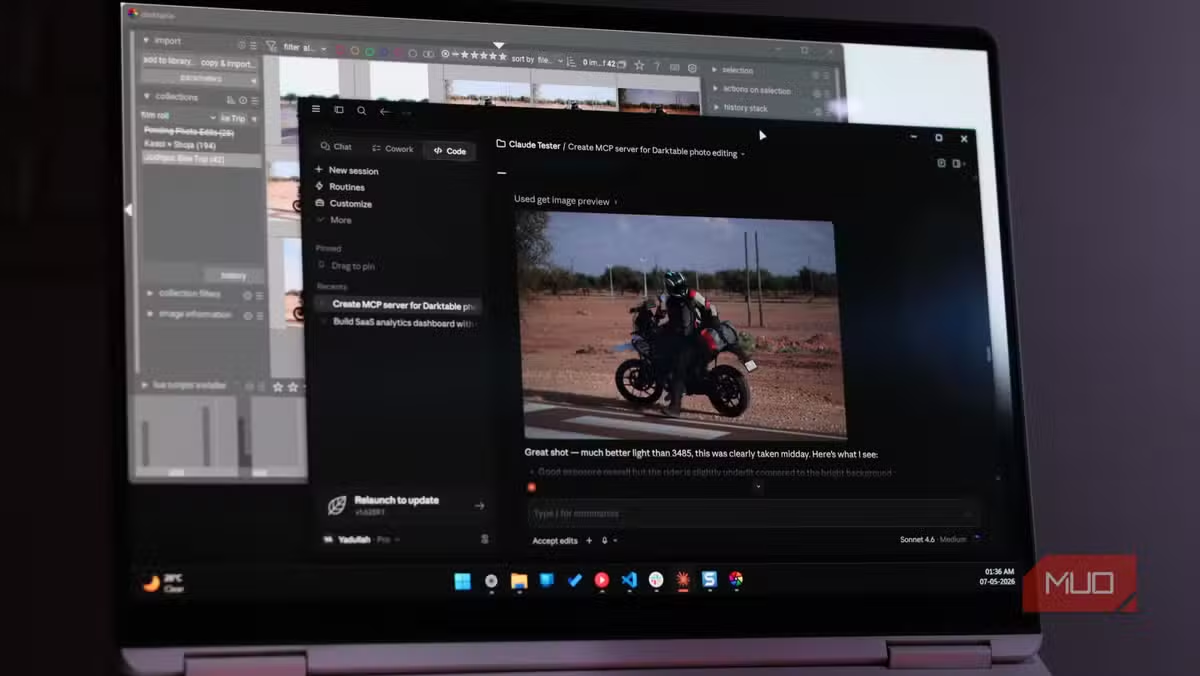
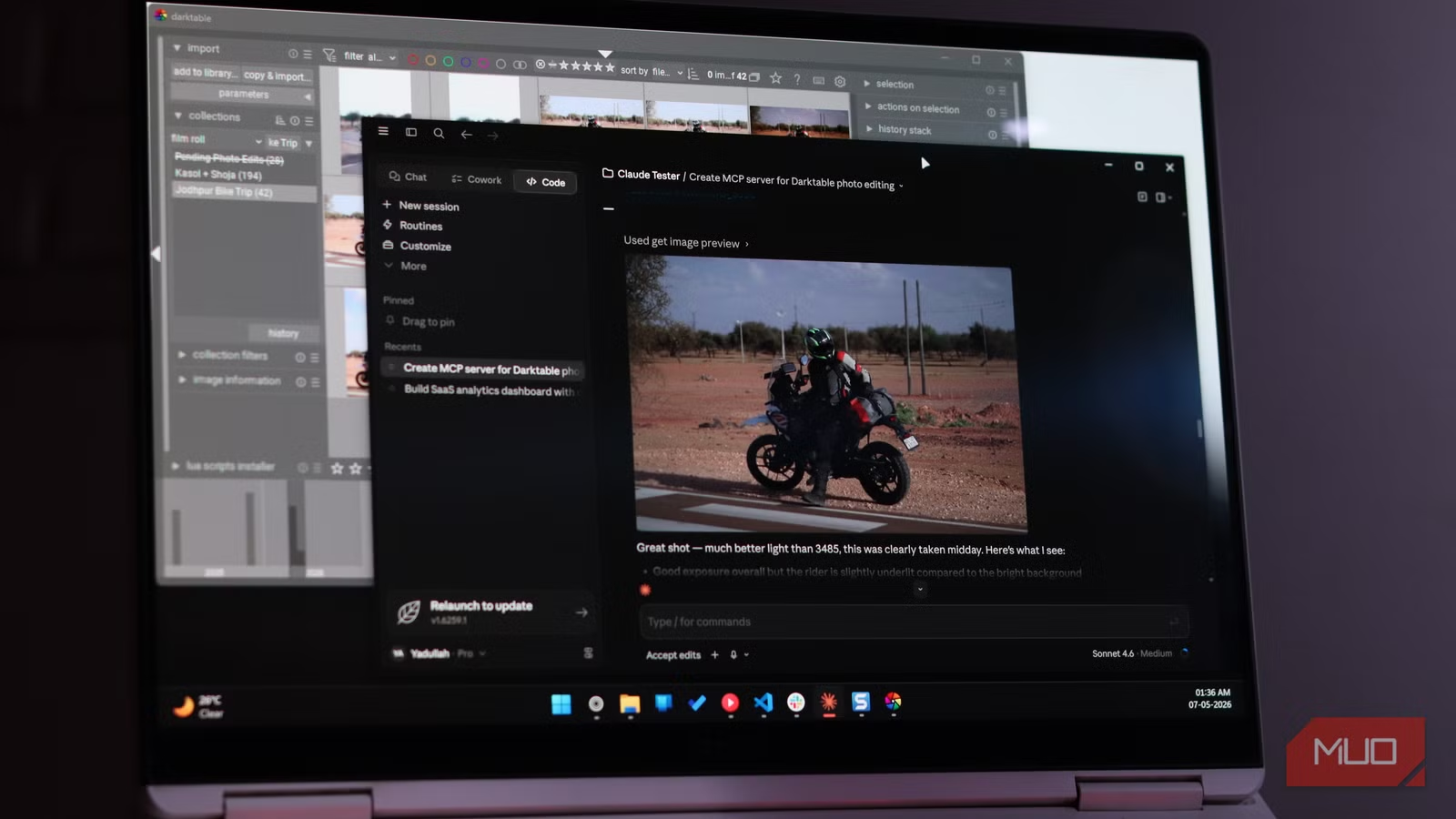
Abidi's solution bridges that gap. He created an MCP (Model Context Protocol) server that connects Claude to Darktable. The result: you can edit RAW camera images by talking to an AI instead of hunting through menus.
How the MCP Server Works
MCP servers let Claude interact with external applications. In this case, Claude sends commands to Darktable based on your natural language requests. Want to boost shadows? Ask Claude. Need to adjust white balance? Just describe what you're looking for.
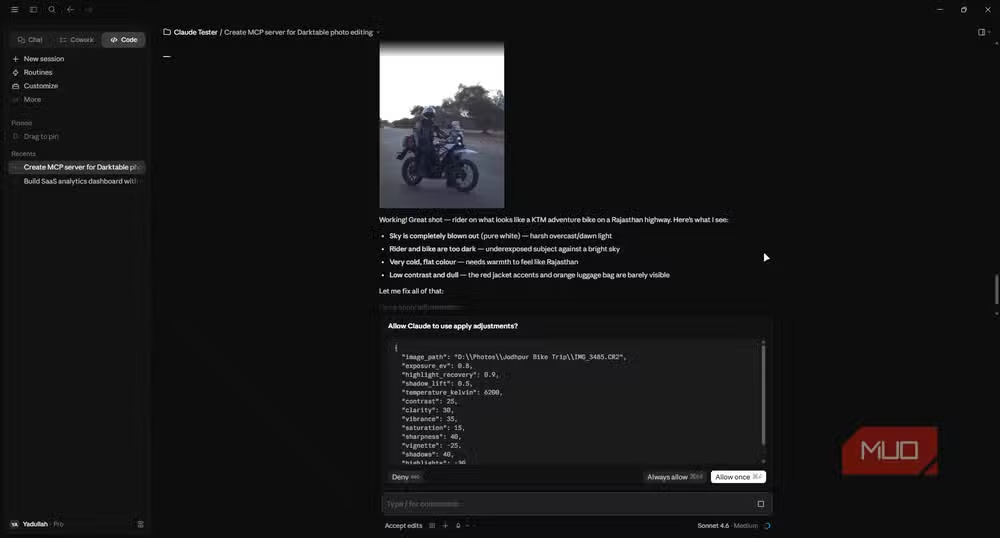
The workflow transforms Darktable from a powerful-but-intimidating tool into something more approachable. You get the professional-grade RAW processing without memorizing where every slider lives.
Why Darktable Over Other Free Alternatives
Several free Lightroom alternatives exist. RawTherapee, GIMP, and others have their fans. But Darktable stands out for comprehensive RAW processing. It's built by photographers, for photographers.
The developers take an opinionated stance. They're not trying to clone Lightroom's interface or match every Adobe feature. They're building what they think a RAW editor should be. That philosophy makes it different, sometimes frustratingly so for Lightroom refugees.
Adding Claude changes the equation. The AI handles the interface translation. You describe results. Claude figures out which Darktable tools to use.
Logicity's Take
What You Need to Get Started
- Darktable installed on Windows, Linux, or macOS
- Claude access (the MCP server connects to Claude's API)
- The MCP server code (available on GitHub)
- Basic familiarity with running command-line tools
This isn't a plug-and-play solution. You'll need some technical comfort to set up the MCP server. But for developers or technically-inclined photographers, the setup process is straightforward.
The Bigger Picture
Adobe adding Claude to Lightroom validates AI-assisted editing as a category. But it also highlights Adobe's subscription lock-in. You're paying monthly for tools that free alternatives can now match, especially with AI filling usability gaps.
For professional photographers processing hundreds of images, Lightroom's ecosystem still has advantages. Catalog management, cloud sync, and mobile apps create real workflow value. But for hobbyists and part-time shooters? The value proposition weakens every year.
More on Anthropic's expanding Claude ecosystem
✅ Pros
- • Completely free: no subscription fees for Darktable
- • Full RAW processing capabilities
- • Natural language editing through Claude
- • Cross-platform: Windows, Linux, macOS
❌ Cons
- • Requires technical setup for the MCP server
- • No mobile app or cloud sync
- • Steeper learning curve without AI assistance
- • Claude API costs apply for heavy usage
Frequently Asked Questions
Is Darktable really as good as Lightroom?
For RAW processing and basic photo editing, yes. Darktable includes professional tools like AgX tone mapping and capture sharpening. It lacks Lightroom's cloud ecosystem and mobile apps, but the core editing capabilities match up.
How much does this setup cost?
Darktable is free. Claude API usage has costs depending on your volume. For occasional photo editing, expect a few dollars per month at most. Heavy batch processing would cost more.
Do I need coding skills to set this up?
You need basic command-line familiarity to install and run the MCP server. Full-stack developers will find it trivial. Non-technical users may need help with initial setup.
Can Claude edit photos directly without Darktable?
Claude can analyze images and suggest edits, but it needs an application like Darktable to actually modify RAW files. The MCP server acts as the bridge between Claude's instructions and Darktable's tools.
Will this work with other photo editors?
In theory, yes. MCP servers can connect Claude to any application with programmable controls. Someone could build similar integrations for RawTherapee, GIMP, or other editors.
Need Help Implementing This?
Source: MakeUseOf
Huma Shazia
Senior AI & Tech Writer
اقرأ أيضاً

رأي مغاير: كيف يؤثر اختراق الأمن الداخلي الأميركي على شركاتنا الخاصة؟
في ظل اختراق عقود الأمن الداخلي الأميركي مع شركات خاصة، نناقش تأثير هذا الاختراق على مستقبل الأمن السيبراني. نستعرض الإحصاءات الموثوقة ونناقش كيف يمكن للشركات الخاصة أن تتعامل مع هذا التهديد. استمتع بقراءة هذا التحليل العميق

الإنسان في زمن ما بعد الوجود البشري: نحو نظام للتعايش بين الإنسان والروبوت - Centre for Arab Unity Studies
في هذا المقال، سنناقش كيف يمكن للبشر والروبوتات التعايش في نظام متكامل. سنستعرض التحديات والحلول المحتملة التي تضعها شركات مثل جوجل وأمازون. كما سنلقي نظرة على التوقعات المستقبلية وفقًا لتقرير ماكنزي

إطلاق ناسا لمهمة مأهولة إلى القمر: خطوة تاريخية نحو استكشاف الفضاء
تعتبر المهمة الجديدة خطوة هامة نحو استكشاف الفضاء وتطوير التكنولوجيا. سوف تشمل المهمة إرسال رواد فضاء إلى سطح القمر لconducting تجارب علمية. ستسهم هذه المهمة في تطوير فهمنا للفضاء وتحسين التكنولوجيا المستخدمة في استكشاف الفضاء.