How to Run cmus Linux Music Player on Android via Termux
Key Takeaways
- The cmus music player runs on Android through Termux with a few minutes of setup
- Number keys 1-7 navigate between library, queue, playlists, and settings views
- Some functions like playlist creation (key 0) and color schemes (key 8) don't work on Android
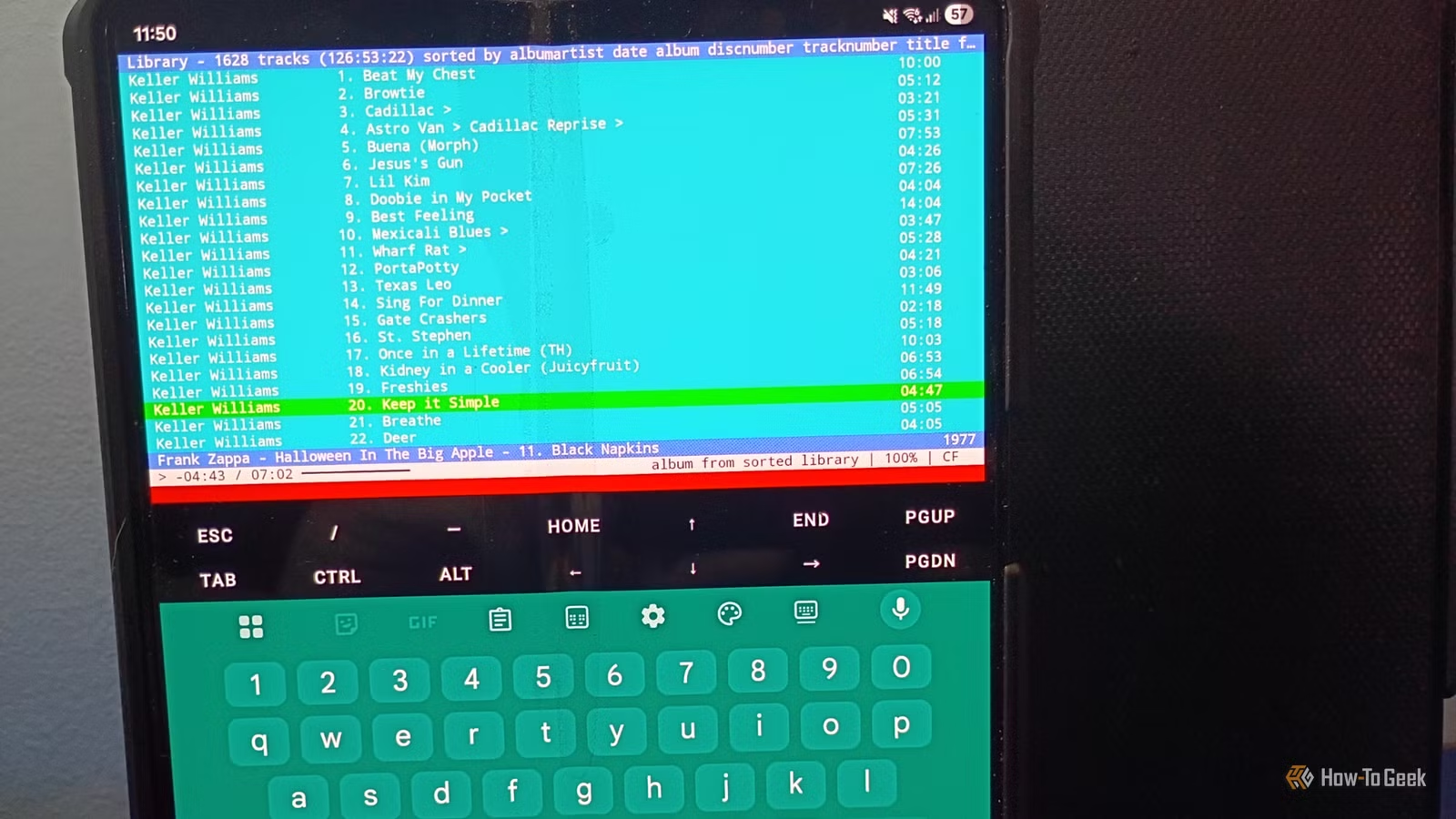
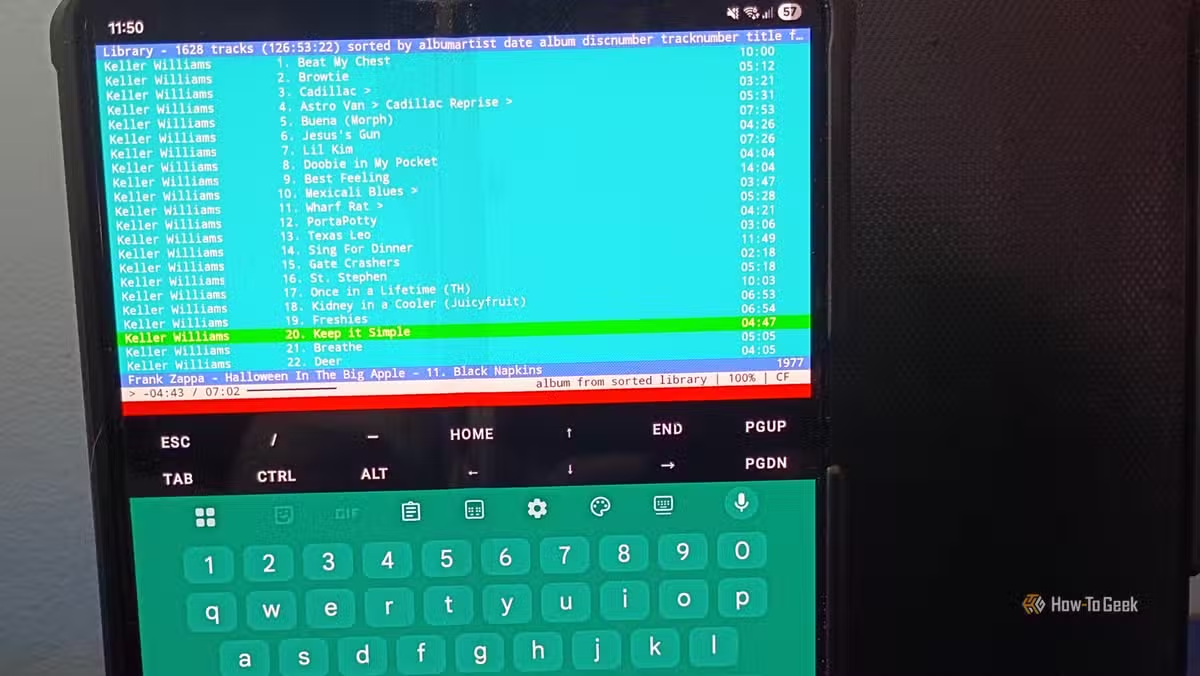
If you spend time working in terminals, you probably have favorite CLI and TUI apps. One standout is cmus, a text-based music player with minimal graphics but powerful organization features. It turns out this Linux favorite runs well on Android phones through Termux.
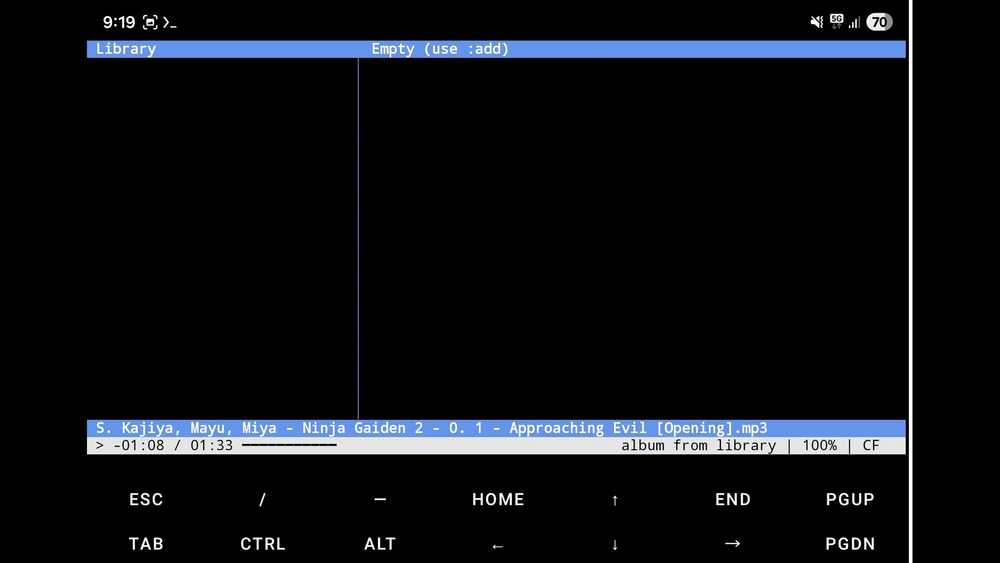
David J. Buck from How-To Geek documented the process of getting cmus working on his Samsung Galaxy Z Fold 5. The setup takes only a few minutes and delivers a music playback experience he considers better than most Play Store alternatives.
Setting Up cmus on Android
The process starts with Termux, the terminal emulator for Android. Once Termux has storage permissions, you can access your music files through the storage folder. Use cd storage to navigate there, then ls to list your directories.
To add music to cmus, you have two options. You can use the number pad to navigate to your directory, or use the :add command in the command line at the bottom of the screen. Find your file path using the pwd command in your music directory.
Keyboard Navigation and Commands
The navigation system in cmus relies heavily on number keys. Keys 1 through 7 each take you to a different display: library, queue, playlists, instructions, and customization settings. This keyboard-driven approach works well once you learn the shortcuts.
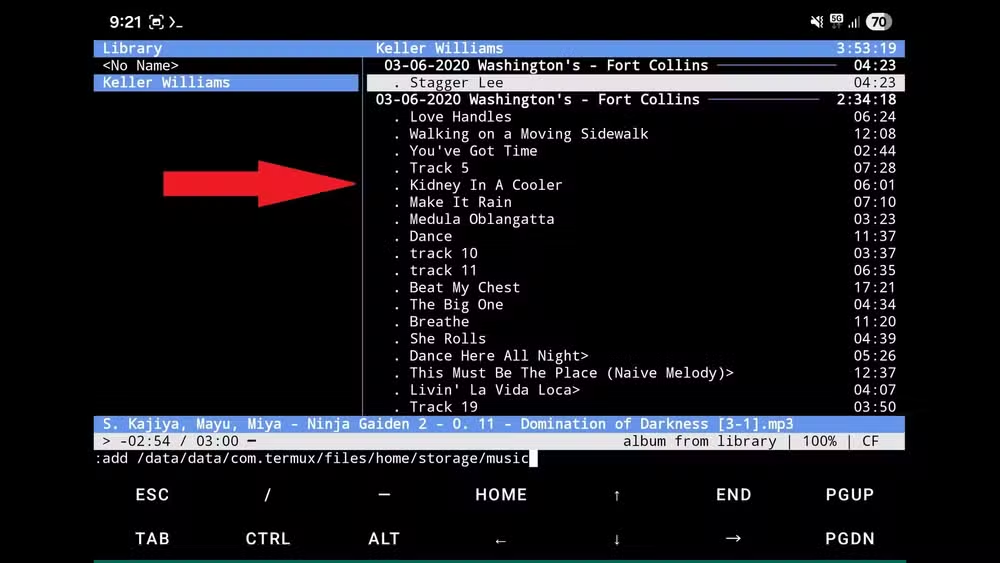
You can combine commands and shortcut keys for efficient control. The command line at the screen bottom accepts various instructions for playback control, library management, and settings changes.
What Works and What Doesn't
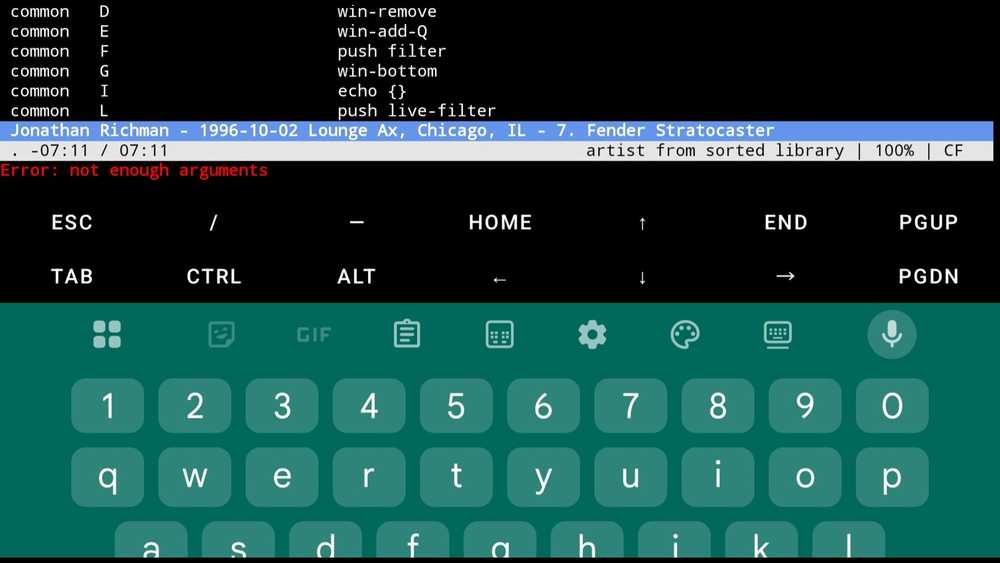
Not everything translates perfectly from desktop Linux to Android. The 0 key, normally used for creating playlists, throws a "not enough arguments" error on the phone. The 8 key for changing color schemes also fails to work.
For album-focused listeners, the playlist limitation matters little. Buck notes he prefers listening to entire albums, live shows, or box sets from start to finish. The library and queue features handle this workflow well.
Customization Options
Despite the Android limitations, cmus offers various customization settings accessible through the interface. Keybindings can be adjusted to match your preferences, though some desktop-specific features may not apply in the Termux environment.
Why Use a TUI Player Instead of a GUI App?
The appeal of cmus lies in its simplicity and efficiency. No album art loading, no social features, no subscription prompts. Just your music files, organized by artist and album, controlled by keyboard commands.
For developers and sysadmins who already spend time in terminals, keeping a consistent workflow across desktop and mobile makes sense. The skills transfer directly. Commands you know from Linux work the same way on your phone.
More ways to use familiar tools in unexpected contexts
Logicity's Take
Frequently Asked Questions
Does cmus work on all Android phones?
cmus should work on any Android device that can run Termux. The key requirement is giving Termux storage permissions to access your music files.
What music formats does cmus support?
cmus supports common formats including MP3, FLAC, Ogg Vorbis, WAV, and others. Format support depends on the libraries installed in your Termux environment.
Can I use cmus with Bluetooth headphones?
Yes, cmus uses Android's audio output system through Termux. Any audio output method your phone supports, including Bluetooth, should work.
Is there a way to control cmus without the keyboard?
cmus is designed for keyboard control. On Android, you can use Termux's on-screen keyboard or connect an external Bluetooth keyboard for the best experience.
Need Help Implementing This?
Source: How-To Geek
Manaal Khan
Tech & Innovation Writer
اقرأ أيضاً

رأي مغاير: كيف يؤثر اختراق الأمن الداخلي الأميركي على شركاتنا الخاصة؟
في ظل اختراق عقود الأمن الداخلي الأميركي مع شركات خاصة، نناقش تأثير هذا الاختراق على مستقبل الأمن السيبراني. نستعرض الإحصاءات الموثوقة ونناقش كيف يمكن للشركات الخاصة أن تتعامل مع هذا التهديد. استمتع بقراءة هذا التحليل العميق

الإنسان في زمن ما بعد الوجود البشري: نحو نظام للتعايش بين الإنسان والروبوت - Centre for Arab Unity Studies
في هذا المقال، سنناقش كيف يمكن للبشر والروبوتات التعايش في نظام متكامل. سنستعرض التحديات والحلول المحتملة التي تضعها شركات مثل جوجل وأمازون. كما سنلقي نظرة على التوقعات المستقبلية وفقًا لتقرير ماكنزي

إطلاق ناسا لمهمة مأهولة إلى القمر: خطوة تاريخية نحو استكشاف الفضاء
تعتبر المهمة الجديدة خطوة هامة نحو استكشاف الفضاء وتطوير التكنولوجيا. سوف تشمل المهمة إرسال رواد فضاء إلى سطح القمر لconducting تجارب علمية. ستسهم هذه المهمة في تطوير فهمنا للفضاء وتحسين التكنولوجيا المستخدمة في استكشاف الفضاء.