Gemini's Scheduled Actions Are Paywalled. Here's Why That Stings
Key Takeaways
- Scheduled Actions lets you automate Gemini prompts to run at specific times daily or weekly
- The feature syncs across all devices with your Google account
- Google requires a paid Gemini subscription to access Scheduled Actions
What Are Scheduled Actions?
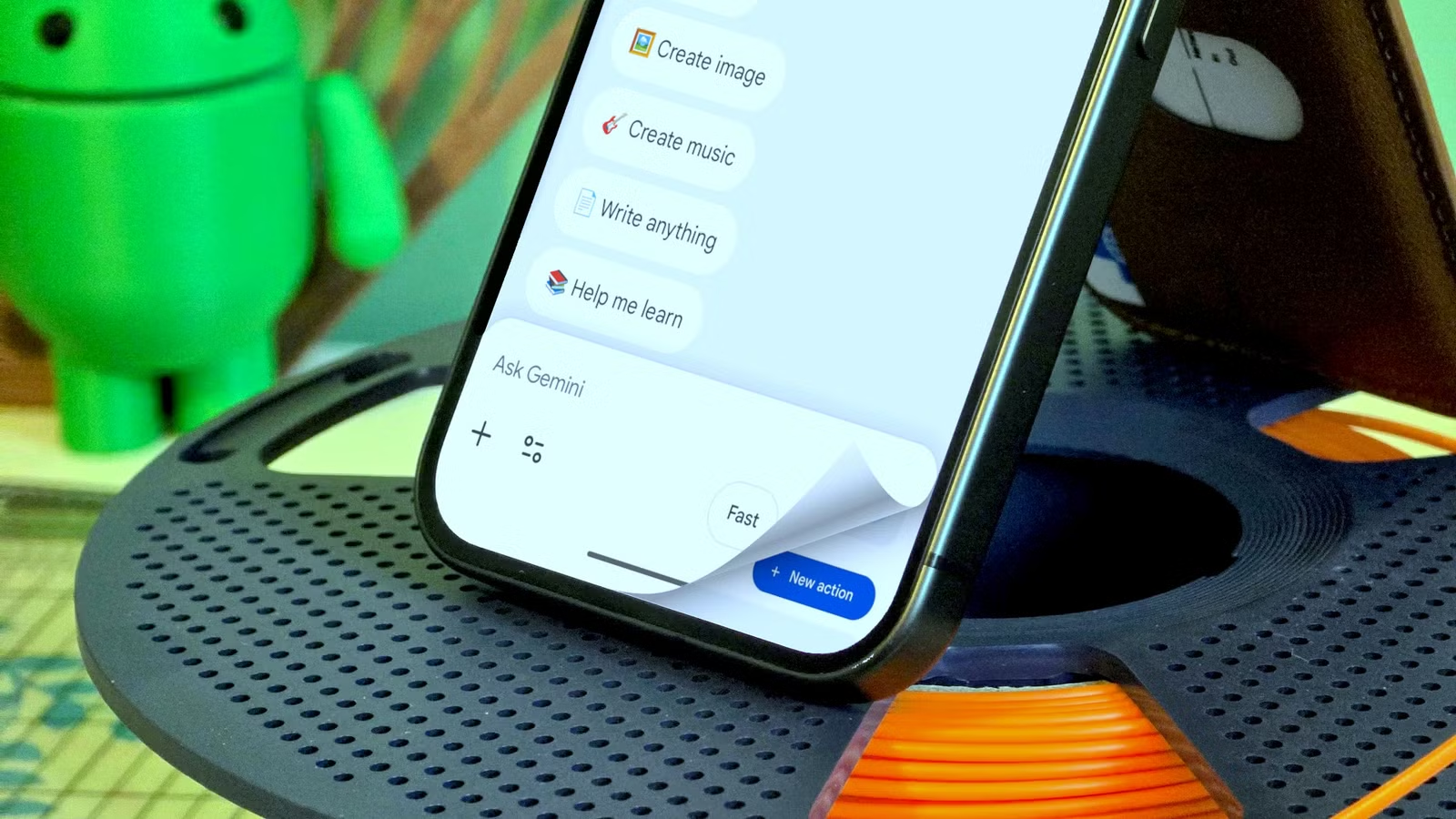
Google Gemini can order food from GrubHub, answer questions, and handle what Google calls "Personal Intelligence" tasks. All free. But one of its most practical features sits behind a paywall: Scheduled Actions.
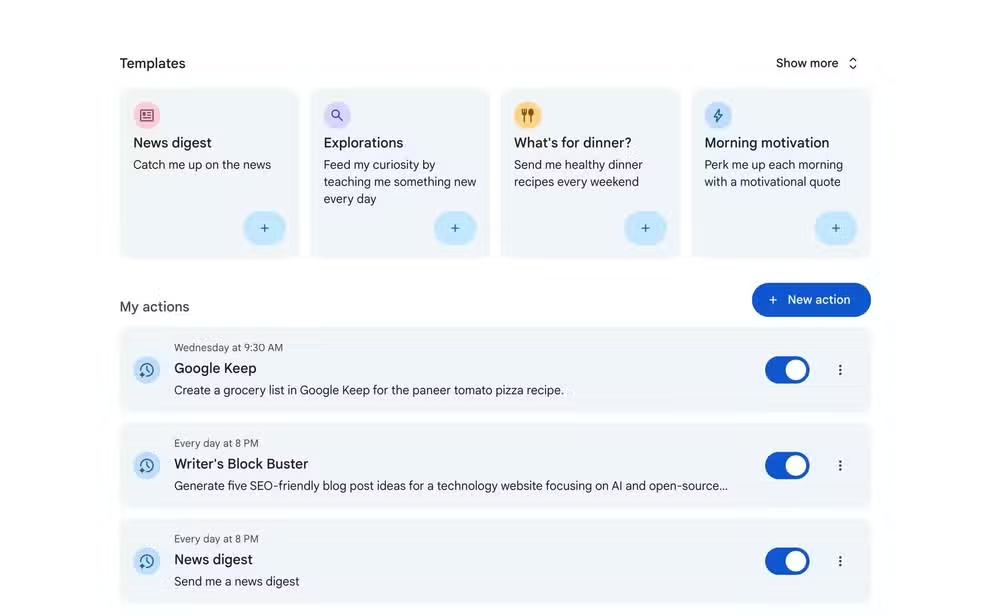
The concept is simple. Instead of typing the same prompt into Gemini every morning or every Monday, you schedule it to run automatically. When the designated time hits, Gemini executes the prompt as if you just typed it yourself.
This differs from traditional smart home automations. Most routines follow an "if this, then that" model. You pick a trigger, pair it with actions, done. Scheduled Actions flips the script. The "action" is a Gemini prompt, which means the output can be different every time based on current context, new information, or whatever Gemini decides is relevant.
Why This Feature Actually Matters
Think beyond turning lights on and off. Yes, you could technically schedule Gemini to control smart home devices. But that misses the point.
Scheduled Actions work with any app or service that has Gemini integration. You could schedule a morning briefing that pulls your calendar, checks traffic, and summarizes overnight emails. Or automate a weekly expense report summary. Or trigger a daily market research query that compiles results into a Google Doc.
The feature also syncs to any device with your Google account. Set up a Scheduled Action on your phone, and it runs whether you're on your tablet, laptop, or somewhere else entirely.
The Paywall Problem
Google clearly thinks Scheduled Actions is valuable enough that people will pay for it. And they're probably right. The feature sits in the premium tier, unavailable to free Gemini users.
Joe Fedewa at How-To Geek stumbled on the feature while researching Gemini's capabilities. He uses Gemini for free and doesn't plan to upgrade. But he calls it "a feature that I genuinely think would be useful to have" and adds: "It's a shame Google put it behind a paywall."
The frustration is understandable. Automation is one of those features that compounds in value over time. Once you set it up, it keeps working. Every day or week that passes, you're saving a few minutes. Multiply that over months, and the time savings become substantial.
Workarounds for Free Users
If you're not paying for Gemini, your options are limited. You can't replicate the native Scheduled Actions feature outside the premium tier.
Some alternatives exist, though they require more effort. IFTTT and Zapier can trigger automations on schedules, and some of those integrations touch Google services. But you won't get the natural language flexibility of a Gemini prompt running automatically.
For smart home automations specifically, Google Home routines remain free. They lack the AI layer, but they handle basic scheduling fine.
For free alternatives to automate your smart home
Is the Premium Worth It?
That depends on how many Scheduled Actions you'd actually use. If you have three or four prompts you run daily, the time savings could justify the subscription cost. If you'd set up one automation and forget about it, probably not.
Google is betting that once people see what AI automation can do, they'll pay for it. They might be right. But the decision to hide this specific feature feels like it undercuts Gemini's appeal to free users who are still evaluating whether an upgrade makes sense.
Logicity's Take
Frequently Asked Questions
What is Gemini Scheduled Actions?
Scheduled Actions is a Gemini feature that lets you automate AI prompts to run at specific times on a daily or weekly basis, syncing across all devices with your Google account.
Is Scheduled Actions free in Gemini?
No. Scheduled Actions requires a paid Gemini subscription. Free users cannot access the feature.
How is Scheduled Actions different from Google Home routines?
Google Home routines use a traditional trigger-action model. Scheduled Actions uses a Gemini prompt as the action, allowing for more dynamic and context-aware outputs.
Can I use third-party tools to replicate Scheduled Actions?
Partially. Tools like IFTTT and Zapier can schedule automations involving some Google services, but they lack the natural language AI capabilities of a native Gemini prompt.
Need Help Implementing This?
Source: How-To Geek
Manaal Khan
Tech & Innovation Writer
اقرأ أيضاً

رأي مغاير: كيف يؤثر اختراق الأمن الداخلي الأميركي على شركاتنا الخاصة؟
في ظل اختراق عقود الأمن الداخلي الأميركي مع شركات خاصة، نناقش تأثير هذا الاختراق على مستقبل الأمن السيبراني. نستعرض الإحصاءات الموثوقة ونناقش كيف يمكن للشركات الخاصة أن تتعامل مع هذا التهديد. استمتع بقراءة هذا التحليل العميق

الإنسان في زمن ما بعد الوجود البشري: نحو نظام للتعايش بين الإنسان والروبوت - Centre for Arab Unity Studies
في هذا المقال، سنناقش كيف يمكن للبشر والروبوتات التعايش في نظام متكامل. سنستعرض التحديات والحلول المحتملة التي تضعها شركات مثل جوجل وأمازون. كما سنلقي نظرة على التوقعات المستقبلية وفقًا لتقرير ماكنزي

إطلاق ناسا لمهمة مأهولة إلى القمر: خطوة تاريخية نحو استكشاف الفضاء
تعتبر المهمة الجديدة خطوة هامة نحو استكشاف الفضاء وتطوير التكنولوجيا. سوف تشمل المهمة إرسال رواد فضاء إلى سطح القمر لconducting تجارب علمية. ستسهم هذه المهمة في تطوير فهمنا للفضاء وتحسين التكنولوجيا المستخدمة في استكشاف الفضاء.