Executor: A Free Windows Launcher That Replaces the Start Menu
Key Takeaways
- Executor uses custom keywords to launch apps, open folders, and run web searches instantly
- You can chain multiple actions together with a single command
- The launcher is free and works entirely from the keyboard
The Windows Start menu is supposed to be your gateway to everything on your PC. In practice, it's a slow detour. You press the Windows key, type what you want, then scan through a crowded interface that mixes local results with web suggestions, ads, and other distractions.
Even if you've already removed Bing from the Start menu, the interface can still feel sluggish. That gap between knowing exactly what you want and actually getting to it is where Executor fits in.
What Executor Does
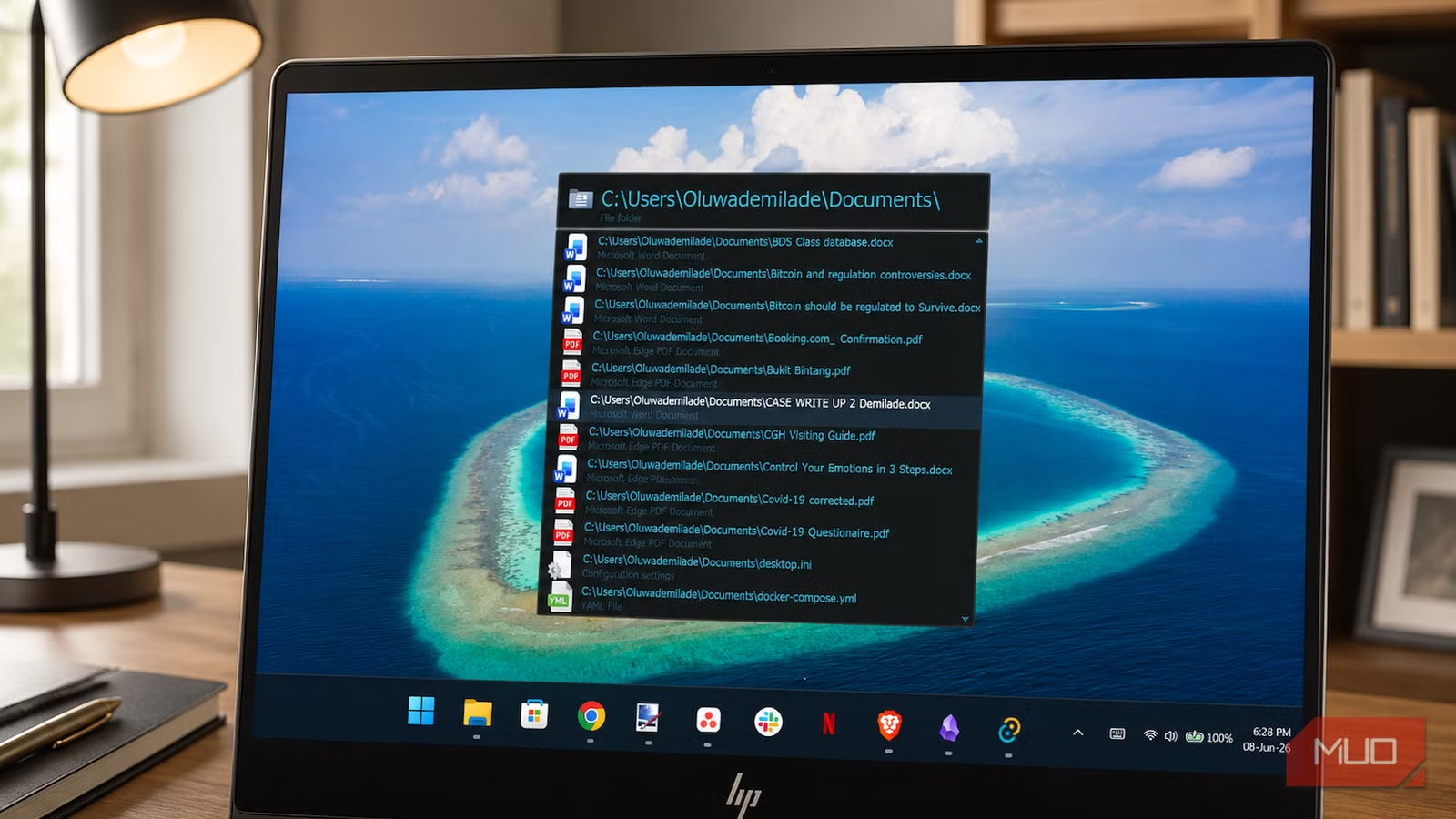
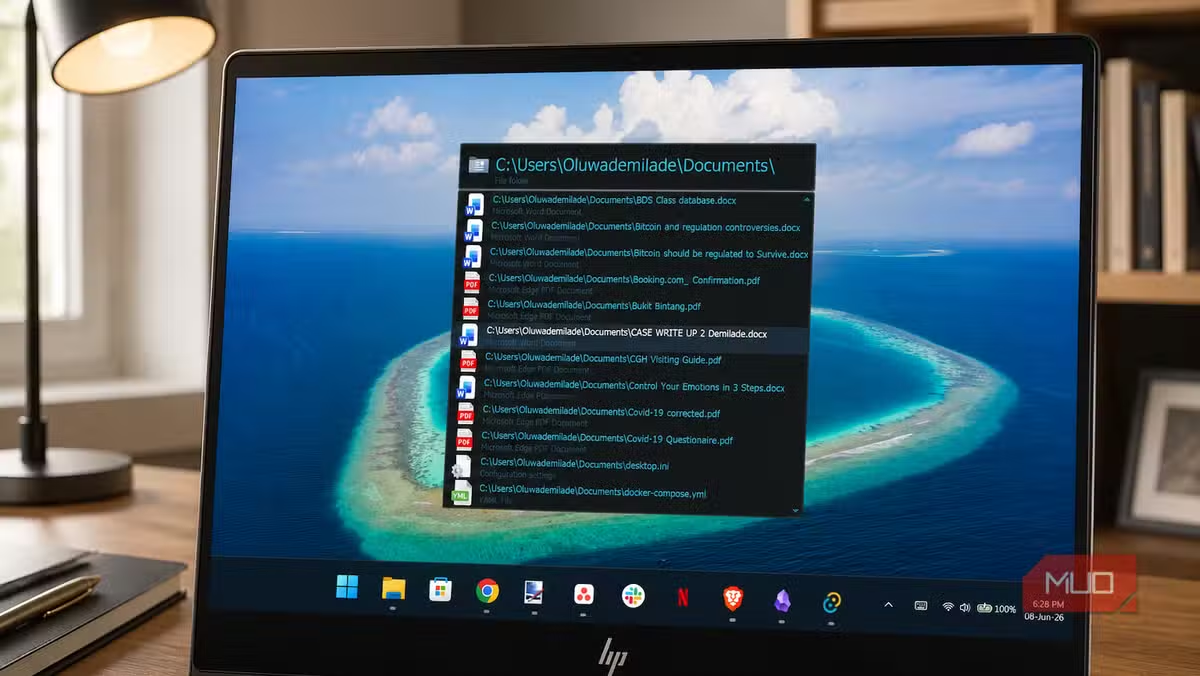
Executor is a free, keyboard-driven launcher for Windows. At its core, it's a keyword system. You press a global hotkey, type a short alias you've defined yourself, and Executor runs it.
That execution can be almost anything: launching an application, opening a folder, running a system command, firing a custom web search, or chaining several of those actions together at once.
How Keywords Work
The simplest example is a web search. You can create a keyword like "g" for Google. Then you type "g when is the World Cup starting?" and send the query straight to Google without opening a browser first.
The same idea works for YouTube. A "y" keyword passes your text directly into a YouTube search URL. No clicking, no navigating.
It gets more useful when the keywords point to places on your own PC. A keyword like "work" can open a project folder instantly. You no longer have to dig through File Explorer to get back to the same directory every morning.
Chaining Actions Together
Executor's real power shows up when you chain multiple actions with a single command. The tool uses a || separator to run several actions in sequence.
You could create a keyword like "standup" that opens your project folder, launches Slack, and opens your task manager. One command, three actions, zero clicking.
- Define custom keywords for any app, folder, or URL
- Pass search queries directly to Google, YouTube, or any site
- Chain multiple actions with the || separator
- Works entirely from the keyboard
More keyboard and shortcut tricks for daily productivity
Why This Matters for Power Users
Every time you reach for the mouse, you lose a few seconds. Those seconds add up. If you open the same five apps and folders every day, that's thousands of unnecessary clicks per year.
Executor removes that friction. Once you've set up your keywords, launching anything becomes muscle memory. Type three letters, hit enter, done.
The learning curve is small. You define keywords once, then use them forever. The tool stays out of your way until you need it.
✅ Pros
- • Completely free
- • Keyboard-only workflow saves time
- • Custom keywords for apps, folders, and web searches
- • Can chain multiple actions into one command
❌ Cons
- • Requires upfront setup time
- • No point if you prefer mouse navigation
- • Windows only
Getting Started
Executor is free to download. After installing, you'll set up your global hotkey and start creating keywords. The interface is straightforward: each keyword maps to an action, and you can edit or delete them anytime.
Start with your most-used apps and folders. Add web searches for Google, YouTube, or whatever sites you visit daily. Then build from there as you notice repetitive tasks.
Logicity's Take
Frequently Asked Questions
Is Executor free to use?
Yes. Executor is completely free with no paid tiers or subscriptions.
Does Executor work on Windows 11?
Yes. Executor works on Windows 10 and Windows 11.
Can I use Executor for web searches?
Yes. You can create keywords that pass your query directly to Google, YouTube, or any search URL you define.
How do I chain multiple actions in Executor?
Use the || separator between actions. For example, a keyword could open a folder, launch an app, and open a website in one command.
Need Help Implementing This?
Source: MakeUseOf
Huma Shazia
Senior AI & Tech Writer
اقرأ أيضاً

رأي مغاير: كيف يؤثر اختراق الأمن الداخلي الأميركي على شركاتنا الخاصة؟
في ظل اختراق عقود الأمن الداخلي الأميركي مع شركات خاصة، نناقش تأثير هذا الاختراق على مستقبل الأمن السيبراني. نستعرض الإحصاءات الموثوقة ونناقش كيف يمكن للشركات الخاصة أن تتعامل مع هذا التهديد. استمتع بقراءة هذا التحليل العميق

الإنسان في زمن ما بعد الوجود البشري: نحو نظام للتعايش بين الإنسان والروبوت - Centre for Arab Unity Studies
في هذا المقال، سنناقش كيف يمكن للبشر والروبوتات التعايش في نظام متكامل. سنستعرض التحديات والحلول المحتملة التي تضعها شركات مثل جوجل وأمازون. كما سنلقي نظرة على التوقعات المستقبلية وفقًا لتقرير ماكنزي

إطلاق ناسا لمهمة مأهولة إلى القمر: خطوة تاريخية نحو استكشاف الفضاء
تعتبر المهمة الجديدة خطوة هامة نحو استكشاف الفضاء وتطوير التكنولوجيا. سوف تشمل المهمة إرسال رواد فضاء إلى سطح القمر لconducting تجارب علمية. ستسهم هذه المهمة في تطوير فهمنا للفضاء وتحسين التكنولوجيا المستخدمة في استكشاف الفضاء.