COSMIC Desktop Fixes Linux's Fractional Scaling Problem

Key Takeaways
- COSMIC offers fractional scaling in 5% increments, eliminating the blurry app problem common on GNOME and KDE
- Tiling is built directly into the window manager, requiring zero external extensions
- The entire desktop is written in Rust, providing memory safety and performance improvements over older environments
For years, Linux users have accepted display scaling as a problem to work around, not solve. You buy a high-resolution monitor, set scaling to 125% or 150%, and wait for the compromises. One app looks sharp. Another looks smeared. Text becomes unreadable in spots. System76's COSMIC desktop is the first mainstream Linux environment to treat this as unacceptable.
COSMIC, still in alpha but already shipping with Pop!_OS, takes a different approach than GNOME and KDE. Instead of bolting scaling and tiling onto an existing architecture, System76 built both features into the core from day one. The result is a desktop where fractional scaling actually works and tiling does not require extensions that break on every update.
The Blurry App Problem
The core issue with Linux display scaling on HiDPI and 4K monitors is how compositors handle fractional percentages. When you set 150% scaling, most Linux desktops use a hack: render the app at 200%, then downscale to 150%. The result is text and UI elements that look slightly smeared or fuzzy.
GNOME has historically been the worst offender. Its Mutter compositor and GTK toolkit handle scaling rigidly. GNOME wants you to pick a clean configuration and stop asking questions. That works on a single laptop display. It fails when you connect a high-DPI laptop to a lower-DPI external monitor and want both to feel physically consistent.
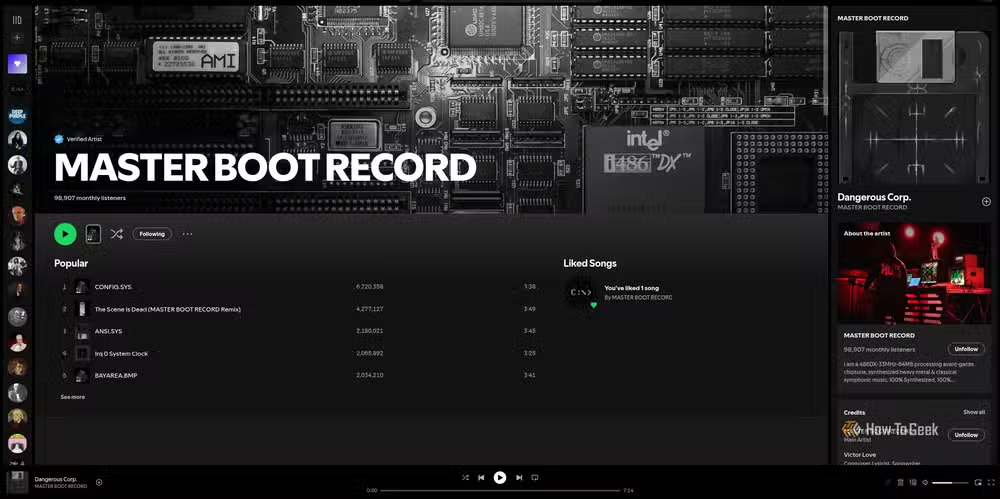
XWayland applications make things worse. Apps not natively built for Wayland, like Discord or Spotify, often appear as blurry messes when fractional scaling is enabled. GNOME 47 introduced fixes, but the solution often relies on letting X11 apps scale themselves. This can result in UI elements becoming impossibly small or breaking entirely.
KDE Plasma handles this slightly better through an "X11 Scaling" option. This allows X11 apps to render at native resolution and scale themselves, keeping them sharp. However, it requires manual intervention and is not a complete solution.
How COSMIC Fixes Scaling
COSMIC offers scaling presets plus a custom percentage option with 5% increments. This granular control lets users dial in exactly what looks right on their specific hardware. The "Additional Scaling" feature provides the fine-tuning that GNOME and KDE have never offered.
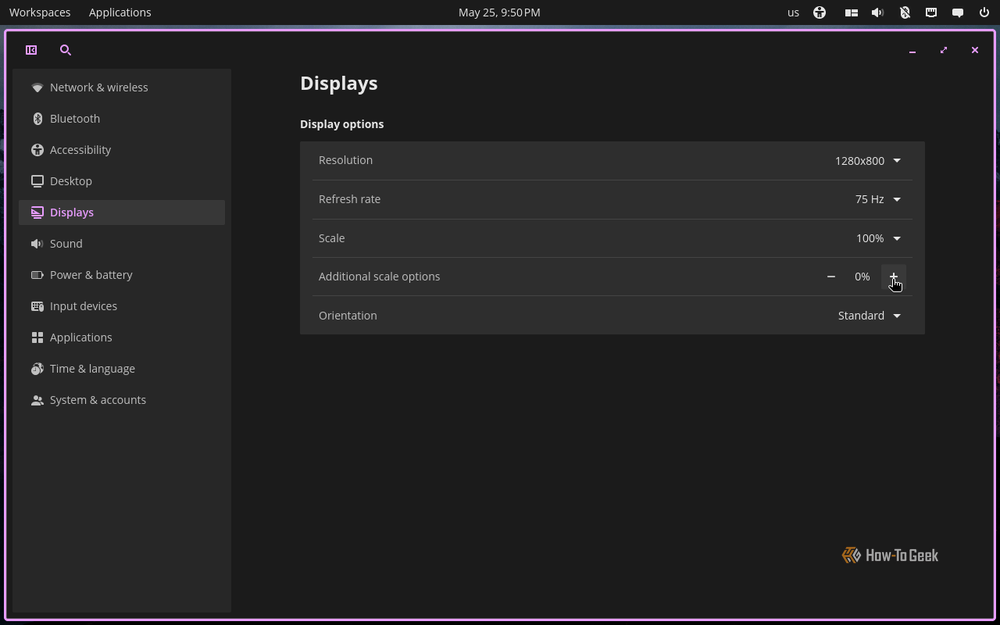
The difference is architectural. COSMIC was built from scratch as a Wayland-native compositor. It does not carry the legacy baggage of X11 compatibility hacks that GNOME and KDE still drag along. When System76 designed the scaling system, they designed it for modern displays and mixed-DPI setups from the start.
“By building from the ground up in Rust, we are not just adding features—we are creating a desktop environment that feels predictable, secure, and genuinely fast on any hardware.”
— Carl Richell, CEO of System76
Tiling Without Extensions
Window tiling on Linux has traditionally meant a choice: use a full desktop environment that treats tiling as an afterthought, or use a dedicated tiling window manager that expects you to configure everything by hand.
GNOME users who want tiling typically install Pop Shell or similar extensions. These work, but they are fragile. A GNOME update can break them. Extension developers may not keep up with changes. The experience is never quite as smooth as native functionality.
COSMIC builds tiling directly into the window manager. Zero external extensions required. The auto-tiling system handles window placement automatically, and users can toggle between tiling and floating modes without third-party tools.
This matters for reliability. When tiling is part of the core, it gets tested with every release. It does not break because an extension author moved on to other projects. The Pop Shell extension that made Pop!_OS popular among developers is now simply how COSMIC works.
The Rust Foundation
COSMIC is written entirely in Rust, making it the first major desktop environment built in a memory-safe language. This is not just a technical footnote. Rust eliminates entire categories of bugs that have plagued C and C++ based desktops for decades.
Memory leaks that cause desktop environments to slow down over time? Rust's ownership model prevents them. Buffer overflows that create security vulnerabilities? The compiler catches them before the code runs. The result is a desktop that should remain stable and responsive during long sessions.
What COSMIC Still Lacks
COSMIC is young. It does not yet have the maturity or breadth of GNOME and KDE. The extension ecosystem is minimal. Deep customization options that KDE Plasma users take for granted are still missing or incomplete.
Community reactions on Reddit and Hacker News have been optimistic, with users praising the modularity of COSMIC's panel system compared to GNOME's rigid structure. But some power users are waiting to see if COSMIC will eventually support the pixel-perfect customization available in KDE Plasma.
| Feature | GNOME | KDE Plasma | COSMIC |
|---|---|---|---|
| Fractional Scaling | Rigid presets, XWayland issues | Better with manual X11 option | 5% increments, native support |
| Tiling | Requires extensions | Requires extensions | Built into window manager |
| Codebase | C/Vala | C++/QML | 100% Rust |
| Maturity | 20+ years | 25+ years | Alpha stage |
For users who have struggled with specific pain points like scaling and tiling, COSMIC already solves the problem. For users who need deep theme customization, extensive extension support, or battle-tested stability, GNOME and KDE remain the safer choices for now.
Another Rust-based tool challenging established software with performance improvements.
Logicity's Take
Frequently Asked Questions
Is COSMIC ready for daily use?
COSMIC is still in alpha and ships with Pop!_OS as a preview. It works for basic workflows but lacks the polish and extension ecosystem of GNOME or KDE. Power users should expect rough edges.
Does COSMIC fix blurry apps on 4K monitors?
Yes. COSMIC offers fractional scaling in 5% increments and handles Wayland-native applications without the smearing issues common on GNOME. XWayland app support is also improved.
Can I use COSMIC on distributions other than Pop!_OS?
COSMIC is being packaged for other distributions, but Pop!_OS is the primary platform. Community packages exist for Arch Linux and Fedora, though stability varies.
Why is COSMIC written in Rust?
Rust provides memory safety guarantees that prevent entire categories of bugs. This means fewer memory leaks, better security, and more predictable performance compared to C or C++ based desktops.
Need Help Implementing This?
Source: How-To Geek
Manaal Khan
Tech & Innovation Writer
اقرأ أيضاً

رأي مغاير: كيف يؤثر اختراق الأمن الداخلي الأميركي على شركاتنا الخاصة؟
في ظل اختراق عقود الأمن الداخلي الأميركي مع شركات خاصة، نناقش تأثير هذا الاختراق على مستقبل الأمن السيبراني. نستعرض الإحصاءات الموثوقة ونناقش كيف يمكن للشركات الخاصة أن تتعامل مع هذا التهديد. استمتع بقراءة هذا التحليل العميق

الإنسان في زمن ما بعد الوجود البشري: نحو نظام للتعايش بين الإنسان والروبوت - Centre for Arab Unity Studies
في هذا المقال، سنناقش كيف يمكن للبشر والروبوتات التعايش في نظام متكامل. سنستعرض التحديات والحلول المحتملة التي تضعها شركات مثل جوجل وأمازون. كما سنلقي نظرة على التوقعات المستقبلية وفقًا لتقرير ماكنزي

إطلاق ناسا لمهمة مأهولة إلى القمر: خطوة تاريخية نحو استكشاف الفضاء
تعتبر المهمة الجديدة خطوة هامة نحو استكشاف الفضاء وتطوير التكنولوجيا. سوف تشمل المهمة إرسال رواد فضاء إلى سطح القمر لconducting تجارب علمية. ستسهم هذه المهمة في تطوير فهمنا للفضاء وتحسين التكنولوجيا المستخدمة في استكشاف الفضاء.