Cmder vs Windows Terminal: What the Old-School App Still Does Better
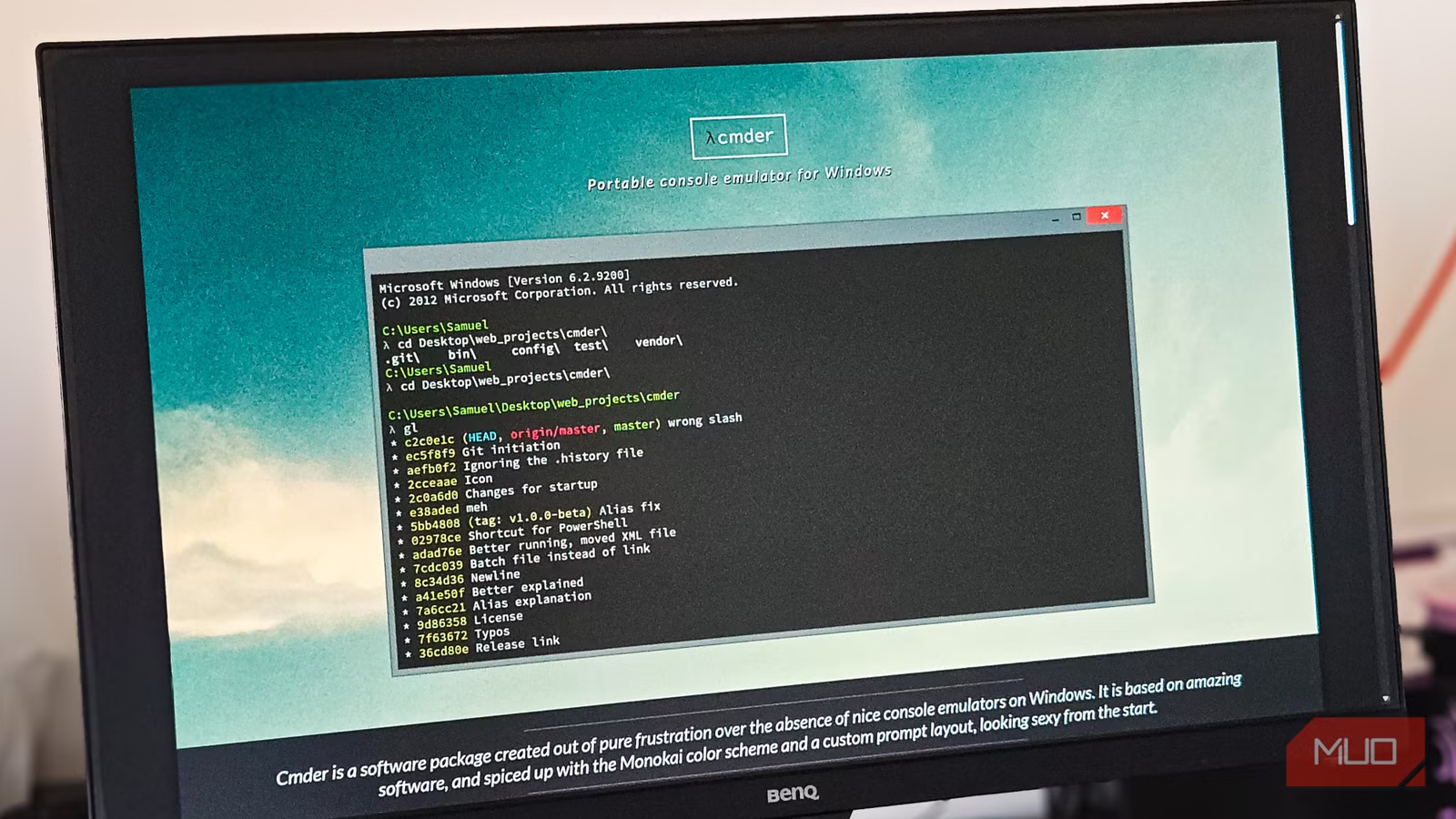
Key Takeaways
- Cmder bundles Git, ls, grep, ssh, and bash in a single 100MB portable download
- Windows Terminal requires separate Git for Windows installation and PATH configuration
- Cmder's Clink integration adds bash-style shortcuts to cmd that Windows Terminal lacks
Windows Terminal Is Good. So Why Keep Cmder Around?
Windows Terminal has quietly become one of the better things Microsoft ships. Tabs, split panes, Quake mode, GPU rendering, solid Unicode support, and a Settings UI that doesn't force you into JSON editing. For most developers, it's now the default.
But before Windows Terminal reached this level, Cmder was the bundle that made working in a Windows shell tolerable. It was portable, came packaged with Git for Windows, and offered sane defaults from the first launch. Many developers assumed they would drop it once Microsoft caught up with proper profiles and shell integration.
That hasn't happened. Cmder never fully left many developers' setups because it still handles a few things better than anything Microsoft ships.
The Unix Tools Problem
Windows Terminal is a terminal host. It renders whatever shell you point it at, but it brings no tools along. On a clean Windows install, cmd and PowerShell still don't ship with the Unix commands that many developers use daily. No ls, no grep, no cat, no ssh.
Want any of that? You have to install Git for Windows separately, configure the PATH, and repeat the process on every new machine.
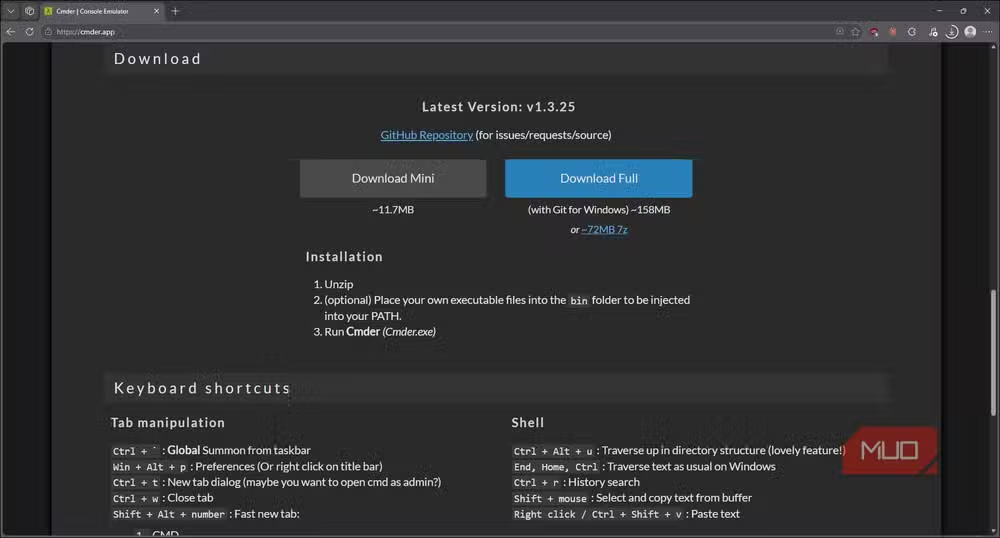
Cmder doesn't have this problem. The full edition is about 100MB and ships with a vendored Git for Windows installation. That means git, ls, grep, cat, ssh, and a working bash shell without installing anything on top of it. Every command you would use on a Linux box works right out of the Zip archive.
Clink Makes cmd Actually Usable
Cmder bolts Clink onto cmd. This adds bash-style command line editing: reverse history search with Ctrl+R, better tab completion, and shortcuts that feel natural if you've spent any time in a Linux shell.
Plain cmd inside Windows Terminal doesn't do any of this without adding Clink yourself. PowerShell has some of these features, but cmd users are left with the same bare experience from decades ago.
Portability Without Configuration
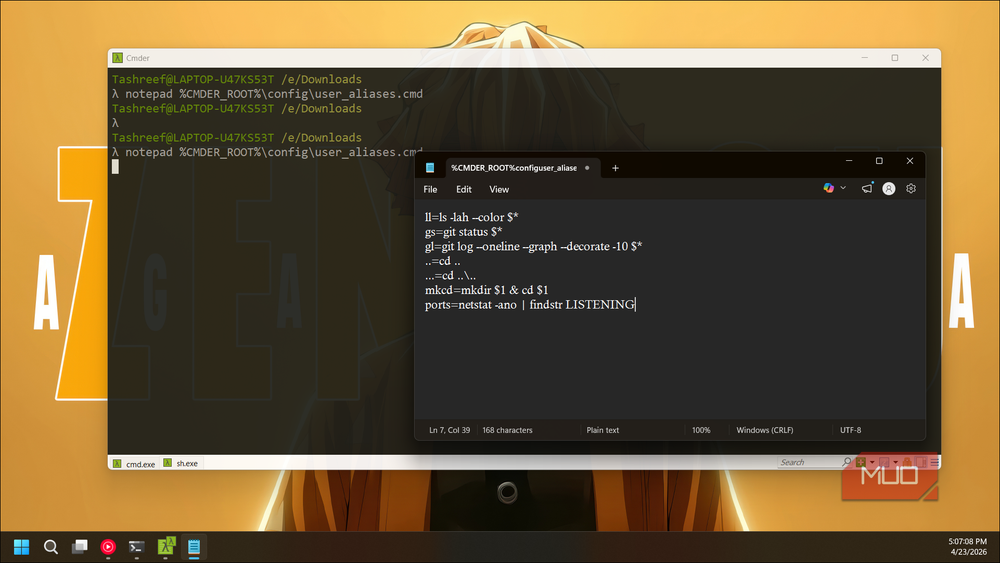
Cmder is fully portable. Unzip it anywhere, run it, and you have a complete terminal environment. Your settings, aliases, and tools travel with the folder. Drop it on a USB drive or sync it via cloud storage, and you have identical setups across machines.
Windows Terminal stores settings in your user profile. Moving to a new machine means exporting and importing JSON, installing Git for Windows again, and reconfiguring PATH. It's not difficult, but it's not zero-effort either.
The Best of Both: Use Cmder Inside Windows Terminal
The practical approach is to point a Windows Terminal profile at Cmder's init.bat. This gives you Windows Terminal's rendering, tabs, and UI while keeping Cmder's bundled tools and Clink integration.
You get the polish of Microsoft's terminal with the Unix toolkit that Cmder provides. No need to choose one or the other.
✅ Pros
- • Bundles Git, ls, grep, ssh, and bash in one portable download
- • Clink integration adds bash-style editing to cmd
- • Fully portable with no installation required
- • Zero configuration needed for Unix commands
❌ Cons
- • 100MB download is larger than Windows Terminal alone
- • UI and rendering are dated compared to Windows Terminal
- • Updates require manual download of new versions
Logicity's Take
Frequently Asked Questions
Is Cmder still maintained in 2026?
Yes. Cmder continues to receive updates, though less frequently than Windows Terminal. The project bundles the latest Git for Windows releases.
Can I use Cmder and Windows Terminal together?
Yes. You can create a Windows Terminal profile that launches Cmder's init.bat, giving you Windows Terminal's UI with Cmder's Unix tools.
Does Windows Terminal support ls and grep natively?
No. Windows Terminal is only a terminal host. For Unix commands, you need Git for Windows, WSL, or a similar toolkit installed separately.
Is Cmder safe to download?
Yes. Cmder is an open-source project hosted on GitHub. Download only from the official cmder.app website or GitHub releases.
Another powerful command-line tool that replaces paid software
Need Help Implementing This?
Source: MakeUseOf
Huma Shazia
Senior AI & Tech Writer
اقرأ أيضاً

رأي مغاير: كيف يؤثر اختراق الأمن الداخلي الأميركي على شركاتنا الخاصة؟
في ظل اختراق عقود الأمن الداخلي الأميركي مع شركات خاصة، نناقش تأثير هذا الاختراق على مستقبل الأمن السيبراني. نستعرض الإحصاءات الموثوقة ونناقش كيف يمكن للشركات الخاصة أن تتعامل مع هذا التهديد. استمتع بقراءة هذا التحليل العميق

الإنسان في زمن ما بعد الوجود البشري: نحو نظام للتعايش بين الإنسان والروبوت - Centre for Arab Unity Studies
في هذا المقال، سنناقش كيف يمكن للبشر والروبوتات التعايش في نظام متكامل. سنستعرض التحديات والحلول المحتملة التي تضعها شركات مثل جوجل وأمازون. كما سنلقي نظرة على التوقعات المستقبلية وفقًا لتقرير ماكنزي

إطلاق ناسا لمهمة مأهولة إلى القمر: خطوة تاريخية نحو استكشاف الفضاء
تعتبر المهمة الجديدة خطوة هامة نحو استكشاف الفضاء وتطوير التكنولوجيا. سوف تشمل المهمة إرسال رواد فضاء إلى سطح القمر لconducting تجارب علمية. ستسهم هذه المهمة في تطوير فهمنا للفضاء وتحسين التكنولوجيا المستخدمة في استكشاف الفضاء.