Best Tablets Under ₹25,000 in 2026: Fleet Buying Guide
Key Takeaways
- Fleet tablet costs dropped 35% since 2024 while specs improved significantly
- 8GB RAM and 256GB storage are now standard at this price point, enabling real productivity work
- Battery life ranges from 9-14 hours, reducing charging infrastructure needs for field teams
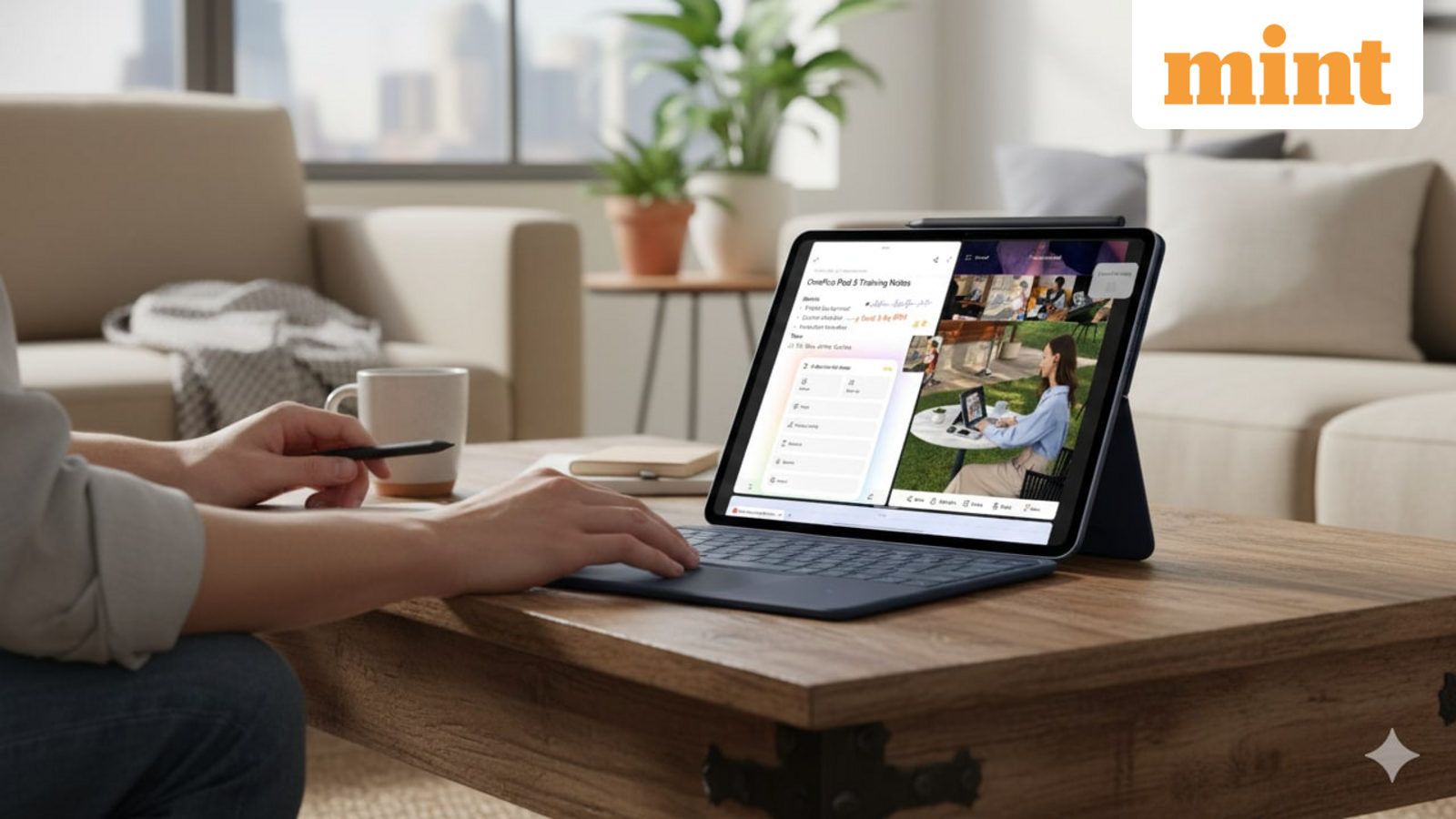
According to [Mint](https://www.livemint.com/technology/gadgets/besttabletsunderrs25000india2026onepluslenovoredmi-11776845821159.html), the tablet market under ₹25,000 has matured significantly, with devices like the OnePlus Pad Go, Lenovo IdeaTab, and Redmi Pad 2 now offering specifications that were premium-tier just two years ago.
Read in Short
If you're buying tablets for a team of 10+, the OnePlus Pad Go at ₹21,999 offers the best balance of battery life (14 hours) and expandable storage (up to 1TB). For stylus-dependent workflows like design reviews or digital signatures, the Lenovo IdeaTab at ₹24,998 is worth the premium. The Redmi Pad 2 offers the lowest total cost of ownership with included stylus.
Why Are CFOs Looking at Budget Tablets in 2026?
The economics have shifted dramatically. Three years ago, equipping a 50-person field sales team with tablets meant either spending ₹15-20 lakh on iPads or accepting subpar Android devices that frustrated users and broke within a year. That calculus has changed.
The devices in this segment now ship with 8GB RAM standard. That's enough to run CRM apps, video conferencing, inventory management software, and document editing without the lag that plagued earlier budget tablets. For most business workflows that don't involve heavy video editing or 3D modeling, these specs are genuinely sufficient.
More importantly, battery life has improved to the point where tablets can last a full workday without charging. This matters enormously for field teams, retail staff, and healthcare workers who can't be tethered to power outlets.
Best Tablets Under ₹25,000: Specs That Matter for Business
Let's cut through the marketing specs and focus on what actually impacts productivity and total cost of ownership. Display resolution matters less than you think for document work. Processor benchmarks matter less than real-world app responsiveness. Here's how the three leading options compare on metrics that affect daily operations.
| Specification | OnePlus Pad Go | Lenovo IdeaTab | Redmi Pad 2 |
|---|---|---|---|
| Price | ₹21,999 | ₹24,998 | ~₹18,999 |
| Display | 11.35-inch | 11-inch 2.5K | 11-inch |
| RAM/Storage | 8GB/256GB | 8GB/256GB | Up to 8GB/256GB |
| Battery Life | 14 hours video | 9 hours use | Not specified |
| Expandable Storage | Up to 1TB | No | Yes |
| LTE Option | Yes | No | Configuration dependent |
| Stylus Included | No | No (sold separately) | Yes (Redmi Smart Pen) |
OnePlus Pad Go: Best for Field Teams and Remote Workers
The OnePlus Pad Go stands out for organizations with mobile workforces. The 14-hour video playback translates to roughly 10-12 hours of mixed productivity use. That's a full shift without charging anxiety. The 4G LTE option means field sales reps, delivery coordinators, and service technicians aren't dependent on spotty Wi-Fi.
The 8000 mAh battery with fast charging support adds operational flexibility. A 30-minute charge during lunch can add several hours of use. For organizations managing shift-based tablet deployments, this reduces the number of devices needed in rotation.
At ₹21,999, it's also the price-performance leader. For a 25-unit procurement, you're looking at ₹5.5 lakh versus ₹6.25 lakh for the Lenovo option. That ₹75,000 difference can fund cases, screen protectors, and a few spare units.
Lenovo IdeaTab: Best for Note-Taking and Meeting Workflows
The Lenovo IdeaTab targets a different use case. The 2.5K resolution display is genuinely sharper for reading documents and reviewing detailed spreadsheets. The smart note-taking tools are designed specifically for classroom and meeting environments.
For organizations where tablets will primarily be used in conference rooms, training sessions, or educational settings, the Lenovo's note-taking optimization makes sense. The MediaTek Dimensity 6300 processor is also marginally more capable than the Helio G99 in the OnePlus for multitasking scenarios.
✅ Pros
- • Sharpest display in this price segment (2.5K resolution)
- • Purpose-built note-taking software for meetings
- • Quad speakers with Dolby Atmos for video conferencing clarity
❌ Cons
- • 9-hour battery life limits all-day mobile use
- • No LTE option restricts field deployment
- • Stylus sold separately adds ₹3,000-5,000 to TCO
The trade-off is clear: better for stationary use, worse for mobile deployments. If your tablets live mostly on desks and conference tables with nearby power outlets, the Lenovo is the better tool. If they're going into the field, look elsewhere.
Redmi Pad 2: Best Total Cost of Ownership
The Redmi Pad 2 deserves attention for budget-conscious deployments where the stylus is essential. Unlike competitors, Xiaomi includes the Redmi Smart Pen in the box. For workflows involving digital signatures, annotation, or design markup, this immediately saves ₹3,000-5,000 per unit.
The multiple RAM configurations (4GB, 6GB, 8GB) also enable smarter procurement. Not every role needs 8GB RAM. Customer-facing kiosks running a single app can work fine with 4GB, potentially saving ₹2,000-3,000 per unit. A mixed procurement strategy could significantly reduce fleet costs.
Procurement Tip
For fleets of 20+ tablets, consider a mixed approach: 8GB models for power users (sales reps, managers), 4GB models for single-app use cases (point-of-sale, check-in kiosks). This can reduce total procurement cost by 15-20%.
Similar hardware procurement analysis for office equipment
How Should IT Managers Evaluate Tablets for Fleet Deployment?
Spec sheets don't capture everything that matters for enterprise deployments. Here's what IT managers should investigate before committing to a large order.
- MDM compatibility: Can your mobile device management solution fully manage these devices? Test enrollment, app deployment, and remote wipe capabilities before purchasing.
- Update commitment: Android tablets vary wildly in security update support. OnePlus typically offers 3 years of security patches. Verify update policies for your chosen model.
- Warranty and support: What's the replacement turnaround for defective units? For fleets, negotiate extended warranty terms or keep 10% spare units.
- Accessory ecosystem: Cases, screen protectors, and charging solutions vary by model. Factor accessory availability and cost into TCO calculations.
- Enterprise features: Knox-like security containers, work profile separation, and kiosk mode capabilities differ across manufacturers.
The software side matters as much as hardware. A ₹22,000 tablet that plays nicely with your MDM solution beats a ₹20,000 tablet that requires manual configuration for each device.
Security update policies matter for device fleet management
What's the Real TCO for a 50-Tablet Deployment?
Let's build a realistic total cost of ownership model for a mid-sized deployment. This accounts for the costs procurement teams often overlook.
| Cost Category | OnePlus Pad Go (50 units) | Lenovo IdeaTab (50 units) |
|---|---|---|
| Devices | ₹10,99,950 | ₹12,49,900 |
| Protective cases | ₹50,000 | ₹50,000 |
| Screen protectors | ₹15,000 | ₹15,000 |
| Spare units (10%) | ₹1,09,995 | ₹1,24,990 |
| Styluses (if needed) | ₹1,75,000 | ₹1,75,000 |
| MDM licensing (annual) | ₹60,000 | ₹60,000 |
| Year 1 Total | ₹15,09,945 | ₹16,74,890 |
The Redmi Pad 2 with included stylus could reduce the stylus line item to zero, potentially making it the TCO winner for annotation-heavy workflows. But the less predictable battery life and potentially shorter update support could increase replacement costs in years 2-3.
Tablets vs. Laptops: When Does Each Make Sense?
The tablet-vs-laptop question isn't about specs. It's about workflow. Tablets win in specific scenarios that justify the trade-offs.
- Customer-facing interactions: A tablet feels less like a barrier than a laptop screen between you and a customer
- Standing workflows: Warehouse, retail floor, and healthcare scenarios where users are mobile
- Digital signature capture: Tablets handle this natively and naturally
- Kiosk and single-app deployments: Lower cost, simpler management than full laptops
- Training and onboarding: Video consumption and simple note-taking at lower cost
Laptops still win for extended document creation, complex spreadsheet work, multi-monitor setups, and roles requiring legacy Windows software. The sweet spot often involves both: tablets for field and customer-facing work, laptops for desk-based productivity.
AI tools increasingly run well on modern tablets
Frequently Asked Questions About Budget Business Tablets
Frequently Asked Questions
Can budget tablets under ₹25,000 run enterprise apps like Salesforce and SAP?
Yes. The 8GB RAM standard in 2026 budget tablets handles Salesforce, SAP Fiori, Microsoft 365, and most CRM/ERP mobile apps without issues. Heavy data visualization or complex reports may show slight lag, but core functionality works well.
How long do budget Android tablets receive security updates?
OnePlus typically commits to 3 years of security patches. Lenovo and Xiaomi vary by model but generally offer 2-3 years. For enterprise deployments, confirm update policies before purchase and plan device refresh cycles accordingly.
Is it worth paying extra for the Lenovo IdeaTab over the OnePlus Pad Go?
Only if your primary use cases are note-taking, document review, or meeting scenarios where the sharper display and stylus optimization matter. For field deployments, the OnePlus Pad Go's superior battery life and LTE option provide more value.
Can these tablets replace laptops for remote employees?
For consumption-heavy roles (reviewing documents, attending video calls, data entry), yes. For creation-heavy roles (extensive writing, complex spreadsheets, software development), no. Evaluate role-by-role rather than making blanket decisions.
What's the expected lifespan for fleet tablets in this price range?
Plan for 3-year device lifecycles. Battery degradation and software update cutoffs typically make replacement practical around year 3. Budget for 10% annual failure/breakage replacement.
Logicity's Take
We've deployed tablets for client check-in kiosks and field data collection at a few startups we've worked with. The honest reality: in 2024, budget Android tablets were frustrating. Laggy, inconsistent, and the software update situation was concerning. The 2026 options are genuinely different. We recently tested the OnePlus Pad Go running a React-based progressive web app for a client's inventory management system. It handled the app smoothly, the 4G LTE meant it worked in their warehouse where Wi-Fi was spotty, and the battery lasted through a full shift. That said, we'd still push clients toward iPads for any deployment where security is paramount (financial services, healthcare with PHI). The Android ecosystem's fragmented update approach remains a risk. For general business productivity, retail, hospitality, and field services? These budget tablets now genuinely work. The math has changed in favor of Android for cost-sensitive deployments.
Need Help With Your Tablet Deployment?
Logicity helps businesses evaluate, procure, and deploy technology solutions that actually work. Whether you need MDM setup, custom app development for tablet workflows, or just a second opinion on your procurement strategy, we're happy to chat. Based in Hyderabad, serving clients across India.
Source: mint / Tarunya Sanjay
Manaal Khan
Tech & Innovation Writer
اقرأ أيضاً

رأي مغاير: كيف يؤثر اختراق الأمن الداخلي الأميركي على شركاتنا الخاصة؟
في ظل اختراق عقود الأمن الداخلي الأميركي مع شركات خاصة، نناقش تأثير هذا الاختراق على مستقبل الأمن السيبراني. نستعرض الإحصاءات الموثوقة ونناقش كيف يمكن للشركات الخاصة أن تتعامل مع هذا التهديد. استمتع بقراءة هذا التحليل العميق

الإنسان في زمن ما بعد الوجود البشري: نحو نظام للتعايش بين الإنسان والروبوت - Centre for Arab Unity Studies
في هذا المقال، سنناقش كيف يمكن للبشر والروبوتات التعايش في نظام متكامل. سنستعرض التحديات والحلول المحتملة التي تضعها شركات مثل جوجل وأمازون. كما سنلقي نظرة على التوقعات المستقبلية وفقًا لتقرير ماكنزي

إطلاق ناسا لمهمة مأهولة إلى القمر: خطوة تاريخية نحو استكشاف الفضاء
تعتبر المهمة الجديدة خطوة هامة نحو استكشاف الفضاء وتطوير التكنولوجيا. سوف تشمل المهمة إرسال رواد فضاء إلى سطح القمر لconducting تجارب علمية. ستسهم هذه المهمة في تطوير فهمنا للفضاء وتحسين التكنولوجيا المستخدمة في استكشاف الفضاء.