AI Coding Tools for Business: Cut Development Time 40%
Key Takeaways
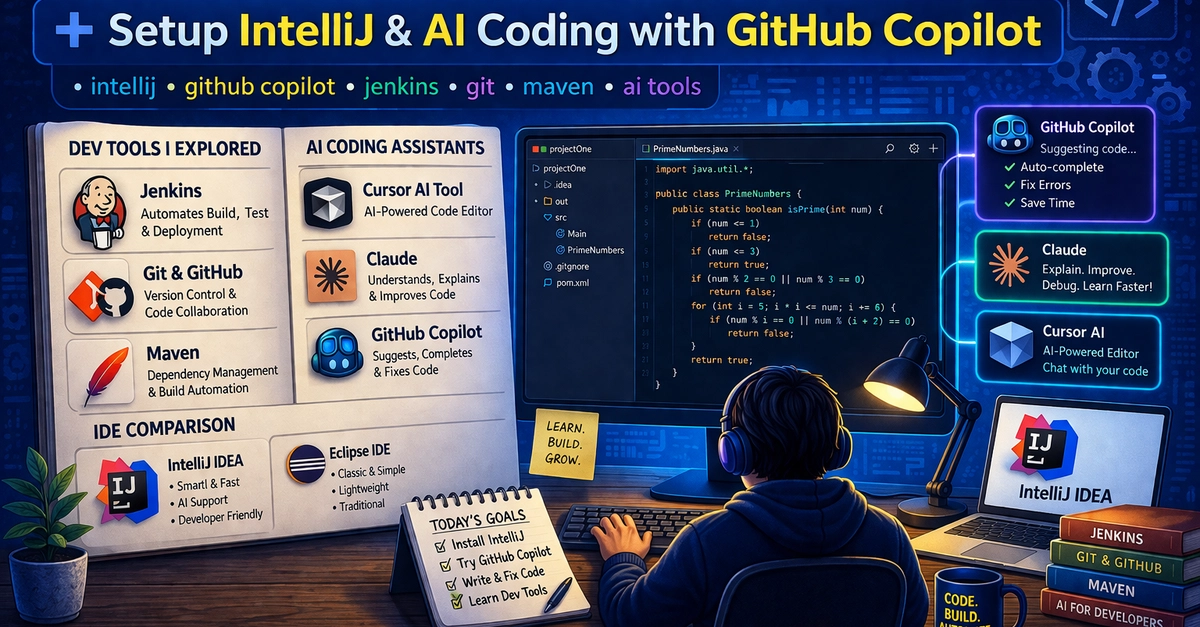
- GitHub Copilot users report 55% faster code completion and 40% productivity gains
- Modern IDEs like IntelliJ IDEA reduce onboarding time for new developers by weeks
- The AI developer tools market will hit $14.1 billion by 2027, signaling mainstream adoption
Read in Short
AI coding tools aren't just for developers anymore. They're a business investment that delivers measurable ROI: 40% faster development cycles, reduced bug counts, and happier engineering teams. GitHub Copilot costs $19/month per developer but can save 10+ hours weekly. For a 20-person team, that's $4,560/year in licensing versus potentially $400,000+ in recovered productivity.
Why Should CEOs Care About AI Coding Tools?
Your engineering team is your most expensive asset. Senior developers cost $150,000-$250,000 annually, and they spend roughly 30% of their time on repetitive tasks: writing boilerplate code, debugging syntax errors, and searching documentation. AI coding tools attack that 30% directly.
The business case is straightforward. When developers write code faster with fewer bugs, you ship products sooner. When you ship sooner, you beat competitors to market. And when your tools make developers more effective, you attract and retain better talent in a competitive hiring market.
Microsoft, which owns GitHub, has already deployed Copilot to its entire engineering organization. Amazon, Google, and Meta have built similar internal tools. The question for mid-market companies isn't whether to adopt AI coding tools. It's which ones deliver the best return for your specific team.
What Are AI Coding Tools and How Do They Work?
AI coding tools fall into three categories, each solving different business problems:
- Code completion tools (GitHub Copilot, Amazon CodeWhisperer) that auto-suggest code as developers type, cutting keystrokes by 40-60%
- AI assistants (Claude, ChatGPT) that explain code, debug errors, and help developers understand unfamiliar codebases faster
- AI-native IDEs (Cursor, Replit) that let developers modify entire files through natural language conversation
Think of these tools like spell-check evolved. Just as spell-check didn't replace writers but made them faster, AI coding tools don't replace developers. They eliminate the tedious parts of coding so your team can focus on solving actual business problems.
Executive Summary: The Three Tool Categories
Code Completion = Faster typing, fewer syntax errors. Best for: established teams with existing workflows. AI Assistants = Faster learning, better debugging. Best for: teams with junior developers or complex legacy code. AI-Native IDEs = Complete workflow transformation. Best for: greenfield projects and teams ready for change.
GitHub Copilot ROI: Is $19/Month Worth It?
GitHub Copilot is the market leader with over 1.8 million paying subscribers. At $19/month for individuals or $39/month for enterprise (with additional security features), it's the most battle-tested option.
Let's run the numbers for a 20-developer team on the enterprise plan:
- Annual licensing cost: $39 × 20 developers × 12 months = $9,360
- Time saved per developer: 8-12 hours/week (conservative estimate: 10 hours)
- Hourly cost of developer time: $75/hour (loaded cost including benefits)
- Annual productivity recovered: 10 hours × 50 weeks × 20 developers × $75 = $750,000
- Net ROI: $750,000 - $9,360 = $740,640 in recovered productivity
Even if you cut those estimates in half to be conservative, you're looking at 40x return on investment. That's why 90% of Fortune 100 companies have Copilot licenses somewhere in their organization.
More strategies for optimizing your cloud development costs
IntelliJ vs Eclipse: Which IDE Saves More Developer Time?
The integrated development environment (IDE) is where developers spend 6-8 hours daily. Choosing the right one impacts productivity, onboarding speed, and team satisfaction. The two main contenders for Java development are IntelliJ IDEA and Eclipse.
| Factor | IntelliJ IDEA | Eclipse | Business Impact |
|---|---|---|---|
| License Cost | $599/year (Ultimate) or Free (Community) | Free | IntelliJ has higher upfront cost but faster payback |
| Learning Curve | 1-2 weeks | 2-4 weeks | Faster onboarding = productive developers sooner |
| AI Integration | Native Copilot support, AI Assistant built-in | Limited, requires plugins | Better AI = compounding productivity gains |
| Code Completion Speed | 40% faster than Eclipse in benchmarks | Baseline | Faster completion = more features shipped |
| Enterprise Features | Built-in profiling, database tools, deployment | Requires plugin ecosystem | Less tool sprawl = lower maintenance overhead |
The $599/year cost for IntelliJ Ultimate sounds steep until you calculate that it takes roughly 8 hours of saved developer time to pay for itself. Most teams report payback within the first month.
AI Coding Assistants: Claude vs ChatGPT for Development
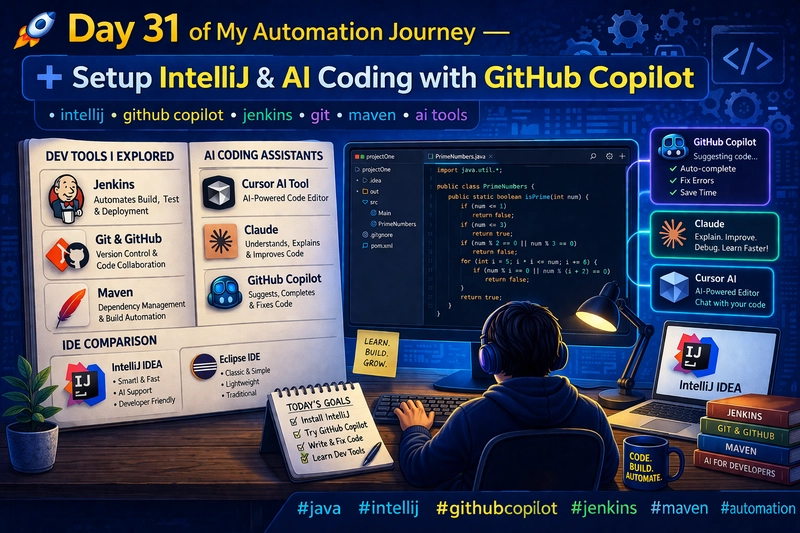
Beyond code completion, AI assistants help developers understand complex codebases, debug tricky errors, and learn new frameworks faster. This matters especially for teams working with legacy code or onboarding new hires.
Claude (from Anthropic) and ChatGPT (from OpenAI) are the leading options. Both offer API access for enterprise integration and direct chat interfaces for individual use.
✅ Pros
- • Reduce time spent searching Stack Overflow and documentation by 60%
- • Help junior developers work independently faster, reducing senior developer interruptions
- • Explain legacy code that original authors no longer maintain
- • Generate test cases and documentation automatically
❌ Cons
- • Can suggest incorrect or outdated code patterns
- • Security teams must review before enterprise deployment
- • Developers may over-rely on AI instead of building deep understanding
- • API costs can scale unpredictably with heavy usage
The key insight: these tools accelerate learning without replacing it. Teams report that junior developers reach productivity benchmarks 30% faster when they have AI assistants available. That translates directly to faster project delivery.
Compare Google's AI offering for your developer toolkit
The Complete Developer Toolchain: What Else Matters
AI tools don't exist in isolation. They're most effective when integrated into a modern development workflow. Here's what your engineering team needs beyond AI:
- Version Control (Git/GitHub): The foundation. If your team isn't using version control, AI tools won't help. GitHub Teams costs $4/user/month.
- CI/CD Pipeline (Jenkins, GitHub Actions): Automates testing and deployment. Catches bugs before they reach production. Can save $100K+ annually in production incident costs.
- Dependency Management (Maven, Gradle): Keeps your codebase secure and up-to-date. Critical for compliance in regulated industries.
- Code Review Tools: AI can now assist with code review, catching issues human reviewers miss. GitHub's AI-powered code review is included in Copilot Enterprise.
The Modern Dev Stack Investment
Realistic annual cost for a 20-developer team with enterprise-grade tools: GitHub Enterprise ($252/user/year) + Copilot Enterprise ($468/user/year) + IntelliJ Ultimate ($599/user/year) = roughly $1,320/developer/year or $26,400 total. That's less than 2% of your developer salary costs for potentially 40% productivity improvement.
Security Concerns: What Your CISO Needs to Know
AI coding tools raise legitimate security questions. Code completion tools see your proprietary code. AI assistants may retain conversation history. These concerns require clear policies, not tool avoidance.
GitHub Copilot for Business includes features specifically designed for enterprise security: no code retention for training, IP indemnification, and SOC 2 compliance. Amazon CodeWhisperer offers similar enterprise guarantees and keeps all data within AWS infrastructure if you're already an AWS shop.
The practical approach: start with non-sensitive projects, establish usage guidelines, and expand based on results. Most enterprise security teams approve AI tools within 2-3 months of evaluation.
Ensure your team understands security implications of AI tools
Implementation Timeline: From Evaluation to Full Deployment
Most organizations see measurable productivity improvements within 30 days of pilot launch. The key is starting small, measuring carefully, and expanding based on data rather than hype.
Frequently Asked Questions
Frequently Asked Questions
How much do AI coding tools cost for an enterprise team?
Expect $1,000-$1,500 per developer annually for a complete modern stack including IDE, AI code completion, and collaboration tools. For a 20-person team, that's $20,000-$30,000/year. Most companies see 10-40x ROI within the first year through productivity gains.
Will AI coding tools replace our developers?
No. Current AI tools handle roughly 30% of coding tasks (mostly repetitive boilerplate). They make developers faster, not obsolete. Companies using AI tools typically ship more features with the same team size rather than reducing headcount.
How long does it take to see ROI from AI coding tools?
Most teams report measurable productivity improvements within 2-4 weeks. Full ROI (tool costs paid back through productivity gains) typically occurs within 60-90 days. The fastest gains come from teams with lots of repetitive coding patterns.
Are AI coding tools secure enough for proprietary code?
Enterprise versions of major tools (GitHub Copilot Business, Amazon CodeWhisperer Professional) include security features like no training on your code, SOC 2 compliance, and IP indemnification. Free/individual tiers have fewer guarantees. Budget for enterprise licensing if security matters.
Which AI coding tool should we start with?
Start with GitHub Copilot if you already use GitHub. Start with Amazon CodeWhisperer if you're an AWS shop and want to keep data in your cloud. Both offer free trials. The tools are similar enough that team familiarity with existing platforms should drive the decision.
The Bottom Line for Business Leaders
AI coding tools represent one of the clearest technology ROI opportunities available today. The math is simple: $1,000-$1,500 per developer annually can recover 8-12 hours of productivity weekly. That's a payback period measured in weeks, not years.
The companies not adopting these tools aren't saving money. They're falling behind competitors who ship faster, attract better talent with modern tooling, and compound productivity gains quarter over quarter.
Start with a small pilot. Measure results. Scale what works. Your developers will thank you, and your delivery timelines will prove the investment.
Need Help Implementing This?
Logicity helps engineering leaders evaluate and deploy AI development tools. Our team has guided dozens of organizations through tool selection, security review, and change management. Contact us for a free 30-minute consultation on modernizing your development stack.
Source: DEV Community
Huma Shazia
Senior AI & Tech Writer
اقرأ أيضاً

رأي مغاير: كيف يؤثر اختراق الأمن الداخلي الأميركي على شركاتنا الخاصة؟
في ظل اختراق عقود الأمن الداخلي الأميركي مع شركات خاصة، نناقش تأثير هذا الاختراق على مستقبل الأمن السيبراني. نستعرض الإحصاءات الموثوقة ونناقش كيف يمكن للشركات الخاصة أن تتعامل مع هذا التهديد. استمتع بقراءة هذا التحليل العميق

الإنسان في زمن ما بعد الوجود البشري: نحو نظام للتعايش بين الإنسان والروبوت - Centre for Arab Unity Studies
في هذا المقال، سنناقش كيف يمكن للبشر والروبوتات التعايش في نظام متكامل. سنستعرض التحديات والحلول المحتملة التي تضعها شركات مثل جوجل وأمازون. كما سنلقي نظرة على التوقعات المستقبلية وفقًا لتقرير ماكنزي

إطلاق ناسا لمهمة مأهولة إلى القمر: خطوة تاريخية نحو استكشاف الفضاء
تعتبر المهمة الجديدة خطوة هامة نحو استكشاف الفضاء وتطوير التكنولوجيا. سوف تشمل المهمة إرسال رواد فضاء إلى سطح القمر لconducting تجارب علمية. ستسهم هذه المهمة في تطوير فهمنا للفضاء وتحسين التكنولوجيا المستخدمة في استكشاف الفضاء.