7 PC Fan Projects You Can Build With a 3D Printer
Key Takeaways
- PC fans use a standardized 120mm mounting pattern, making them ideal for 3D-printed enclosures
- Projects range from simple desk fans to DIY Dyson-style bladeless designs
- A $7 USB speed controller lets you run fans without a PC motherboard
Why PC fans make perfect 3D printing companions
PC cooling fans are cheap, reliable, and built to a universal standard. The common 120mm size means mounting holes sit exactly 105mm apart on every fan from every manufacturer. That consistency is gold for makers. Design one enclosure and it works with any 120mm fan you own.
You probably have a few spare fans collecting dust from old PC builds. Even if you don't, new ones cost under $10 for basic models. Premium options from Noctua or be quiet! run quieter but still follow the same mounting pattern.
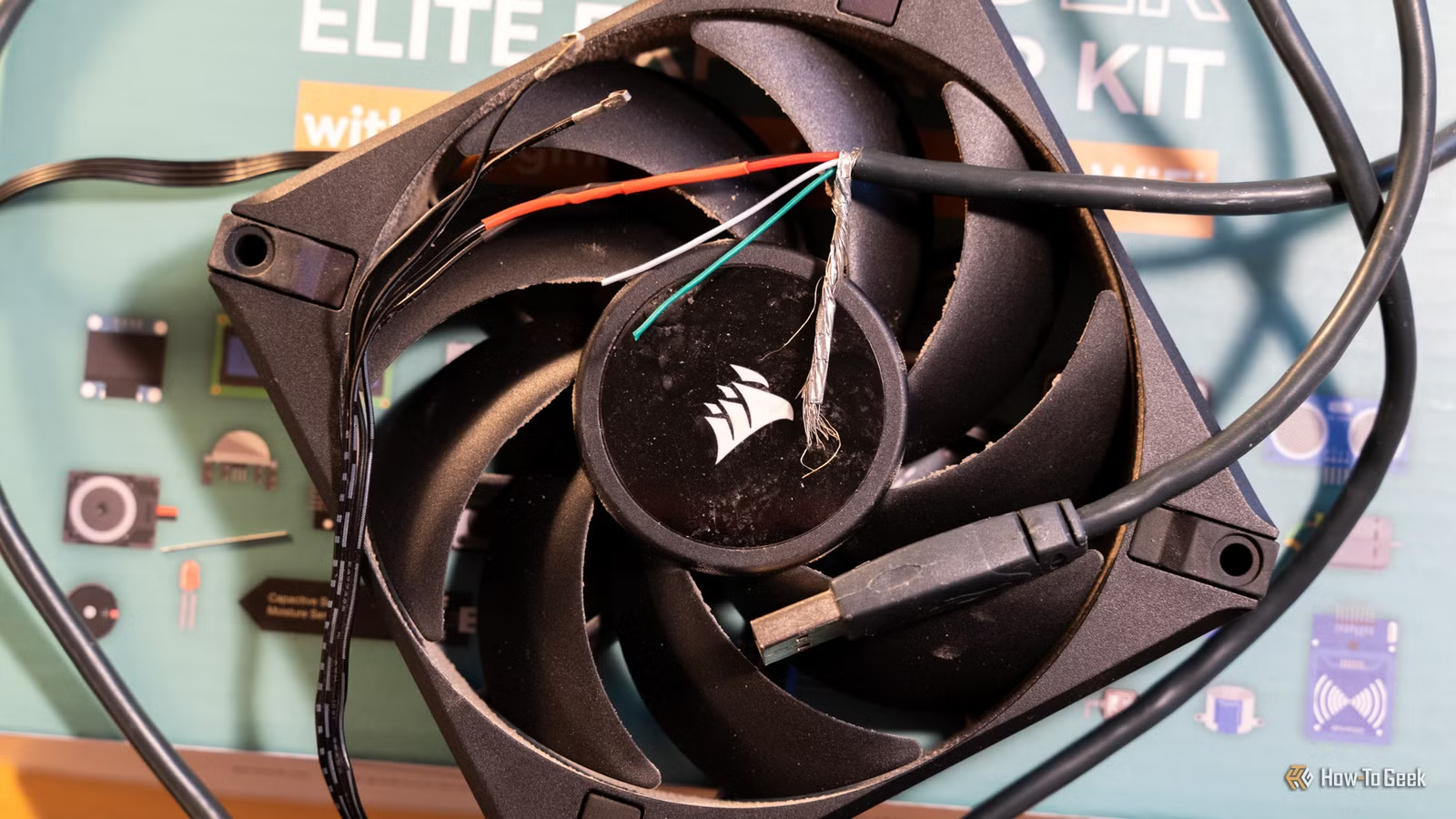
Running these fans outside a PC is simple. A $7 USB speed controller gives you manual RPM control. Or connect one to an ESP32 microcontroller for automated projects. The standard 12V power requirement means any old laptop power brick works as a power source.
“The 3D printer has turned the humble PC fan from a disposable commodity into a universal motor for every tinkerer's workshop.”
— Alex St-Pierre, Industrial Designer and Maker
1. Compact desk blower fan
The simplest project: a focused desk fan that takes up minimal space. BrainsCollector's fan blower stand mount on MakerWorld directs airflow into a concentrated stream instead of the wide spread you get from a bare fan.
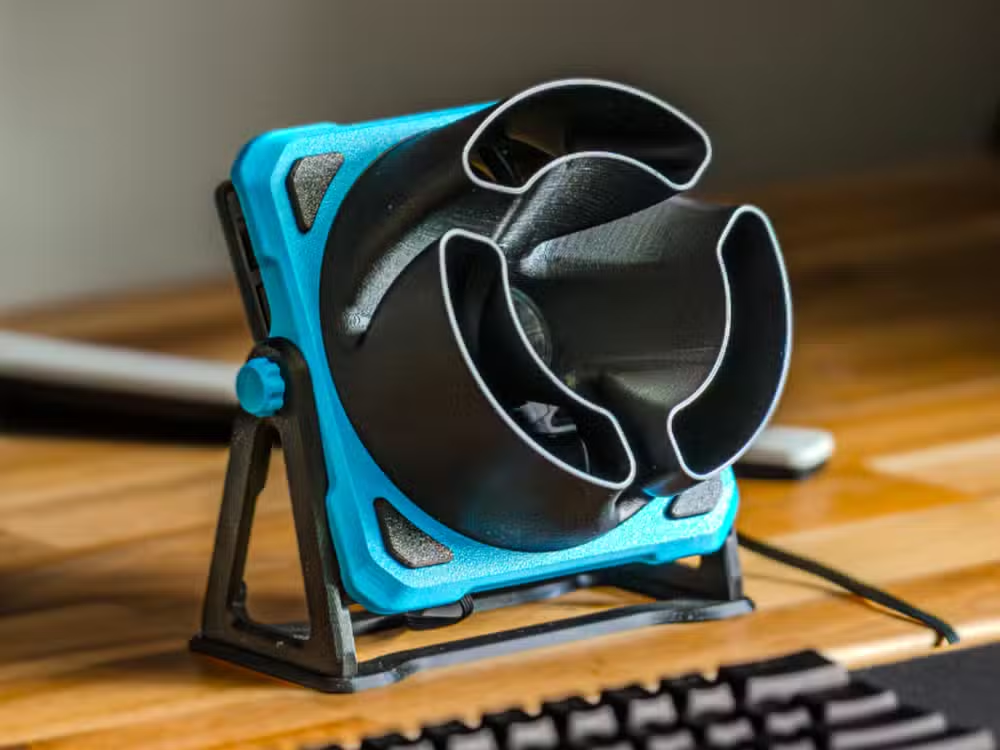
User reviews note one common complaint: the design works too well. Most people recommend adding a speed controller because running at full RPM creates more airflow than you need on a desk. That's a good problem to have.
2. DIY bladeless fan
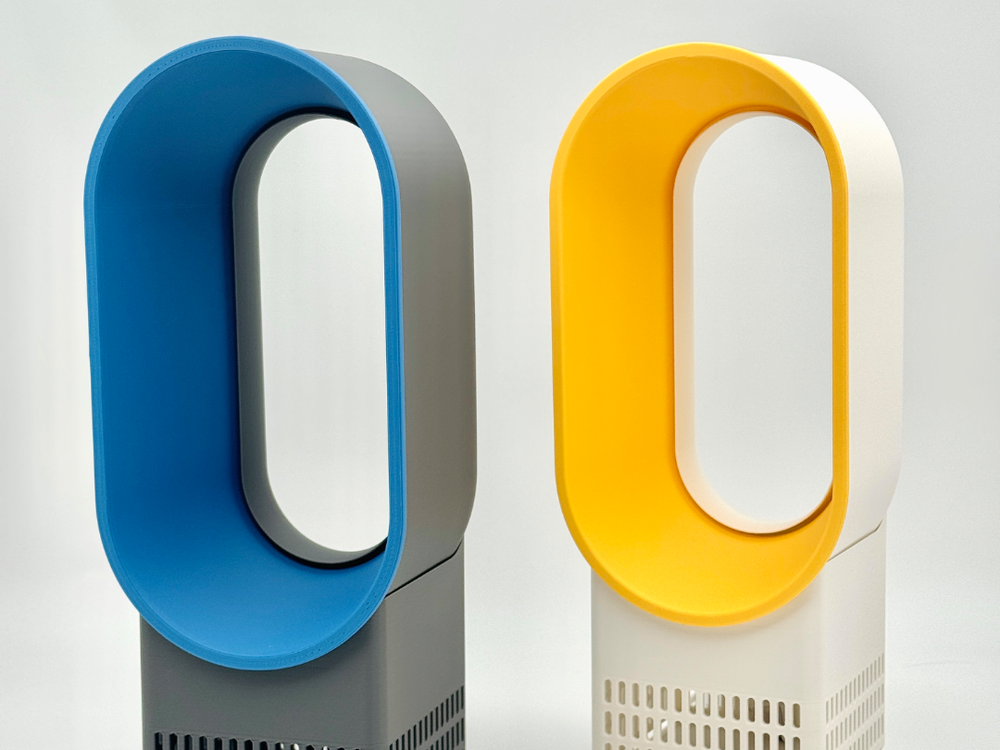
Those expensive Dyson bladeless fans aren't actually bladeless. They hide the spinning blades inside the base unit and accelerate air through a ring-shaped outlet. The effect looks impressive, and the design is safer around kids and pets.
GIAN's bladeless fan design on MakerWorld replicates the concept using a standard PC fan. The print uses roughly 400g of filament. Compare that to Dyson's retail prices starting around $300 and the economics make sense quickly.
3. Soldering fume extractor
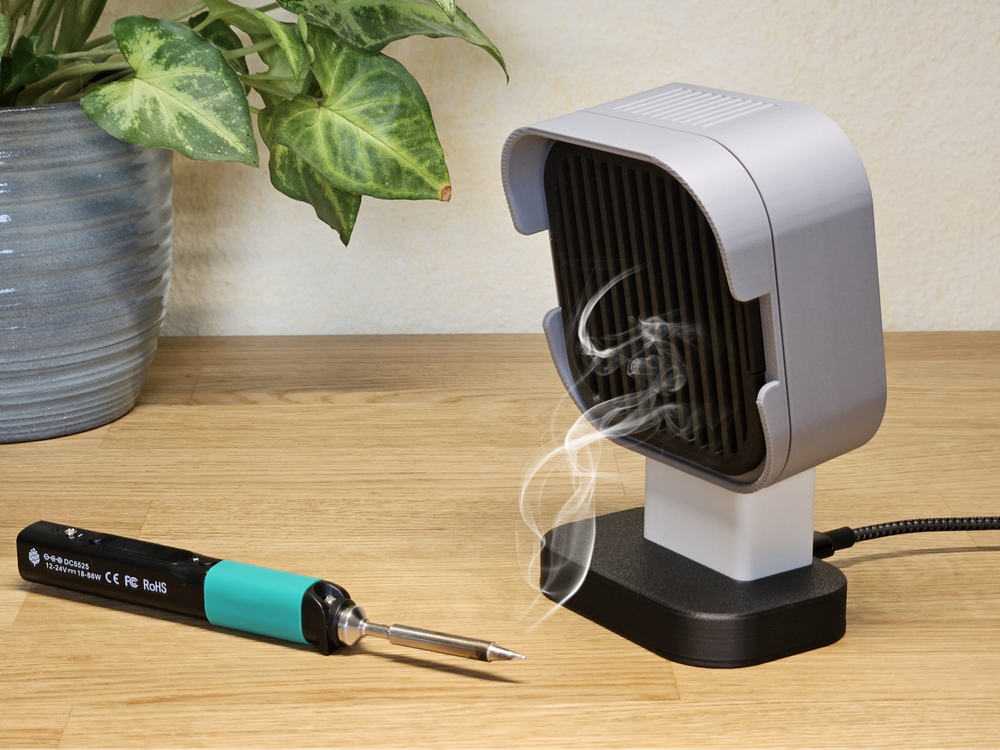
Anyone who solders knows the smell. Flux fumes aren't pleasant, and breathing them regularly isn't great for your lungs. Commercial fume extractors cost $50 to $200. Or you print one.
LTS Design's soldering fume extractor on MakerWorld pairs a PC fan with an activated carbon filter. The fan pulls fumes away from your face and through the filter. It's a workshop essential that costs under $20 in parts.
4. Window or vent exhaust mount
Need to exhaust air from a room, enclosure, or 3D printer chamber? 3Dastelier's 120mm fan mount fits standard ventilation ducts. Print it, attach a fan, and you have a powered exhaust system.
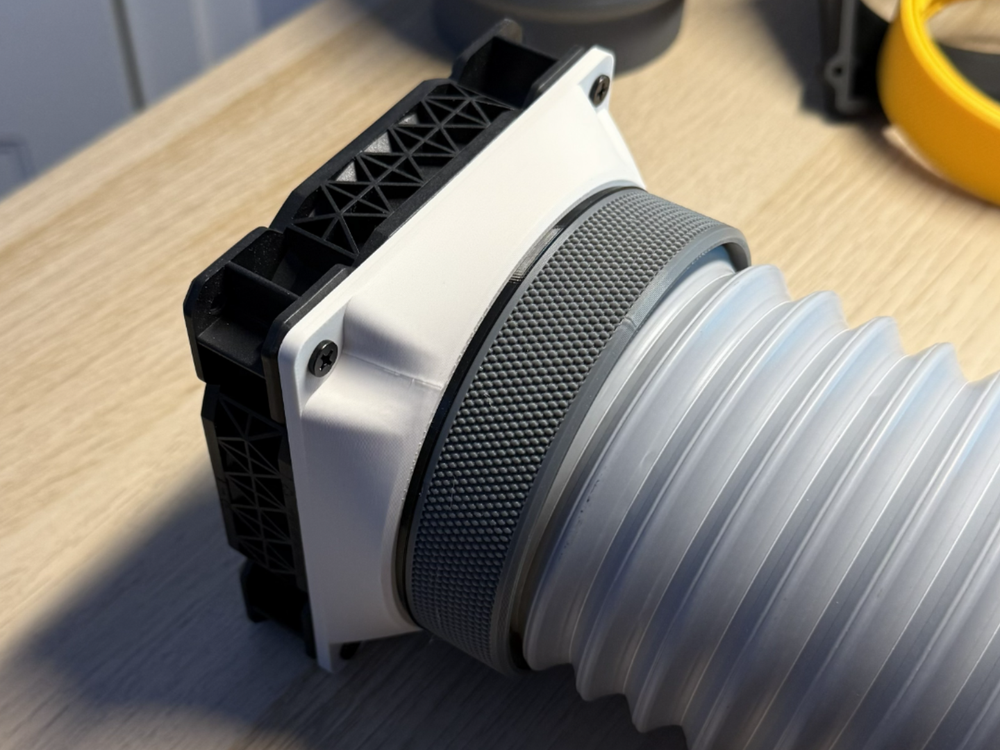
This project solves a real problem for enclosed 3D printers. Printing ABS and other materials releases fumes that need to go somewhere. A fan-powered vent mount moves air out continuously.
5. Corsi-Rosenthal air purifier
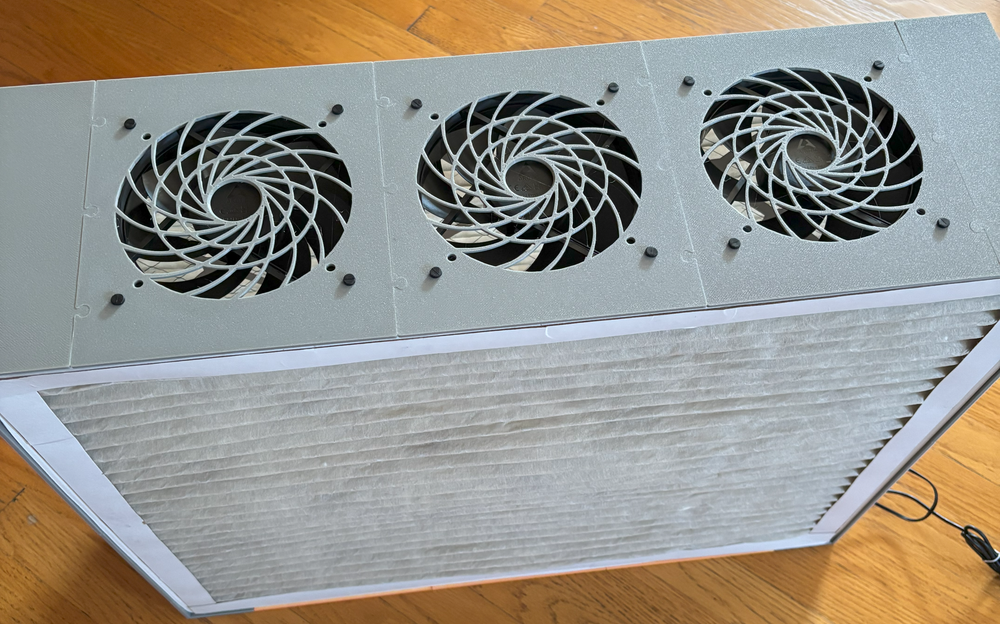
The Corsi-Rosenthal box became famous during COVID as a DIY air purifier. The original design uses box fans and HVAC filters. A scaled-down version using PC fans works well for small rooms or workspaces.
MakerWorld user nickdine published a 3D-printable frame that holds PC fans and filter material. It won't purify a living room, but it handles a small workshop or bedroom adequately.
6. Custom PC fan shrouds and ducts
Back to actual PC use: 3D-printed fan ducts can improve cooling performance inside your computer. Stock case fan mounts often restrict airflow with thick plastic frames. A well-designed printed shroud directs air more efficiently.
Makers report temperature drops of up to 10°C by replacing restrictive stock mounts with optimized 3D-printed ducts. The improvement depends on your specific case and components, but the prints cost almost nothing to test.
7. Automated cooling projects with ESP32
Connect a PC fan to an ESP32 microcontroller and you can automate based on temperature, time, or any other trigger. The fan runs on 12V, the ESP32 on 5V, so you need a relay or MOSFET to bridge them. But the electronics cost under $10 total.
Practical examples include automated enclosure cooling that kicks in when a temperature sensor hits a threshold, or a smart vent fan that activates when your printer starts a job.
“Standardization is the bedrock of modular design; because every PC fan follows the same footprint, the community can iterate on cooling solutions faster than any single manufacturer.”
— Sarah Chen, Mechanical Engineer
What to know before you start
Reddit's r/3Dprinting community frequently discusses these projects. The most common warning: understand the difference between static pressure and airflow (CFM). High-airflow fans move lots of air in open spaces. High-static-pressure fans push air through restrictive channels.
3D-printed ducts are often restrictive by nature. If you're building something with a printed shroud or filter, choose a fan rated for static pressure. Using a high-CFM, low-pressure fan through a tight duct produces disappointing results.
- 120mm fans are the most common size with the most available designs
- 12V is standard; use a buck converter or repurposed laptop power brick
- Noctua and be quiet! fans run quieter but cost more
- Static pressure matters more than CFM for ducted applications
Logicity's Take
Frequently Asked Questions
Can I run a PC fan without a motherboard?
Yes. Use a $7 USB speed controller for manual control, or connect to an ESP32 microcontroller with a relay or MOSFET for automation.
What size PC fan works best for 3D-printed projects?
120mm fans are the most common and have the widest selection of printable enclosures and mounts available on sites like MakerWorld and Thingiverse.
Do I need a high-pressure or high-airflow fan?
For ducted or filtered applications like fume extractors, choose high static pressure. For open desk fans, high CFM (airflow) works better.
Where can I find free 3D printable fan designs?
MakerWorld, Thingiverse, and Printables all host hundreds of fan-related designs. Search for '120mm fan' plus your use case.
How much filament do these projects typically use?
Simple mounts use 50-100g. More complex designs like the bladeless fan use around 400g. Cost ranges from $1-8 in filament.
More DIY automation projects using affordable components
Need Help Implementing This?
Source: How-To Geek
Huma Shazia
Senior AI & Tech Writer
اقرأ أيضاً

رأي مغاير: كيف يؤثر اختراق الأمن الداخلي الأميركي على شركاتنا الخاصة؟
في ظل اختراق عقود الأمن الداخلي الأميركي مع شركات خاصة، نناقش تأثير هذا الاختراق على مستقبل الأمن السيبراني. نستعرض الإحصاءات الموثوقة ونناقش كيف يمكن للشركات الخاصة أن تتعامل مع هذا التهديد. استمتع بقراءة هذا التحليل العميق

الإنسان في زمن ما بعد الوجود البشري: نحو نظام للتعايش بين الإنسان والروبوت - Centre for Arab Unity Studies
في هذا المقال، سنناقش كيف يمكن للبشر والروبوتات التعايش في نظام متكامل. سنستعرض التحديات والحلول المحتملة التي تضعها شركات مثل جوجل وأمازون. كما سنلقي نظرة على التوقعات المستقبلية وفقًا لتقرير ماكنزي

إطلاق ناسا لمهمة مأهولة إلى القمر: خطوة تاريخية نحو استكشاف الفضاء
تعتبر المهمة الجديدة خطوة هامة نحو استكشاف الفضاء وتطوير التكنولوجيا. سوف تشمل المهمة إرسال رواد فضاء إلى سطح القمر لconducting تجارب علمية. ستسهم هذه المهمة في تطوير فهمنا للفضاء وتحسين التكنولوجيا المستخدمة في استكشاف الفضاء.