5 Ways to Automate Claude With Zapier MCP
Key Takeaways
- Zapier MCP gives Claude governed access to 9,000+ apps and 30,000+ actions
- Five core workflows: scheduling, CRM updates, content repurposing, report drafting, and message routing
- Early adopters report 46% calendar time savings and 33% higher close rates with AI-driven workflows
Claude is useful for generating copy and insights, but the output eventually needs to land somewhere else. A marketing brief belongs in Notion. A sales call summary should update Salesforce. A meeting request needs to hit Google Calendar. Copying and pasting between tabs gets old fast.
Zapier's MCP integration solves this by giving Claude governed access to 9,000+ apps and 30,000+ actions. Instead of treating Claude as a text generator, you can treat it as an agent that executes multi-step workflows across your tech stack.
“Your AI can talk. Zapier MCP makes it act.”
— Wade Foster, CEO at Zapier
What Is MCP and Why Does It Matter?
The Model Context Protocol is an open standard that lets AI models connect safely to external data sources and business tools. Before MCP, getting Claude to interact with your apps meant building custom API integrations or manually copying outputs. MCP standardizes the connection layer.
By integrating with Zapier's app directory, MCP turns Claude from a static chat interface into something closer to an autonomous agent. It can read from your tools, write to them, and chain multiple actions together based on your prompts.
“By giving Claude governed access to our internal tools, we moved from passive summarization to active workflow execution without writing a single line of custom API code.”
— Julia McCoy, Lead Strategist at First Movers
How to Connect Claude to Zapier MCP
Setup takes a few minutes. If you can click, type, and copy-paste, you can do this.
- Go to the Zapier MCP dashboard
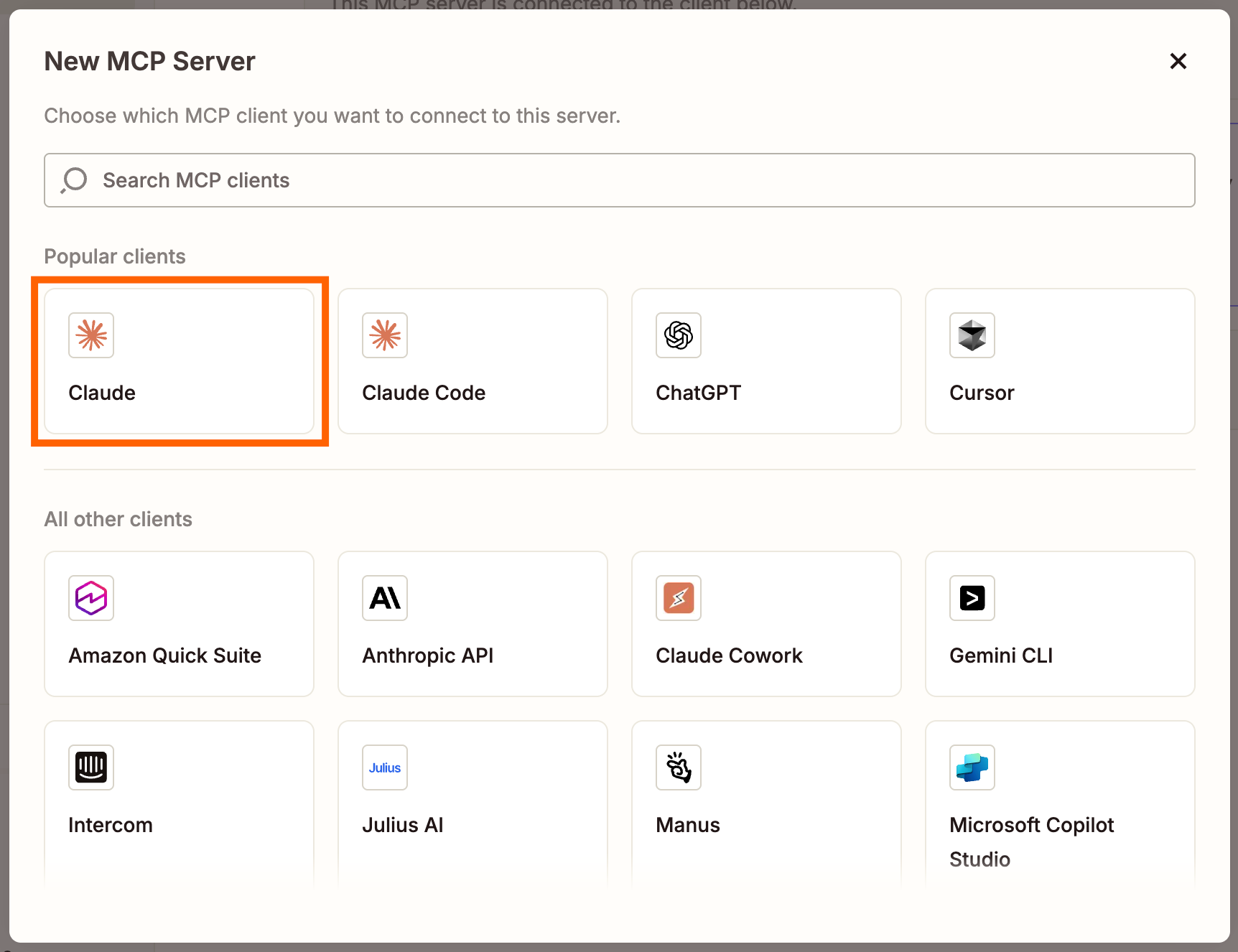
- Click +New MCP Server and choose Claude as the client
- Click +Add tool to set up your first action
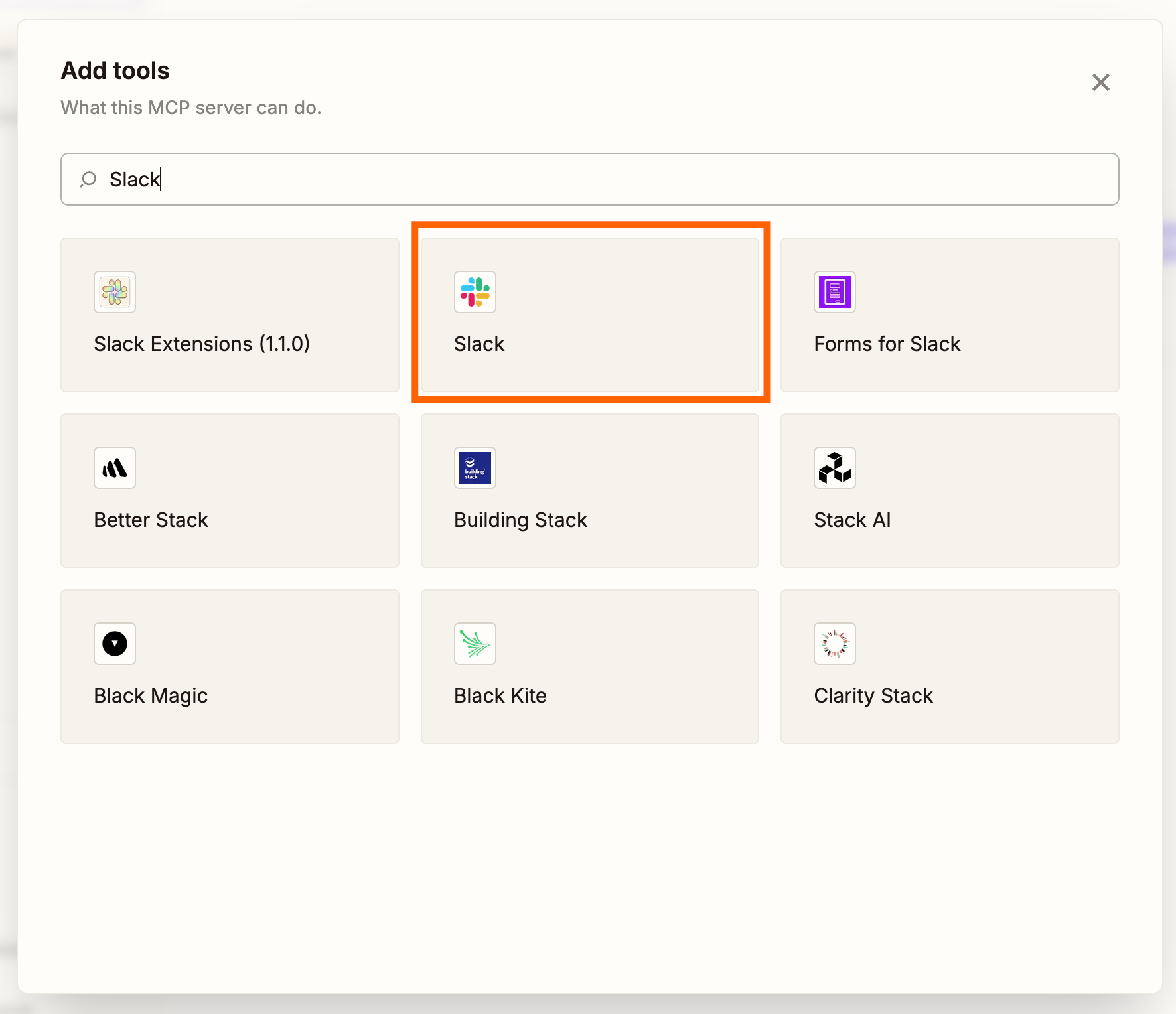
- Search for the app you want to connect and select it
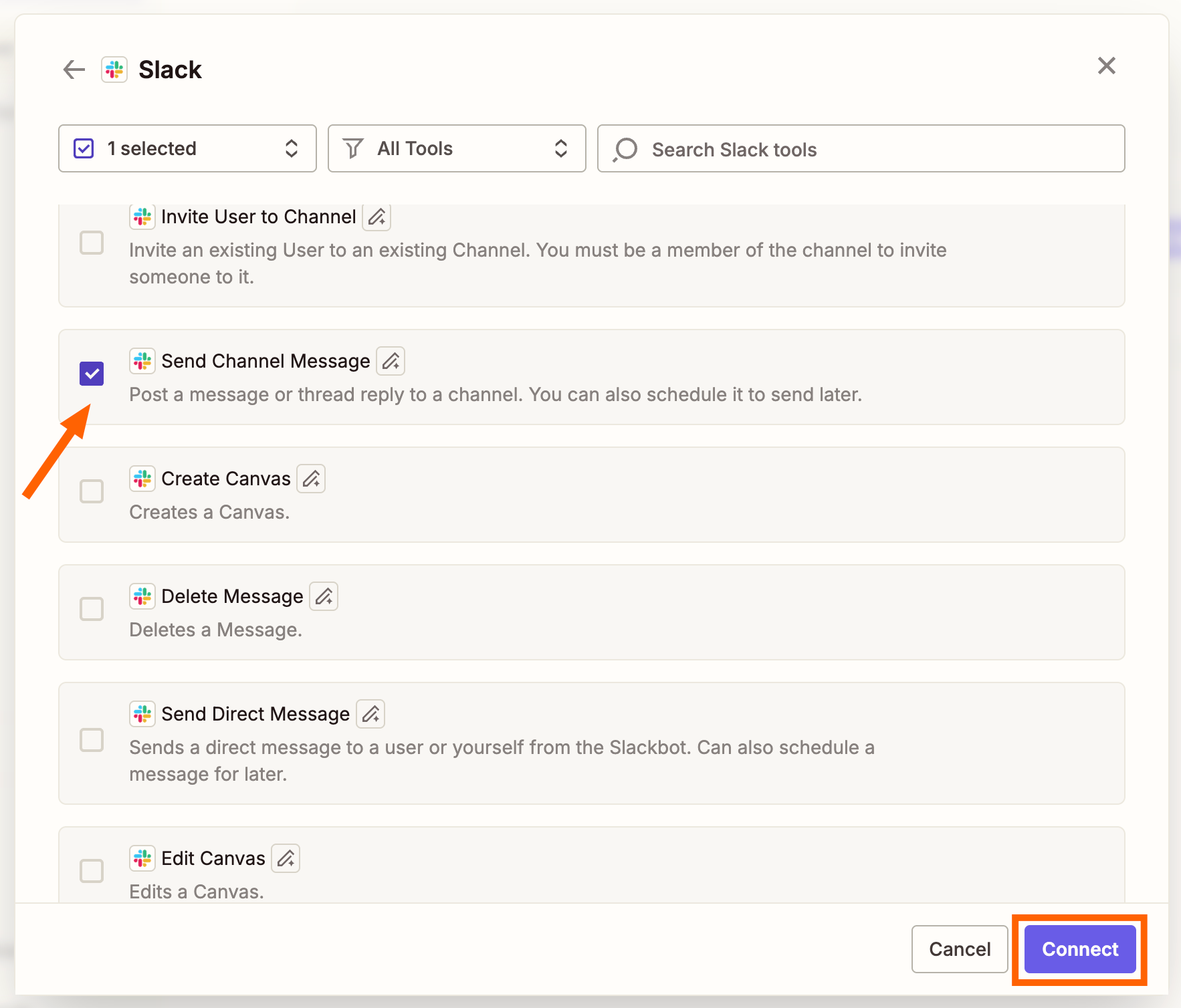
- Choose which action events you want to enable, then click Connect
- Connect your app accounts as prompted
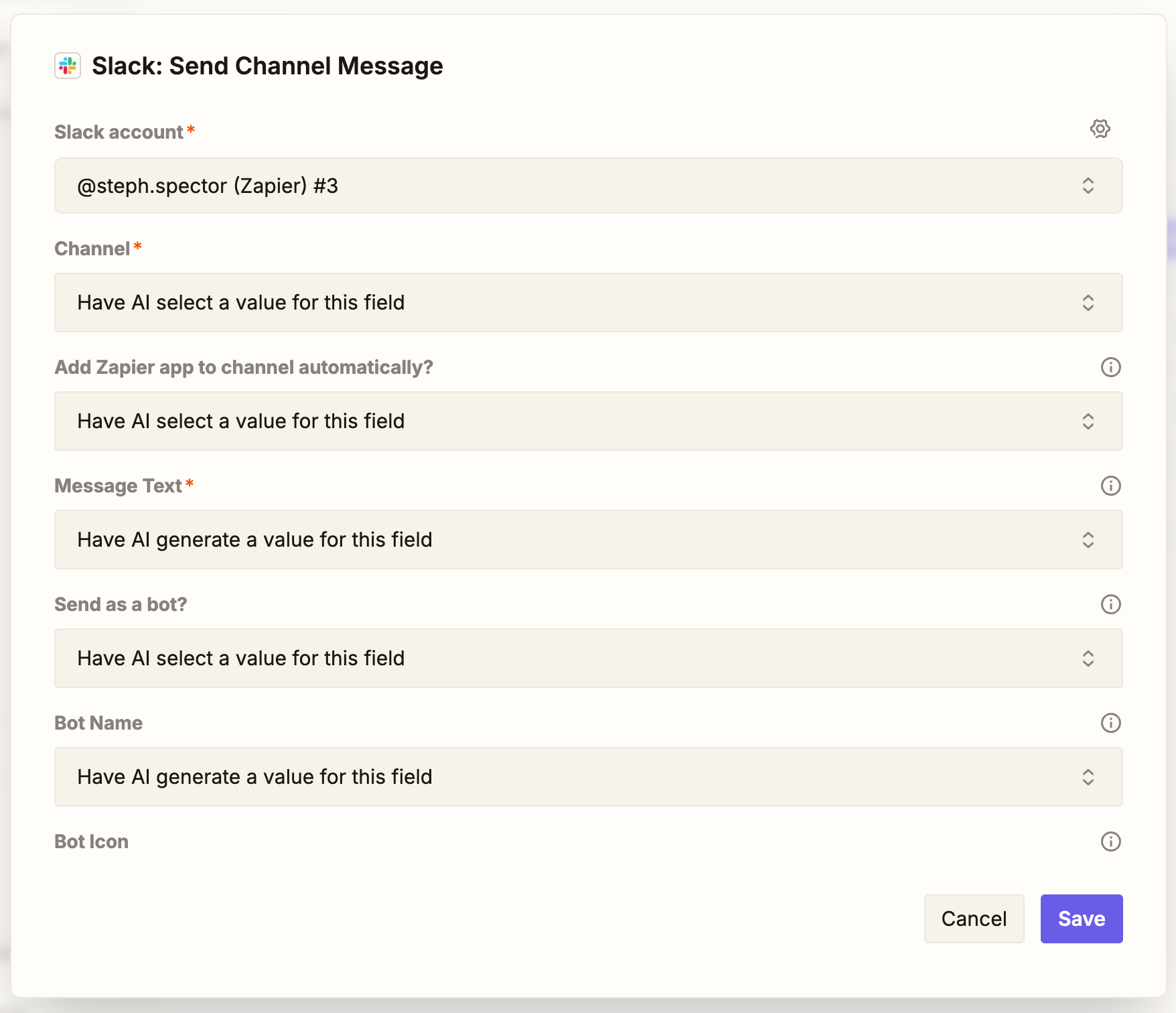
- Configure each action using the kebab menu (⋮) and adjust values as needed
- Click Connect at the top of the dashboard and follow instructions to add the server to your Claude account
Workflow 1: Schedule and Prepare for Meetings
If you manage a busy calendar, or you're an EA scheduling meetings for executives, this workflow speeds up the process. Claude can find open calendar slots, create a Google Meet invite, and pull recent email history to prep you for the conversation.
The practical result: you show up to meetings with context already assembled, not scrambling to remember what was discussed last time.
Workflow 2: Update Your CRM and Ticketing Tool
Sales reps and support agents spend too much time on data entry. After every call, someone has to log the call, update the CRM record, maybe create a support ticket, and draft a follow-up email. That's the work nobody signed up for.
With Zapier MCP, Claude can update Salesforce, create a Zendesk ticket, and draft a follow-up email automatically. You describe what happened on the call, and the busywork handles itself.
Workflow 3: Repurpose and Distribute Content
Marketing teams often finish a blog post and then face hours of distribution work. The post needs to become a LinkedIn update, a Twitter thread, an email newsletter section, maybe a Slack announcement for internal teams.
Claude with Zapier MCP can take a finished blog post and push reformatted versions to multiple channels before you close the tab. Give it the blog URL, specify your channels, and let it handle the repurposing.
Workflow 4: Pull Data and Draft Reports
Weekly reports are often the same ritual: pull numbers from three different dashboards, paste them into a Google Doc, write some analysis around them. It's predictable enough that an AI agent can do most of it.
Claude can pull data from your connected sources, assemble it into a structured format, and draft the narrative portions of your report. You review and edit instead of starting from scratch.
Workflow 5: Classify and Route Messages at Scale
High-volume inboxes, whether support tickets, sales inquiries, or partnership requests, need triage. Someone has to read each message, decide what it is, and route it to the right person or queue.
Claude can classify incoming messages based on content and route them automatically. A support complaint goes to the support queue. A sales inquiry gets tagged and forwarded to the right rep. A spam message gets filtered out.
Early Results From Teams Using These Workflows
Small teams using Claude and Zapier MCP for lead qualification report saving 46% of their calendar time. That's not a hypothetical. It's what happens when you stop manually processing every inbound lead and let an AI agent handle the initial qualification.
On Reddit's r/LocalLLM community, the reception has been enthusiastic. Users particularly like the ability to run Claude locally via the desktop app while still triggering remote Zapier actions securely. HackerNews discussions have focused more on the architectural implications of MCP as a standard and the security trade-offs of giving LLMs governed access to enterprise apps.
Logicity's Take
Similar MCP workflows for OpenAI's model
More on Claude's productivity features
Frequently Asked Questions
What is Zapier MCP?
Zapier MCP is an integration that uses the Model Context Protocol to give AI tools like Claude governed access to 9,000+ apps and 30,000+ actions in Zapier's directory. It lets Claude perform multi-step workflows across your tech stack without custom API code.
How long does it take to set up Claude with Zapier MCP?
Setup takes a few minutes. You create an MCP server in the Zapier dashboard, connect your apps, configure actions, and add the server to your Claude account. No coding required.
Is Zapier MCP secure for enterprise use?
MCP provides governed access, meaning you control which apps and actions Claude can use. However, security-conscious teams should review the trade-offs of allowing LLMs access to enterprise applications.
What's the difference between Claude alone and Claude with Zapier MCP?
Claude alone generates text and insights. Claude with Zapier MCP can act on those insights by updating CRMs, scheduling meetings, routing messages, and pushing content to other apps automatically.
Which Claude model works best with Zapier MCP workflows?
All Claude models available through Anthropic work with Zapier MCP. Zapier's guide to AI models covers the specific capabilities of each model to help you choose.
Need Help Implementing This?
Source: The Zapier Blog
Manaal Khan
Tech & Innovation Writer
اقرأ أيضاً

رأي مغاير: كيف يؤثر اختراق الأمن الداخلي الأميركي على شركاتنا الخاصة؟
في ظل اختراق عقود الأمن الداخلي الأميركي مع شركات خاصة، نناقش تأثير هذا الاختراق على مستقبل الأمن السيبراني. نستعرض الإحصاءات الموثوقة ونناقش كيف يمكن للشركات الخاصة أن تتعامل مع هذا التهديد. استمتع بقراءة هذا التحليل العميق

الإنسان في زمن ما بعد الوجود البشري: نحو نظام للتعايش بين الإنسان والروبوت - Centre for Arab Unity Studies
في هذا المقال، سنناقش كيف يمكن للبشر والروبوتات التعايش في نظام متكامل. سنستعرض التحديات والحلول المحتملة التي تضعها شركات مثل جوجل وأمازون. كما سنلقي نظرة على التوقعات المستقبلية وفقًا لتقرير ماكنزي

إطلاق ناسا لمهمة مأهولة إلى القمر: خطوة تاريخية نحو استكشاف الفضاء
تعتبر المهمة الجديدة خطوة هامة نحو استكشاف الفضاء وتطوير التكنولوجيا. سوف تشمل المهمة إرسال رواد فضاء إلى سطح القمر لconducting تجارب علمية. ستسهم هذه المهمة في تطوير فهمنا للفضاء وتحسين التكنولوجيا المستخدمة في استكشاف الفضاء.