5 Things a Raspberry Pi Travel Router Can Do That Others Can't
Key Takeaways
- A Raspberry Pi travel router doubles as an emergency backup PC when your laptop fails
- The Pi 5's NVMe SSD support provides significant performance gains over older models
- Commercial travel routers lack the customization that makes Pi routers versatile
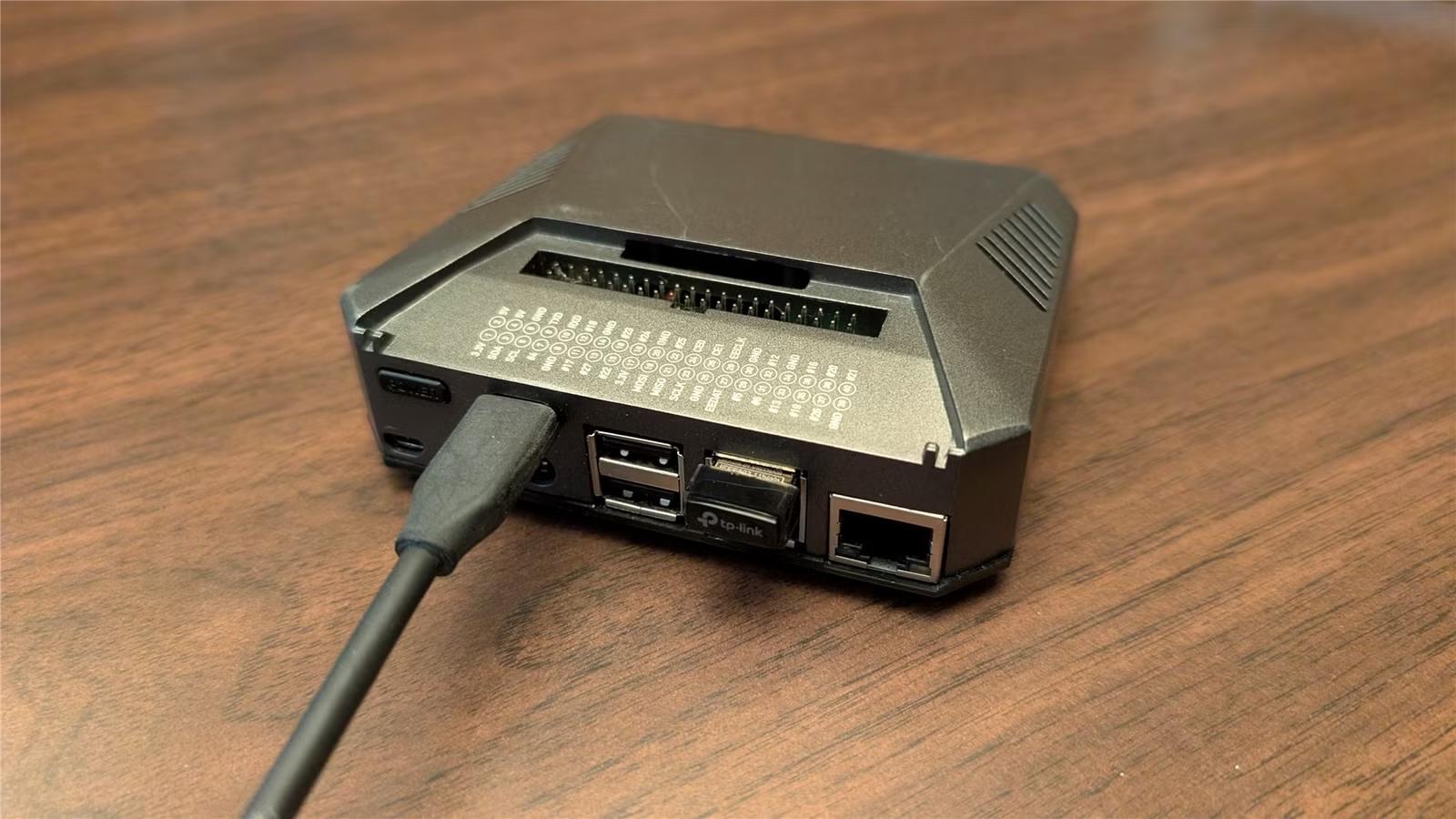
Most commercial travel routers do three things: share a Wi-Fi network, run a VPN, and maybe share files. That's it. A Raspberry Pi travel router does all of that, plus almost anything else you can imagine.
Nick Lewis at How-To Geek built his own Pi-based travel router and discovered capabilities that no off-the-shelf device can match. The key advantage isn't raw performance. It's flexibility.
Emergency Backup PC
Lewis learned this lesson the hard way. Twice, his laptop died while traveling. Both times he was away from his desktop. Neither failure was urgent, but it highlighted a gap in his travel setup.
His Pi travel router now fills that gap. If his laptop fails, he can plug the Pi into a portable monitor, connect a keyboard, and have a working desktop immediately. It won't win any speed contests, but it works.
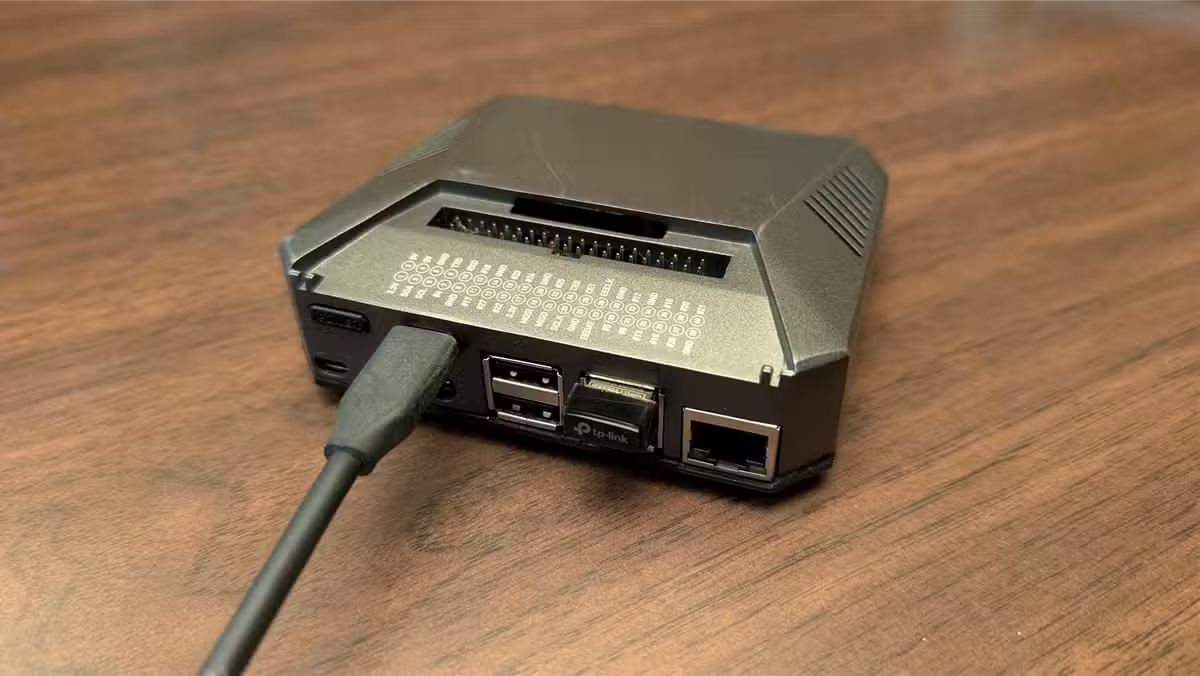
In testing, Lewis used the Pi to read and write files to external drives, connect to remote services, browse the internet, and write documents. Slow, yes. Functional, absolutely.
Pi 5 Makes It Better
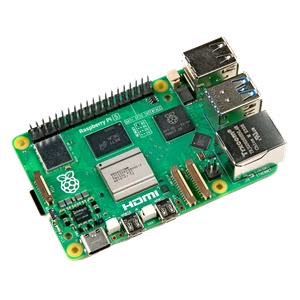
Lewis built his router around a Raspberry Pi 4, but notes that the Pi 5 would improve the experience significantly. The Pi 5 can boot from a dedicated NVMe SSD, which provides a massive performance boost over microSD cards or even SATA SSDs.
The Pi 5 also has more RAM and a faster processor. Both matter when you're using it as an emergency desktop. The device runs around $80 to $93 depending on the retailer.
Beyond Basic Routing
The appeal of a Pi travel router isn't any single feature. It's the ability to run whatever software you need. Commercial routers ship with locked firmware and limited functionality. A Pi runs a full Linux operating system.
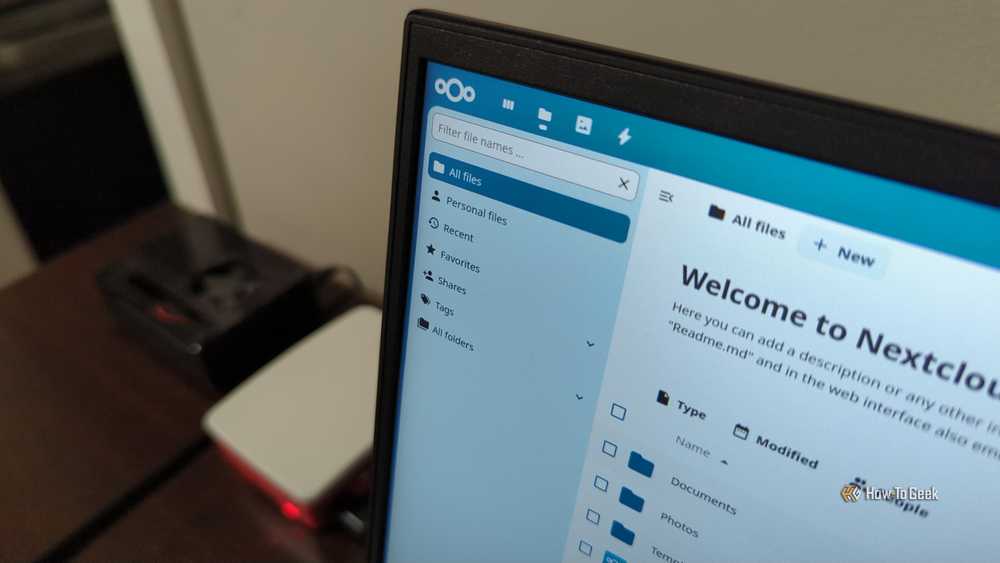
Lewis runs Proxmox at home to self-host services including Jellyfin, Airsonic, NextCloud, game servers, and Windows virtual machines. The same flexibility applies to travel. Need a local file server? Install NextCloud. Want to host a game server for offline play? Done.
Who Should Build One
This isn't a project for everyone. Lewis has 20 years of computer tinkering experience, from UI customization to firmware modifications. He notes the Pi 5 is "only recommended for tech-savvy users."
But for those comfortable with Linux, the Pi offers a customization level that commercial products can't match. You're not buying a product. You're building a tool that does exactly what you need.
✅ Pros
- • Full Linux OS means unlimited customization
- • Doubles as emergency backup computer
- • Runs self-hosted services like NextCloud and game servers
- • Pi 5 NVMe boot provides real performance gains
- • Cost under $100 for base hardware
❌ Cons
- • Requires technical expertise to set up
- • Slower than dedicated laptops or desktops
- • More components to manage than commercial routers
- • No warranty or support beyond community forums
The Tinkerer's Advantage
Commercial travel routers exist because most people want something that works out of the box. They're fine for that use case. But they'll never match what a Pi can do because they're designed for the average user, not the power user.
Lewis describes the Pi 5 as "a tinkerer's dream." Cheap, highly customizable, and with solid onboard specs, it's a platform rather than a product. What you build with it depends entirely on what you need.
Logicity's Take
Frequently Asked Questions
Can a Raspberry Pi really work as a travel router?
Yes. With the right software configuration, a Pi can share Wi-Fi networks, run VPNs, and handle all standard travel router functions. It requires more setup than commercial options but offers far more flexibility.
Which Raspberry Pi model is best for a travel router?
The Raspberry Pi 5 offers the best performance, especially with NVMe SSD boot support. The Pi 4 works but is noticeably slower when used as a backup desktop.
How much does it cost to build a Pi travel router?
A Raspberry Pi 5 runs $80 to $93. Add a case, power supply, and storage, and total costs typically stay under $150. Significantly less than many commercial travel routers with fewer features.
Do I need Linux experience to build a Pi travel router?
Yes. The project requires comfort with command-line configuration and Linux system administration. This is not a plug-and-play solution.
If you're building self-hosted services on Pi hardware, Jellyfin offers a free alternative to Plex
Need Help Implementing This?
Source: How-To Geek
Manaal Khan
Tech & Innovation Writer
اقرأ أيضاً

رأي مغاير: كيف يؤثر اختراق الأمن الداخلي الأميركي على شركاتنا الخاصة؟
في ظل اختراق عقود الأمن الداخلي الأميركي مع شركات خاصة، نناقش تأثير هذا الاختراق على مستقبل الأمن السيبراني. نستعرض الإحصاءات الموثوقة ونناقش كيف يمكن للشركات الخاصة أن تتعامل مع هذا التهديد. استمتع بقراءة هذا التحليل العميق

الإنسان في زمن ما بعد الوجود البشري: نحو نظام للتعايش بين الإنسان والروبوت - Centre for Arab Unity Studies
في هذا المقال، سنناقش كيف يمكن للبشر والروبوتات التعايش في نظام متكامل. سنستعرض التحديات والحلول المحتملة التي تضعها شركات مثل جوجل وأمازون. كما سنلقي نظرة على التوقعات المستقبلية وفقًا لتقرير ماكنزي

إطلاق ناسا لمهمة مأهولة إلى القمر: خطوة تاريخية نحو استكشاف الفضاء
تعتبر المهمة الجديدة خطوة هامة نحو استكشاف الفضاء وتطوير التكنولوجيا. سوف تشمل المهمة إرسال رواد فضاء إلى سطح القمر لconducting تجارب علمية. ستسهم هذه المهمة في تطوير فهمنا للفضاء وتحسين التكنولوجيا المستخدمة في استكشاف الفضاء.