5 Excel Automation Features That Beat ChatGPT for Data Tasks
Key Takeaways
- Power Query records every data transformation step and replays it automatically when your source updates
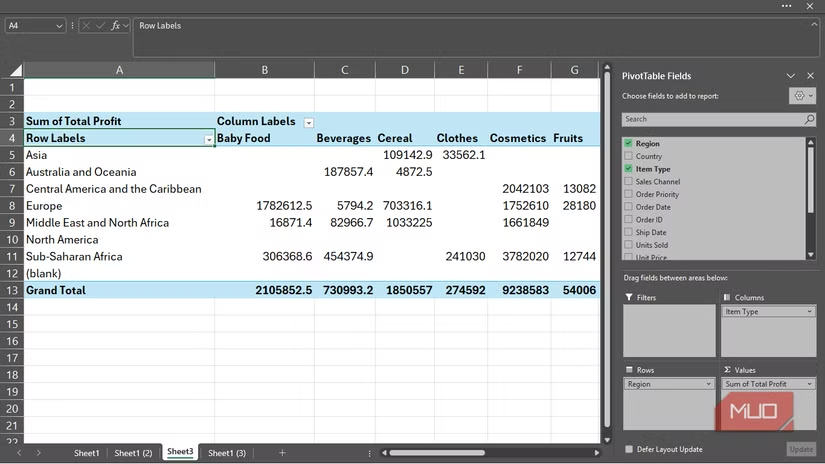
- PivotTables can summarize thousands of rows in under 30 seconds without writing formulas
- Flash Fill recognizes patterns from a single example and applies them to entire columns instantly
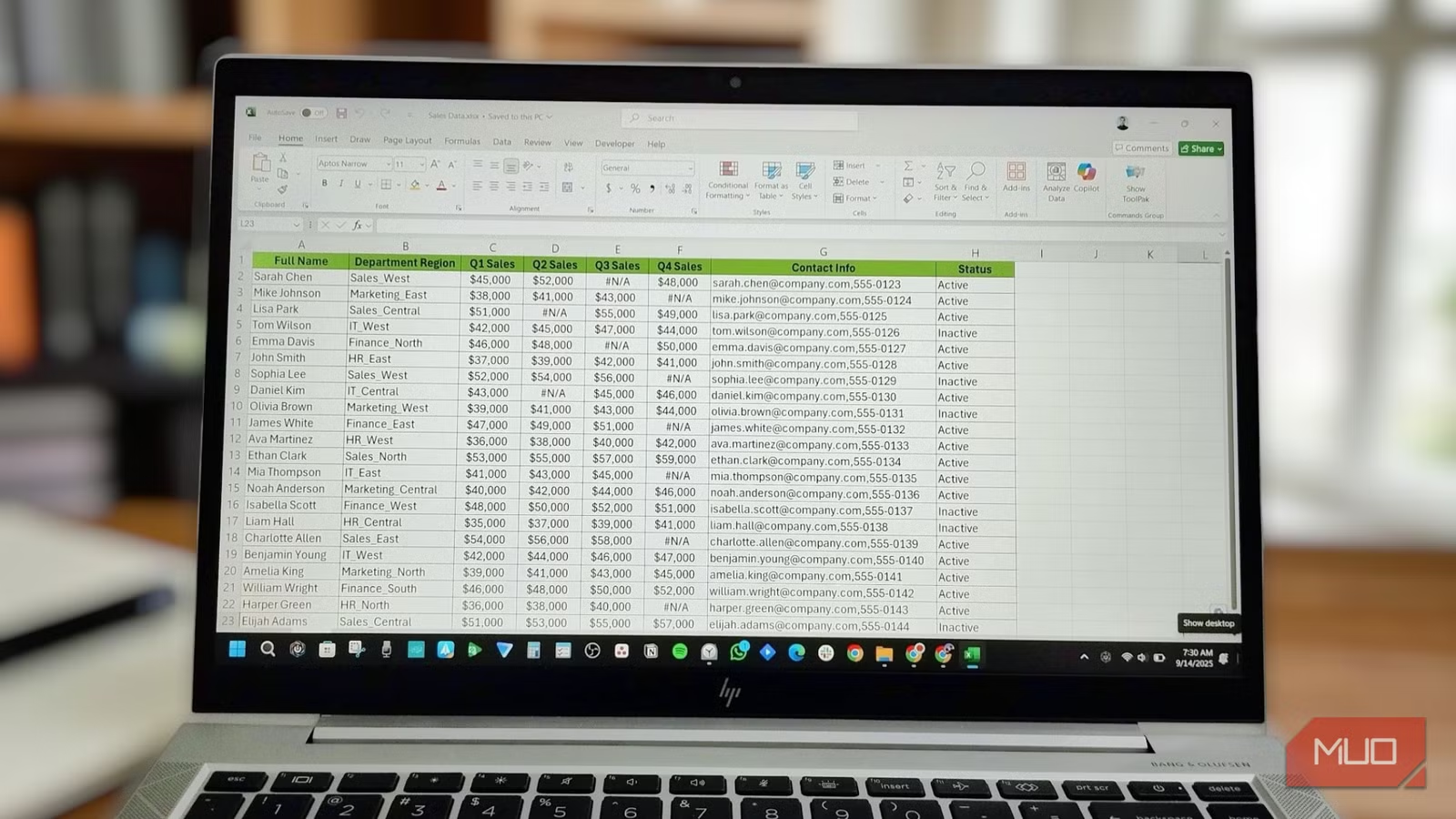
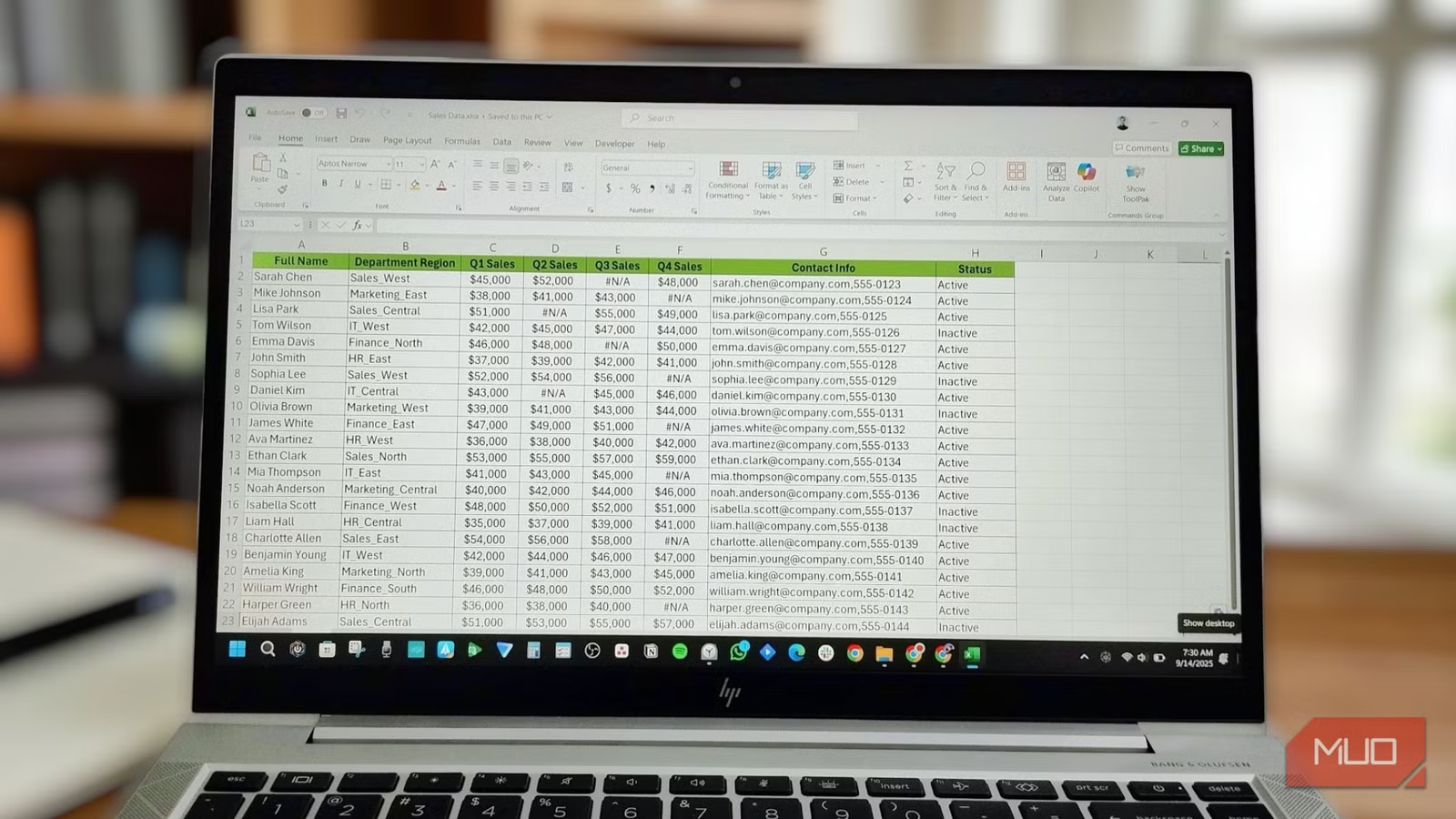
If you've been copying spreadsheet data into ChatGPT to clean it up or generate summaries, you're probably wasting time. Excel already has automation tools that handle these tasks faster than any chatbot. The catch: Microsoft buried them in menus most users never explore.
Once you know where to look, you can stop the copy-paste routine and let Excel do the repetitive work. Here are five features worth learning.
Power Query: Clean Data Once, Refresh Forever
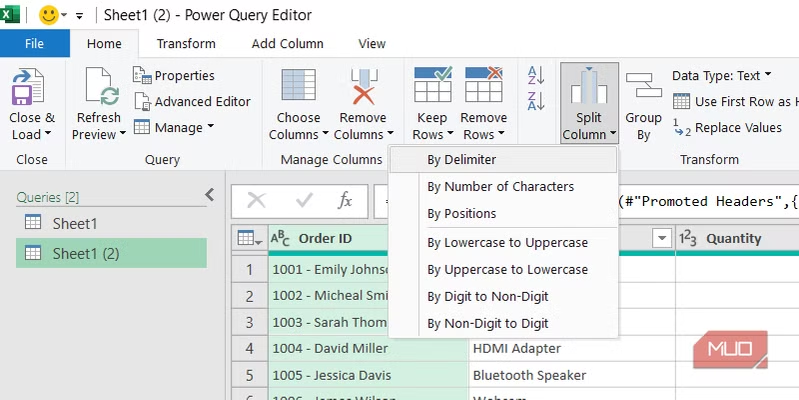
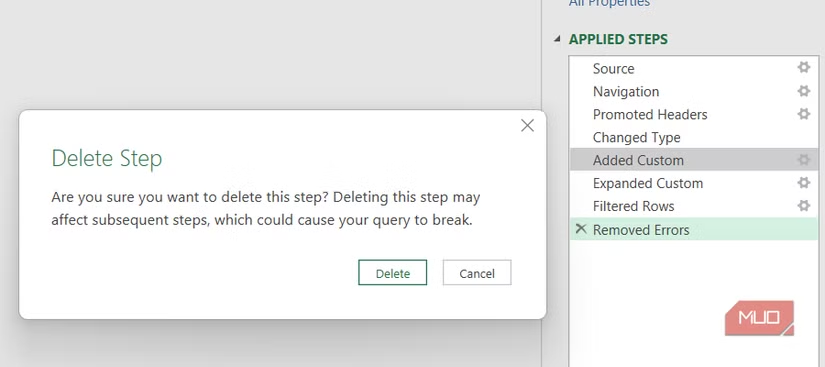
Power Query solves a specific problem. You pull data from an external source, spend 20 minutes cleaning it, and then next week you have to do it all over again when the source updates. Power Query records every transformation you apply. Splitting columns, fixing data types, merging tables. It saves each step in the Applied Steps pane.
When your data updates, you hit Refresh. Power Query reruns every step automatically. Your source data stays untouched, and you get a clean output table without repeating any manual work.
To find it: Go to the Data tab, look for the Get & Transform Data group. From there you can connect to files, databases, or web pages and build your automated cleaning pipeline.
PivotTables: Drag-and-Drop Summaries
PivotTables have existed for years, yet people still write manual SUMIF and COUNTIF formulas to summarize data that a PivotTable handles in 30 seconds.
The process is simple. Select your data, insert a PivotTable, then drag fields into Rows, Columns, or Values areas. Excel instantly generates totals, counts, averages, or whatever aggregation you need. No formulas to debug.
When your underlying data changes, right-click the PivotTable and hit Refresh. The summary updates immediately.
Office Scripts: Record and Replay Any Action
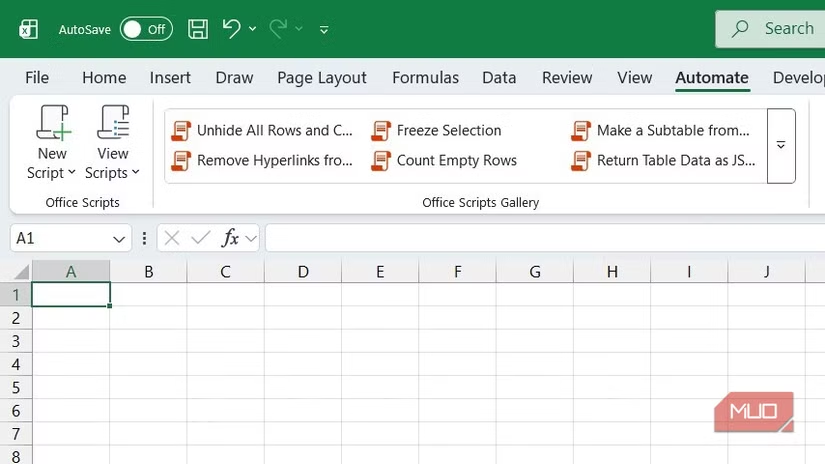
Office Scripts is Microsoft's answer to macros for Excel on the web. You can record a sequence of actions and replay them later, or write TypeScript code for more complex automation.
The practical use case: any task you do repeatedly. Formatting reports, copying data between sheets, applying conditional formatting. Record it once, run it whenever you need it.
Find it under the Automate tab on the ribbon. This feature works in Excel for the web and integrates with Power Automate for scheduling scripts to run on a timer.
Flash Fill: Pattern Recognition in One Keystroke
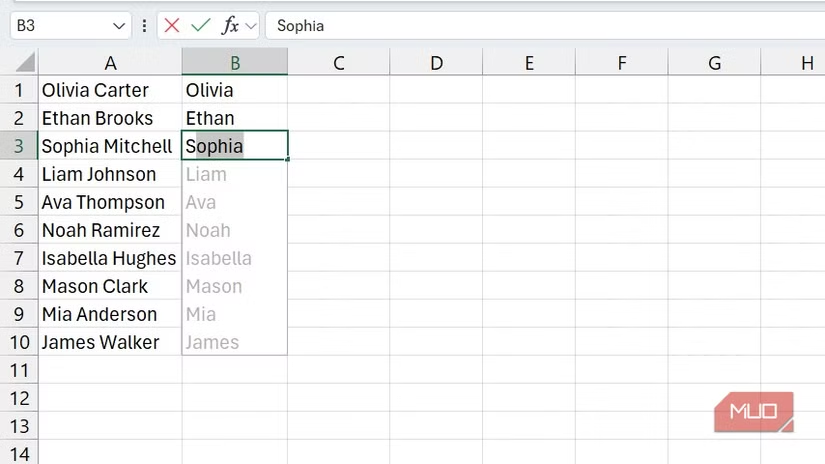
Flash Fill watches what you type and figures out the pattern. If you have a column of full names and you start typing first names in the next column, Flash Fill recognizes the pattern and fills the rest.
It works for splitting text, combining columns, reformatting dates, extracting portions of strings. Type one or two examples, and Excel fills in the rest of the column.
Trigger it with Ctrl+E after typing your example, or find it under Data > Flash Fill. This feature often does in seconds what would take ChatGPT a prompt, a response, and manual pasting.
Dynamic Array Functions: Formulas That Spill
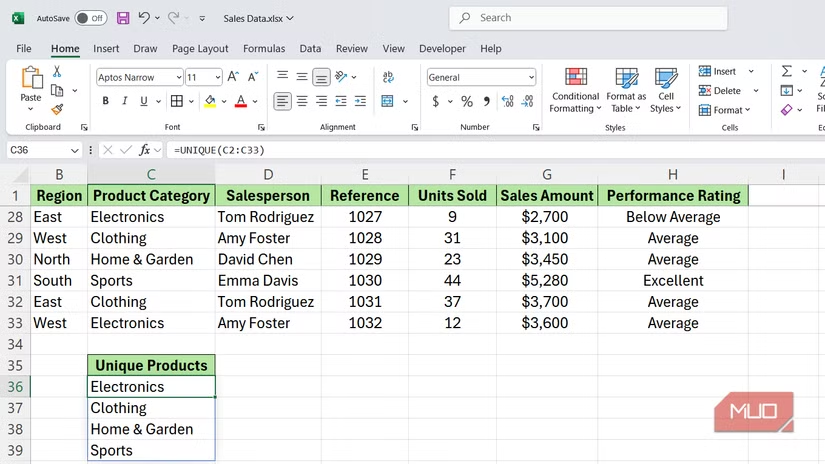
Excel's newer array functions automatically expand to fill multiple cells. UNIQUE extracts unique values from a list. SORT sorts data without helper columns. FILTER returns rows matching your criteria.
The key difference from older formulas: you write the formula once, and results "spill" into adjacent cells. When your source data changes, the spilled results update automatically.
These functions work in Excel 365 and Excel 2021+. If you're still on Excel 2019, you won't have access to the full set.
When ChatGPT Still Makes Sense
Excel's built-in tools work best for structured, repeatable tasks. ChatGPT still has an edge for one-off requests where you need to describe what you want in plain English, or when you need help writing a complex formula you've never used before.
But for daily data work, the pattern is clear: learn where Excel hides its automation features, and you'll spend less time waiting for AI responses and more time getting results.
Another common productivity tool misconception worth understanding
Logicity's Take
Frequently Asked Questions
Is Power Query available in all versions of Excel?
Power Query is included in Excel 2016 and later, including Excel 365. Earlier versions required a separate add-in download.
Can Office Scripts run on desktop Excel?
Office Scripts currently works in Excel for the web. Desktop Excel uses VBA macros for similar automation, though the two systems are not interchangeable.
Does Flash Fill work with numbers or only text?
Flash Fill works with both text and numbers, but it's most useful for text transformations like splitting names, reformatting dates, or extracting parts of strings.
How do dynamic array functions differ from regular formulas?
Dynamic array functions automatically fill multiple cells from a single formula. Traditional formulas return one value per cell and require copying to fill a range.
Need Help Implementing This?
Source: MakeUseOf
Manaal Khan
Tech & Innovation Writer
مقالات ذات صلة
تصفح الكل
5 إعدادات في متصفحك تسرّب بياناتك حتى مع تفعيل VPN
ماذا لو أخبرتك أن متصفحك المفضل يسلّم عنوان IP الحقيقي وموقعك الفعلي وعادات تصفحك لأي موقع يطلبها، حتى مع تفعيل VPN؟ هذا بالضبط ما يحدث لملايين المستخدمين يومياً، ومنهم من يكتشف ذلك بالصدفة عند إجراء

كيف تعرض شاشة هاتف Android على التلفزيون مجاناً باستخدام Google Cast
هل تبحث عن طريقة لعرض شاشة هاتف Android على التلفزيون دون دفع أموال لتطبيقات مليئة بالإعلانات أو شراء كابلات HDMI؟ الحل موجود فعلياً داخل هاتفك: ميزة Google Cast المدمجة في نظام Android 16 تتيح لك بث

4 تطبيقات سامسونج تستحق البقاء على هاتفك Galaxy
يأتي هاتف Galaxy الجديد محملاً بأكثر من 50 تطبيقاً مُثبتاً مسبقاً، وليست جميعها ضرورية. لكن وسط هذا الكم من التطبيقات، تبرز أربعة تطبيقات سامسونج تستحق فعلاً أن تبقى على جهازك — بل قد تفضّلها على بدائ

استدعاءات يونيو 2026 للسيارات: Ford وHonda وToyota تسحب ملايين المركبات من الأسواق
سجّلت الهيئة الوطنية الأمريكية لسلامة المرور على الطرق السريعة NHTSA أكثر من 300 استدعاء للسلامة شملت أكثر من 100 شركة مصنّعة منذ بداية عام 2026، لكن استدعاءات يونيو 2026 للسيارات جاءت الأضخم والأخطر.
اقرأ أيضاً

5 ميزات ذكاء اصطناعي في iOS 27 تعمل دون الحاجة للتحدث مع Siri
لم تكن ترقية Siri بالذكاء الاصطناعي الإعلان الوحيد المهم في مؤتمر WWDC هذا العام، بل إن استراتيجية Apple الأوسع للذكاء الاصطناعي تتجلى عبر سلسلة من ميزات الذكاء الاصطناعي في iOS 27 المدمجة في التطبيقا

مؤسس OnFinance AI ينتقد شركة استثمارية علناً ثم يعتذر خلال ساعات: دروس في إدارة العلاقات مع المستثمرين
في مشهد يعكس التوترات الخفية بين مؤسسي الشركات الناشئة وشركات رأس المال الجريء، اعتذر أنوج سريفاستافا، الرئيس التنفيذي لشركة OnFinance AI الناشئة في بنغالور، بعد ساعات قليلة من انتقاده العلني لشركة Al

Gemini على Android يحتاج وضعاً «بسيطاً» للمهام اليومية
يُبهرك Gemini حين تطلب منه تلخيص بريد إلكتروني طويل أو صياغة رد دبلوماسي، لكنه يُحبطك حين يعجز عن ضبط مؤقت لخمس دقائق من المحاولة الأولى. هذا التناقض يُلخّص أزمة المساعد الذكي على هواتف Android: ذكاء