4 Ways to Automate Cursor With Zapier MCP
Key Takeaways
- Zapier MCP gives Cursor access to 8,000+ apps and 30,000+ actions without custom API code
- Each tool call from Cursor consumes 2 Zapier tasks
- Four ready-to-use templates: CRM pipeline reports, form follow-ups, Slack summaries, and content briefs
Cursor has become a favorite tool for developers and marketers who want AI-generated assets formatted exactly how they like them. But the IDE gets more powerful when you connect it to other tools in your stack. Zapier MCP makes that connection possible.
The Model Context Protocol (MCP) is an open standard that lets AI assistants securely connect to data sources and tools. By hooking Zapier's MCP server into Cursor, you can trigger complex automations from your chat window. Draft CRM reports. Update project tickets. Send Slack alerts. All without switching contexts or writing custom API glue code.
The integration essentially turns an AI coding assistant into a fully functional autonomous agent. Instead of just suggesting code, Cursor can now execute actions across your entire tech stack.
How to Connect Cursor to Zapier MCP
If you can click, type, and copy-paste, you can set this up in minutes. Here's the process:
- Go to the Zapier MCP dashboard
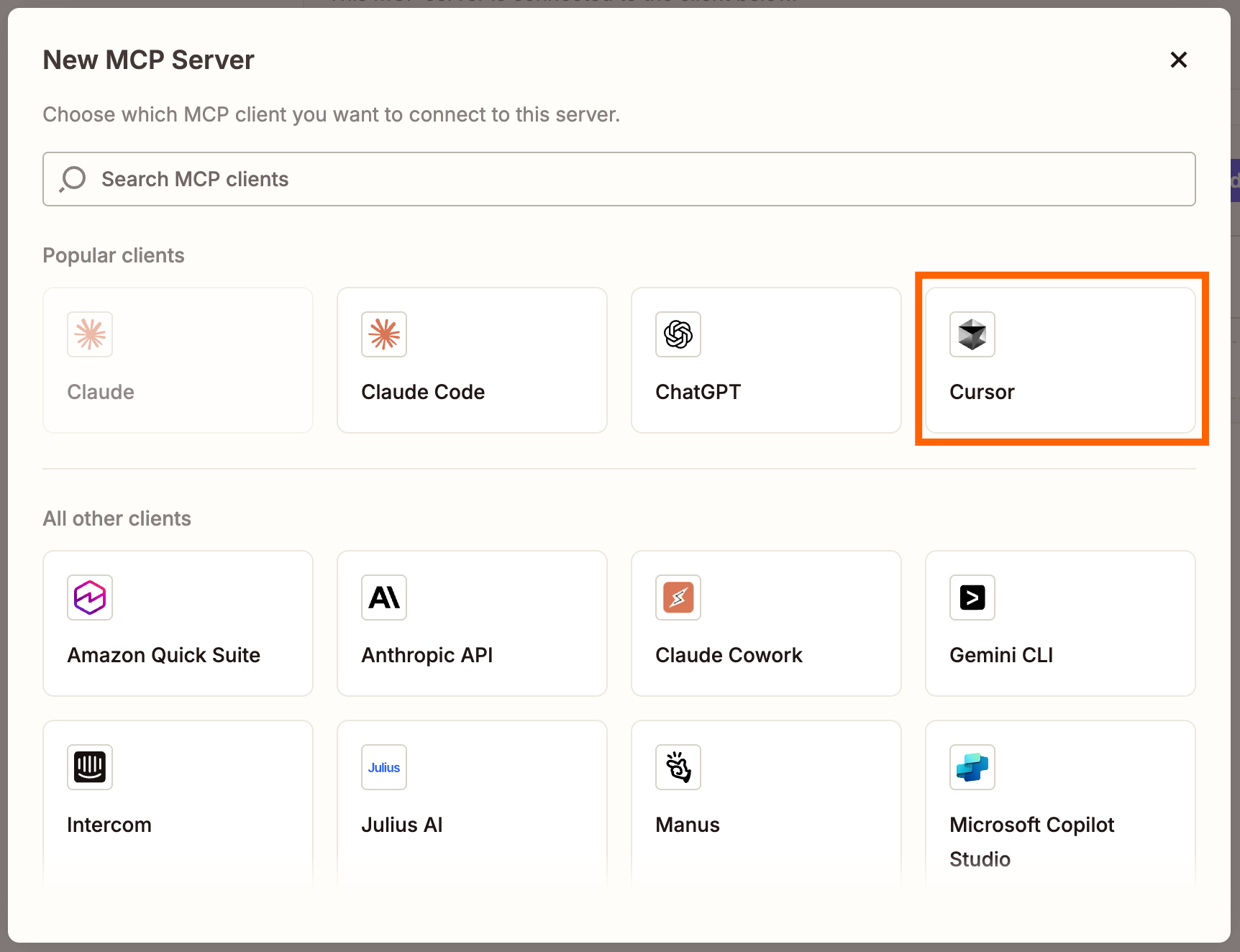
- Click +New MCP Server and select Cursor as the client
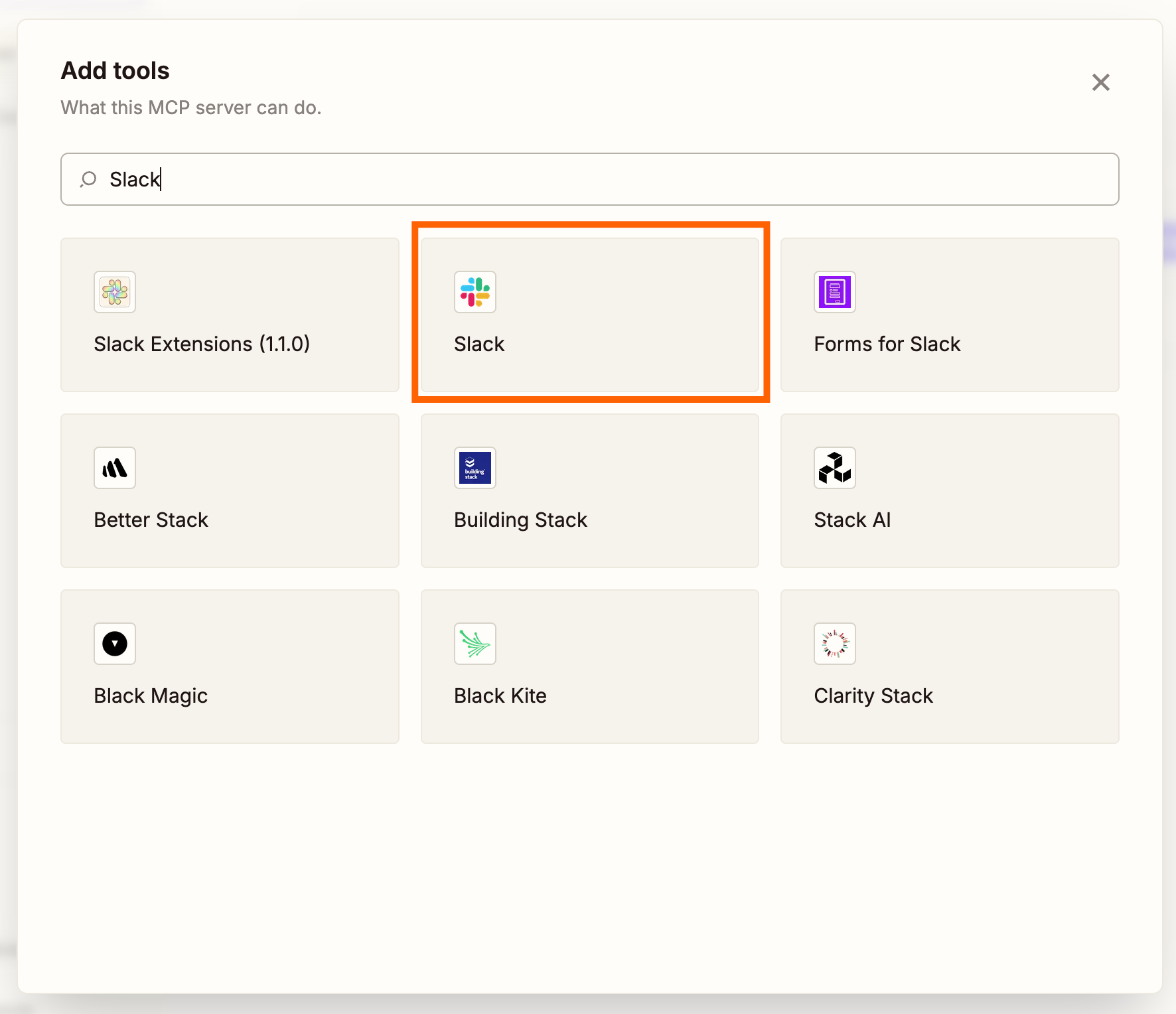
- Click +Add tool and search for the app you want to connect
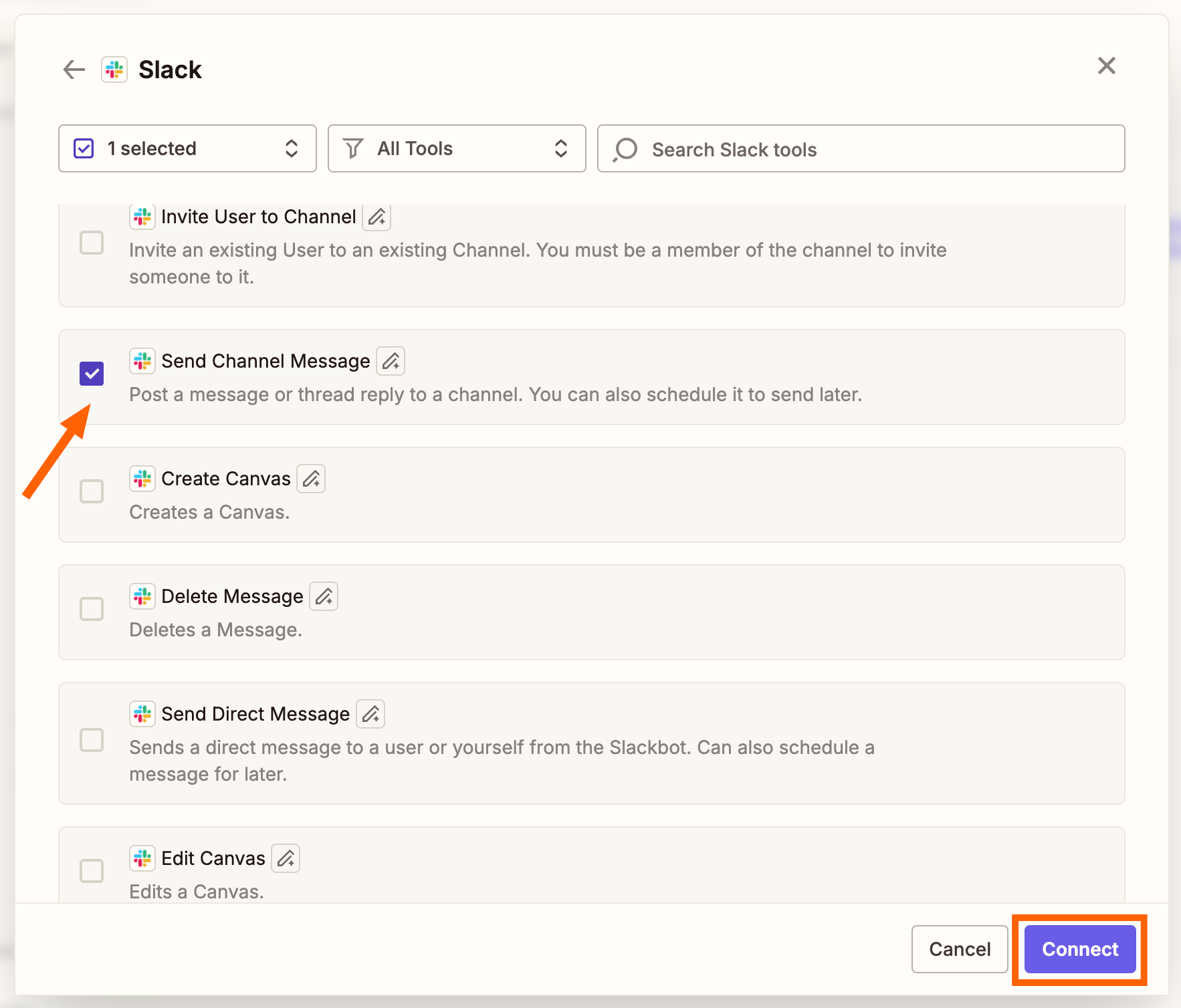
- Select the action events you want, then click Connect
- Connect your app accounts as needed
- Configure each action using the kebab menu (⋮) and adjust values
- Click Connect at the top and follow instructions to add the server to Cursor
For extra security, Zapier offers AI Guardrails. This built-in tool detects PII, toxic language, prompt injection attempts, and negative sentiment in your workflows.
Workflow 1: Build a Pipeline Report From Your CRM
You're a sales ops or RevOps manager. Someone asks where the pipeline stands. Instead of dropping everything to pull and format data yourself, ask Cursor to build the report while you stay focused on other work.
The workflow pulls open deals from HubSpot, groups them by stage and owner, and creates a summary report in Google Docs. You get a formatted pipeline report without touching your CRM interface.
Workflow 2: Send Follow-Up Emails After Form Submissions
When leads submit a form, the typical response is either a generic autoresponder or manual outreach hours later. With this workflow, Cursor can draft and send personalized follow-up emails immediately.
The AI reads the form submission, generates a relevant response based on what the person asked or expressed interest in, and sends it through your email tool. No template management required.
Workflow 3: Summarize Your Team's Slack Activity
Slack channels accumulate information fast. Important updates get buried under memes and thread replies. This workflow lets Cursor scan your team's Slack activity and generate a summary update.
Ask Cursor what happened in a specific channel today. It pulls the messages, identifies key decisions and action items, and formats them into a readable summary. Useful for managers who need to stay informed without reading every message.
Workflow 4: Draft Content Briefs From Top-Performing Posts
Content teams often struggle to turn analytics into action. This workflow connects your analytics tool to Cursor, letting the AI identify your top-performing posts from the month and draft content briefs based on what worked.
Cursor analyzes engagement patterns, extracts themes from successful content, and generates briefs that guide your next batch of articles or social posts. The output goes directly into your preferred doc tool.
What About Custom Logic or API Access?
Zapier MCP handles governed access to apps through pre-built actions. If you need custom logic or raw API access, Zapier SDK is the alternative. You can connect your code files directly to Zapier's infrastructure for more granular control.
The trade-off: MCP is faster to set up and handles authentication automatically. SDK offers more flexibility but requires more development work.
“Most teams hit a wall with API keys in local setups. Zapier handles the auth and rate-limiting headaches that break DIY MCP implementations.”
— Zapier Engineer, Reddit discussion
Cost and Limitations
Each tool call from Cursor consumes 2 Zapier tasks. If you're on a limited Zapier plan, heavy MCP usage can burn through your monthly allocation quickly. Plan your workflows accordingly.
Community members on Hacker News and Reddit have praised the integration for solving the "manual auth" problem. But some caution against giving too many permissions to an LLM. The recommendation: curate a limited, high-confidence set of actions to prevent unwanted side effects or hallucinations.
“The friction between 'AI recommends' and 'action taken' has disappeared. It turns the AI from an advisor into an operator.”
— Developer, r/modelcontextprotocol
Logicity's Take
Similar MCP integration guide for Claude users
Comparable automation workflows for ChatGPT
Related coverage on AI productivity tools
Frequently Asked Questions
How many apps can Cursor access through Zapier MCP?
Zapier MCP gives Cursor governed access to over 8,000 apps and 30,000 distinct actions. You configure which specific actions are available through the MCP dashboard.
How much does Zapier MCP cost to use with Cursor?
Each tool call from Cursor consumes 2 Zapier tasks from your existing Zapier plan. Heavy usage can deplete your monthly task allocation quickly.
Is Zapier MCP secure for business use?
Zapier handles authentication and rate-limiting automatically. For additional security, you can enable AI Guardrails to detect PII, toxic language, and prompt injection attempts. Experts recommend limiting the actions available to the LLM to prevent unwanted side effects.
What's the difference between Zapier MCP and Zapier SDK?
MCP provides governed access through pre-built actions and handles auth automatically. SDK offers raw API access and custom logic but requires more development work to implement.
Can Zapier MCP work with AI tools other than Cursor?
Yes. Zapier MCP works with any AI client that connects to the Model Context Protocol, including Claude and ChatGPT.
Need Help Implementing This?
Source: The Zapier Blog
Manaal Khan
Tech & Innovation Writer
اقرأ أيضاً

رأي مغاير: كيف يؤثر اختراق الأمن الداخلي الأميركي على شركاتنا الخاصة؟
في ظل اختراق عقود الأمن الداخلي الأميركي مع شركات خاصة، نناقش تأثير هذا الاختراق على مستقبل الأمن السيبراني. نستعرض الإحصاءات الموثوقة ونناقش كيف يمكن للشركات الخاصة أن تتعامل مع هذا التهديد. استمتع بقراءة هذا التحليل العميق

الإنسان في زمن ما بعد الوجود البشري: نحو نظام للتعايش بين الإنسان والروبوت - Centre for Arab Unity Studies
في هذا المقال، سنناقش كيف يمكن للبشر والروبوتات التعايش في نظام متكامل. سنستعرض التحديات والحلول المحتملة التي تضعها شركات مثل جوجل وأمازون. كما سنلقي نظرة على التوقعات المستقبلية وفقًا لتقرير ماكنزي

إطلاق ناسا لمهمة مأهولة إلى القمر: خطوة تاريخية نحو استكشاف الفضاء
تعتبر المهمة الجديدة خطوة هامة نحو استكشاف الفضاء وتطوير التكنولوجيا. سوف تشمل المهمة إرسال رواد فضاء إلى سطح القمر لconducting تجارب علمية. ستسهم هذه المهمة في تطوير فهمنا للفضاء وتحسين التكنولوجيا المستخدمة في استكشاف الفضاء.