3 Waze Features That Work Better on Android Auto
Key Takeaways
- Voice-based hazard reporting on Android Auto reduces distraction compared to phone tapping
- Larger dashboard displays make Waze's real-time alerts easier to spot while driving
- Waze's community of 500,000 volunteer editors keeps road data more current than competitors
Waze has been my default navigation app for nearly a decade. But using it on my phone always felt like a compromise. Holding the device, glancing down at a small screen, tapping to report hazards. It worked, but it never felt right for driving.
That changed when I moved Waze to Android Auto. The app's best features, especially its community-driven alerts and voice controls, finally have the space and interface they deserve. Three capabilities in particular work noticeably better on your car's dashboard than on a handheld phone.
Voice Hazard Reporting Without the Fumble
Waze's killer feature is its crowdsourced hazard reports. Police ahead. Pothole in lane two. Object on the shoulder. On your phone, reporting these requires tapping through menus while you're supposed to be watching the road.
Android Auto changes this. The dashboard interface supports "two-tap reporting" that users on r/AndroidAuto frequently praise. But the real improvement is voice control. You can report hazards by speaking, keeping both hands on the wheel and eyes forward.
This matters because Waze depends on active participation. The app has roughly 151 million monthly active users globally, with 500,000 volunteer map editors keeping data current. Every report you submit helps the next driver. Android Auto makes contributing safer.
Hazard Alerts You Actually See
On a phone screen, Waze alerts compete for attention with everything else. The small display means icons are tiny. Warnings appear briefly. If you're focused on the road (as you should be), you miss them.
A car's infotainment display changes the equation. The larger screen gives hazard icons room to be visible at a glance. Police speed trap warnings, construction zones, sharp turns. All of them become harder to miss when they're not shrunk down to phone size.
Google Maps has slowly added similar features. It might occasionally alert you to debris in the road. But Waze does it consistently. The community reporting model means more eyes catching more hazards, and Android Auto makes sure you see what they've found.
Smarter Rerouting on a Bigger Map
Traffic rerouting is where Waze originally made its name. The app doesn't just show you congestion. It actively suggests alternate routes and calculates whether they'll actually save time.
On a phone, evaluating reroute options means squinting at a small map while driving. On your car's dashboard, you can see the alternate route clearly, understand where it diverges from your current path, and make a decision faster.
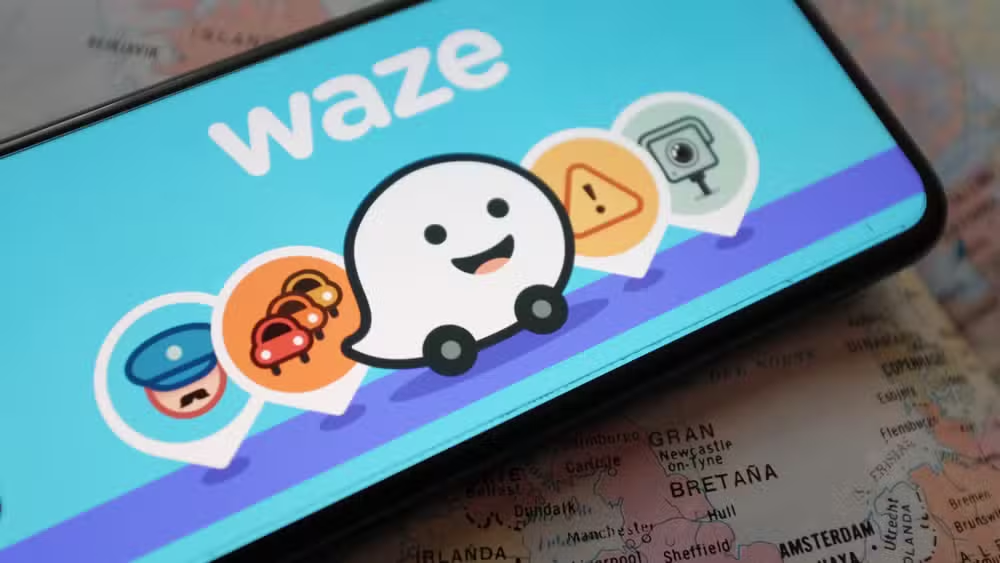
About 75% of new 2026 vehicles come with connected infotainment systems that support Android Auto or CarPlay. This means most new car buyers can access these improvements without extra hardware. For older vehicles, wireless Android Auto adapters like the AAWireless TWO+ ($65) add the capability.
The Tradeoffs
Android Auto doesn't improve everything about Waze. Forum users regularly point out that the dashboard version lacks the customization depth of the mobile app. You can't fine-tune which alerts appear or adjust granular map settings the same way.
For power users who've spent years tweaking their Waze setup, this can feel limiting. The Android Auto interface prioritizes simplicity and safety over configuration options. That's a reasonable trade for most drivers, but it's worth knowing before you switch.
How to Get Started
- Download Waze from the Google Play Store if you haven't already
- Connect your phone to your car via USB cable or wireless Android Auto adapter
- Launch Waze from the Android Auto interface on your car's display
- Enable voice commands for hands-free hazard reporting
If your car doesn't have built-in Android Auto, wireless adapters are the easiest upgrade. They plug into your car's USB port and create a wireless connection to your phone. Setup takes about five minutes.
Logicity's Take
More hidden features in everyday tech
Frequently Asked Questions
Frequently Asked Questions
Is Waze free on Android Auto?
Yes. Waze is completely free on both the phone app and Android Auto. There are no premium tiers or subscription fees.
Does Waze on Android Auto use more data than Google Maps?
Data usage is comparable. Both apps stream map tiles and traffic data. Waze's community reports add minimal overhead.
Can I use Waze on Android Auto without a cable?
If your car supports wireless Android Auto, yes. Otherwise, you'll need a wireless adapter like AAWireless or a USB connection.
Why does Waze show more hazards than Google Maps?
Waze relies on active user reporting. Its 151 million monthly users and 500,000 volunteer editors submit more real-time reports than Google's passive detection systems capture.
Does Google own Waze?
Yes. Google acquired Waze in 2013. The apps remain separate, though some features have migrated between them over time.
Need Help Implementing This?
Source: How-To Geek
Manaal Khan
Tech & Innovation Writer
اقرأ أيضاً

رأي مغاير: كيف يؤثر اختراق الأمن الداخلي الأميركي على شركاتنا الخاصة؟
في ظل اختراق عقود الأمن الداخلي الأميركي مع شركات خاصة، نناقش تأثير هذا الاختراق على مستقبل الأمن السيبراني. نستعرض الإحصاءات الموثوقة ونناقش كيف يمكن للشركات الخاصة أن تتعامل مع هذا التهديد. استمتع بقراءة هذا التحليل العميق

الإنسان في زمن ما بعد الوجود البشري: نحو نظام للتعايش بين الإنسان والروبوت - Centre for Arab Unity Studies
في هذا المقال، سنناقش كيف يمكن للبشر والروبوتات التعايش في نظام متكامل. سنستعرض التحديات والحلول المحتملة التي تضعها شركات مثل جوجل وأمازون. كما سنلقي نظرة على التوقعات المستقبلية وفقًا لتقرير ماكنزي

إطلاق ناسا لمهمة مأهولة إلى القمر: خطوة تاريخية نحو استكشاف الفضاء
تعتبر المهمة الجديدة خطوة هامة نحو استكشاف الفضاء وتطوير التكنولوجيا. سوف تشمل المهمة إرسال رواد فضاء إلى سطح القمر لconducting تجارب علمية. ستسهم هذه المهمة في تطوير فهمنا للفضاء وتحسين التكنولوجيا المستخدمة في استكشاف الفضاء.