3 Open-Source Apps That Replace Your Paid Subscriptions
Key Takeaways
- ONLYOFFICE uses the same file format as Microsoft Office, so your documents look identical without conversion issues
- Jellyfin now holds 51% of the self-hosted media server market, making it the go-to Plex replacement
- KeePass stores passwords locally with zero subscription fees and no cloud dependency
You probably don't think about your subscriptions until you do. And when you finally add them up, the number stings. Microsoft 365 runs $100 a year. Streaming services stack up. Password managers want their cut too. The good news: free, open-source software can replace many of these recurring charges. The catch is setup time. A few hours this weekend, and you're done paying.
Here are three FOSS apps worth your time this weekend (June 5-7).
ONLYOFFICE: The Microsoft 365 Replacement That Actually Works
LibreOffice is the default recommendation for open-source office software. It's powerful. It's also built around Open Document Format (ODF), which means Word, Excel, and PowerPoint files need conversion before you can work with them. Complex documents with heavy formatting often look slightly off after that conversion.
ONLYOFFICE takes a different approach. It was built around OOXML, the same file format Microsoft Office uses natively. Your DOCX, XLSX, and PPTX files open looking exactly as they did in Microsoft's apps. No conversion headaches.
The interface helps too. ONLYOFFICE uses a modern ribbon-style layout that feels familiar to anyone who's used Microsoft Office in the past decade. Longtime Word users won't spend hours hunting for features in unfamiliar menus.
For most users, ONLYOFFICE covers everything they need: documents, spreadsheets, presentations, PDFs, forms, and diagrams. The limitations show up only for power users who depend on VBA macros or advanced Excel scripting. But those features cause problems in almost any non-Microsoft suite, including LibreOffice.
ONLYOFFICE is available on Windows, macOS, and Linux. The desktop apps are completely free. ONLYOFFICE DocSpace, their cloud collaboration platform, has grown 30% in customer base during 2025, driven by organizations wanting to keep their data off third-party servers.
Jellyfin: Your Own Netflix, No Monthly Fee
Plex was the default self-hosted media server for years. Then it started adding features nobody asked for, pushing users toward paid tiers, and generally annoying its core audience. Jellyfin emerged as the open-source alternative, and it's now the dominant choice.
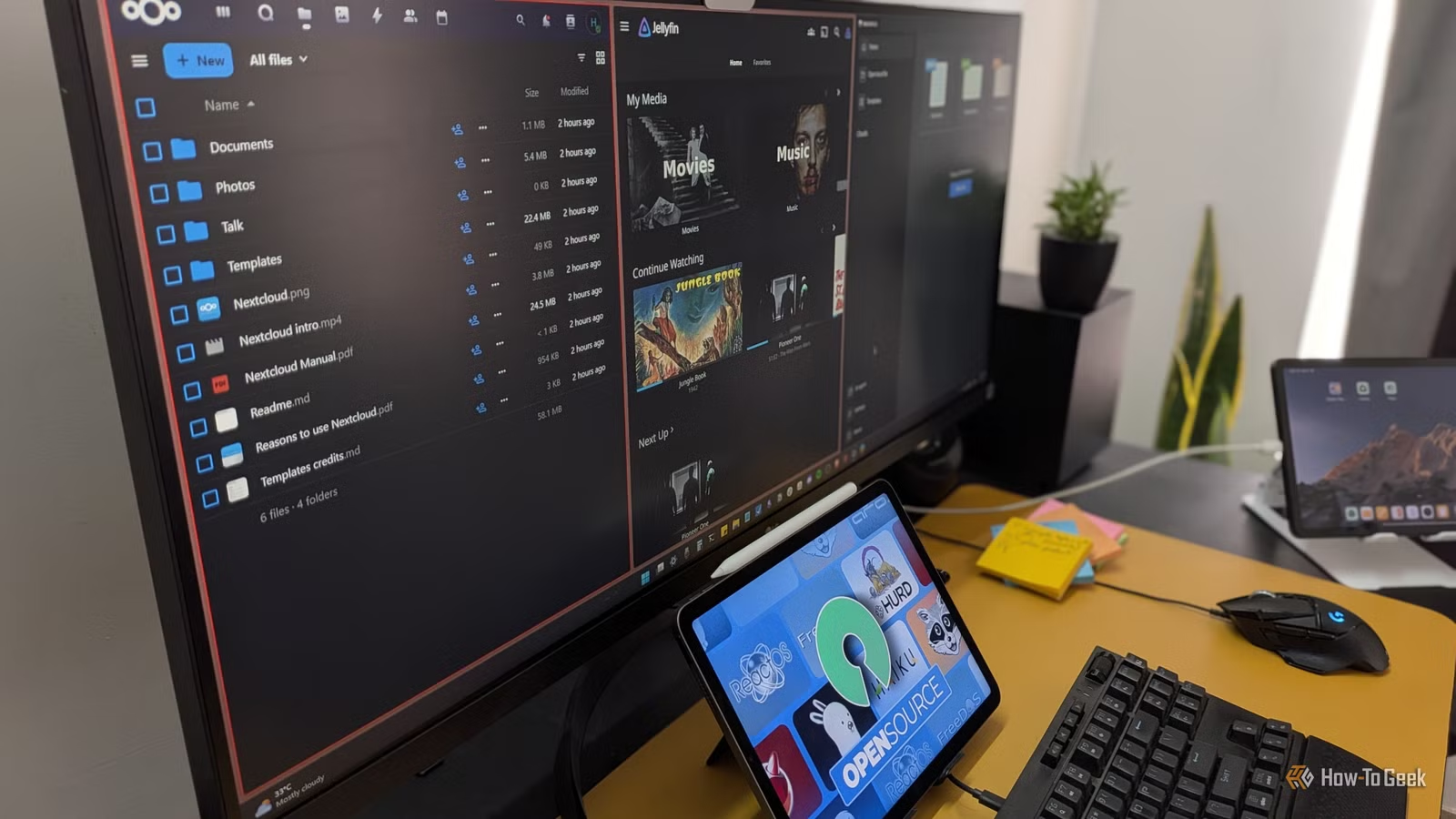
Jellyfin lets you stream your own movie and music collection to any device. It handles transcoding, so files play on hardware that can't read the original format. The interface looks like any commercial streaming service. Apps exist for every major platform.
Setup requires a computer or NAS to act as your server, plus storage for your media files. The Jellyfin software itself is free. Once running, you get a personal streaming service that works anywhere you have internet access.
This won't replace Netflix originals or HBO shows. It's for media you already own: ripped DVDs, downloaded movies, music libraries. If you've accumulated digital media over the years, Jellyfin turns that collection into something as convenient as a streaming subscription.
KeePass: Password Management Without the Cloud
Commercial password managers like 1Password and Bitwarden charge monthly fees to store your passwords on their servers. KeePass takes a fundamentally different approach: your passwords stay in an encrypted file on your own device.
No subscription. No cloud dependency. No risk of a breach at a third-party server exposing your credentials. The tradeoff is convenience. Syncing between devices requires you to handle the encrypted database file yourself, whether through a cloud drive, USB stick, or network share.
KeePass has been around since 2003. It's battle-tested. The interface looks dated compared to slick commercial alternatives, but it generates strong passwords, auto-fills login forms, and keeps everything locked behind a master password. Numerous forks and plugins extend its functionality for users who want more modern features.
The Setup Investment
None of these apps install as easily as clicking "Subscribe" on a commercial service. ONLYOFFICE is straightforward, just download and install. Jellyfin needs a server and some configuration. KeePass requires you to think about how you'll sync your password database.
Budget a couple of hours this weekend. The r/selfhosted and r/opensource communities on Reddit have detailed setup guides for each app. Once you're past the initial configuration, these tools require minimal maintenance.
“The subscription model is a luxury tax on digital ownership. Open-source isn't just about saving money; it's about ensuring you actually own the tools you use to create and live.”
— Sarah Jenkins, Open Source Advocate and Digital Privacy Researcher
What You're Really Paying For
Microsoft's Productivity and Business Processes segment generates $77.8 billion in annual revenue. That money comes from subscriptions. Streaming services, password managers, and cloud storage all follow the same model: rent access, pay forever.
Open-source alternatives flip that equation. You invest time instead of money. The software stays free, and you control your data. For anyone tired of watching recurring charges drain their accounts, this weekend is a good time to start.
| App | Replaces | Platform | Sync/Server Needed |
|---|---|---|---|
| ONLYOFFICE | Microsoft 365 | Windows, macOS, Linux | No (optional DocSpace) |
| Jellyfin | Plex, streaming services | All major platforms | Yes (your own server) |
| KeePass | 1Password, Bitwarden | Windows (forks for all) | Manual sync required |
Logicity's Take
Another practical guide for users reclaiming control from mandatory subscriptions and accounts
Frequently Asked Questions
Is ONLYOFFICE fully compatible with Microsoft Office files?
ONLYOFFICE uses OOXML natively, so DOCX, XLSX, and PPTX files open without conversion. Complex VBA macros may not work, but standard formatting stays intact.
Can Jellyfin stream to devices outside my home?
Yes. Once your server is configured for remote access, Jellyfin works anywhere you have internet. Apps are available for mobile devices, smart TVs, and web browsers.
How does KeePass sync passwords between devices?
KeePass stores passwords in an encrypted local file. You sync that file yourself using a cloud drive like Dropbox, a USB stick, or your home network.
Do I need technical skills to set up these apps?
ONLYOFFICE installs like any desktop app. Jellyfin requires basic server knowledge. KeePass is simple but requires planning for device sync. Budget 2-3 hours for all three.
Are open-source alternatives as secure as commercial software?
Often more secure. The code is publicly audited, bugs get found faster, and you control where your data lives. No third-party servers means no third-party breaches.
Need Help Implementing This?
Source: How-To Geek
Manaal Khan
Tech & Innovation Writer
اقرأ أيضاً

رأي مغاير: كيف يؤثر اختراق الأمن الداخلي الأميركي على شركاتنا الخاصة؟
في ظل اختراق عقود الأمن الداخلي الأميركي مع شركات خاصة، نناقش تأثير هذا الاختراق على مستقبل الأمن السيبراني. نستعرض الإحصاءات الموثوقة ونناقش كيف يمكن للشركات الخاصة أن تتعامل مع هذا التهديد. استمتع بقراءة هذا التحليل العميق

الإنسان في زمن ما بعد الوجود البشري: نحو نظام للتعايش بين الإنسان والروبوت - Centre for Arab Unity Studies
في هذا المقال، سنناقش كيف يمكن للبشر والروبوتات التعايش في نظام متكامل. سنستعرض التحديات والحلول المحتملة التي تضعها شركات مثل جوجل وأمازون. كما سنلقي نظرة على التوقعات المستقبلية وفقًا لتقرير ماكنزي

إطلاق ناسا لمهمة مأهولة إلى القمر: خطوة تاريخية نحو استكشاف الفضاء
تعتبر المهمة الجديدة خطوة هامة نحو استكشاف الفضاء وتطوير التكنولوجيا. سوف تشمل المهمة إرسال رواد فضاء إلى سطح القمر لconducting تجارب علمية. ستسهم هذه المهمة في تطوير فهمنا للفضاء وتحسين التكنولوجيا المستخدمة في استكشاف الفضاء.