10 VS Code Extensions That Actually Save Development Time
Key Takeaways
- Todo Tree consolidates all TODO and FIXME comments into a single sidebar view for easier task tracking
- Prettier combined with ESLint handles both code formatting and linting with minimal configuration
- Live Server eliminates manual browser refreshing during web development with automatic reload on save
Why Most Developers Use Only a Fraction of Available Extensions
VS Code suggests language-specific extensions when you open a new project. Java IntelliSense for Java. Python tools for Python. But the extensions that actually save time work across projects and languages. They handle the repetitive stuff: formatting, error highlighting, file navigation, and task tracking.
JT McGinty, a tech writer with over 20 years in the industry, recently compiled his essential VS Code extensions. The list focuses on productivity gains rather than language-specific features. Here's what made the cut and why each one earns its spot in your editor.
Todo Tree: Stop Losing Track of Unfinished Work
Developers scatter TODO and FIXME comments throughout codebases with good intentions. Then those comments disappear into thousands of lines of code, never to be seen again. Todo Tree solves this by scanning your project and displaying every tagged comment in a dedicated sidebar.
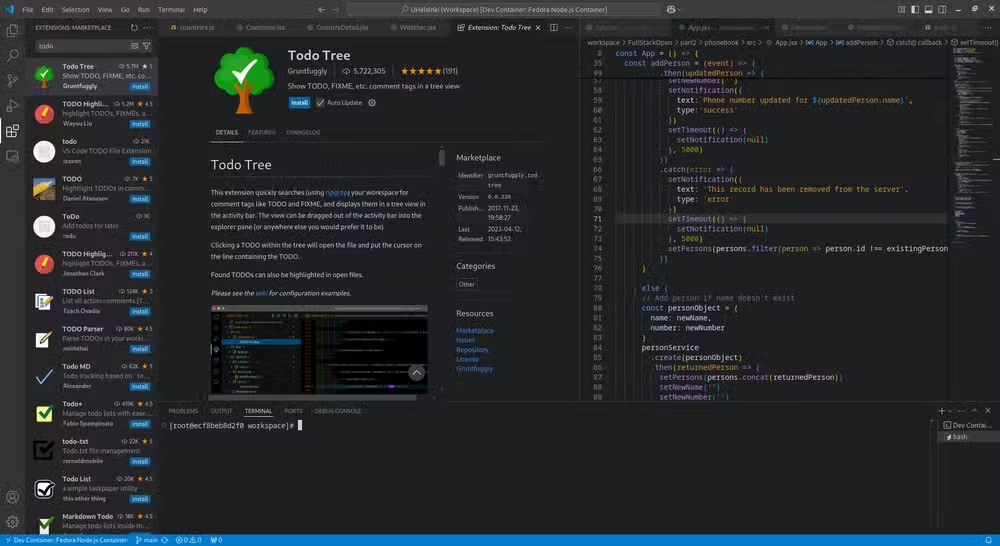
The extension highlights TODO, FIXME, and other custom tags directly in your code. Click any item in the sidebar to jump straight to that line. For larger projects where technical debt accumulates quietly, this visibility makes a real difference.
Prettier: One Keystroke, Consistent Formatting
Code formatting debates waste hours. Tabs versus spaces. Semicolons or not. Single quotes or double. Prettier ends these arguments by applying predefined rules automatically. Save the file or hit the format shortcut, and your code conforms to the project standard.
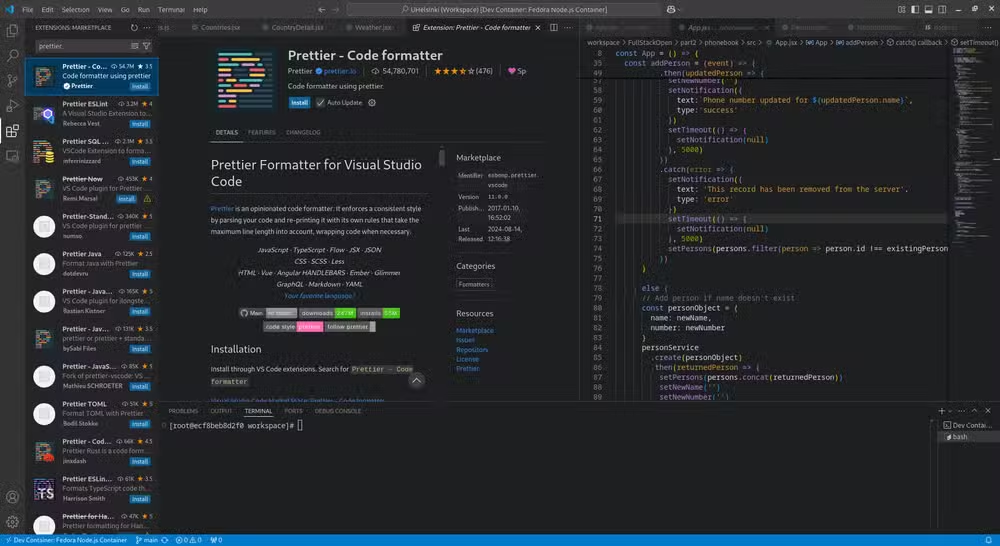
The extension works with JavaScript, TypeScript, JSON, and dozens of other languages through plugins. Teams that adopt Prettier eliminate formatting-related code review comments entirely. The code either matches the config or it doesn't. No subjective feedback required.
Live Server: Automatic Browser Refresh for Web Development
Web developers know the workflow: make a change, save the file, switch to the browser, hit refresh, check the result. Multiply that by hundreds of iterations per day. Live Server eliminates the manual steps by launching a local development server that refreshes automatically whenever you save.
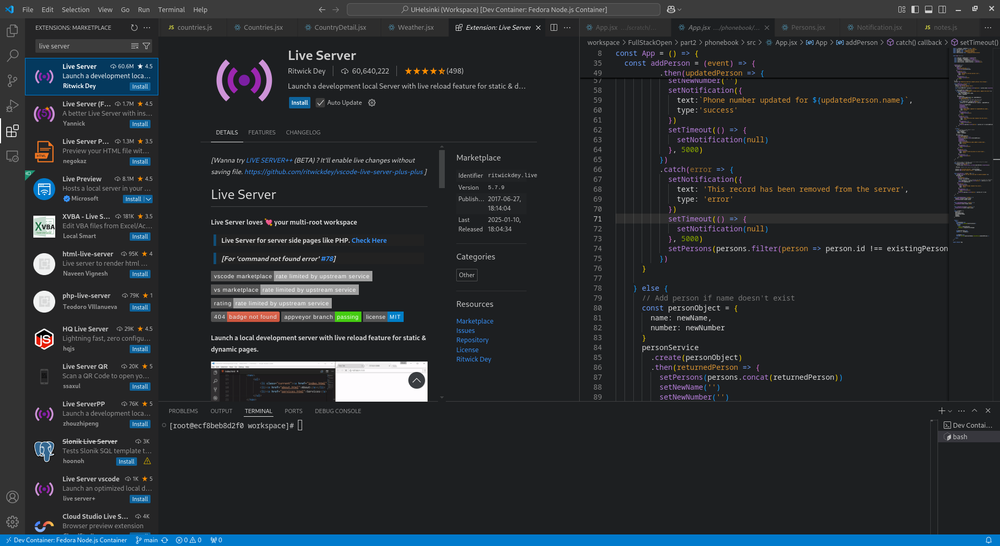
For HTML, CSS, and JavaScript projects, this means seeing changes in real time. The extension handles the server setup with a single click. No terminal commands, no configuration files. Just instant feedback on every save.
ESLint: Catch Problems Before They Ship
JavaScript and TypeScript developers rely on ESLint to catch syntax errors, enforce coding standards, and flag potential bugs before they reach production. The extension underlines problems directly in your code as you type. No waiting for a build step or test run to discover issues.
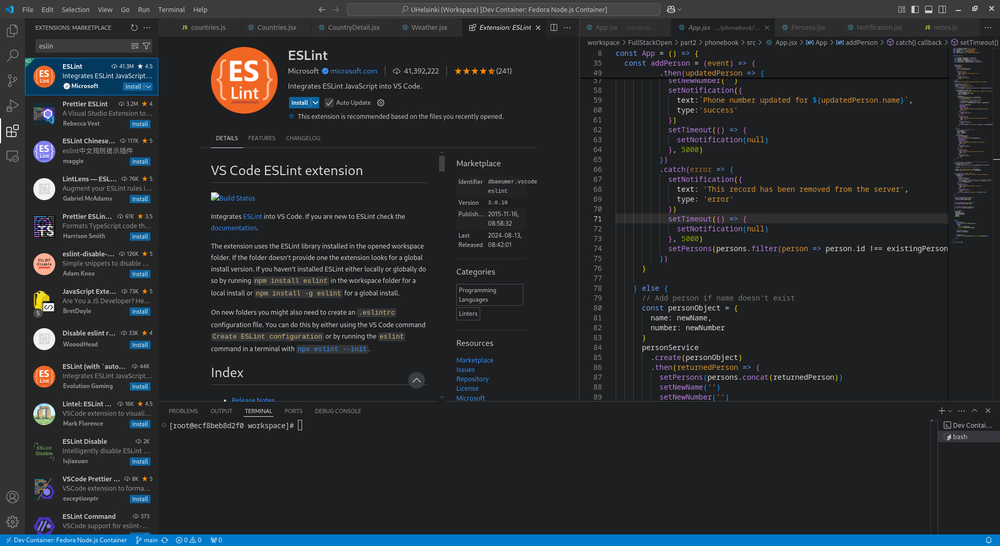
Many developers pair ESLint with Prettier. ESLint handles the logic and correctness side. Prettier handles the formatting. Together, they cover code quality and style without stepping on each other.
Error Lens: Make Problems Impossible to Miss
VS Code's default error indicators are subtle. A red squiggle under a word. A small icon in the gutter. Error Lens makes these warnings impossible to ignore by displaying the full error message inline, right next to the problematic code.
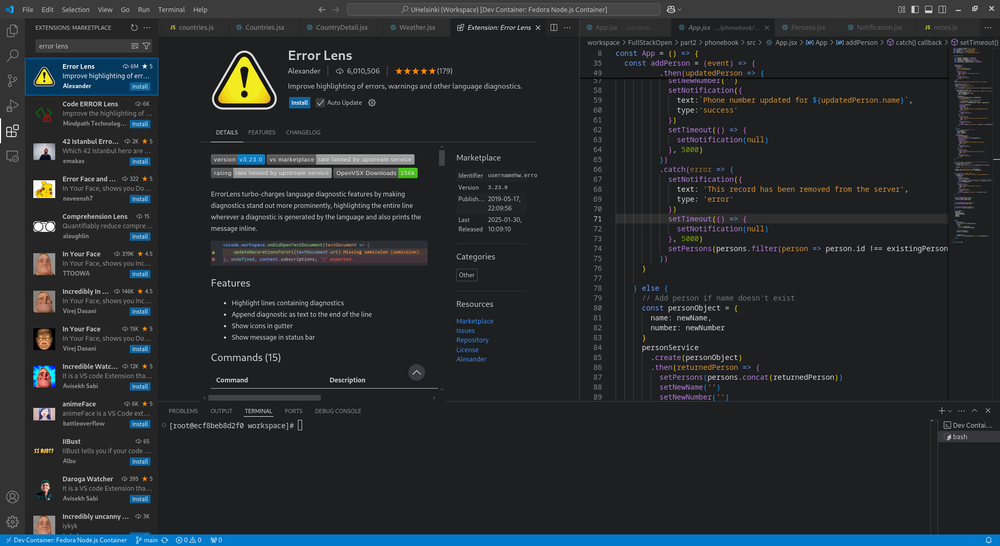
The visual approach saves the back-and-forth of hovering over errors or checking the problems panel. You see the issue immediately, fix it, and move on. For developers who prefer aggressive feedback, Error Lens delivers.
The Productivity Stack: Combining Extensions Effectively
These extensions work best as a coordinated set. Prettier formats on save. ESLint catches logic errors. Error Lens surfaces both types of feedback inline. Todo Tree tracks the work you've deferred. Live Server shows results instantly.
- Todo Tree: Track deferred work across large codebases
- Prettier: Automatic formatting with a single keystroke
- Live Server: Real-time browser updates for web development
- ESLint: Static analysis for JavaScript and TypeScript
- Error Lens: Inline error display for immediate visibility
The key is avoiding extension conflicts. Prettier and ESLint can clash on formatting rules if not configured properly. Most teams solve this by using ESLint for logic and Prettier for style, with the eslint-config-prettier package to disable conflicting rules.
Installation and Setup
All five extensions install through the VS Code Extensions panel. Search by name, click Install, and they're ready. Some require configuration files in your project root. Prettier uses .prettierrc. ESLint uses .eslintrc. Most projects include these files already.
For team consistency, commit your configuration files to version control. Every developer who clones the repo gets identical formatting and linting rules. No setup required beyond installing the extensions.
Logicity's Take
Frequently Asked Questions
Do VS Code extensions slow down the editor?
Most well-designed extensions have minimal performance impact. Heavy extensions that constantly analyze code may cause slowdowns on older machines. Start with essential extensions and add more only as needed.
Can Prettier and ESLint work together without conflicts?
Yes. Use the eslint-config-prettier package to disable ESLint rules that conflict with Prettier formatting. Let Prettier handle style and ESLint handle logic.
Does Live Server work with frameworks like React or Vue?
Live Server works best for static HTML, CSS, and JavaScript projects. Framework projects typically use their own development servers with hot module replacement built in.
How do I sync extensions across multiple computers?
Enable Settings Sync in VS Code. Sign in with a GitHub or Microsoft account. Your extensions, settings, and keybindings sync automatically across all machines.
More developer productivity tips for command-line workflows
Need Help Implementing This?
Source: How-To Geek
Manaal Khan
Tech & Innovation Writer
اقرأ أيضاً

رأي مغاير: كيف يؤثر اختراق الأمن الداخلي الأميركي على شركاتنا الخاصة؟
في ظل اختراق عقود الأمن الداخلي الأميركي مع شركات خاصة، نناقش تأثير هذا الاختراق على مستقبل الأمن السيبراني. نستعرض الإحصاءات الموثوقة ونناقش كيف يمكن للشركات الخاصة أن تتعامل مع هذا التهديد. استمتع بقراءة هذا التحليل العميق

الإنسان في زمن ما بعد الوجود البشري: نحو نظام للتعايش بين الإنسان والروبوت - Centre for Arab Unity Studies
في هذا المقال، سنناقش كيف يمكن للبشر والروبوتات التعايش في نظام متكامل. سنستعرض التحديات والحلول المحتملة التي تضعها شركات مثل جوجل وأمازون. كما سنلقي نظرة على التوقعات المستقبلية وفقًا لتقرير ماكنزي

إطلاق ناسا لمهمة مأهولة إلى القمر: خطوة تاريخية نحو استكشاف الفضاء
تعتبر المهمة الجديدة خطوة هامة نحو استكشاف الفضاء وتطوير التكنولوجيا. سوف تشمل المهمة إرسال رواد فضاء إلى سطح القمر لconducting تجارب علمية. ستسهم هذه المهمة في تطوير فهمنا للفضاء وتحسين التكنولوجيا المستخدمة في استكشاف الفضاء.