10 Outlook Hacks That Stop Email Tracking and Inbox Chaos
Key Takeaways
- Disable image downloads to block tracking pixels that tell senders when you open emails
- Use Safe Senders to ensure important emails never land in spam
- The Sweep feature can automatically delete or archive emails from specific senders
Outlook is a solid Gmail alternative with features Google's email service lacks. The problem? Most of them aren't enabled by default. After using Outlook for over a decade, I've found the settings that actually matter for privacy and productivity.
Block Email Tracking Pixels
Companies embed invisible tracking pixels in emails. When you open the message, the pixel loads and tells the sender you read it. This is how newsletters know their open rates. It's also how shady marketers build profiles on you.
Outlook's default settings offer some protection, but you can go further. Go to Outlook.com, click the gear icon, then navigate to Mail > Junk email. Under Security options, select "Block attachments, pictures, and links from anyone not in my Safe senders and domains list."
This requires you to manually approve senders before their images load. It's more work, but it's your best defense against tracking, phishing, and scam attempts.
For extra privacy, go to Outlook settings > Mail > Layout and choose "Don't show sender images." You can also disable shopping-related sender logos in the Message handling tab by unchecking "For shopping-related messages show a sender logo and relevant links in the message header."
Use Safe Senders to Stop False Spam Flags
The blocking approach above works great, but you need a way to whitelist trusted contacts. That's where Safe Senders comes in. Emails from people on this list won't go to spam and won't have their links or attachments blocked.
Add your bank, employer, and any service that sends critical emails. Go to Outlook settings > Mail > Junk email > Add safe sender. You can also use the Safe mailing lists tab for newsletters you actually want to receive.
Automate Inbox Cleanup with Sweep
Sweep is one of Outlook's best hidden features. It automatically checks your inbox for emails from specific senders and handles them based on your rules.
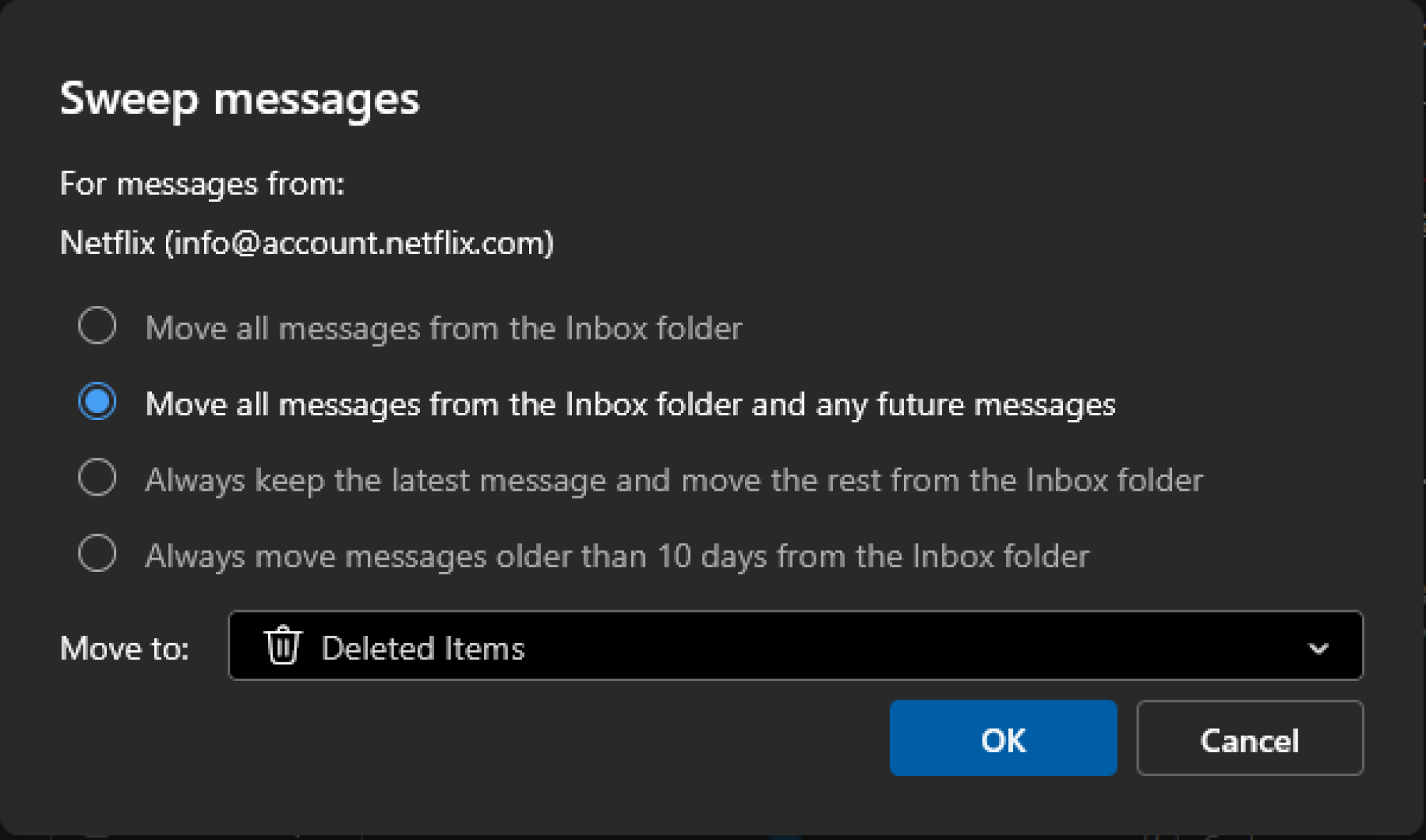
Here's a practical example: your bank sends an email for every credit card transaction. After a few months, you have 150+ unread emails cluttering your inbox. With Sweep, you can keep transaction emails from the past 10 days and archive the rest automatically.
To set it up, select any email in your inbox, then choose the Home tab at the top. From there, you can configure Sweep to delete, archive, or move emails based on your preferences.
Turn Off Copilot AI
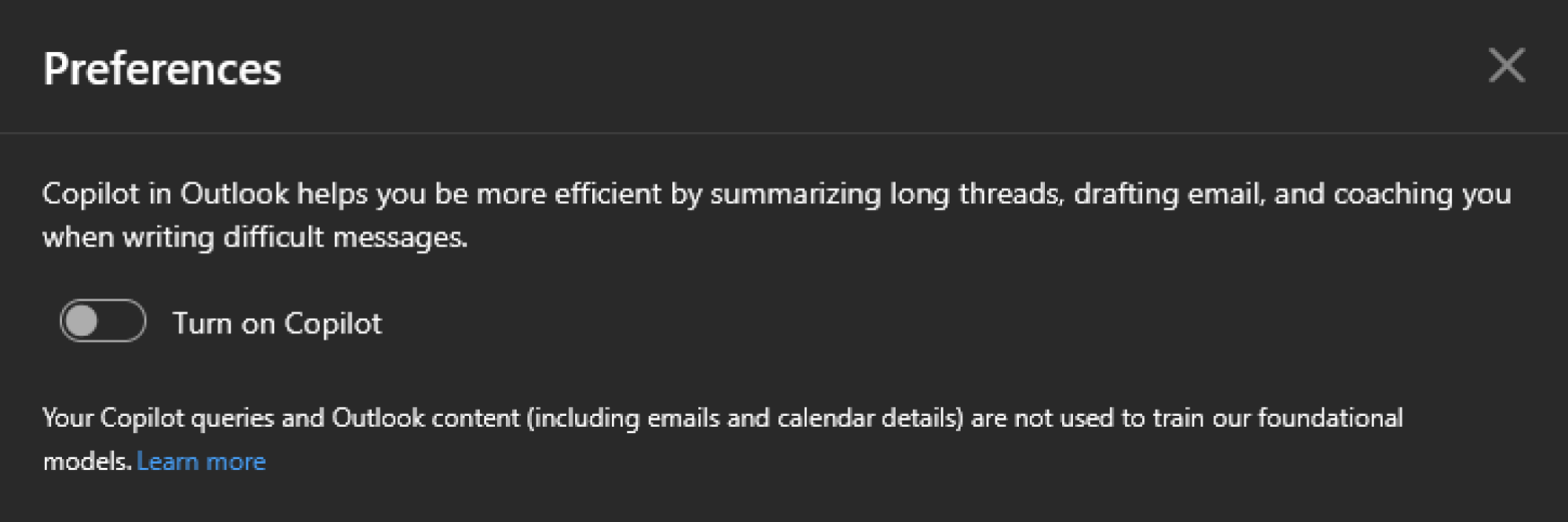
If you don't use Outlook's AI features, you can disable Copilot to reduce distractions and simplify the interface.
Set Up Quick Steps for Repetitive Tasks
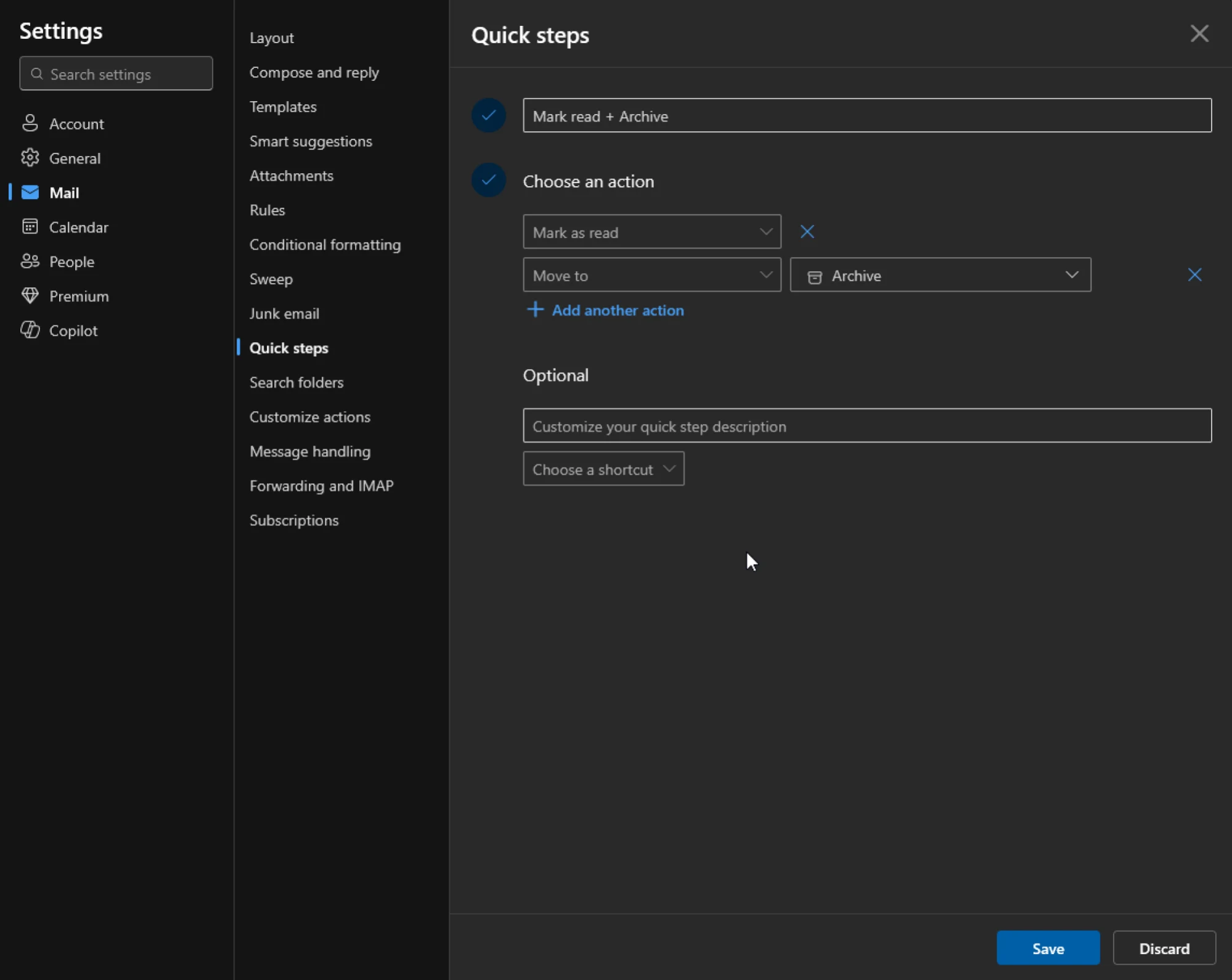
Quick Steps let you combine multiple actions into a single click. If you regularly move emails to a specific folder, mark them as read, and flag for follow-up, you can create a Quick Step that does all three at once.
Logicity's Take
Frequently Asked Questions
How do I stop companies from tracking when I open emails in Outlook?
Go to Outlook settings > Mail > Junk email and enable "Block attachments, pictures, and links from anyone not in my Safe senders list." This prevents tracking pixels from loading.
Why are important emails going to spam in Outlook?
Add the sender to your Safe Senders list. Go to Outlook settings > Mail > Junk email > Add safe sender. Emails from safe senders bypass spam filters.
What is Outlook Sweep and how does it work?
Sweep automatically manages emails from specific senders. You can configure it to delete old emails, keep only recent ones, or archive messages on a schedule.
Can I disable Copilot AI in Outlook?
Yes. You can turn off Copilot in Outlook settings to simplify the interface if you don't use AI-assisted email features.
More ways to get more value from the tech you already own
Need Help Implementing This?
Source: Lifehacker
Manaal Khan
Tech & Innovation Writer
اقرأ أيضاً

رأي مغاير: كيف يؤثر اختراق الأمن الداخلي الأميركي على شركاتنا الخاصة؟
في ظل اختراق عقود الأمن الداخلي الأميركي مع شركات خاصة، نناقش تأثير هذا الاختراق على مستقبل الأمن السيبراني. نستعرض الإحصاءات الموثوقة ونناقش كيف يمكن للشركات الخاصة أن تتعامل مع هذا التهديد. استمتع بقراءة هذا التحليل العميق

الإنسان في زمن ما بعد الوجود البشري: نحو نظام للتعايش بين الإنسان والروبوت - Centre for Arab Unity Studies
في هذا المقال، سنناقش كيف يمكن للبشر والروبوتات التعايش في نظام متكامل. سنستعرض التحديات والحلول المحتملة التي تضعها شركات مثل جوجل وأمازون. كما سنلقي نظرة على التوقعات المستقبلية وفقًا لتقرير ماكنزي

إطلاق ناسا لمهمة مأهولة إلى القمر: خطوة تاريخية نحو استكشاف الفضاء
تعتبر المهمة الجديدة خطوة هامة نحو استكشاف الفضاء وتطوير التكنولوجيا. سوف تشمل المهمة إرسال رواد فضاء إلى سطح القمر لconducting تجارب علمية. ستسهم هذه المهمة في تطوير فهمنا للفضاء وتحسين التكنولوجيا المستخدمة في استكشاف الفضاء.