WriterDeck: A DIY Device for Distraction-Free Writing
Key Takeaways
- A writerDeck is any device configured purely for writing, with no apps, notifications, or browser access
- Options range from custom Raspberry Pi builds to repurposed retro devices like the Psion 5mx
- The concept works best for first-draft writing where getting words on the page matters more than research
What Is a WriterDeck?
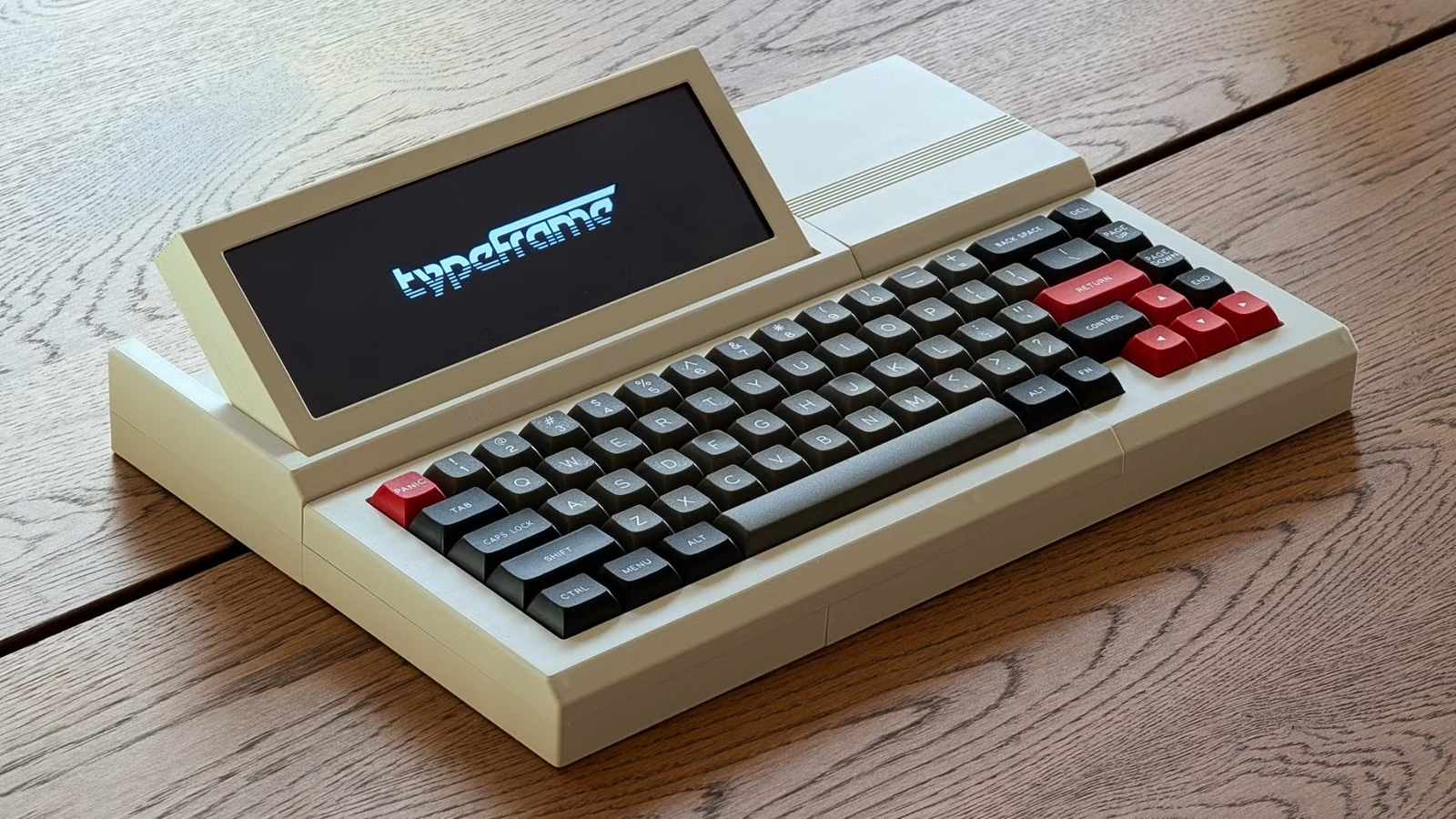
A writerDeck is a device that exists purely for writing. Nothing else. No email. No Slack. No browser tabs begging for your attention. The definition is deliberately loose. It could be a brand new retail device, something you build yourself, a stripped-down laptop, or vintage hardware from another era.
The problem it solves is simple: computers do everything, and that's exactly why they're terrible for focused writing. Notifications pop up constantly. App icons bounce until you address them. Your browser sits there, ready to satisfy every impulsive query your brain generates.
Tim Brookes, a senior editor at How-To Geek, wrote nearly 43,000 words last month on a MacBook Pro. He admits he's not "a paragon of productivity in a distraction-free work environment." That word count could have come faster with fewer distractions.
The History of Single-Purpose Writing
Writing used to be distraction-free by default. Pen on paper. Metal on ribbon. Even early electronic word processors were purpose-built machines with no frills. Then general-purpose computers arrived, and with them came the attention economy.
A writerDeck brings back that single-purpose focus. It's not about nostalgia. It's about recognizing that the simple act of getting words on a page becomes harder when you're one click away from checking your inbox.
Four Ways to Build a WriterDeck
1. The DIY Raspberry Pi Build
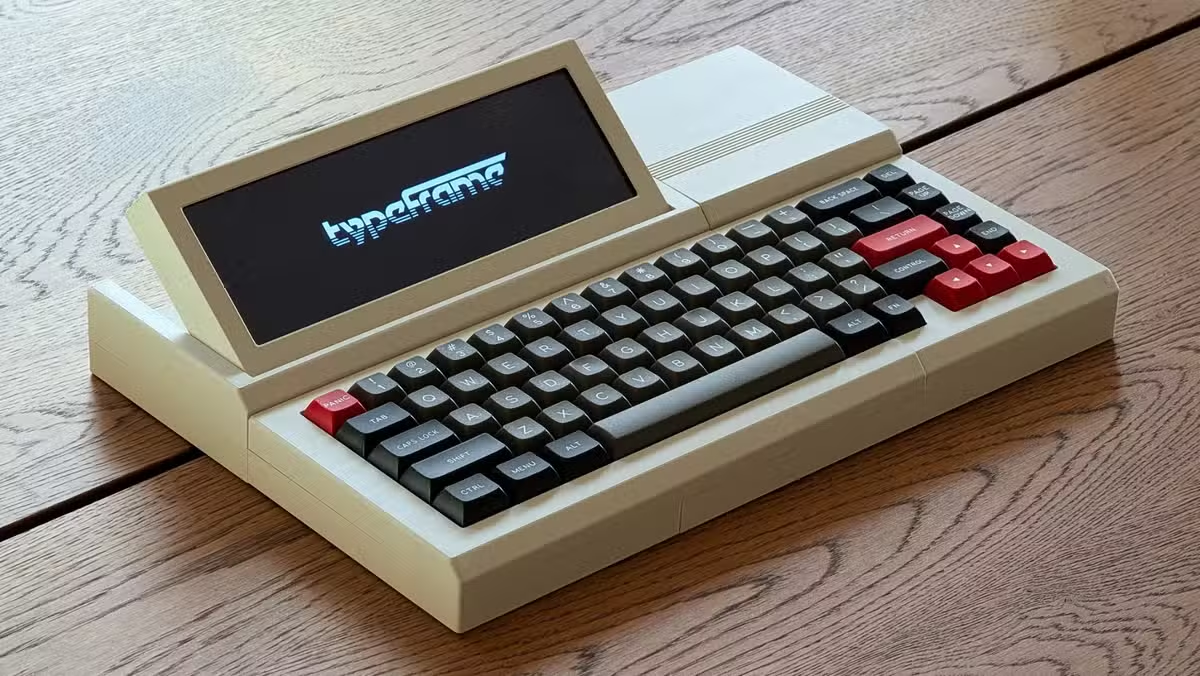
The most common approach uses a Raspberry Pi, a mechanical keyboard, and a small display. Some builders opt for e-ink screens to reduce eye strain during long writing sessions. The software is typically a minimal Linux setup running a text editor and nothing else.
2. The BYOK (Bring Your Own Keyboard) Approach
This method pairs a favorite mechanical keyboard with a minimal computing unit. The keyboard becomes the centerpiece, with a small screen mounted above or behind it. It's portable and lets you use whatever switches and keycaps you prefer.
3. Repurposed Vintage Hardware
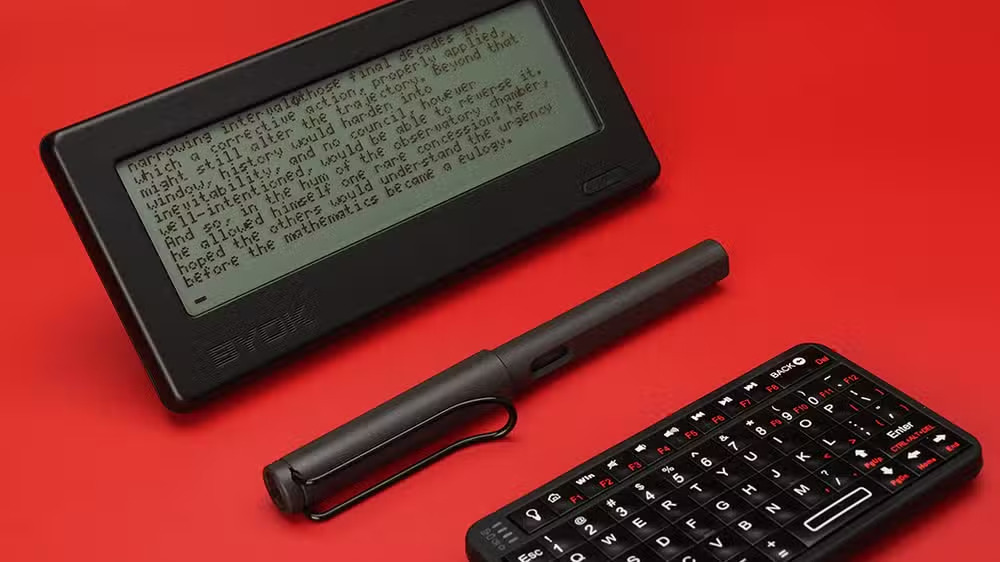
Some writers revive old devices that were already designed for focused work. The Psion 5mx, a palmtop computer from the late 1990s, has become a cult favorite. It runs for hours on AA batteries, has a functional QWERTY keyboard, and can't distract you with apps that don't exist for its OS.
4. The Hamstrung Laptop
The simplest option: take an old laptop, wipe it, install a minimal Linux distribution, and remove the Wi-Fi drivers. No internet, no distractions. It's not as elegant as a custom build, but it works, and you probably have an old laptop sitting in a drawer.
Who Should Use a WriterDeck?
A writerDeck works best for writing that doesn't require constant research. First drafts. Journaling. Fiction. Essays where you've already done the research and just need to get words down.
Brookes acknowledges the limitation: "The sort of writing I do, articles like this one, is heavily dependent on having a browser, software, network tools, and other connected services within copy-and-paste distance." Research-heavy work still needs a connected machine.
But for writers struggling with the simple act of getting words on a page, removing temptation entirely can help. You can't check Twitter if Twitter doesn't exist on your device.
Logicity's Take
Getting Started
The r/writerDeck subreddit is the main hub for builds, ideas, and troubleshooting. You'll find everything from elaborate custom rigs to simple repurposed hardware. The community tends toward mechanical keyboard enthusiasts who also happen to write.
- Start with what you have. An old laptop with Wi-Fi disabled is a writerDeck.
- If you want to build, a Raspberry Pi Zero 2 W plus a small display runs about $50-75 in parts.
- Pick software that auto-saves to local storage. Syncing to the cloud defeats the purpose.
Another practical hack for streamlining tedious work
Frequently Asked Questions
What is a writerDeck?
A writerDeck is a dedicated device for writing that removes distractions. It could be a custom-built device, repurposed vintage hardware, or a stripped-down laptop with no internet access.
How much does it cost to build a writerDeck?
Costs range from $0 (using an old laptop you already own) to $50-150 for a Raspberry Pi-based build with a small display and keyboard.
Can I use a writerDeck for research-heavy writing?
Not effectively. A writerDeck works best for first drafts, journaling, or writing where you've already completed your research. Work requiring constant fact-checking still needs a connected device.
What software do writerDecks run?
Most run minimal Linux distributions with simple text editors. Popular choices include Vim, Nano, or purpose-built writing software that auto-saves to local storage.
Need Help Implementing This?
Source: How-To Geek
Huma Shazia
Senior AI & Tech Writer
اقرأ أيضاً

رأي مغاير: كيف يؤثر اختراق الأمن الداخلي الأميركي على شركاتنا الخاصة؟
في ظل اختراق عقود الأمن الداخلي الأميركي مع شركات خاصة، نناقش تأثير هذا الاختراق على مستقبل الأمن السيبراني. نستعرض الإحصاءات الموثوقة ونناقش كيف يمكن للشركات الخاصة أن تتعامل مع هذا التهديد. استمتع بقراءة هذا التحليل العميق

الإنسان في زمن ما بعد الوجود البشري: نحو نظام للتعايش بين الإنسان والروبوت - Centre for Arab Unity Studies
في هذا المقال، سنناقش كيف يمكن للبشر والروبوتات التعايش في نظام متكامل. سنستعرض التحديات والحلول المحتملة التي تضعها شركات مثل جوجل وأمازون. كما سنلقي نظرة على التوقعات المستقبلية وفقًا لتقرير ماكنزي

إطلاق ناسا لمهمة مأهولة إلى القمر: خطوة تاريخية نحو استكشاف الفضاء
تعتبر المهمة الجديدة خطوة هامة نحو استكشاف الفضاء وتطوير التكنولوجيا. سوف تشمل المهمة إرسال رواد فضاء إلى سطح القمر لconducting تجارب علمية. ستسهم هذه المهمة في تطوير فهمنا للفضاء وتحسين التكنولوجيا المستخدمة في استكشاف الفضاء.