Windows 11 Now Briefly Overclocks Your CPU to Open the Start Menu
Key Takeaways
- Low Latency Profile temporarily boosts CPU speed for 1-3 seconds during UI interactions
- Microsoft claims up to 70% faster Start menu response and 40% faster app launches
- The feature rolls out automatically in the June 2026 update with no user toggle
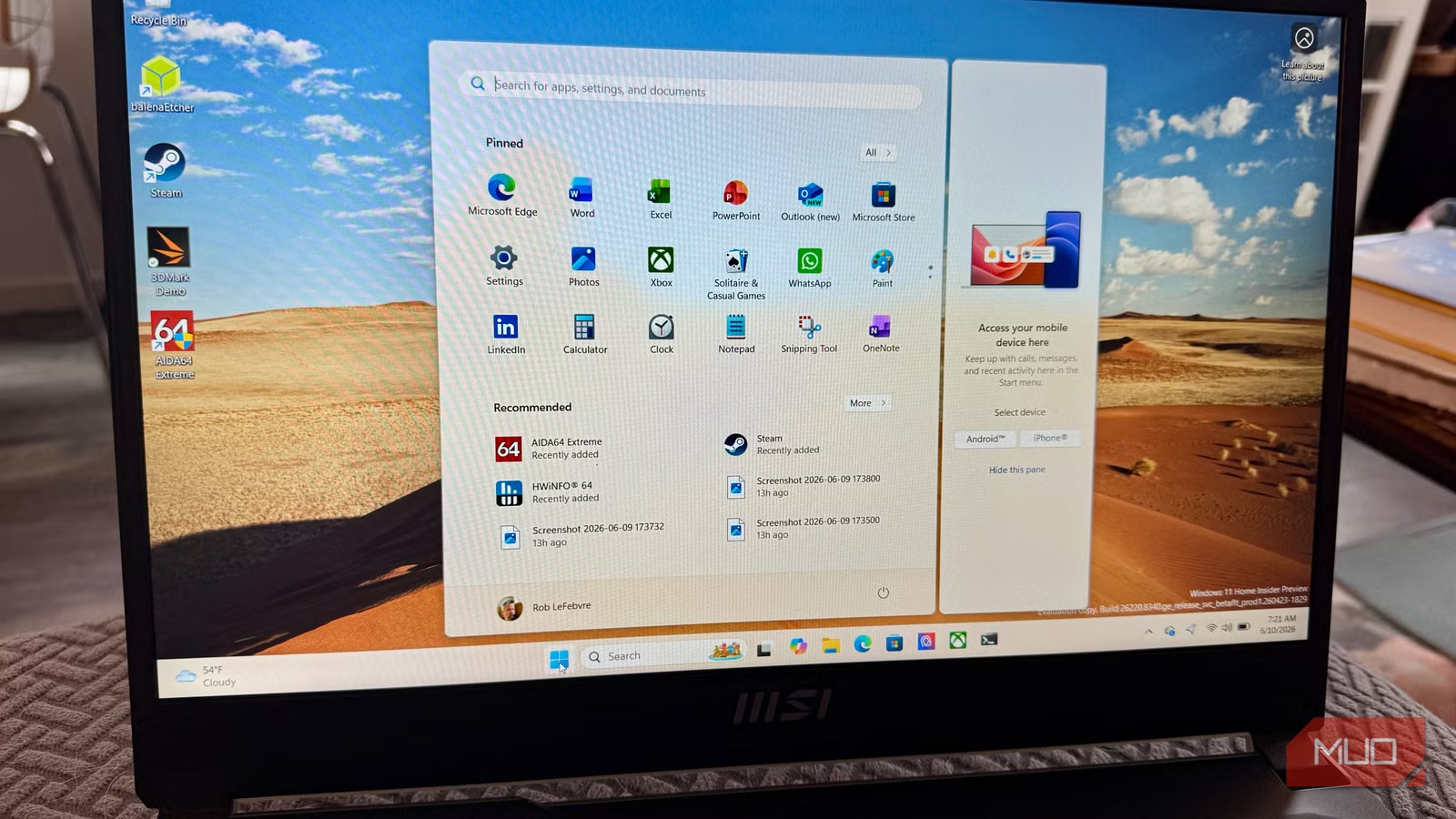
Microsoft is rolling out a feature that temporarily overclocks your CPU every time you click the Start menu. It's called Low Latency Profile (LLP), and it arrives with the June 2026 update for Windows 11.
The concept is straightforward: when you interact with foreground elements like the Start menu, File Explorer, or context menus, Windows briefly pushes your processor to near-maximum clock speed. The burst lasts one to three seconds, then backs off.
Microsoft claims LLP delivers up to 40% faster app launches and up to 70% faster interactions with shell elements. Older and lower-end machines should see the biggest gains. High-end hardware already handles these tasks quickly, so the difference there will be subtle.
Part of Microsoft's K2 Initiative
LLP is part of Microsoft's internal Windows K2 initiative, a focused effort to fix core responsiveness problems in Windows 11. According to Windows Central, the feature targets the lag between user input and system response.
The feature activates automatically. There's no toggle to flip, no setting to configure, and no visible indicator that it's working. It will roll out to Windows 11 versions 24H2 and 25H2, and is already present in recent Windows Insider builds.
The Irony Microsoft Isn't Hiding
Here's the awkward part: a modern operating system needs to spike your processor just to open a menu. It's an implicit admission that Windows 11 has been slow enough at basic shell interactions to warrant this fix.
Microsoft VP Scott Hanselman addressed the criticism directly on X. He pushed back on critics by pointing out that macOS and Linux use similar burst scheduling techniques.
“The goal of LLP is to eliminate the 'micro-stutter' users perceive when interacting with core Windows UI elements by utilizing the spare thermal headroom of modern CPUs during idle.”
— Scott Hanselman, VP at Microsoft
Hanselman's point is technically valid. Modern operating systems do use dynamic frequency scaling to manage perceived responsiveness. But that doesn't quite erase the irony of needing a dedicated feature to make clicking the Start button feel snappy.
Community Reaction Is Mixed
Discussion on r/Windows11 and HackerNews has been polarized. Many users praise the noticeable improvement in UI snappiness. Others express concern about potential conflicts with custom undervolting or manual overclocking profiles set in BIOS.
Some critics call it a "software band-aid" for underlying system overhead issues. The lack of a toggle is particularly frustrating for power users who want granular control over their CPU behavior.
What This Means in Practice
For most users, LLP should be invisible. Your CPU runs at higher clocks for a few seconds when you interact with Windows, then returns to normal. Microsoft says this uses "spare thermal headroom" during idle, meaning it shouldn't significantly impact battery life or thermal stability.
The bigger question is whether this represents a permanent fix or a workaround. Windows 11 shipped with a reputation for sluggishness, particularly in shell interactions. LLP addresses symptoms rather than causes.
That said, users don't care about architectural purity. They care about whether the Start menu opens quickly. If LLP delivers on its 70% improvement claim, most people will take the win.
Logicity's Take
Frequently Asked Questions
How do I enable Low Latency Profile in Windows 11?
You don't need to enable it. LLP activates automatically after the June 2026 update. There's no toggle or setting to configure.
Will Low Latency Profile affect my battery life?
Microsoft says LLP uses spare thermal headroom during idle periods, so the impact on battery life should be minimal. The CPU boost only lasts 1-3 seconds per interaction.
Does Low Latency Profile work with manual CPU overclocking?
This is a concern in community discussions. Users with custom undervolting or BIOS-level overclocking profiles may experience conflicts, though Microsoft hasn't officially addressed compatibility.
Which Windows 11 versions get Low Latency Profile?
LLP rolls out to Windows 11 versions 24H2 and 25H2 with the June 2026 update. It's already available in recent Windows Insider builds.
How much faster is the Start menu with LLP?
Microsoft claims up to 70% faster shell interactions and up to 40% faster app launches. Older and lower-end machines should see the biggest improvements.
Need Help Implementing This?
Source: MakeUseOf
Manaal Khan
Tech & Innovation Writer
اقرأ أيضاً

رأي مغاير: كيف يؤثر اختراق الأمن الداخلي الأميركي على شركاتنا الخاصة؟
في ظل اختراق عقود الأمن الداخلي الأميركي مع شركات خاصة، نناقش تأثير هذا الاختراق على مستقبل الأمن السيبراني. نستعرض الإحصاءات الموثوقة ونناقش كيف يمكن للشركات الخاصة أن تتعامل مع هذا التهديد. استمتع بقراءة هذا التحليل العميق

الإنسان في زمن ما بعد الوجود البشري: نحو نظام للتعايش بين الإنسان والروبوت - Centre for Arab Unity Studies
في هذا المقال، سنناقش كيف يمكن للبشر والروبوتات التعايش في نظام متكامل. سنستعرض التحديات والحلول المحتملة التي تضعها شركات مثل جوجل وأمازون. كما سنلقي نظرة على التوقعات المستقبلية وفقًا لتقرير ماكنزي

إطلاق ناسا لمهمة مأهولة إلى القمر: خطوة تاريخية نحو استكشاف الفضاء
تعتبر المهمة الجديدة خطوة هامة نحو استكشاف الفضاء وتطوير التكنولوجيا. سوف تشمل المهمة إرسال رواد فضاء إلى سطح القمر لconducting تجارب علمية. ستسهم هذه المهمة في تطوير فهمنا للفضاء وتحسين التكنولوجيا المستخدمة في استكشاف الفضاء.