Why your Samsung phone screen has a blinking dot
If you've spotted a tiny pulsing light near the top of your Samsung Galaxy screen, you're not looking at a dead pixel or malware indicator. That blinking dot is your phone's proximity sensor doing exactly what it's designed to do: emit infrared light to detect when your face (or anything else) gets close to the display.
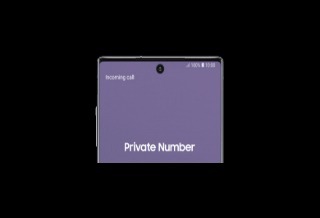
The confusion is understandable. On older Samsung phones, the proximity sensor sat in the bezel above the screen. You never saw it working. But starting with the Galaxy S20 series and continuing through current models, Samsung moved the sensor underneath the display to achieve that edge-to-edge screen look. The tradeoff: the infrared pulses occasionally become visible, especially in dark rooms.
What the proximity sensor actually does
The sensor's primary job is preventing your cheek from accidentally tapping buttons during phone calls. When you raise your phone to your ear, the sensor detects the proximity of your face and kills the display. Lower the phone, and the screen wakes back up.
Samsung also pairs the proximity sensor with the light sensor for a feature called accidental touch protection. Enable this in Settings > Display, and your phone won't wake up when it's stuffed in a bag or pocket. The sensor emits infrared light, analyzes what bounces back, and determines whether the phone is in an enclosed space. You're most likely to see that telltale blink when this check runs in the dark.
“The migration of sensors under the display is an engineering triumph for bezel-less design, but it creates a visual artifact that confuses users accustomed to physical notches or bezels.”
— Dr. Aris Thorne, Lead Hardware Analyst at MobileTech Insights
Not all Samsung phones use physical sensors
Here's where things get messier. Some Samsung devices skip the infrared hardware entirely. The Galaxy A series, Galaxy M series, and even the Galaxy S24 FE and S23 FE use virtual proximity sensors instead. These rely on AI algorithms and accelerometer data to guess when your face is near the screen.
Online complaints about virtual sensors are frequent. Users report screens staying on during calls, or going dark at odd moments. The software approach is cheaper, but it's clearly less reliable than dedicated hardware. If you own one of these models and experience proximity issues, you're dealing with software limitations, not a sensor you can physically inspect.
How to diagnose proximity sensor problems
Samsung provides built-in tools if you suspect your sensor is misbehaving. Start with the basics: go to Settings > Software update > Download and install. Outdated firmware causes more sensor glitches than hardware failures.
If your screen still won't go dark during calls after updating, try enabling "Double tap to turn on screen" under Settings > Advanced features > Motions and gestures. This workaround at least gives you a reliable way to wake the display.
For actual diagnostics, Samsung offers two paths. You can open Settings > Device Care > Diagnostics and run the Phone diagnostics test. Or launch the Samsung Members app, tap Get Help > View Tests > Diagnostics, and select "Proximity recognition." The test will confirm whether your sensor passes or fails.
Samsung also recommends cleaning your screen with a soft cloth and removing any cases or screen protectors that might interfere with the sensor. A simple restart occasionally resolves software-side detection bugs.
The user experience gap Samsung hasn't addressed
Community forums surface the same frustration repeatedly: there's no toggle to disable the sensor blink during media playback or other non-call scenarios. For users watching videos in bed or reading at night, that pulsing light becomes an annoyance. Samsung's software doesn't currently offer fine-grained control over when the sensor activates.
With roughly 1.1 billion active Galaxy devices worldwide, even a small percentage of confused users translates to millions of support tickets and Reddit posts. Samsung's support documentation explains the behavior, but clearly not enough people find it before assuming their phone is broken.
Frequently Asked Questions
Is the blinking dot on my Samsung screen a dead pixel?
No. The blinking dot is infrared light from your proximity sensor, which is located under the display on newer Galaxy models. It's normal operation, not a defect.
Can I turn off the Samsung proximity sensor blink?
There's no direct toggle to disable the blink. You can turn off accidental touch protection in Display settings to reduce how often the sensor activates, but this may cause unwanted screen wake-ups in bags or pockets.
Why does my Samsung screen stay on during calls?
Your proximity sensor may be malfunctioning, or you may have a phone with a virtual sensor (Galaxy A, M, S24 FE, S23 FE). Run Samsung's built-in diagnostics to check, and make sure your software is updated.
Which Samsung phones use virtual proximity sensors?
The Galaxy A series, Galaxy M series, Galaxy S24 FE, and Galaxy S23 FE use software-based proximity detection instead of physical infrared sensors.
Logicity's Take
Samsung's under-display sensor placement was an aesthetic win, but the company underestimated how much a visible infrared pulse would alarm users. A simple onboarding tooltip during device setup could eliminate most of the confusion. More concerning is the growing reliance on virtual sensors in mid-range and budget devices, where cost savings clearly come at the expense of call reliability. If Samsung wants to maintain trust across its portfolio, it needs either better AI algorithms or a return to dedicated hardware in the A and M lines.
Another example of how software decisions create unexpected security and usability gaps
More overlooked features in hardware you already have
Need Help Implementing This?
Logicity covers the tech decisions that matter for engineering and product teams. Subscribe to our newsletter for daily analysis on mobile development, device behavior, and the software choices shaping hardware UX.
Source: Engadget
Huma Shazia
Senior AI & Tech Writer
اقرأ أيضاً

رأي مغاير: كيف يؤثر اختراق الأمن الداخلي الأميركي على شركاتنا الخاصة؟
في ظل اختراق عقود الأمن الداخلي الأميركي مع شركات خاصة، نناقش تأثير هذا الاختراق على مستقبل الأمن السيبراني. نستعرض الإحصاءات الموثوقة ونناقش كيف يمكن للشركات الخاصة أن تتعامل مع هذا التهديد. استمتع بقراءة هذا التحليل العميق

الإنسان في زمن ما بعد الوجود البشري: نحو نظام للتعايش بين الإنسان والروبوت - Centre for Arab Unity Studies
في هذا المقال، سنناقش كيف يمكن للبشر والروبوتات التعايش في نظام متكامل. سنستعرض التحديات والحلول المحتملة التي تضعها شركات مثل جوجل وأمازون. كما سنلقي نظرة على التوقعات المستقبلية وفقًا لتقرير ماكنزي

إطلاق ناسا لمهمة مأهولة إلى القمر: خطوة تاريخية نحو استكشاف الفضاء
تعتبر المهمة الجديدة خطوة هامة نحو استكشاف الفضاء وتطوير التكنولوجيا. سوف تشمل المهمة إرسال رواد فضاء إلى سطح القمر لconducting تجارب علمية. ستسهم هذه المهمة في تطوير فهمنا للفضاء وتحسين التكنولوجيا المستخدمة في استكشاف الفضاء.