LocalSend: Open-Source AirDrop Alternative Works Across All Platforms

Key Takeaways
- LocalSend works across Windows, Mac, Linux, Android, iOS, and Fire OS using local network connections
- Files transfer with HTTPS encryption without touching external servers or requiring internet
- The app is free, open-source, and available through official app stores and package managers
Apple's AirDrop is fast and easy, but it only works between Apple devices. If you need to send a file from your iPhone to a Windows PC, or from an Android phone to a Mac, you're stuck with cloud services, email attachments, or USB cables. LocalSend fixes this.
LocalSend is a free, open-source app that does what AirDrop does, but across every major platform: Windows, macOS, Linux, Android, iOS, and even Amazon's Fire OS. It uses your local network for transfers, which means your files never touch external servers and you don't need an internet connection.
How LocalSend Works
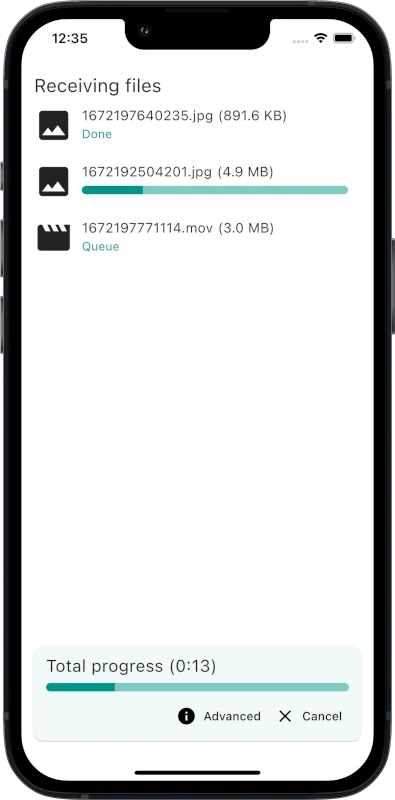
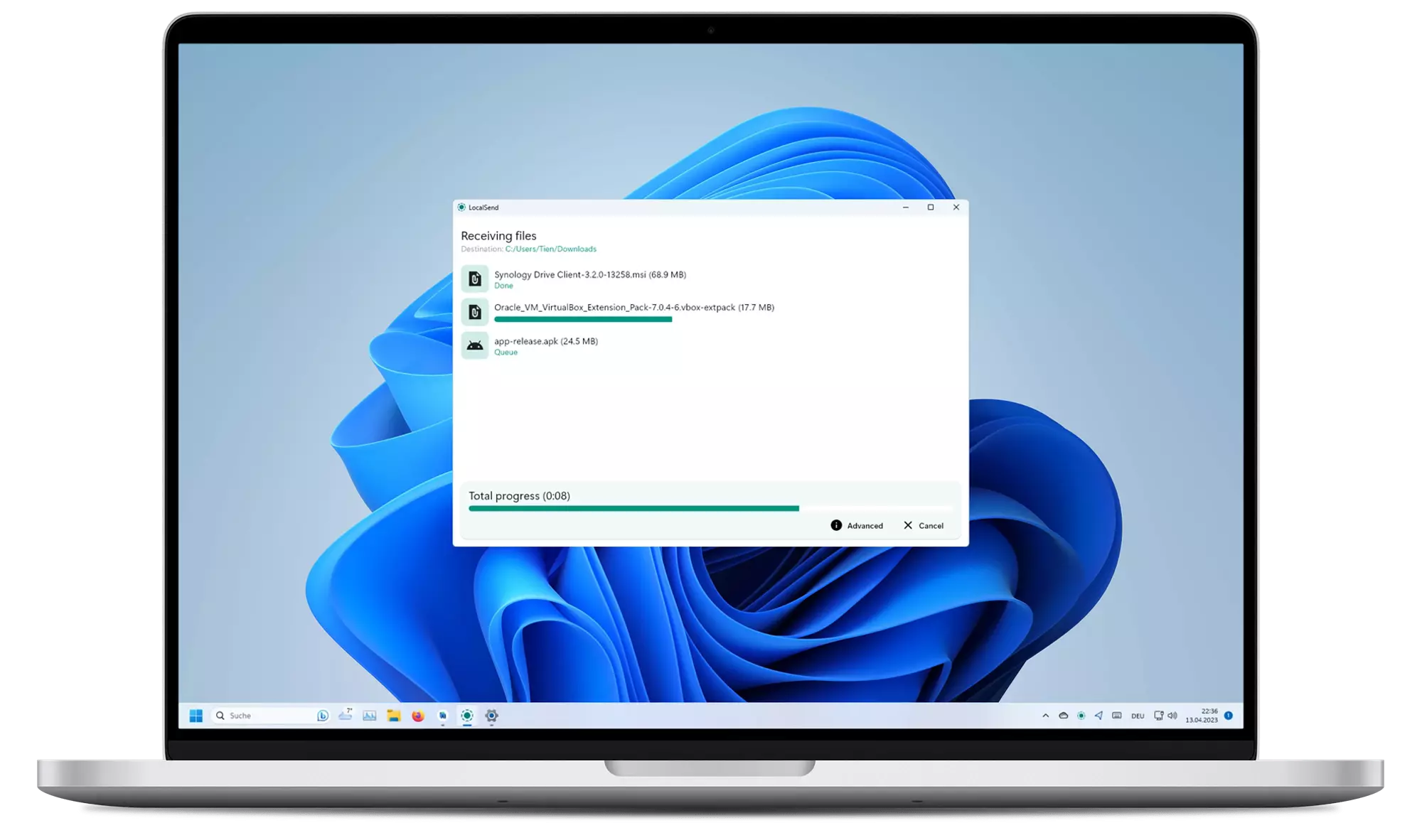
The app uses a REST API with HTTPS encryption to establish secure connections between devices on the same network. When you open LocalSend on two devices connected to the same WiFi, they discover each other automatically. Select a file, tap the recipient, and the transfer begins.
Because everything happens locally, transfers are fast. There's no upload to a cloud server followed by a download. The file moves directly from one device to another over your router.
Platform Support and Installation
LocalSend is available through official channels on every major platform. On Windows, you can install via Winget, Scoop, or Chocolatey. Mac users can grab it from the App Store or Homebrew. Linux has options including Flathub, Snap, Nixpkgs, AUR, and standalone packages.
For mobile, it's on the Google Play Store, Apple App Store, F-Droid, and Amazon's store for Fire tablets. The developers recommend using app stores or package managers over direct downloads because the app doesn't auto-update.
- Windows: Requires Windows 10 or newer (v1.15.4 is the last version supporting Windows 7)
- macOS: Requires macOS 11 Big Sur or newer
- iOS: Requires iOS 12.0 or newer
- Android: Requires Android 5.0 or newer
- Linux: Works on most distributions with appropriate desktop portal packages
Setup and Firewall Configuration
In most cases, LocalSend works immediately after installation. If devices aren't discovering each other, the culprit is usually firewall settings. The app needs TCP and UDP traffic allowed on port 53317 for incoming connections.
Another common issue: AP isolation on your router. This security feature prevents devices on the same network from communicating directly. It's usually disabled by default on main networks but often enabled on guest networks. If LocalSend isn't working, check your router settings.
Advanced Features
LocalSend includes a portable mode for users who want to run it from a USB drive without installation. Create an empty settings.json file in the same folder as the executable, and the app stores all configuration there instead of in system directories.
There's also a hidden startup option. Launch the app with the --hidden flag to start it minimized to the system tray. This is useful if you want LocalSend running in the background, ready to receive files without cluttering your taskbar.
Privacy and Security Model
The main selling point over cloud-based alternatives is privacy. Your files never leave your local network. There's no account to create, no data collection, no terms of service granting a company rights to scan your content.
All transfers use HTTPS encryption, so even if someone is monitoring your local network traffic, they can't read the file contents. The source code is available on GitHub and Codeberg for anyone to audit.
Logicity's Take
When LocalSend Makes Sense
LocalSend is ideal for offices, homes, or any environment where people use different operating systems. It's also useful for transferring large files without waiting for cloud uploads, or for situations where you're on a network without internet access.
It's not a replacement for cloud storage or sync services. There's no file history, no access from outside your local network, and no automatic syncing. It's purely for point-to-point transfers when you're in the same physical location.
✅ Pros
- • Works across Windows, Mac, Linux, Android, iOS, and Fire OS
- • No internet connection or external servers required
- • Free and open-source with no ads or accounts
- • HTTPS encryption for all transfers
❌ Cons
- • Requires manual firewall configuration on some systems
- • No auto-update outside of app store installations
- • Limited to devices on the same local network
- • No file sync or cloud backup features
Frequently Asked Questions
Does LocalSend work without WiFi?
LocalSend requires devices to be on the same local network. This typically means the same WiFi network, though wired connections work too. It does not require internet access, but it does need a local network connection between devices.
Is LocalSend safe to use?
LocalSend uses HTTPS encryption for all transfers, and files never leave your local network. The source code is open for inspection on GitHub. However, you should still only accept file transfers from devices you recognize.
Can LocalSend transfer files between phone and computer?
Yes. LocalSend works between any combination of supported platforms: phone to computer, computer to phone, or phone to phone. Both devices just need to be on the same local network with LocalSend installed.
What's the maximum file size for LocalSend?
LocalSend has no built-in file size limit. Transfer speed depends on your local network. Large files may take time on slower networks, but there's no artificial cap on what you can send.
More open-source alternatives to proprietary software
Related options for privacy-focused software
Need Help Implementing This?
Source: Hacker News: Best
Huma Shazia
Senior AI & Tech Writer
اقرأ أيضاً

رأي مغاير: كيف يؤثر اختراق الأمن الداخلي الأميركي على شركاتنا الخاصة؟
في ظل اختراق عقود الأمن الداخلي الأميركي مع شركات خاصة، نناقش تأثير هذا الاختراق على مستقبل الأمن السيبراني. نستعرض الإحصاءات الموثوقة ونناقش كيف يمكن للشركات الخاصة أن تتعامل مع هذا التهديد. استمتع بقراءة هذا التحليل العميق

الإنسان في زمن ما بعد الوجود البشري: نحو نظام للتعايش بين الإنسان والروبوت - Centre for Arab Unity Studies
في هذا المقال، سنناقش كيف يمكن للبشر والروبوتات التعايش في نظام متكامل. سنستعرض التحديات والحلول المحتملة التي تضعها شركات مثل جوجل وأمازون. كما سنلقي نظرة على التوقعات المستقبلية وفقًا لتقرير ماكنزي

إطلاق ناسا لمهمة مأهولة إلى القمر: خطوة تاريخية نحو استكشاف الفضاء
تعتبر المهمة الجديدة خطوة هامة نحو استكشاف الفضاء وتطوير التكنولوجيا. سوف تشمل المهمة إرسال رواد فضاء إلى سطح القمر لconducting تجارب علمية. ستسهم هذه المهمة في تطوير فهمنا للفضاء وتحسين التكنولوجيا المستخدمة في استكشاف الفضاء.