I Swapped MacBook Neo Parts in Four Colors. Keys Broke.
Key Takeaways
- Swapping the MacBook Neo's trackpad, USB-C ports, and bottom case is straightforward with basic tools.
- Official replacement parts cost $165.64 for four components — nearly 30% of the Neo's $599 price.
- Keycap swaps are risky: citrus keys sheared their metal anchors during installation, requiring adhesives and careful handling.
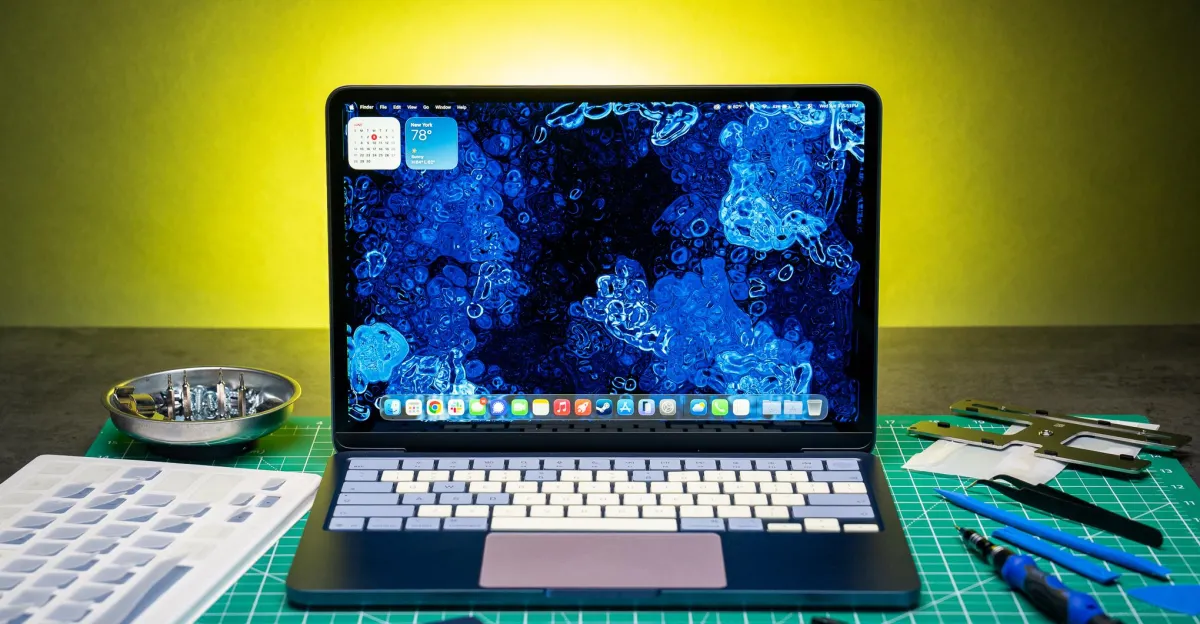
Apple's MacBook Neo is the cheapest Mac laptop at $599, comes in four colors, and is the easiest Apple laptop to repair in years. That means you can order official replacement parts in all four colors and install them yourself. So we ordered an indigo Neo and a pile of spare parts to see how mismatched we could make it.
I bought a blush trackpad and bottom case, citrus USB-C ports, and citrus keycaps from Apple's self-service repair site. The goal was maximum color chaos without swapping labor-intensive parts like the top case or display, which require tearing down the entire screen assembly.
Parts and Prices
The Easy Swaps: Trackpad, Ports, Bottom Case
Opening the Neo is simple. You need a pentalobe screwdriver to remove the bottom case, then a Torx driver for internal screws. iFixit has a full teardown guide and video if you want the blow-by-blow.
The bottom case swap is trivial since you have to open it anyway. The trackpad required unplugging one ribbon cable and removing a few Torx screws. Same for the USB-C ports. After 40 minutes, I had a three-color Neo.
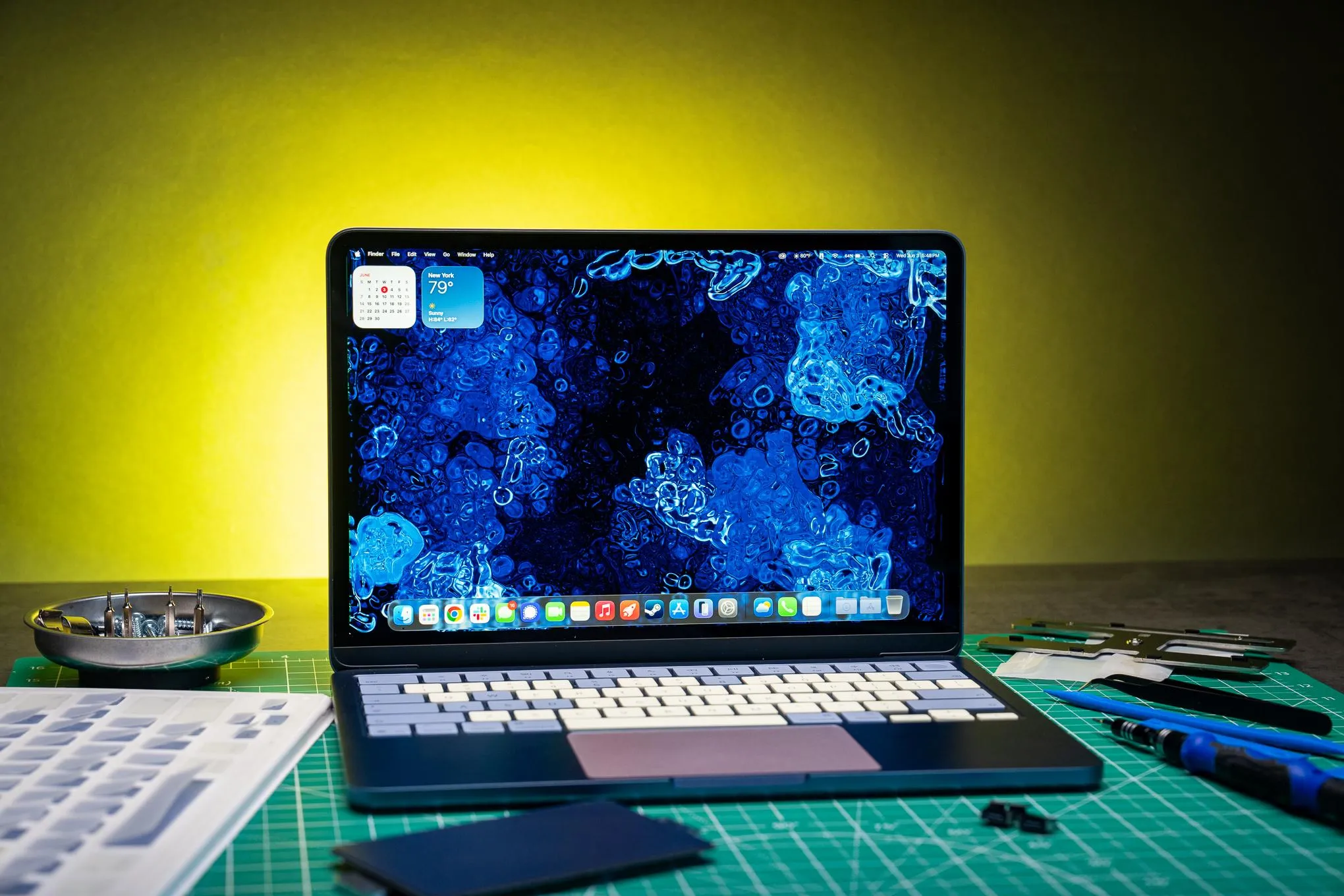
The blush trackpad and USB-C ports look sharp at certain angles. The bottom case is fun even though you'll rarely see it. Just these three parts cost $126.64, which is not nothing on a $599 laptop, but the process was straightforward and you end up with something no one else has.

The Hard Part: Keycaps That Broke
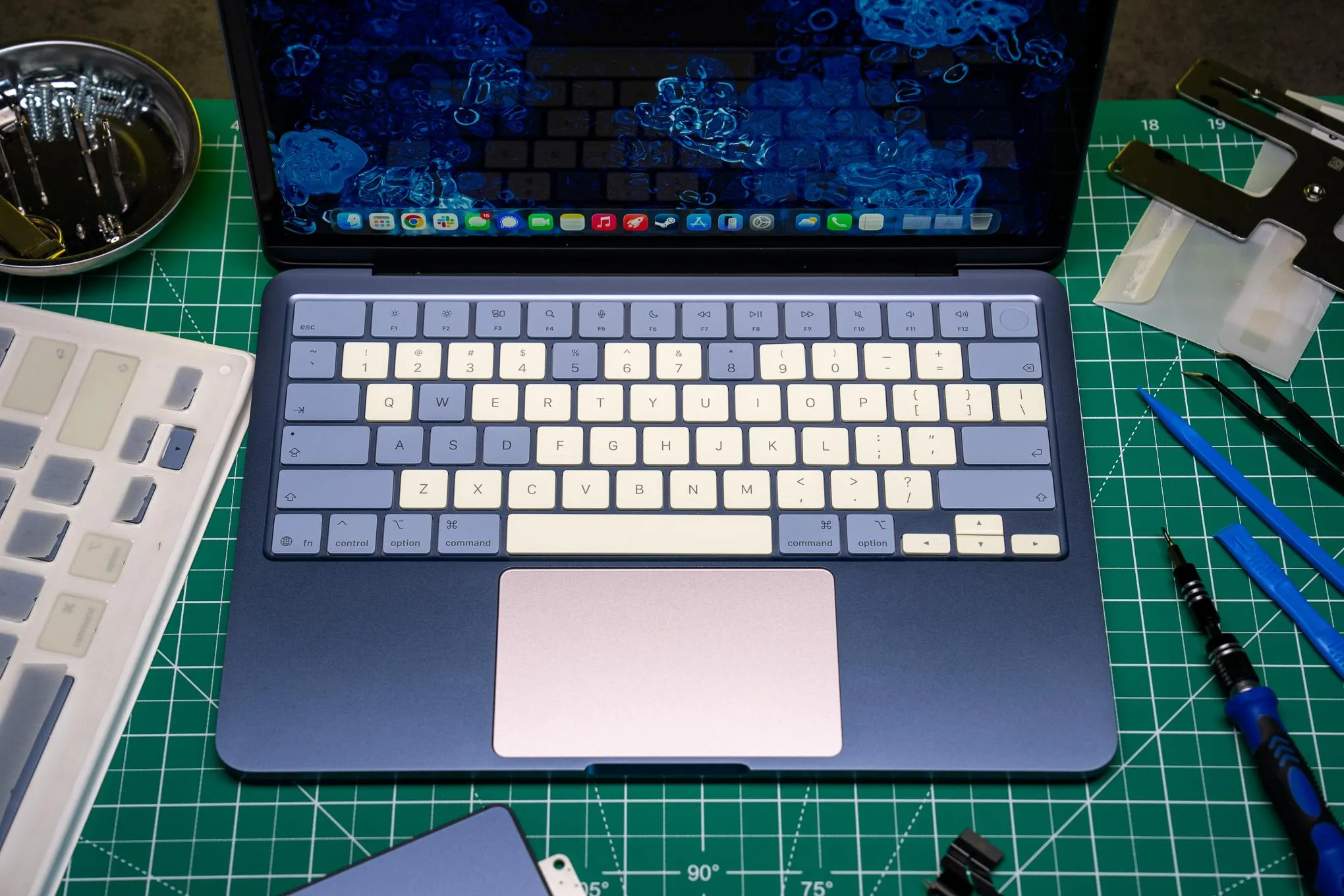
I was most excited to swap the keycaps. I wanted a two-tone look — citrus for the alphas, numbers, space bar, and arrow keys, with indigo modifiers — mimicking mechanical keyboard sets. I figured laptop keys would be harder than regular keycaps, but manageable.
I was wrong.
I did not order the small adhesives and plastic removal lever tools Apple sells for keycap swaps. That was mistake one. The Neo's butterfly-style mechanism uses two tiny plastic hinges and a metal anchor that holds a scissor clip to the keyboard deck. Those hinges and anchors are fragile.

Several of my citrus keycaps sheared the metal anchor during installation. The anchor is a thin metal piece that clips the scissor mechanism to the deck. When I pressed the keycap down to snap it in place, the anchor broke off. Without it, the key doesn't sit flush and can pop off.

I stuck with more indigo keys than planned because I didn't want to risk breaking more citrus caps. The space bar and arrow keys swapped fine. Most alphas did not.
Logicity's Take
What You Should Know Before Ordering Parts
Apple's self-service repair site sells all the parts, but not all swaps are equal. The trackpad, USB-C ports, and bottom case are low-risk. You unplug cables, remove screws, and reverse the process. Budget 30 to 60 minutes and watch iFixit's video first.
Keycaps are high-risk. Apple sells them for $39 per set, but that price assumes you have the removal tools and adhesives, which are separate purchases. Even with the right tools, the butterfly mechanism is delicate. If you shear the metal anchor, the keycap won't sit correctly and you'll need to order another.
- Order extra keycaps if you're swapping more than a few. You will break some.
- Buy the plastic removal levers Apple sells. Prying with improvised tools increases breakage risk.
- Start with low-use keys like function keys to practice before touching the space bar or Enter.
- The trackpad swap is the most dramatic visual change for the least risk.
The Neo's repairability is real. Apple ships the parts, publishes repair manuals, and doesn't lock down components with software checks. But cosmetic mods are expensive relative to the laptop's price, and keycaps are genuinely hard to swap without damage.
Frequently Asked Questions
Can you mix MacBook Neo colors with official Apple parts?
Yes. Apple sells replacement trackpads, bottom cases, USB-C ports, and keycaps in all four Neo colors (indigo, citrus, blush, and starlight). You can order any color and swap them yourself. The trackpad and ports are straightforward. Keycaps are risky and require special tools.
How much do MacBook Neo replacement parts cost?
A blush trackpad is $78.32, a blush bottom case is $34.32, citrus keycaps are $39, and citrus USB-C boards are $14 each. The four parts in this experiment cost $165.64, which is 27.6% of the Neo's $599 base price.
Are MacBook Neo keycaps hard to replace?
Yes. The Neo uses a butterfly-style mechanism with two plastic hinges and a metal anchor. The anchor can shear off during installation if you press too hard or don't use Apple's removal tools. Several keycaps broke during this experiment, even with care.
Do you need special tools to swap MacBook Neo parts?
You need a pentalobe screwdriver to open the bottom case and a Torx driver for internal screws. For keycaps, Apple sells plastic removal levers and adhesives separately. The trackpad and USB-C ports don't require special tools beyond the screwdrivers.
Is it worth customizing a MacBook Neo with spare parts?
Not for cost savings. The four parts in this experiment cost $165.64, nearly 30% of the laptop's price. But if you want a unique look or need to replace a damaged component anyway, the Neo's repairability makes it feasible. Stick to trackpad and port swaps if you want low-risk customization.
Need Help Implementing This?
Huma Shazia
Senior AI & Tech Writer
اقرأ أيضاً

رأي مغاير: كيف يؤثر اختراق الأمن الداخلي الأميركي على شركاتنا الخاصة؟
في ظل اختراق عقود الأمن الداخلي الأميركي مع شركات خاصة، نناقش تأثير هذا الاختراق على مستقبل الأمن السيبراني. نستعرض الإحصاءات الموثوقة ونناقش كيف يمكن للشركات الخاصة أن تتعامل مع هذا التهديد. استمتع بقراءة هذا التحليل العميق

الإنسان في زمن ما بعد الوجود البشري: نحو نظام للتعايش بين الإنسان والروبوت - Centre for Arab Unity Studies
في هذا المقال، سنناقش كيف يمكن للبشر والروبوتات التعايش في نظام متكامل. سنستعرض التحديات والحلول المحتملة التي تضعها شركات مثل جوجل وأمازون. كما سنلقي نظرة على التوقعات المستقبلية وفقًا لتقرير ماكنزي

إطلاق ناسا لمهمة مأهولة إلى القمر: خطوة تاريخية نحو استكشاف الفضاء
تعتبر المهمة الجديدة خطوة هامة نحو استكشاف الفضاء وتطوير التكنولوجيا. سوف تشمل المهمة إرسال رواد فضاء إلى سطح القمر لconducting تجارب علمية. ستسهم هذه المهمة في تطوير فهمنا للفضاء وتحسين التكنولوجيا المستخدمة في استكشاف الفضاء.