How to Turn Your Old Tablet Into a Second Monitor for Free
Key Takeaways
- Spacedesk is a free app that turns any Android tablet into a wireless second display for Windows
- Setup requires installing a driver on Windows and a viewer app on the tablet, both free
- The connection works over your local Wi-Fi network with no account or subscription required
The Problem With Single-Screen Work
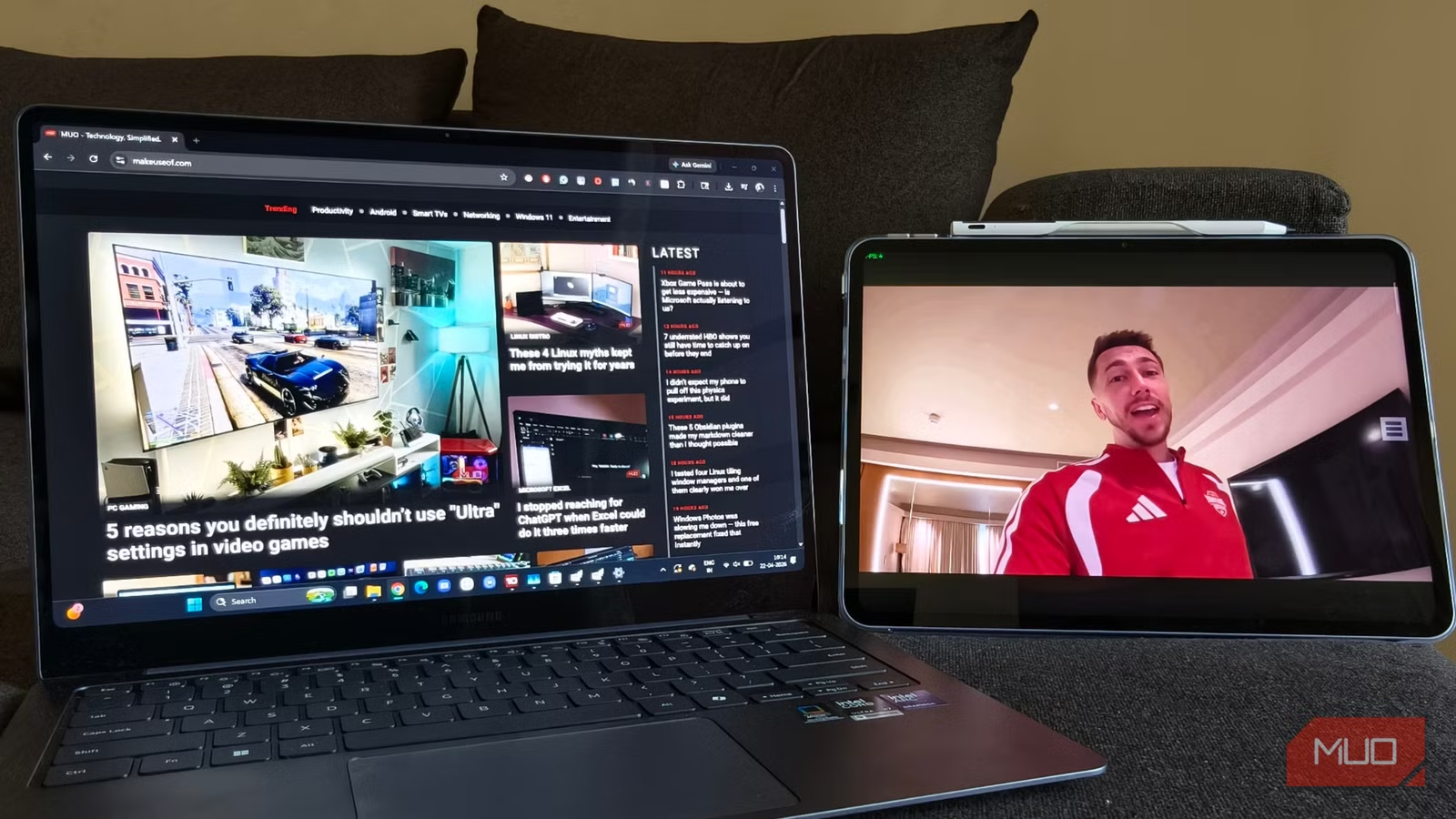
If you've ever worked with a dual-monitor setup, going back to a single screen feels like typing with one hand. Tech writer Robin John at MakeUseOf discovered this the hard way during a work trip. After years of splitting work apps like Slack and Asana on one display while keeping research tabs and documents on another, he found himself stuck at a hotel desk with just his laptop.
The result was predictable: constant tab-switching, zooming in and out, losing track of reference material. Everything felt slower. That's when he remembered an app he'd saved but never tried: spacedesk.
What Spacedesk Does
Spacedesk works by installing a small driver on your Windows machine that broadcasts a virtual display over your local Wi-Fi network. Your tablet runs the free spacedesk viewer app and receives that feed. Your Windows PC does all the processing work. The tablet just displays what gets sent to it.
The key details that matter: no account required, no subscription, no complicated configuration. It's genuinely free, not freemium.
How to Set It Up
The entire process takes about 10 minutes. Here's what you need to do:
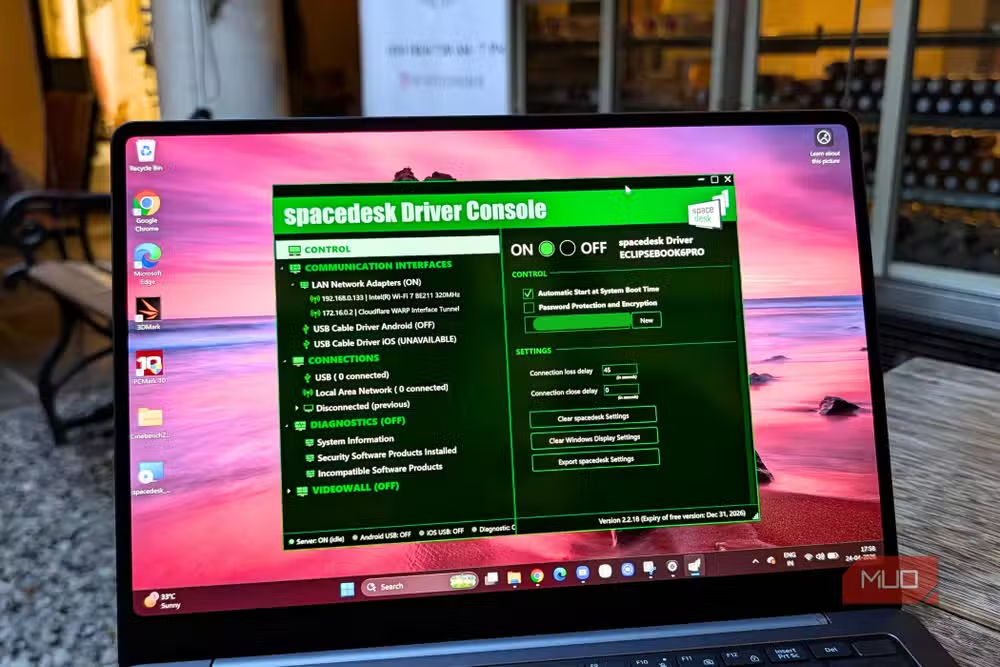
- Download the spacedesk Driver Console from spacedesk.net and install it on your Windows PC or laptop
- Once installed, you'll see a spacedesk icon in your system tray
- Install the free spacedesk viewer app on your Android tablet from the Google Play Store
- Open the viewer app on your tablet while connected to the same Wi-Fi network as your PC
- The tablet should detect your PC automatically. Tap to connect
After connecting, Windows treats the tablet as a second display. You can configure it through your normal display settings, choosing to extend your desktop or mirror it.
When This Makes Sense
This setup works best in a few specific scenarios. Travel is the obvious one. If you're working from a hotel room or coffee shop and miss your dual-monitor setup, an old tablet in your bag becomes a real productivity tool.
It also makes sense if you have an old tablet sitting in a drawer. Instead of it collecting dust, you can give it a permanent job as a second display for your home office. Even older tablets with sluggish performance can handle this well, since the Windows machine does the actual computing.
Another look at getting more from the devices you already own
Limitations to Know About
Wireless means latency. You won't want to watch video or play games on the tablet display. For static content like Slack, email, documentation, or reference material, it works fine. For anything requiring real-time response, stick to your main screen.
The quality of your Wi-Fi connection matters too. On a congested network, you might see stuttering or lag. On a clean connection, the experience is smooth enough that you'll forget it's wireless.
✅ Pros
- • Completely free with no hidden costs or subscriptions
- • Works with old, slow tablets since the PC handles processing
- • No cables required
- • 10-minute setup with no account creation
❌ Cons
- • Latency makes it unsuitable for video or gaming
- • Requires both devices on the same Wi-Fi network
- • Windows only for the primary display (no Mac support)
Alternatives Worth Knowing
Spacedesk isn't the only option, but it's the cleanest free one. Duet Display offers lower latency but requires a paid subscription after a trial. Apple's Sidecar does this natively for iPads with Macs, but that's Apple-to-Apple only. For Windows users with Android tablets, spacedesk hits the right balance of free, functional, and simple.
Logicity's Take
Frequently Asked Questions
Does spacedesk work with iPads?
Yes, spacedesk has an iOS app in addition to the Android version. The Windows driver broadcasts to any device running the viewer app.
Is spacedesk really free or does it have a paid tier?
Spacedesk is genuinely free for personal use. There's no premium tier, subscription, or account required. The company makes money through enterprise licensing.
Can I use spacedesk over the internet instead of local Wi-Fi?
Spacedesk is designed for local network use. Using it over the internet would introduce too much latency for a usable experience. Both devices need to be on the same Wi-Fi network.
Does spacedesk work with Mac as the primary computer?
No, spacedesk only works with Windows as the primary machine. Mac users can use Apple's built-in Sidecar feature with an iPad, or third-party apps like Duet Display.
Need Help Implementing This?
Source: MakeUseOf
Huma Shazia
Senior AI & Tech Writer
اقرأ أيضاً

رأي مغاير: كيف يؤثر اختراق الأمن الداخلي الأميركي على شركاتنا الخاصة؟
في ظل اختراق عقود الأمن الداخلي الأميركي مع شركات خاصة، نناقش تأثير هذا الاختراق على مستقبل الأمن السيبراني. نستعرض الإحصاءات الموثوقة ونناقش كيف يمكن للشركات الخاصة أن تتعامل مع هذا التهديد. استمتع بقراءة هذا التحليل العميق

الإنسان في زمن ما بعد الوجود البشري: نحو نظام للتعايش بين الإنسان والروبوت - Centre for Arab Unity Studies
في هذا المقال، سنناقش كيف يمكن للبشر والروبوتات التعايش في نظام متكامل. سنستعرض التحديات والحلول المحتملة التي تضعها شركات مثل جوجل وأمازون. كما سنلقي نظرة على التوقعات المستقبلية وفقًا لتقرير ماكنزي

إطلاق ناسا لمهمة مأهولة إلى القمر: خطوة تاريخية نحو استكشاف الفضاء
تعتبر المهمة الجديدة خطوة هامة نحو استكشاف الفضاء وتطوير التكنولوجيا. سوف تشمل المهمة إرسال رواد فضاء إلى سطح القمر لconducting تجارب علمية. ستسهم هذه المهمة في تطوير فهمنا للفضاء وتحسين التكنولوجيا المستخدمة في استكشاف الفضاء.