How to Stop Your Roku TV From Tracking What You Watch
Key Takeaways
- Automatic content recognition (ACR) collects data from all HDMI inputs, not just Roku apps
- Previously collected ACR data is retained even after you disable the feature
- Disabling ad tracking and limiting personalized recommendations can reduce data collection
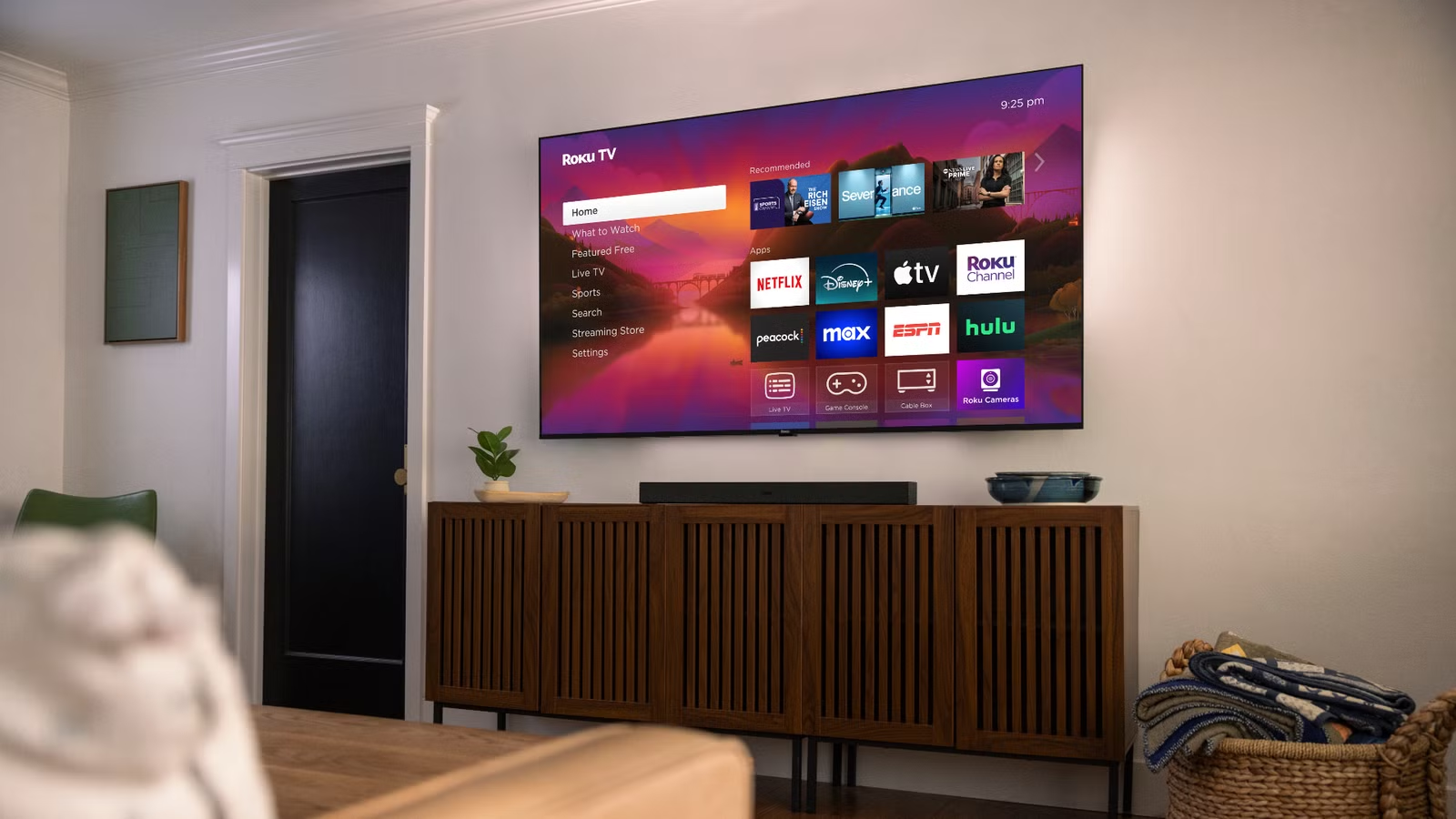
If you own a Roku TV, it's watching you watch TV. By default, Roku's automatic content recognition (ACR) feature analyzes what appears on your screen across every input. That includes streaming apps, sure, but also cable boxes, game consoles, and any media PC you've connected via HDMI.
The data powers ad targeting and content recommendations. For users who care about privacy, that's a problem. Here's how to limit what Roku collects without giving up the platform's core functionality.
What Roku Tracks and Why It Matters
ACR is tied to Roku's Smart TV Experience feature. It uses pattern recognition to identify what's playing on your screen, then sends that data back to Roku's servers. The company says this information improves recommendations and serves more relevant ads.
The catch: ACR doesn't just monitor Roku apps. According to Roku's own documentation, it can collect data from content playing through connected HDMI and AV inputs. That means your PlayStation gameplay, your cable news watching, and anything running on a connected laptop could all be logged.
For anyone using a Roku TV as a general-purpose display, this extends the tracking far beyond streaming services. It's one thing to have Netflix know what you watch on Netflix. It's another for Roku to catalog everything that appears on your screen regardless of source.
Logicity's Take
Disable ACR First: The Most Invasive Setting
The single most important privacy setting on a Roku TV is disabling automatic content recognition. This should be your first stop.
From the Roku TV home screen, navigate to Settings > Privacy > Smart TV Experience. Toggle off the option to use ACR data. This stops Roku from analyzing content across all inputs going forward.
One important caveat: Roku's documentation states that previously collected ACR data is retained even after you disable the feature. It's not deleted. This makes disabling the setting early especially valuable. If you're setting up a new Roku TV, turn this off during initial setup.
Limit Personalized Advertising
Beyond ACR, Roku uses an advertising identifier to track your viewing habits across apps for ad targeting purposes. You can limit this, though not eliminate it entirely.
Go to Settings > Privacy > Advertising. Enable the option to limit ad tracking. This tells Roku and third-party apps not to use your advertising identifier for personalized ads. Apps may still show ads, but they won't be targeted based on your viewing history.
You can also reset your advertising identifier from this menu. Doing so breaks the connection between your current profile and any previously collected data, though Roku will start building a new profile immediately.
Review Microphone and Voice Settings
If you use a Roku remote with voice capabilities, the device listens when you press the microphone button. Some Roku TVs also have built-in far-field microphones for hands-free voice commands.
Navigate to Settings > Privacy > Microphone to see which apps have requested microphone access. You can revoke permissions on an app-by-app basis. If you don't use voice features at all, disable microphone access entirely.
What You Give Up
Disabling these tracking features does come with trade-offs. Recommendations become less personalized. The home screen may show less relevant content suggestions. Ads won't be tailored to your interests, which some users actually prefer.
Core functionality remains intact. You can still use all your streaming apps, access the channel store, and control your TV normally. The privacy settings affect data collection and ad targeting, not the basic Roku experience.
For those considering a privacy-focused media setup
The Bigger Picture: Smart TVs as Data Collectors
Roku isn't alone in collecting viewing data. Samsung, LG, Vizio, and other smart TV manufacturers all have similar tracking technologies. The business model for affordable smart TVs increasingly depends on advertising revenue, which requires user data.
For users who want maximum privacy, the alternative is using a smart TV as a dumb display. Connect it to a separate streaming device you control, like an Apple TV, and never connect the TV itself to your network. But for most users, adjusting the built-in privacy settings offers a reasonable middle ground.
Frequently Asked Questions
Does disabling ACR delete my previously collected data?
No. According to Roku's documentation, data collected before you disable ACR is retained. Turning off the setting only stops future collection.
Will my Roku still work if I disable all tracking?
Yes. Disabling ACR, limiting ad tracking, and revoking microphone access doesn't affect core functionality. You can still use all streaming apps and features.
Does Roku track what I watch on my PlayStation or cable box?
If ACR is enabled, yes. The feature can analyze content from any HDMI input, not just Roku's native apps.
Can I completely prevent Roku from collecting any data?
Not while using Roku's services. The settings described here minimize collection, but some data transmission is inherent to how the platform operates.
Need Help Implementing This?
Source: How-To Geek
Manaal Khan
Tech & Innovation Writer
اقرأ أيضاً

رأي مغاير: كيف يؤثر اختراق الأمن الداخلي الأميركي على شركاتنا الخاصة؟
في ظل اختراق عقود الأمن الداخلي الأميركي مع شركات خاصة، نناقش تأثير هذا الاختراق على مستقبل الأمن السيبراني. نستعرض الإحصاءات الموثوقة ونناقش كيف يمكن للشركات الخاصة أن تتعامل مع هذا التهديد. استمتع بقراءة هذا التحليل العميق

الإنسان في زمن ما بعد الوجود البشري: نحو نظام للتعايش بين الإنسان والروبوت - Centre for Arab Unity Studies
في هذا المقال، سنناقش كيف يمكن للبشر والروبوتات التعايش في نظام متكامل. سنستعرض التحديات والحلول المحتملة التي تضعها شركات مثل جوجل وأمازون. كما سنلقي نظرة على التوقعات المستقبلية وفقًا لتقرير ماكنزي

إطلاق ناسا لمهمة مأهولة إلى القمر: خطوة تاريخية نحو استكشاف الفضاء
تعتبر المهمة الجديدة خطوة هامة نحو استكشاف الفضاء وتطوير التكنولوجيا. سوف تشمل المهمة إرسال رواد فضاء إلى سطح القمر لconducting تجارب علمية. ستسهم هذه المهمة في تطوير فهمنا للفضاء وتحسين التكنولوجيا المستخدمة في استكشاف الفضاء.