How to Enable Touch Bezel on Your Samsung Galaxy Watch
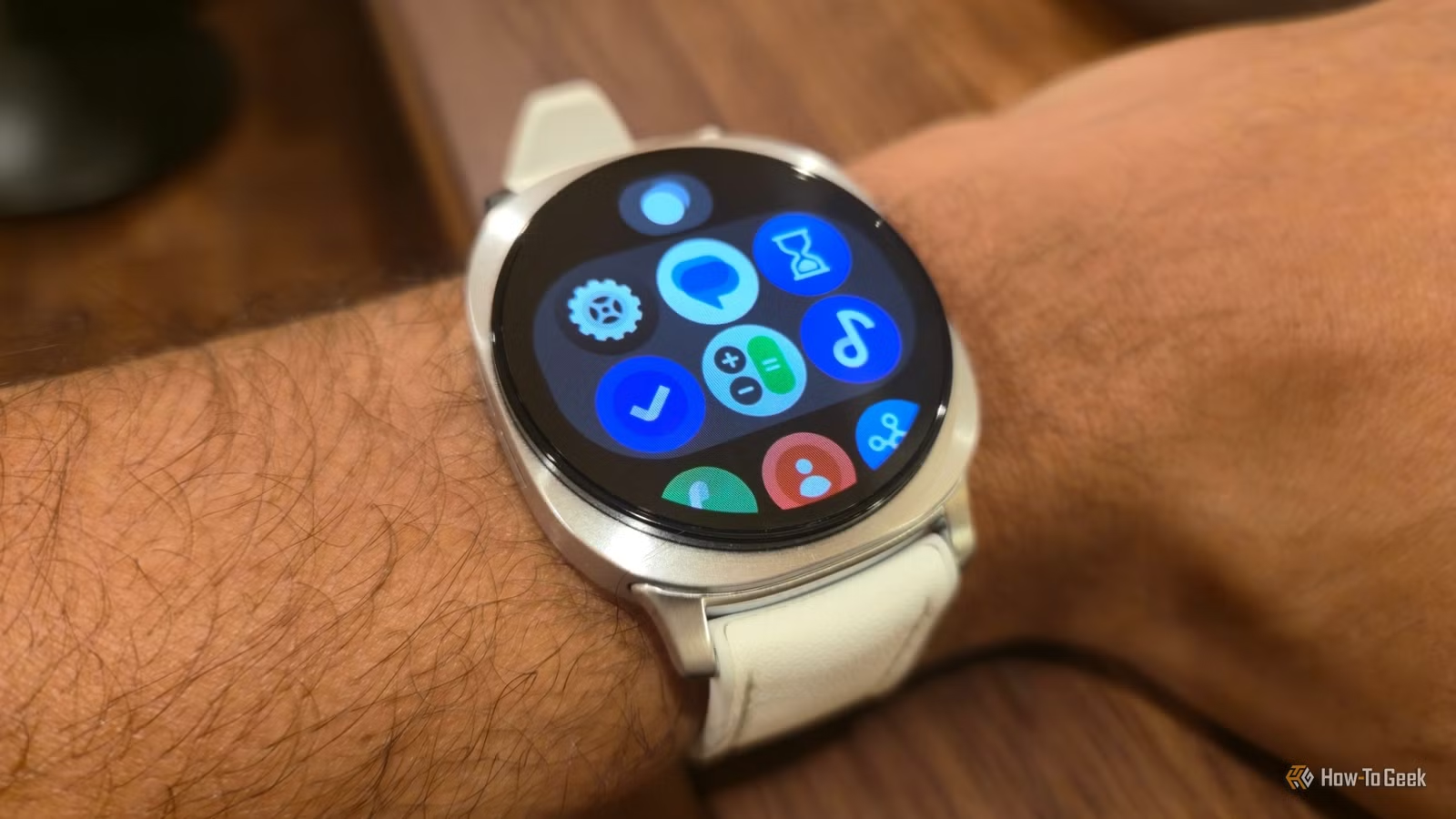
Key Takeaways
- Standard Galaxy Watch models have a software-based touch bezel that simulates the Classic's physical rotating bezel
- Enable it in Settings > General > Touch bezel to scroll through tiles by swiping along the screen edge
- Clockwise swipes move forward through tiles, counter-clockwise goes back
Samsung's Galaxy Watch Classic has a devoted following, and it's not because of special software. The physical rotating bezel that rings the display lets you scroll through menus without covering the screen with your finger. It's satisfying to use and genuinely practical on a small display.
What many Galaxy Watch owners don't realize: the standard models have a software version of the same thing. It's called the touch bezel, and Samsung buries it in settings where most people never find it.
What the Touch Bezel Does
Wear OS, like Android on your phone, relies on swipes. You swipe up to see apps, down for quick tiles, left to cycle through widgets, right for notifications. On a watch face smaller than a postage stamp, all that swiping means your finger constantly blocks what you're trying to see.
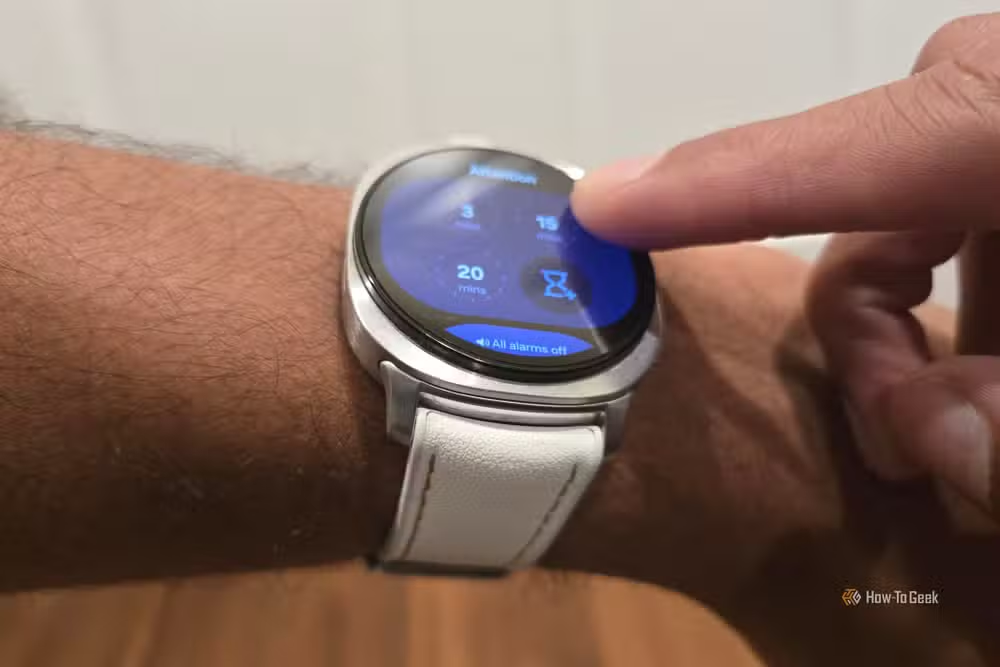
The touch bezel offers an alternative. Place your finger at the top edge of the screen and drag it clockwise along the bezel area. The watch scrolls to the next tile. Drag counter-clockwise to go back. Your finger stays at the perimeter instead of crossing the center of the display.
“The rotating bezel isn't just a design choice; it's the gold standard for navigating a tiny screen without obscuring content with your finger.”
— Bertel King, Tech Journalist at How-To Geek
The touch bezel isn't identical to the Classic's physical ring. There's no tactile click as you rotate. But Samsung's haptic feedback system, which uses over 150 unique patterns across the watch UI, provides subtle vibrations as you scroll. It's the next best thing for anyone who wants the sleek look of the standard watch.
How to Enable Touch Bezel
The feature is off by default, which explains why so few people know it exists. Turning it on takes about 15 seconds.
- Swipe up from the bottom of your watch face to open the app drawer
- Tap the Settings app (the cog icon)
- Scroll down and tap General
- Look for Touch bezel at the top of the screen
- Tap the toggle to enable it
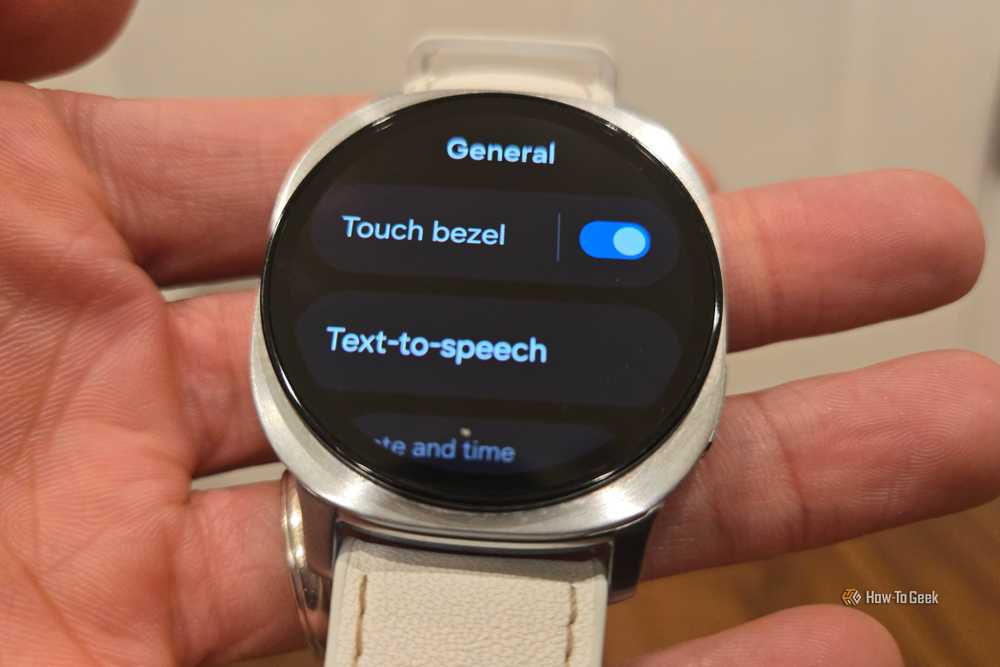
Once enabled, the feature works immediately. You can test it by returning to your watch face and swiping clockwise along the edge. If you've set up multiple tiles, you'll scroll through them without lifting your finger.
Why Samsung Hides This Feature
Samsung probably keeps touch bezel disabled by default to avoid confusing new users. Edge swipes can trigger accidentally when you're just trying to tap something. The feature also creates some product differentiation with the Classic line, where the physical bezel remains a selling point.
The Galaxy Watch community is split on whether the software version measures up. Reddit's r/GalaxyWatch forum has plenty of users who call the touch bezel "inferior" or "jittery" compared to the mechanical original. Others prefer it precisely because there's no moving part to collect dust or wear out over time.
Which Galaxy Watch Models Support Touch Bezel
The touch bezel feature works on standard Galaxy Watch models running Wear OS. This includes the Galaxy Watch 4, 5, 6, 7, and 8 series. The Classic variants have physical rotating bezels and don't need the software version.
The Galaxy Watch 8, Samsung's current flagship, ships with a thinner profile and new health tracking features including sleep apnea detection. It retails for $350 and includes touch bezel support out of the box. You just have to know where to find the toggle.
Logicity's Take
Frequently Asked Questions
Does touch bezel work on all Samsung Galaxy Watch models?
Touch bezel works on standard Galaxy Watch models running Wear OS, including the Watch 4 through Watch 8 series. Classic models have physical rotating bezels instead.
Why is touch bezel disabled by default?
Samsung likely disables it to prevent accidental triggers and to differentiate the standard watches from the Classic line, where the physical bezel is a key feature.
Is touch bezel the same as the rotating bezel on Galaxy Watch Classic?
No. Touch bezel is software-based and relies on haptic feedback. The Classic's physical bezel has tactile clicks and doesn't require touching the screen at all.
Can I use touch bezel while exercising?
Yes. Many users find it easier than standard swipes during workouts since your finger stays at the edge of the screen rather than crossing the display.
Need Help Implementing This?
Source: How-To Geek
Manaal Khan
Tech & Innovation Writer
اقرأ أيضاً

رأي مغاير: كيف يؤثر اختراق الأمن الداخلي الأميركي على شركاتنا الخاصة؟
في ظل اختراق عقود الأمن الداخلي الأميركي مع شركات خاصة، نناقش تأثير هذا الاختراق على مستقبل الأمن السيبراني. نستعرض الإحصاءات الموثوقة ونناقش كيف يمكن للشركات الخاصة أن تتعامل مع هذا التهديد. استمتع بقراءة هذا التحليل العميق

الإنسان في زمن ما بعد الوجود البشري: نحو نظام للتعايش بين الإنسان والروبوت - Centre for Arab Unity Studies
في هذا المقال، سنناقش كيف يمكن للبشر والروبوتات التعايش في نظام متكامل. سنستعرض التحديات والحلول المحتملة التي تضعها شركات مثل جوجل وأمازون. كما سنلقي نظرة على التوقعات المستقبلية وفقًا لتقرير ماكنزي

إطلاق ناسا لمهمة مأهولة إلى القمر: خطوة تاريخية نحو استكشاف الفضاء
تعتبر المهمة الجديدة خطوة هامة نحو استكشاف الفضاء وتطوير التكنولوجيا. سوف تشمل المهمة إرسال رواد فضاء إلى سطح القمر لconducting تجارب علمية. ستسهم هذه المهمة في تطوير فهمنا للفضاء وتحسين التكنولوجيا المستخدمة في استكشاف الفضاء.