Google Gemini Spark Review: A 24/7 AI Assistant That Actually Works
Key Takeaways
- Gemini Spark runs on Google's cloud VMs, so tasks continue even when your laptop is closed
- The service costs $100 per month as part of Google AI Ultra and includes 20TB of cloud storage
- Real-world testing shows it handles shopping research and scheduling, but Google struggles to make a 'must-have' case for personal use
What Is Gemini Spark?
Google's Gemini Spark is a new kind of AI assistant. Unlike chatbots that wait for your prompts, Spark runs continuously in the cloud. It handles tasks in the background while you do other things. Or nothing at all.
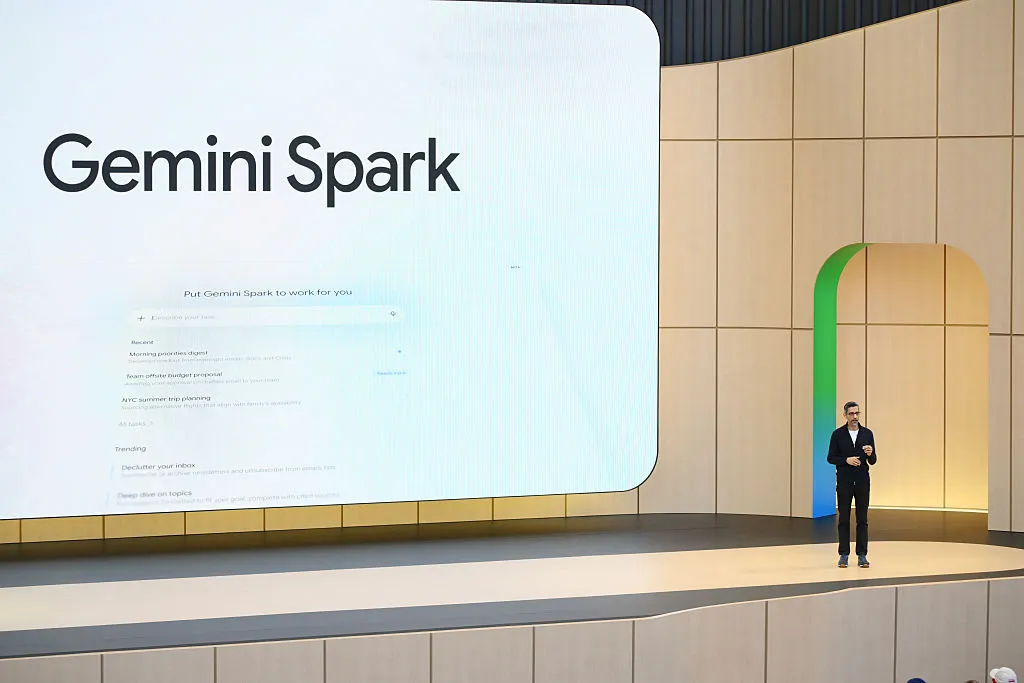
The service launched at Google I/O 2026, where CEO Sundar Pichai made a pointed comparison to competitors like OpenClaw. Those systems require keeping your computer awake and running. Spark doesn't.
“Yes, you can close your laptop.”
— Sundar Pichai, CEO at Google
That quip captures Spark's main selling point. It's agentic AI that doesn't require you to become a hobbyist to use it. No always-on machine setup. No technical configuration. Google handles the infrastructure on virtual machines in the cloud.
How Much Does It Cost?
Gemini Spark requires Google's AI Ultra subscription, which runs $100 per month. That price includes 20TB of cloud storage, which softens the blow if you're already paying for Google One storage.
The pricing positions Spark as a premium tool. At $1,200 per year, you're paying more than most productivity software suites. The question becomes whether the automation saves enough time to justify that cost.
What Can Spark Actually Do?
Spark integrates deeply with Google's productivity apps. Gmail, Calendar, Docs, Sheets, and Slides all connect to the assistant. This makes it best suited for work tasks, though Google pushes personal use cases too.
The company suggests using Spark to scan your emails and calendar each morning, then send you a recap with your top three tasks. It can draft weekend activity suggestions based on your open calendar blocks. It can organize expenses into spreadsheets.
TechCrunch's reviewer noted a problem with these suggestions. They assume you're already the type of person who tracks everything digitally. If your to-do list lives in your brain or on a notepad, Spark's email-scanning features won't help much.
Real-World Testing: Shopping Research
TechCrunch put Spark through practical tests beyond Google's suggested use cases. One task: help with a local drugstore trip. The reviewer asked Spark for product suggestions based on weekly deals and available coupons.
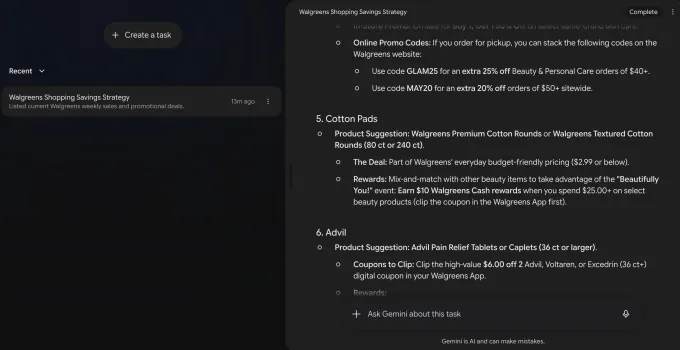
The result was promising. Spark identified specific products on sale and found coupons the reviewer could clip before heading to the store. This kind of research typically requires opening multiple browser tabs and cross-referencing deals manually. Spark handled it in the background.
Testing Travel and Planning Tasks
The reviewer also tested Spark's planning capabilities. Packing lists, summer camp research, and weekend event suggestions all fell within its scope.
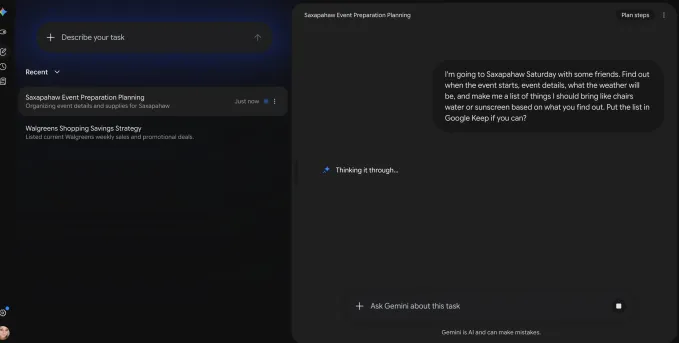
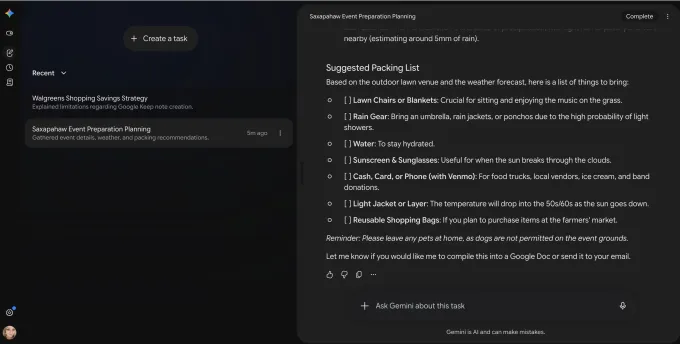
For summer camp ideas, Spark pulled together options and organized them in a way that would have taken significant manual research.
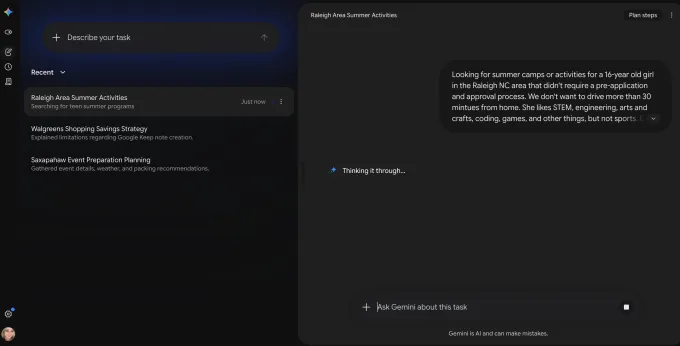
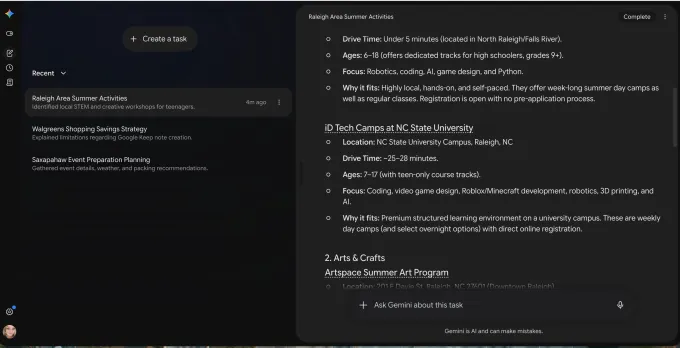
Newsletter summaries and weekend event lookups also worked well. These are the kinds of tasks where Spark's continuous background operation shines. You set the request and check back later.


The Price Drop Alert Feature
One feature that caught attention: Spark can monitor prices and alert you to drops. This moves into territory that previously required dedicated browser extensions or specialized apps.

HackerNews discussions have focused on related automation features, particularly around what users call the Agent Payments Protocol (AP2). The community is split on whether letting an AI make decisions across third-party services is convenient or risky.
How It Compares to Competitors
Spark's main advantage over tools like OpenClaw is convenience. OpenClaw and similar agentic systems require keeping a machine running. Spark offloads everything to Google's servers.
The tradeoff is control. Running your own agentic AI means you can customize it deeply. You can see exactly what it's doing. Spark is a managed service. It's easier to use but less transparent.
For most users, the convenience will win. If you're not interested in setting up and maintaining an AI automation system, Spark removes that barrier entirely.
The Verdict: Useful But Not Essential
TechCrunch came away calling Spark "a fairly useful implementation of consumer AI." That's a notable endorsement from a publication that reviews dozens of AI products each month.
But the reviewer also noted that Spark "doesn't deserve to have its own brand." It feels like a feature that should be part of existing Google services, not a separate $100-per-month product.
Google struggles to make the "must-have" case for personal use. The strongest applications are work tasks. Managing emails, organizing documents, preparing presentations. For those workflows, Spark's always-on automation could save real time.
For personal tasks like weekend planning or shopping research, it's harder to justify the cost. These are nice conveniences, not necessities.
Logicity's Take
Who Should Consider Spark?
- Professionals drowning in email who want automated triage and summaries
- Managers who need recurring reports or document organization without manual effort
- Users already paying for Google One storage who want to consolidate subscriptions
- Anyone curious about agentic AI but unwilling to set up their own infrastructure
If you're already managing your digital life fine without automation, Spark probably isn't worth the investment. But if you've ever wished you could delegate boring computer tasks to someone else, this is the closest thing available.
Frequently Asked Questions
What is Google Gemini Spark?
Gemini Spark is Google's 24/7 AI assistant that runs on cloud virtual machines. It handles tasks in the background, like organizing emails, managing calendars, and researching information, without requiring your computer to stay on.
How much does Gemini Spark cost?
Gemini Spark requires a Google AI Ultra subscription at $100 per month. This includes 20TB of cloud storage.
How is Gemini Spark different from ChatGPT or other AI assistants?
Most AI assistants wait for your prompts and respond in real-time. Spark runs continuously in Google's cloud, executing multi-step tasks in the background while you do other things or close your laptop entirely.
What apps does Gemini Spark work with?
Spark integrates with Google's productivity suite: Gmail, Calendar, Docs, Sheets, and Slides. It can also perform web research and monitor prices across shopping sites.
Is Gemini Spark worth it for personal use?
For most personal tasks, Spark is a "nice-to-have" rather than a "must-have." It works well for shopping research, planning, and inbox management, but the $100 monthly cost is hard to justify unless you're using it heavily for work.
Need Help Implementing This?
Source: TechCrunch / Sarah Perez
Huma Shazia
Senior AI & Tech Writer
اقرأ أيضاً

رأي مغاير: كيف يؤثر اختراق الأمن الداخلي الأميركي على شركاتنا الخاصة؟
في ظل اختراق عقود الأمن الداخلي الأميركي مع شركات خاصة، نناقش تأثير هذا الاختراق على مستقبل الأمن السيبراني. نستعرض الإحصاءات الموثوقة ونناقش كيف يمكن للشركات الخاصة أن تتعامل مع هذا التهديد. استمتع بقراءة هذا التحليل العميق

الإنسان في زمن ما بعد الوجود البشري: نحو نظام للتعايش بين الإنسان والروبوت - Centre for Arab Unity Studies
في هذا المقال، سنناقش كيف يمكن للبشر والروبوتات التعايش في نظام متكامل. سنستعرض التحديات والحلول المحتملة التي تضعها شركات مثل جوجل وأمازون. كما سنلقي نظرة على التوقعات المستقبلية وفقًا لتقرير ماكنزي

إطلاق ناسا لمهمة مأهولة إلى القمر: خطوة تاريخية نحو استكشاف الفضاء
تعتبر المهمة الجديدة خطوة هامة نحو استكشاف الفضاء وتطوير التكنولوجيا. سوف تشمل المهمة إرسال رواد فضاء إلى سطح القمر لconducting تجارب علمية. ستسهم هذه المهمة في تطوير فهمنا للفضاء وتحسين التكنولوجيا المستخدمة في استكشاف الفضاء.