Excel ISNUMBER Function: Clean Data Faster for Better Decisions
Key Takeaways
- Data validation errors cost businesses an average of $12.9 million annually according to Gartner
- ISNUMBER acts as a logical gatekeeper, catching text-formatted numbers before they corrupt your analysis
- Combining ISNUMBER with conditional formatting creates automated data quality alerts across entire spreadsheets
Read in Short
Excel's ISNUMBER function validates whether cells contain actual numbers, returning TRUE or FALSE. While simple in concept, it's essential for preventing data quality issues that lead to flawed financial reports, inaccurate forecasts, and costly business decisions. Use it to audit imported data, create conditional alerts, and build error-proof formulas.
Why Should Business Leaders Care About Data Validation?
Here's a scenario every operations manager dreads: your quarterly revenue report shows a 15% decline, triggering emergency meetings and budget cuts. Two weeks later, someone discovers that half your sales figures imported as text instead of numbers, silently excluding them from calculations. The actual performance? Up 8%.
This isn't hypothetical. Data quality issues plague organizations of every size, and they often start with something as mundane as a CSV import or a copied cell that looks like a number but isn't one.
The Excel ISNUMBER function is one of the simplest tools for catching these problems before they compound. It answers one question: is this actually a number? That binary check becomes the foundation for automated data quality systems that protect your reporting integrity.
How Does the Excel ISNUMBER Function Work?
The syntax couldn't be simpler:
=ISNUMBER(value)The function examines whatever you point it at, whether that's a cell reference, a hard-coded value, or the output of another formula. It returns TRUE if the value is numeric (integers, decimals, or dates) and FALSE for everything else, including text, blanks, logical values, and errors.
Why Dates Return TRUE
Excel stores dates as serial numbers counting days from January 1, 1900. A date like April 16, 2026 is actually stored as 46128. Since it's technically a number with formatting applied, ISNUMBER returns TRUE. Text-formatted dates like 'April 16th' return FALSE.
This behavior matters for financial teams working with transaction dates. If your accounting software exports dates as text strings, they'll fail the ISNUMBER check, alerting you to data that needs reformatting before analysis.
What Are the Business Applications of ISNUMBER?
Let's move beyond theory. Here are four ways finance teams, analysts, and operations managers use this function to protect their data quality.
1. Auditing Imported Data
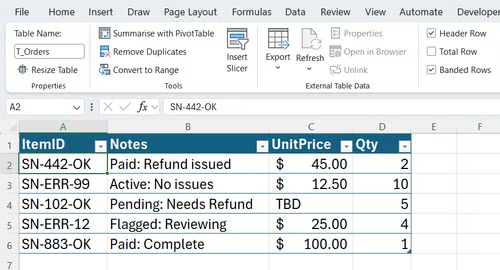
Every time you import data from external sources, whether CRM exports, ERP downloads, or third-party APIs, you risk format inconsistencies. A sales figure might import as '45000' (text) instead of 45000 (number), looking identical but behaving completely differently in calculations.
Adding an ISNUMBER validation column next to critical numeric fields instantly flags problem rows:
=ISNUMBER(B2)Filter for FALSE values, and you've identified every row needing attention before it corrupts your SUM, AVERAGE, or VLOOKUP results.
2. Conditional Formatting for Visual Alerts
For ongoing data entry workflows, you can combine ISNUMBER with conditional formatting to highlight non-numeric entries in real-time. Your accounting team sees red cells immediately when someone pastes a value that Excel interprets as text.
This prevents the 'silent failure' problem where bad data sits unnoticed until it's already affected downstream reports.
3. Error-Proofing Complex Formulas
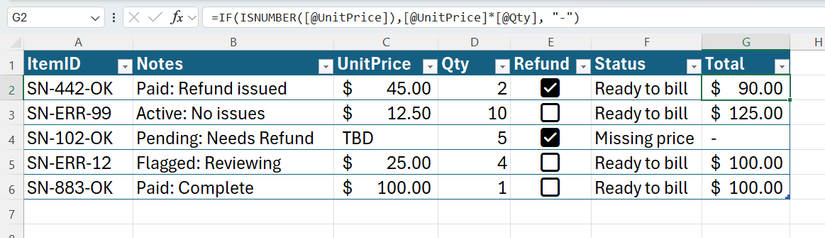
Nested formulas are powerful but fragile. When one input contains unexpected data, the entire calculation can break or, worse, return a plausible-looking wrong answer.
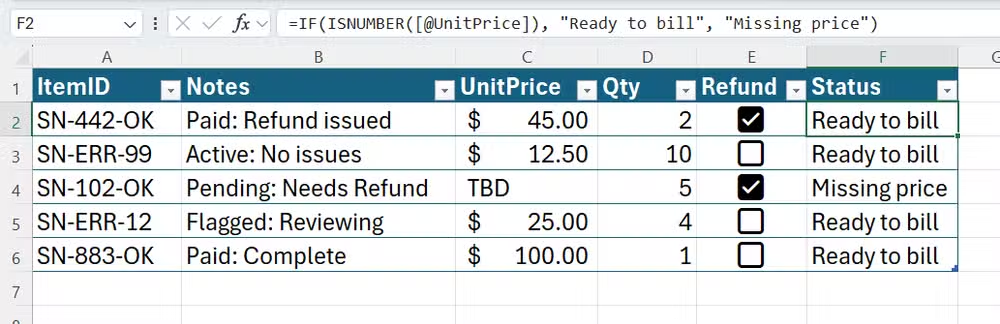
Wrapping critical inputs with ISNUMBER creates guardrails:
=IF(ISNUMBER(A2), A2*1.15, "Check Input")Instead of silently multiplying text by 1.15 (which returns an error) or treating empty cells as zero, your formula explicitly handles edge cases.
4. Validating Search Results
Functions like SEARCH and FIND return numeric positions when they find matches and errors when they don't. Wrapping these with ISNUMBER converts messy error values into clean TRUE/FALSE logic:
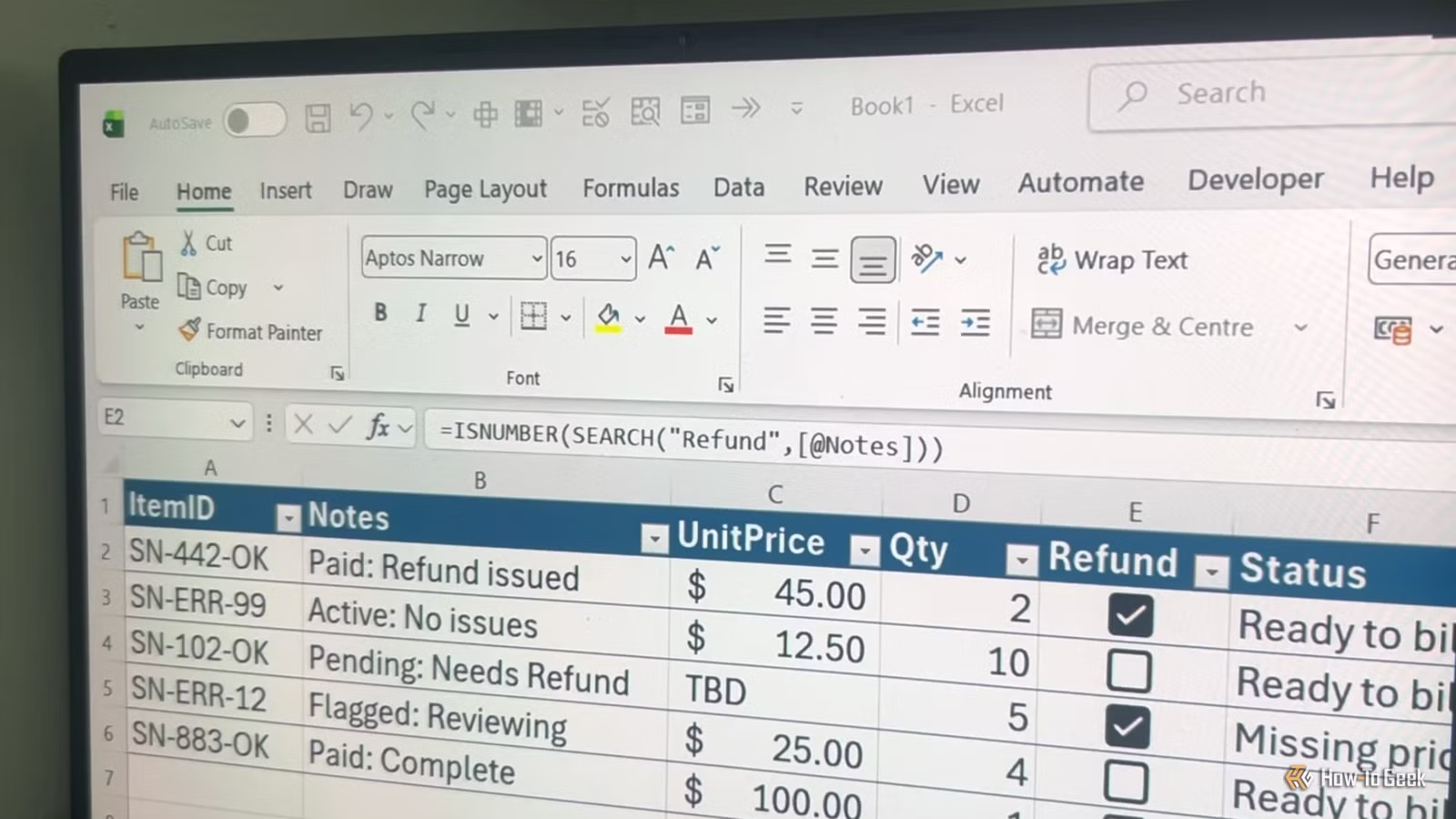
=ISNUMBER(SEARCH("urgent", A2))This returns TRUE if 'urgent' appears anywhere in cell A2, FALSE otherwise. It's perfect for categorizing support tickets, flagging priority orders, or segmenting customer feedback.

How Does ISNUMBER Compare to Other Validation Methods?
| Method | What It Checks | Best Use Case | Limitation |
|---|---|---|---|
| ISNUMBER | Numeric data type | Financial data validation | Doesn't catch numbers stored as text that could convert |
| ISTEXT | Text data type | Name/address field validation | Some numeric codes should be text |
| ISERROR | Error values | Formula debugging | Catches errors but doesn't prevent them |
| Data Validation | User input rules | Data entry forms | Doesn't validate imported data |
| IFERROR | Error handling | Clean formula outputs | Masks underlying problems |
For comprehensive data quality, combine ISNUMBER with other IS functions. A validation dashboard might check that customer IDs are numeric (ISNUMBER), names are text (ISTEXT), and no cells contain errors (NOT ISERROR).
What Does a Data Validation Workflow Look Like?
Here's a practical implementation for a finance team receiving weekly sales data exports:
- Import raw data into a staging worksheet
- Add ISNUMBER columns next to Revenue, Units Sold, and Discount Percentage fields
- Create a summary cell counting FALSE values: =COUNTIF(ValidationRange, FALSE)
- Set up conditional formatting to highlight validation failures
- Only copy validated data to your master reporting workbook
- Document any manual corrections for audit trails
This process adds maybe five minutes to your import routine but prevents hours of error hunting when reports don't reconcile.
If you're automating data workflows with AI tools, understanding token costs prevents budget surprises
What Are Common Mistakes to Avoid?
✅ Pros
- • Use ISNUMBER before complex calculations to validate inputs
- • Combine with conditional formatting for visual data quality monitoring
- • Apply to entire columns when auditing imported datasets
- • Document validation rules so colleagues understand the checks
❌ Cons
- • Don't assume numbers that look right are actually numeric
- • Don't ignore FALSE results, they indicate real data issues
- • Don't rely solely on ISNUMBER; combine with other validation methods
- • Don't skip validation on 'trusted' data sources; formats change
The biggest mistake isn't technical. It's treating data validation as optional. Teams that build validation into their standard workflows catch problems when they're easy to fix, not during the board presentation.
Automated data pipelines need validation at every step to maintain integrity
Frequently Asked Questions
Frequently Asked Questions
How long does it take to implement ISNUMBER validation in existing spreadsheets?
For a single worksheet, adding ISNUMBER validation columns takes 5-10 minutes. Building a comprehensive validation dashboard for complex workbooks might take 1-2 hours initially but saves significant time in error prevention and troubleshooting.
Can ISNUMBER detect numbers formatted as text?
Yes, that's exactly what it's designed to catch. A cell containing '1000' (text) looks identical to 1000 (number) but ISNUMBER returns FALSE for the text version. This is critical for imported data that often arrives with inconsistent formatting.
Is ISNUMBER available in Google Sheets and other spreadsheet tools?
Yes, ISNUMBER works identically in Google Sheets, LibreOffice Calc, and most Excel-compatible applications. The syntax and behavior are standardized, so validation workflows transfer across platforms.
Should we use ISNUMBER or Excel's built-in Data Validation feature?
Use both for different purposes. Data Validation prevents bad data entry in forms. ISNUMBER audits data that's already in your spreadsheet, including imports and paste operations that bypass Data Validation rules.
What's the business ROI of implementing data validation?
Organizations spend an average of 30% of employee time dealing with data quality issues according to IBM research. Even modest improvements in data validation can recover significant productivity while preventing costly decisions based on flawed analysis.
The Bottom Line for Business Leaders
Excel's ISNUMBER function won't make headlines. It's not AI, it's not automation, and it won't transform your business model. But it represents something more fundamental: the discipline of validating your data before acting on it.
The companies that make consistently good decisions aren't necessarily smarter. They're working from cleaner data. And clean data starts with simple checks like confirming that your numbers are actually numbers.
Build ISNUMBER checks into your standard import workflows. Train your team to validate before they calculate. The function takes seconds to implement but prevents errors that cost hours, or worse, to correct.
Need Help Implementing This?
Logicity specializes in helping businesses build data validation workflows that scale. Whether you're dealing with messy imports, complex reporting requirements, or cross-platform data challenges, our team can help you implement validation systems that protect your decision-making. Reach out for a consultation on your specific data quality needs.
Source: How-To Geek
Huma Shazia
Senior AI & Tech Writer
اقرأ أيضاً

رأي مغاير: كيف يؤثر اختراق الأمن الداخلي الأميركي على شركاتنا الخاصة؟
في ظل اختراق عقود الأمن الداخلي الأميركي مع شركات خاصة، نناقش تأثير هذا الاختراق على مستقبل الأمن السيبراني. نستعرض الإحصاءات الموثوقة ونناقش كيف يمكن للشركات الخاصة أن تتعامل مع هذا التهديد. استمتع بقراءة هذا التحليل العميق

الإنسان في زمن ما بعد الوجود البشري: نحو نظام للتعايش بين الإنسان والروبوت - Centre for Arab Unity Studies
في هذا المقال، سنناقش كيف يمكن للبشر والروبوتات التعايش في نظام متكامل. سنستعرض التحديات والحلول المحتملة التي تضعها شركات مثل جوجل وأمازون. كما سنلقي نظرة على التوقعات المستقبلية وفقًا لتقرير ماكنزي

إطلاق ناسا لمهمة مأهولة إلى القمر: خطوة تاريخية نحو استكشاف الفضاء
تعتبر المهمة الجديدة خطوة هامة نحو استكشاف الفضاء وتطوير التكنولوجيا. سوف تشمل المهمة إرسال رواد فضاء إلى سطح القمر لconducting تجارب علمية. ستسهم هذه المهمة في تطوير فهمنا للفضاء وتحسين التكنولوجيا المستخدمة في استكشاف الفضاء.