Dell XPS 16 (2026) Review: Premium Design, Premium Price
Key Takeaways
- Dell revived the XPS brand after consumer backlash over dissolving it into the Premium series
- The new XPS 16 weighs 3.65 pounds, a full pound lighter than its predecessor
- USB-C-only ports and no discrete GPU option limit versatility for some users
Dell's sweeping rebrand went too far when it dissolved the XPS line into its generic Premium series. Consumers complained. Dell listened. The XPS name is back, and the flagship XPS 16 aims to prove the brand still means something.
Starting at $1,749 and tested at $2,349, this machine never pretends to be anything but premium. From its refined aluminum chassis to its tandem OLED display, the XPS 16 broadcasts expensive at every turn. The question is whether that premium delivers enough to justify the price.
Design: Sleeker, Lighter, More Portable
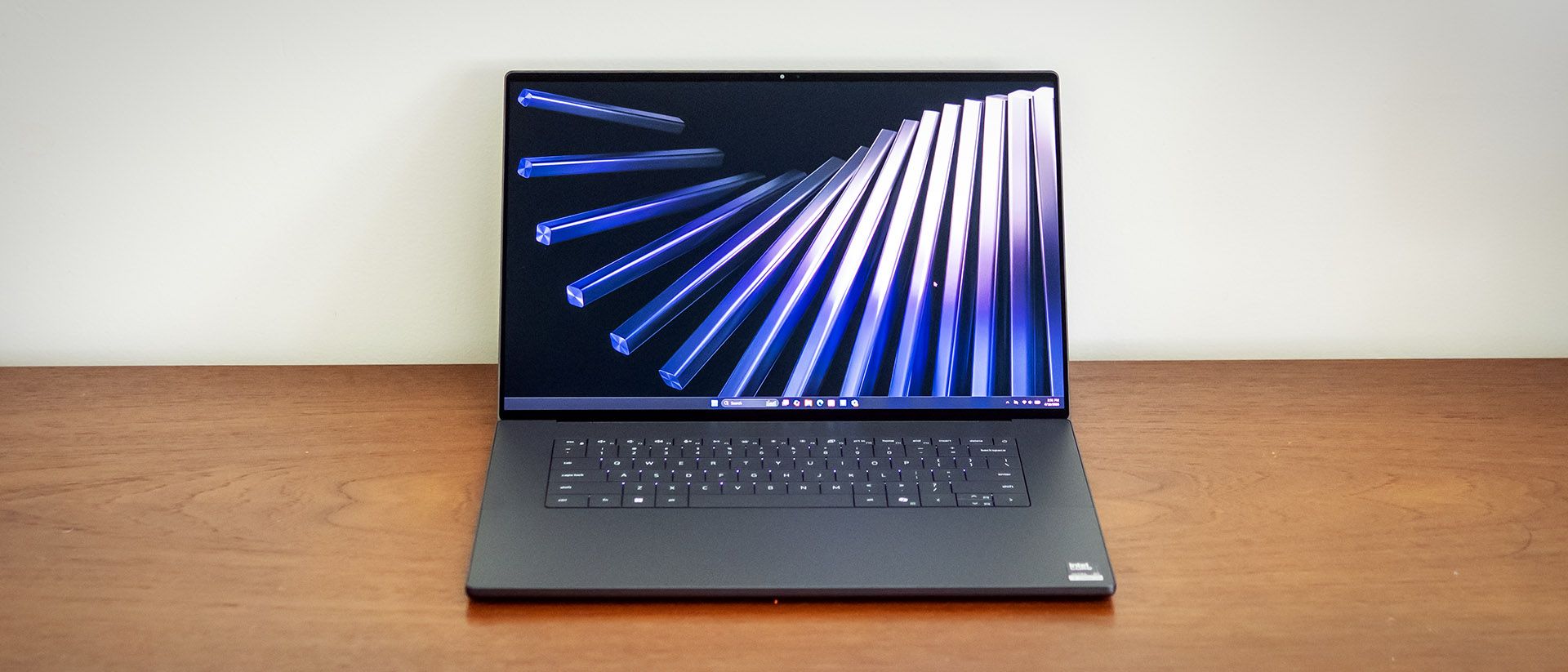
At 13.88 x 9.35 x 0.58 inches, the redesigned XPS 16 is noticeably smaller than the outgoing 16 Premium (14.1 x 9.4 x 0.75 inches). At 3.65 pounds, it's a full pound lighter too. Dell achieved this partly by eliminating the discrete GPU option. The new XPS 16 ships only with integrated Intel graphics.
For context, Acer's Aspire 16 AI measures 13.99 x 9.66 x 0.59 inches and weighs 3.42 pounds. Apple's 15-inch MacBook Air remains smaller at 11.97 x 8.46 x 0.44 inches and 2.7 pounds. The XPS 16 sits in the middle, trading portability for screen real estate.
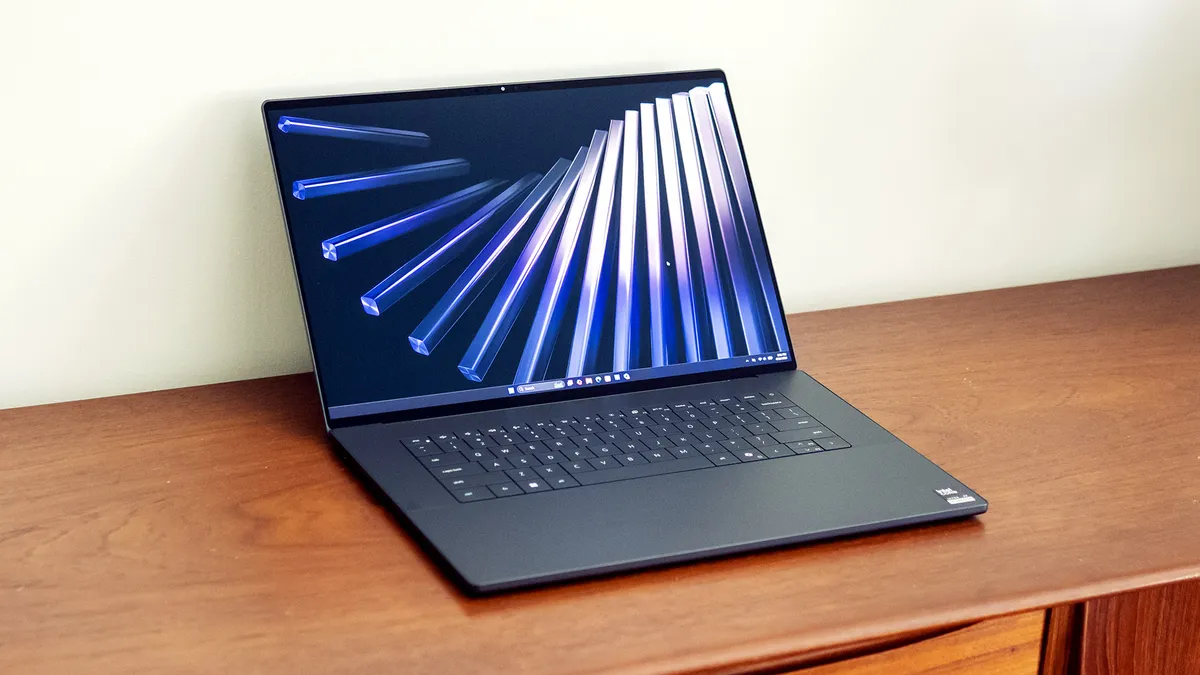
Build quality is where Dell makes its statement. The aluminum chassis and Gorilla glass palm rest feel genuinely premium. The OLED-equipped model adds a glass screen as well. The display hinge doesn't fold flat, stopping about 45 degrees past vertical. But it feels sturdy and supports one-handed opening.
The spotless build quality, precise edges, and nearly borderless display all signal premium-tier hardware. This laptop looks and feels expensive because it is.
Ports: The USB-C Compromise
Dell's design focus comes at a cost to practicality. The XPS 16 offers just three Thunderbolt 4 (USB-C) ports and a headphone jack. That's it. Dell follows Apple's lead on the Mac here, betting that most users have transitioned to USB-C accessories.
If you haven't made that transition, you'll need dongles. Competitors like Acer's Swift 16 AI and Asus' Zenbook A16 include USB-A ports alongside USB-C, offering a more practical mix for users with legacy peripherals.
Internally, the laptop includes Wi-Fi 7 and Bluetooth 5.4, which are expected at this price point.
Display: OLED Done Right
The tandem OLED display is the XPS 16's headline feature. Tom's Hardware calls it "gorgeous," and it supports touch input. For creative professionals working with color-accurate content or anyone who values display quality, this panel delivers.
The OLED option adds to the already steep price, but it transforms the viewing experience. Movies, photos, and even everyday browsing benefit from the deep blacks and vibrant colors that OLED provides.
Keyboard, Trackpad, and Webcam
Dell improved the keyboard and touchpad over previous generations. The typing experience feels refined, with good key travel and responsiveness. The large touchpad complements the overall design aesthetic while remaining functional.
The webcam earns praise as "impressive," an increasingly important factor for remote work and video calls. The speakers also perform well, described as "solid" for a laptop in this category.
✅ Pros
- • Gorgeous OLED touch display with deep blacks and accurate colors
- • Sleek aluminum chassis with Gorilla glass palm rest
- • One pound lighter than predecessor at 3.65 pounds
- • Improved keyboard and touchpad
- • Impressive webcam for video calls
- • Solid built-in speakers
❌ Cons
- • Only USB-C ports require dongles for legacy devices
- • Expensive at $1,749 starting, $2,349 as tested
- • OLED upgrade adds significant cost
- • No discrete GPU option available
Who Should Buy the Dell XPS 16 (2026)?
The XPS 16 targets professionals and power users who prioritize build quality and display excellence over raw value. If you work in creative fields, spend hours staring at your screen, or simply want a laptop that looks and feels premium, the XPS 16 delivers.
However, this isn't the right choice if you need a discrete GPU for demanding graphics work, rely heavily on USB-A peripherals, or want the most performance per dollar. The USB-C-only port selection is a real limitation for many workflows.
| Spec | Dell XPS 16 (2026) | Dell 16 Premium (Previous) | MacBook Air 15" |
|---|---|---|---|
| Dimensions | 13.88 x 9.35 x 0.58 in | 14.1 x 9.4 x 0.75 in | 11.97 x 8.46 x 0.44 in |
| Weight | 3.65 lbs | 4.65 lbs | 2.7 lbs |
| USB-A Ports | None | None | None |
| Starting Price | $1,749 | N/A | $1,299 |
The Bottom Line
Dell's XPS revival succeeds on its core mission. This laptop looks premium, feels premium, and performs like a premium device. The weight reduction, improved input devices, and stunning OLED display justify the brand resurrection.
The $2,349 tested configuration isn't cheap. The USB-C-only ports won't suit everyone. But if you can afford the asking price and have already moved to USB-C accessories, the XPS 16 rewards you with one of the best-built Windows laptops available.
Logicity's Take
Frequently Asked Questions
Does the Dell XPS 16 (2026) have USB-A ports?
No. The XPS 16 offers only three Thunderbolt 4 (USB-C) ports and a headphone jack. You'll need dongles for USB-A peripherals.
Can you get the Dell XPS 16 with a discrete GPU?
No. Dell eliminated the discrete GPU option in this redesign. The XPS 16 (2026) ships only with integrated Intel graphics.
How much does the Dell XPS 16 (2026) cost?
The XPS 16 starts at $1,749. Tom's Hardware tested a configuration priced at $2,349, which includes the OLED display upgrade.
How does the XPS 16 weight compare to the previous model?
The new XPS 16 weighs 3.65 pounds, a full pound lighter than the outgoing Dell 16 Premium at 4.65 pounds.
Is the Dell XPS 16 OLED display touch-enabled?
Yes. The OLED-equipped model includes a touch-enabled glass display.
Another premium device maker rethinking core hardware design
Useful for Windows laptop users looking to optimize their workflow
Need Help Implementing This?
Source: Latest from Tom's Hardware
Huma Shazia
Senior AI & Tech Writer
اقرأ أيضاً

رأي مغاير: كيف يؤثر اختراق الأمن الداخلي الأميركي على شركاتنا الخاصة؟
في ظل اختراق عقود الأمن الداخلي الأميركي مع شركات خاصة، نناقش تأثير هذا الاختراق على مستقبل الأمن السيبراني. نستعرض الإحصاءات الموثوقة ونناقش كيف يمكن للشركات الخاصة أن تتعامل مع هذا التهديد. استمتع بقراءة هذا التحليل العميق

الإنسان في زمن ما بعد الوجود البشري: نحو نظام للتعايش بين الإنسان والروبوت - Centre for Arab Unity Studies
في هذا المقال، سنناقش كيف يمكن للبشر والروبوتات التعايش في نظام متكامل. سنستعرض التحديات والحلول المحتملة التي تضعها شركات مثل جوجل وأمازون. كما سنلقي نظرة على التوقعات المستقبلية وفقًا لتقرير ماكنزي

إطلاق ناسا لمهمة مأهولة إلى القمر: خطوة تاريخية نحو استكشاف الفضاء
تعتبر المهمة الجديدة خطوة هامة نحو استكشاف الفضاء وتطوير التكنولوجيا. سوف تشمل المهمة إرسال رواد فضاء إلى سطح القمر لconducting تجارب علمية. ستسهم هذه المهمة في تطوير فهمنا للفضاء وتحسين التكنولوجيا المستخدمة في استكشاف الفضاء.