Calendly vs Google Calendar: Which Scheduling Tool Wins?
Key Takeaways
- Google Calendar's free scheduling works well for solo users already in Google Workspace
- Calendly wins on video conferencing flexibility, team features, and automation depth
- The scheduling tool debate has become a proxy war for social capital in tech circles
Google has a playbook that rarely fails: find a product people love, build a free version, and bundle it with Workspace. They did it with Dropbox (Google Drive), Zoom (Google Meet), and now they're coming for Calendly.
Google Calendar's appointment scheduling feature started as a barebones afterthought. It's gotten better. But is it good enough to replace Calendly for professionals who live by their booking links?
The stakes are higher than you might think. The appointment scheduling software market hit $635 million globally in 2026, growing at 12-15% annually. And in certain tech circles, how you send a scheduling link has become a bizarre status symbol.
Marc Andreessen's response became legendary: accept his Calendly link or get banned from raising venture capital at a16z.
Social dynamics aside, the real question is practical: which tool actually works better? Here's what side-by-side testing reveals.
| Feature | Calendly | Google Calendar |
|---|---|---|
| Ease of use | Polished interface, dedicated mobile app | Simple for Google users, no dedicated app |
| Booking page customization | Logo, colors, custom URL, multiple event types | Limited visual options |
| Video conferencing | Zoom, Teams, Meet, Webex; invitee choice | Google Meet only |
| Payments | Stripe with packages, discounts, coupons | Stripe for upfront payments only |
| Automations | SMS/email reminders, workflows, AI transcription | Email reminders only |
| Team features | Group events, round robin, collective meetings | Basic shared scheduling |
| Price | Free tier; paid from $10/month | Free with Google account |
Where Google Calendar Wins
It's Free and Already There
Google Calendar appointment scheduling comes free with any Google account. If you're already a Google Workspace user, there's zero additional cost. You don't need another login, another subscription, another tool to manage.
Setup takes minutes. You create appointment slots, share a link, and people book. For solo professionals who just need basic scheduling, this is often enough.
Deep Workspace Integration
Google Calendar sees your entire schedule across personal and work calendars. It integrates natively with Gmail, Google Meet, and Google Tasks. If your company runs on Workspace, the scheduling tool already knows when you're busy, when you're traveling, and when you have focus time blocked.
Paid Workspace users on Business Standard and above get Gemini-powered note-taking through Google Meet. Notes sync to your calendar events automatically.
Holistic View of Your Time
Your appointments live inside the same calendar you use for everything else. No context switching. No syncing delays. No wondering if your external scheduling tool pulled in that last-minute meeting your boss added.
Where Calendly Wins
Booking Page Customization
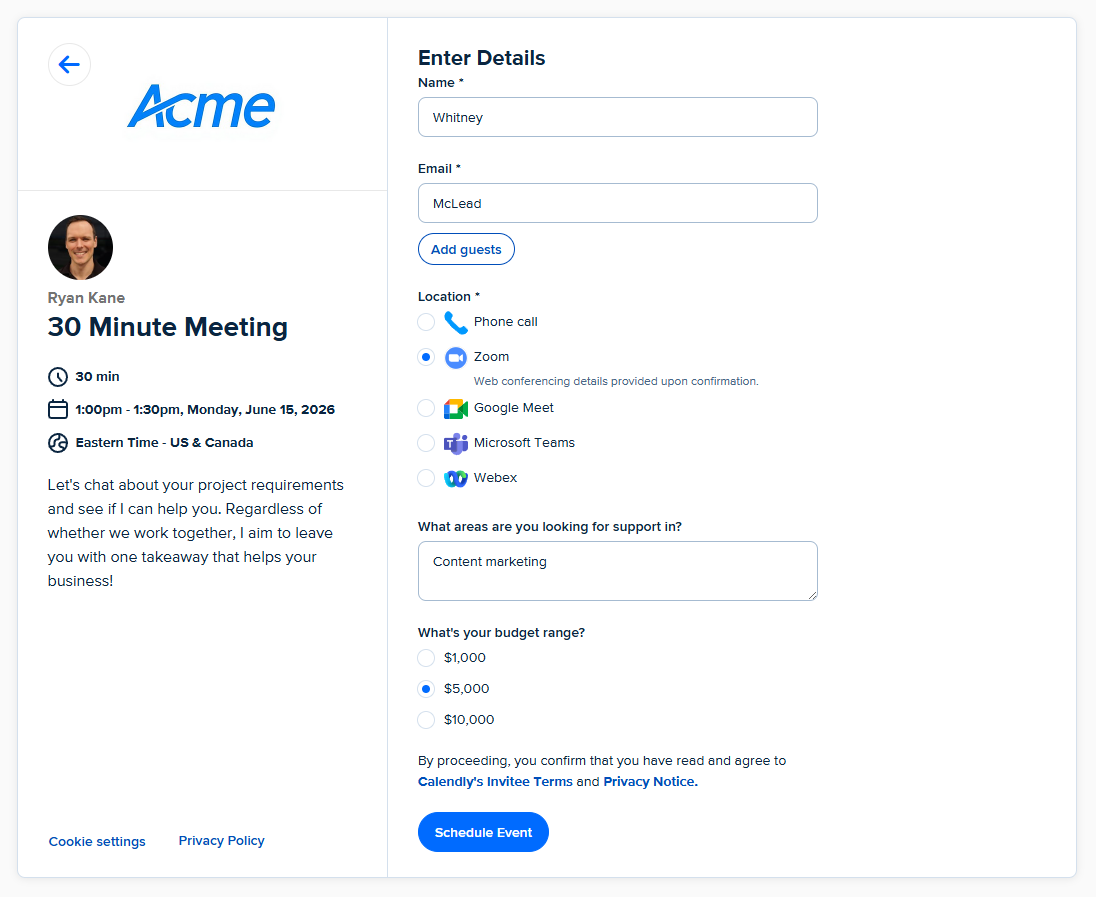
Calendly treats your booking page as a brand touchpoint. You can add your logo, customize colors, set a custom URL, and create multiple event types with different settings. Each type can have its own duration, buffer time, and availability.
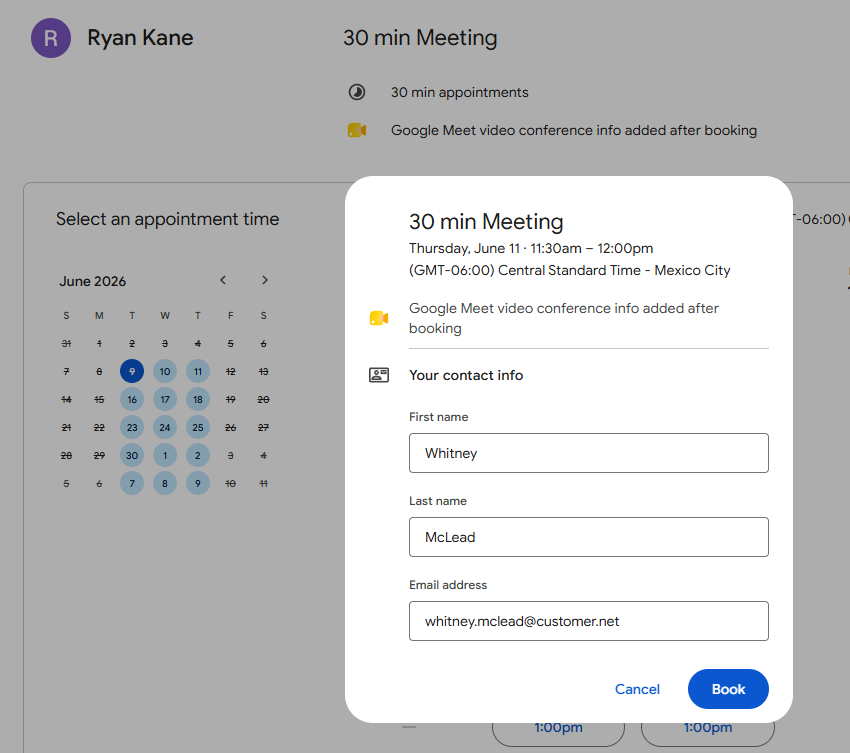
Google Calendar's booking pages are functional but generic. You get limited visual customization. Paid Workspace users can create multiple schedules on a consolidated page, but it still looks like a Google product.
Video Conferencing Flexibility
Calendly works with Zoom, Microsoft Teams, Google Meet, Webex, and more. You can let invitees choose their preferred platform at booking time. This matters when you're meeting external clients who have their own video preferences.
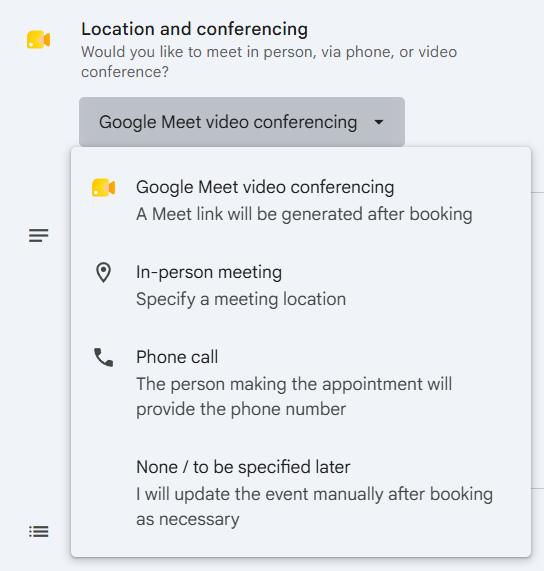
Google Calendar appointment scheduling only supports Google Meet. The Zoom and Teams add-ons that work with regular calendar events don't function with appointment scheduling. If your client uses Teams, you're copying and pasting links manually.
Team Features
Calendly was built for teams. Round robin routing distributes meetings across sales reps automatically. Collective meetings let clients book with multiple team members at once. Group events handle webinars and workshops.
These aren't edge cases for enterprise sales, recruiting, and customer success teams. They're core workflows. Google Calendar offers basic shared scheduling but lacks the distribution logic that high-volume teams need.
Automation Depth
Calendly sends SMS and email reminders, follow-up emails after meetings, and supports custom workflows. The Notetaker AI meeting assistant transcribes calls and extracts action items. You can pipe booking data into Salesforce, HubSpot, or 100+ other tools via native integrations and Zapier.
Google Calendar sends email reminders before meetings. That's it. Gemini note-taking exists but lives in Google Meet, not the calendar itself.
Payment Handling
Calendly integrates with Stripe for one-off payments, multi-session packages, discounts, coupon codes, and multiple currencies. Coaches, consultants, and service providers can require payment at booking.
Google Calendar supports Stripe for upfront payments on Business Standard and above. No packages, no discounts, no coupon codes. If you're selling coaching sessions or consulting hours, Calendly handles the commerce side. Google doesn't.
The Specialist vs. Generalist Trade-off
Communities on Reddit and Hacker News frame this rivalry as specialist versus generalist. Google's version saves subscription costs and works well enough for internal scheduling. Calendly exists because "well enough" isn't enough for revenue-generating activities.
Power users often point to Cal.com, an open-source alternative that offers professional features without the subscription. But Cal.com requires more setup, and most professionals won't self-host their scheduling infrastructure.
Calendly has 20 million users worldwide. That scale creates network effects. When you send a Calendly link, recipients often have accounts already. They know the interface. There's no friction explaining how to book.
When to Use Which
Use Google Calendar appointment scheduling if:
- You're a solo professional or small team
- Everyone you meet uses Google Meet
- You don't need payment collection or complex workflows
- You want zero additional software cost
Use Calendly if:
- You meet with external clients who use different video platforms
- Your team needs round robin or collective meeting routing
- You collect payments at booking
- You want CRM integration and workflow automation
- Your booking page is a brand touchpoint
✅ Pros
- • Google Calendar is free and deeply integrated with Workspace
- • No additional login or subscription required
- • Works seamlessly with existing Google Calendar availability
❌ Cons
- • Google Meet only for video conferencing
- • Limited booking page customization
- • No team distribution features like round robin
- • Basic payment and automation options
The Bottom Line
Google's version is good enough for internal meetings and solo professionals who don't need bells and whistles. It's free, it's simple, and it works.
Calendly remains the tool for professionals whose scheduling has revenue implications. Sales teams, recruiters, consultants, coaches, customer success managers. If booking optimization affects your numbers, Calendly's premium features pay for themselves.
Google will keep improving its scheduler. Calendly will keep adding features to stay ahead. The gap is narrowing, but it hasn't closed.
Logicity's Take
Google's free scheduler is a smart choice for Workspace shops that want to consolidate tools. But we wouldn't bet on it for customer-facing scheduling where first impressions matter. Calendly's polish and flexibility still justify its price for revenue teams. The real question is whether Google will add round robin and multi-platform video support. If they do, Calendly's moat shrinks fast.
Frequently Asked Questions
Is Google Calendar appointment scheduling really free?
Yes. The basic appointment scheduling feature comes free with any Google account. Some advanced features like Gemini note-taking require a paid Google Workspace plan (Business Standard or above).
Can Google Calendar scheduling work with Zoom?
No. Google Calendar appointment scheduling only supports Google Meet. While Zoom and Teams add-ons work with regular calendar events, they don't function with the appointment scheduling feature.
Does Calendly have a free plan?
Yes. Calendly offers a free tier with limited features. Paid plans start at $10 per month and unlock multiple event types, team features, integrations, and customization options.
Which is better for sales teams?
Calendly. Its round robin routing, CRM integrations, custom workflows, and multi-platform video support are built for high-volume sales scheduling. Google Calendar lacks these team distribution features.
Can I collect payments with Google Calendar scheduling?
Partially. Google Calendar supports Stripe integration for upfront payments on Business Standard plans and above, but lacks packages, discounts, and coupon codes that Calendly offers.
Need Help Implementing This?
Choosing between scheduling tools depends on your team structure, client base, and existing tech stack. If you're evaluating scheduling software for your organization, reach out to Logicity's advisory team. We help companies match tools to workflows without the vendor sales pitch.
Source: The Zapier Blog
Huma Shazia
Senior AI & Tech Writer
اقرأ أيضاً

رأي مغاير: كيف يؤثر اختراق الأمن الداخلي الأميركي على شركاتنا الخاصة؟
في ظل اختراق عقود الأمن الداخلي الأميركي مع شركات خاصة، نناقش تأثير هذا الاختراق على مستقبل الأمن السيبراني. نستعرض الإحصاءات الموثوقة ونناقش كيف يمكن للشركات الخاصة أن تتعامل مع هذا التهديد. استمتع بقراءة هذا التحليل العميق

الإنسان في زمن ما بعد الوجود البشري: نحو نظام للتعايش بين الإنسان والروبوت - Centre for Arab Unity Studies
في هذا المقال، سنناقش كيف يمكن للبشر والروبوتات التعايش في نظام متكامل. سنستعرض التحديات والحلول المحتملة التي تضعها شركات مثل جوجل وأمازون. كما سنلقي نظرة على التوقعات المستقبلية وفقًا لتقرير ماكنزي

إطلاق ناسا لمهمة مأهولة إلى القمر: خطوة تاريخية نحو استكشاف الفضاء
تعتبر المهمة الجديدة خطوة هامة نحو استكشاف الفضاء وتطوير التكنولوجيا. سوف تشمل المهمة إرسال رواد فضاء إلى سطح القمر لconducting تجارب علمية. ستسهم هذه المهمة في تطوير فهمنا للفضاء وتحسين التكنولوجيا المستخدمة في استكشاف الفضاء.