6 CLI Tools That Replace Boring Linux Defaults
Key Takeaways
- bat replaces cat with syntax highlighting and Git integration
- ripgrep runs searches in parallel across all CPU cores, outpacing grep
- Most of these tools are available in standard distro repositories
Why Replace Standard Linux Utilities?
Linux terminal utilities do their jobs. They've done them for decades. But they look like it, too. Plain text output, no colors, and interfaces designed before syntax highlighting was standard.
Graeme Peacock, a Linux user with 15 years of experience across Ubuntu, Gentoo, Arch, and Qubes, shared the six CLI tools he installs immediately on any new Linux system. The common thread: each one upgrades a standard utility with better output, faster performance, or both.
bat: cat With Syntax Highlighting
The cat command was Peacock's first Linux command, and it remains one of his most used. But cat shows plain text. That makes reading config files, JSON, YAML, or code harder than it needs to be.
bat does what cat does, but adds syntax highlighting. Colors mark sections and boundaries, making complex files easier to scan. It also integrates with Git to flag changed lines and works with tools like fzf and find to display color preview windows.
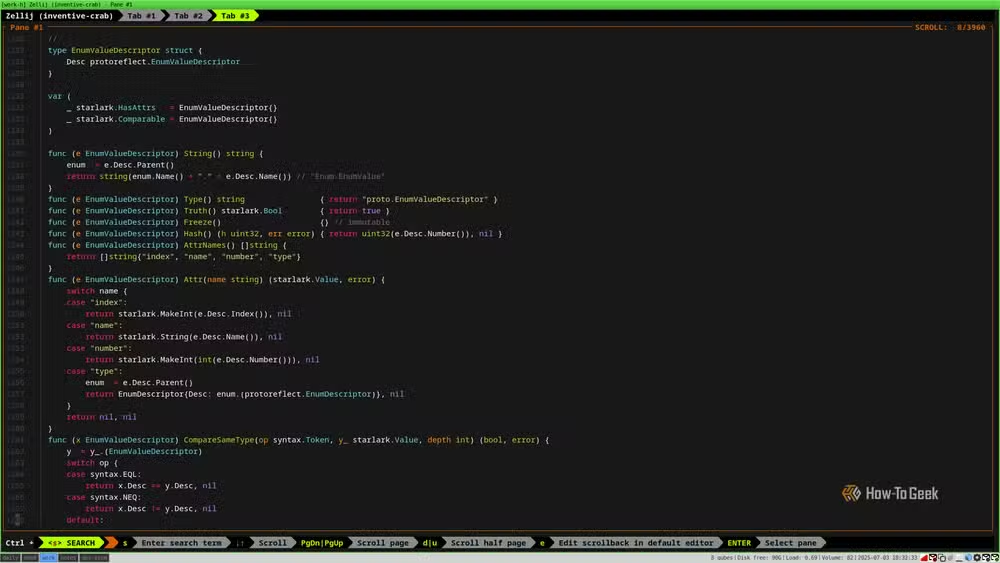
bat is available in almost every Linux distribution repository. Install it with your package manager and start using it immediately.
ripgrep: grep That Uses All Your CPU Cores
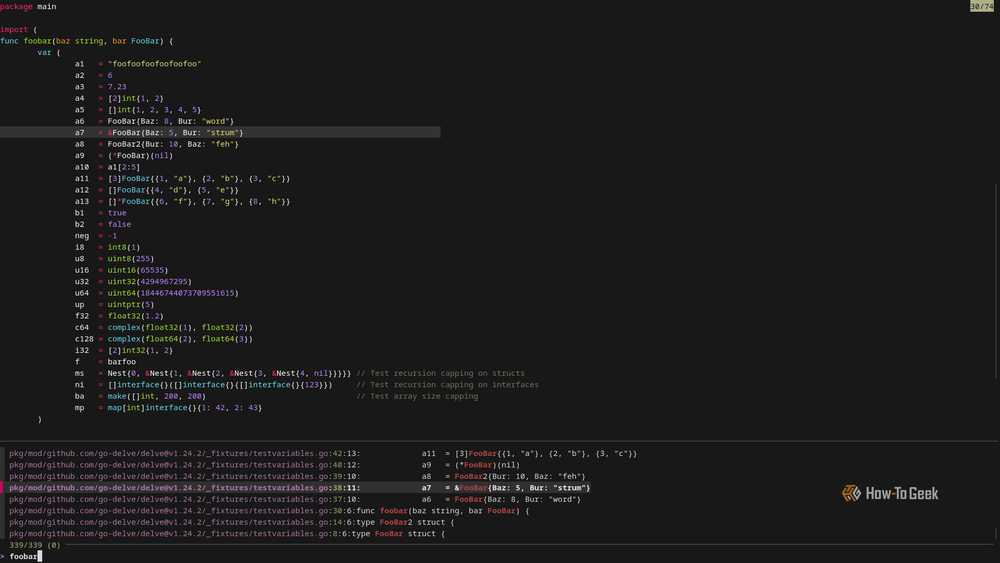
grep searches text. ripgrep searches text faster. The difference: ripgrep runs multiple searches in parallel, spreading work across all CPU cores. grep does not.
Speed is the main selling point, but ripgrep adds useful features too. Smart case detection adjusts searches based on your input. You can ignore specific files and folders. It integrates with other tools in your workflow.
The Pattern: Modern Rewrites of Classic Tools
These tools share a design philosophy. Take a standard Unix utility that works. Keep the core function. Add modern conveniences: colors, parallelism, smarter defaults, integration with Git and other tools developers actually use.
The original utilities were designed for hardware constraints and display limitations that no longer exist. Modern CPUs have multiple cores. Modern terminals support millions of colors. These replacements take advantage of both.
Installation and Compatibility
Both bat and ripgrep are available in standard repositories for most distributions. On Ubuntu and Debian, use apt. On Fedora, use dnf. On Arch, use pacman. The package names match the tool names in most cases.
# Ubuntu/Debian
sudo apt install bat ripgrep

# Fedora
sudo dnf install bat ripgrep

# Arch
sudo pacman -S bat ripgrep
Some users alias these tools to replace the originals. Others keep both and use the new tools when they want the extra features. Either approach works.
Logicity's Take
Who Benefits Most
Developers reading code and config files will get the most from bat. Anyone searching large codebases will appreciate ripgrep's speed. System administrators parsing logs benefit from both.
The learning curve is minimal. If you know cat and grep, you already know the basics of bat and ripgrep. The new features are additive, not replacements for existing workflows.
Frequently Asked Questions
Does bat work as a drop-in replacement for cat?
Yes. bat accepts the same input formats as cat. You can alias bat to cat if you want it as your default, or call bat directly when you want syntax highlighting.
How much faster is ripgrep than grep?
ripgrep runs searches in parallel across all CPU cores, while grep runs single-threaded. The speed difference depends on your CPU and file count, but ripgrep is typically much faster on large codebases.
Are these tools available on macOS?
Yes. Both bat and ripgrep are available via Homebrew on macOS. The commands and features work the same as on Linux.
Do these tools work with existing shell scripts?
Yes, but test before replacing. Some scripts may depend on specific grep or cat output formatting. ripgrep output differs slightly from grep in some edge cases.
Need Help Implementing This?
Source: How-To Geek
Manaal Khan
Tech & Innovation Writer
اقرأ أيضاً

رأي مغاير: كيف يؤثر اختراق الأمن الداخلي الأميركي على شركاتنا الخاصة؟
في ظل اختراق عقود الأمن الداخلي الأميركي مع شركات خاصة، نناقش تأثير هذا الاختراق على مستقبل الأمن السيبراني. نستعرض الإحصاءات الموثوقة ونناقش كيف يمكن للشركات الخاصة أن تتعامل مع هذا التهديد. استمتع بقراءة هذا التحليل العميق

الإنسان في زمن ما بعد الوجود البشري: نحو نظام للتعايش بين الإنسان والروبوت - Centre for Arab Unity Studies
في هذا المقال، سنناقش كيف يمكن للبشر والروبوتات التعايش في نظام متكامل. سنستعرض التحديات والحلول المحتملة التي تضعها شركات مثل جوجل وأمازون. كما سنلقي نظرة على التوقعات المستقبلية وفقًا لتقرير ماكنزي

إطلاق ناسا لمهمة مأهولة إلى القمر: خطوة تاريخية نحو استكشاف الفضاء
تعتبر المهمة الجديدة خطوة هامة نحو استكشاف الفضاء وتطوير التكنولوجيا. سوف تشمل المهمة إرسال رواد فضاء إلى سطح القمر لconducting تجارب علمية. ستسهم هذه المهمة في تطوير فهمنا للفضاء وتحسين التكنولوجيا المستخدمة في استكشاف الفضاء.