5 Ways to Get Your Money's Worth from YouTube Premium
Key Takeaways
- Bundle deals from carriers and phone purchases can give you months of free Premium
- YouTube Music is included but often ignored by subscribers
- Offline downloads and background play turn YouTube into a podcast alternative
YouTube Premium costs $16 a month. That's up from whatever you were paying before April 2026, when YouTube announced its latest price increase. The backlash was predictable. Some users canceled immediately. Others kept paying but started wondering if they were getting their money's worth.
The answer depends on whether you're actually using what you're paying for. Premium does more than kill ads. It includes YouTube Music, offline downloads, background playback on mobile, and early access to experimental features. Most subscribers use one or two of these. Few use all of them.
Here's how to squeeze every dollar out of your subscription, or figure out you don't need it.
Hunt for Free Months Through Bundles
YouTube Premium often comes free with other purchases. Phone makers, wireless carriers, and retailers bundle it to sweeten deals. If you're buying a new device anyway, check for a Premium offer before you pay for a subscription yourself.
Google Fi currently offers six free months of YouTube Premium when you sign up for the Unlimited Premium tier. The Pixel 10a comes with three free months for new Premium subscribers. These deals change regularly, so check the fine print before assuming you qualify.
Some deals stack. You might be able to activate a carrier offer on top of an existing subscription. Others don't. The Pixel 10a offer, for example, is only valid for new subscribers. Read the terms carefully.
YouTube hopes you'll keep paying after the free months end. But there's no penalty for canceling. If you're strategic about stacking offers across devices and services, you could go a long time without paying the monthly fee.
Actually Use YouTube Music
YouTube Premium includes full access to YouTube Music. That's a separate app with a library of songs, albums, and playlists that competes directly with Spotify and Apple Music. Many Premium subscribers never open it.
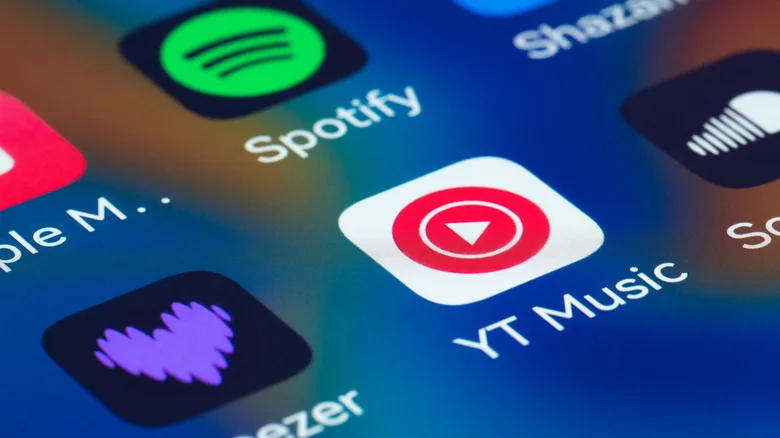
If you're paying for both YouTube Premium and a separate music streaming service, you're probably wasting money. YouTube Music has most of the catalog you'd expect, plus unofficial uploads, live recordings, and remixes you won't find anywhere else. It's not perfect. The interface is clunky and the algorithm can be hit-or-miss. But it's included in what you're already paying.
Try replacing your primary music app with YouTube Music for a week. If it works for you, cancel the other subscription. That's $10 or more per month back in your pocket, which changes the math on Premium significantly.
Download Videos for Offline Viewing
Premium lets you download videos directly in the YouTube app. They're available offline for up to 30 days, depending on the creator's settings. This is useful for flights, commutes, or anywhere with unreliable internet.
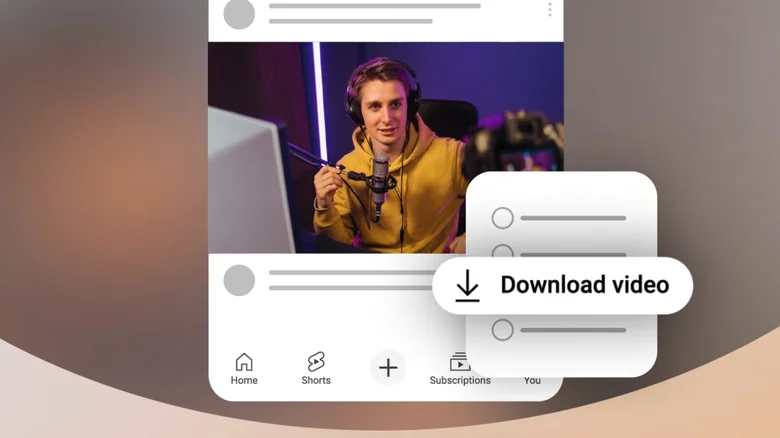
To download a video, tap the download button below the player on mobile. You can adjust quality settings to balance file size and resolution. Higher quality means bigger files, so plan ahead if your storage is tight.
This feature is especially valuable if you have limited mobile data. Download at home on Wi-Fi, watch anywhere. No buffering, no data charges.
Turn YouTube Into Background Audio
On mobile, YouTube normally stops playing when you switch to another app or lock your screen. Premium removes that restriction. Videos keep playing in the background, which turns the platform into a podcast or music player.

This is useful for long-form content where you don't need to watch the video. Interviews, lectures, commentary, music. Anything where the audio is the point. Lock your phone and keep listening.
Combined with offline downloads, background play means you can queue up hours of content before a run, workout, or road trip. No ads, no interruptions, no need to keep your screen on.
Try Experimental Features Early
Premium subscribers get early access to features YouTube is testing. These show up in your settings under "Try new features" or similar labels. They're not always useful, but occasionally you'll find something that changes how you use the platform.
Past experiments have included enhanced video quality options, playback speed controls, and UI changes. Not everything graduates to the main product. But if you're paying for Premium, you might as well see what's coming.
Is Premium Worth $16 a Month?
That depends on your usage. If you watch YouTube daily on mobile, use YouTube Music as your primary streaming service, and regularly download videos for offline viewing, Premium pays for itself. You're getting an ad-free video platform plus a music service for the price of one subscription.
If you mostly watch YouTube on desktop with an ad blocker, rarely use mobile features, and already pay for Spotify or Apple Music, Premium is harder to justify. The ad-free experience alone may not be worth $16.
“We are seeing a clear shift where Premium subscribers are not just paying for ad-free content, but for a fundamental utility—background play, downloads, and a music service—that has become the standard for mobile media consumption.”
— Tech Industry Analyst, Mid-Year 2026 Streaming Report
YouTube has 125 million paid subscribers across Premium and Music as of early 2026. That's a significant user base willing to pay. But the April price hike has pushed many to reconsider. Community forums are full of users calling it a "breaking point" and citing subscription fatigue.
YouTube also offers Premium Lite at $9 a month, which removes some features but keeps the ad-free experience. If you don't need downloads, background play, or YouTube Music, that might be a better fit.
Logicity's Take
The Bottom Line
Premium is expensive. It's getting more expensive. But it bundles features that would cost more separately. If you're paying, audit your usage. Open YouTube Music. Download a few videos. Try background play. If none of that appeals to you, cancel before the next billing cycle and use the money elsewhere.
Frequently Asked Questions
Does YouTube Premium include YouTube Music?
Yes. YouTube Premium includes full access to YouTube Music, which is a separate app for streaming songs, albums, and playlists. This is included at no extra cost.
Can I download YouTube videos with Premium?
Yes. Premium subscribers can download videos for offline viewing in the YouTube mobile app. Downloads are available for up to 30 days depending on the video.
How much does YouTube Premium cost in 2026?
YouTube Premium costs $16 per month for the full version after the April 2026 price increase. Premium Lite is available at $9 per month with fewer features.
Is there a free trial for YouTube Premium?
YouTube occasionally offers free trials, and free months are often bundled with phone purchases, carrier plans, and other promotions. Check current offers before subscribing.
What is YouTube Premium Lite?
Premium Lite is a cheaper tier at $9 per month that provides ad-free viewing but removes features like offline downloads, background play, and YouTube Music access.
Another practical guide for fixing common software frustrations
Need Help Implementing This?
Source: Engadget
Huma Shazia
Senior AI & Tech Writer
اقرأ أيضاً

رأي مغاير: كيف يؤثر اختراق الأمن الداخلي الأميركي على شركاتنا الخاصة؟
في ظل اختراق عقود الأمن الداخلي الأميركي مع شركات خاصة، نناقش تأثير هذا الاختراق على مستقبل الأمن السيبراني. نستعرض الإحصاءات الموثوقة ونناقش كيف يمكن للشركات الخاصة أن تتعامل مع هذا التهديد. استمتع بقراءة هذا التحليل العميق

الإنسان في زمن ما بعد الوجود البشري: نحو نظام للتعايش بين الإنسان والروبوت - Centre for Arab Unity Studies
في هذا المقال، سنناقش كيف يمكن للبشر والروبوتات التعايش في نظام متكامل. سنستعرض التحديات والحلول المحتملة التي تضعها شركات مثل جوجل وأمازون. كما سنلقي نظرة على التوقعات المستقبلية وفقًا لتقرير ماكنزي

إطلاق ناسا لمهمة مأهولة إلى القمر: خطوة تاريخية نحو استكشاف الفضاء
تعتبر المهمة الجديدة خطوة هامة نحو استكشاف الفضاء وتطوير التكنولوجيا. سوف تشمل المهمة إرسال رواد فضاء إلى سطح القمر لconducting تجارب علمية. ستسهم هذه المهمة في تطوير فهمنا للفضاء وتحسين التكنولوجيا المستخدمة في استكشاف الفضاء.