5 Portable Windows Benchmark Tools That Fit on a USB Stick
Key Takeaways
- CrystalDiskMark, CPU-Z, GPU-Z, HWiNFO64, and FurMark 2 all run from a USB stick without installation
- Some tools load temporary kernel drivers to read hardware sensors but leave no permanent traces
- This approach lets you benchmark machines you don't own without awkward software installations
Benchmarking a computer that isn't yours creates an awkward situation. You need real performance data, but installing software on someone else's machine feels invasive. Registry entries, leftover files, and installer prompts all add friction to what should be a quick diagnostic task.
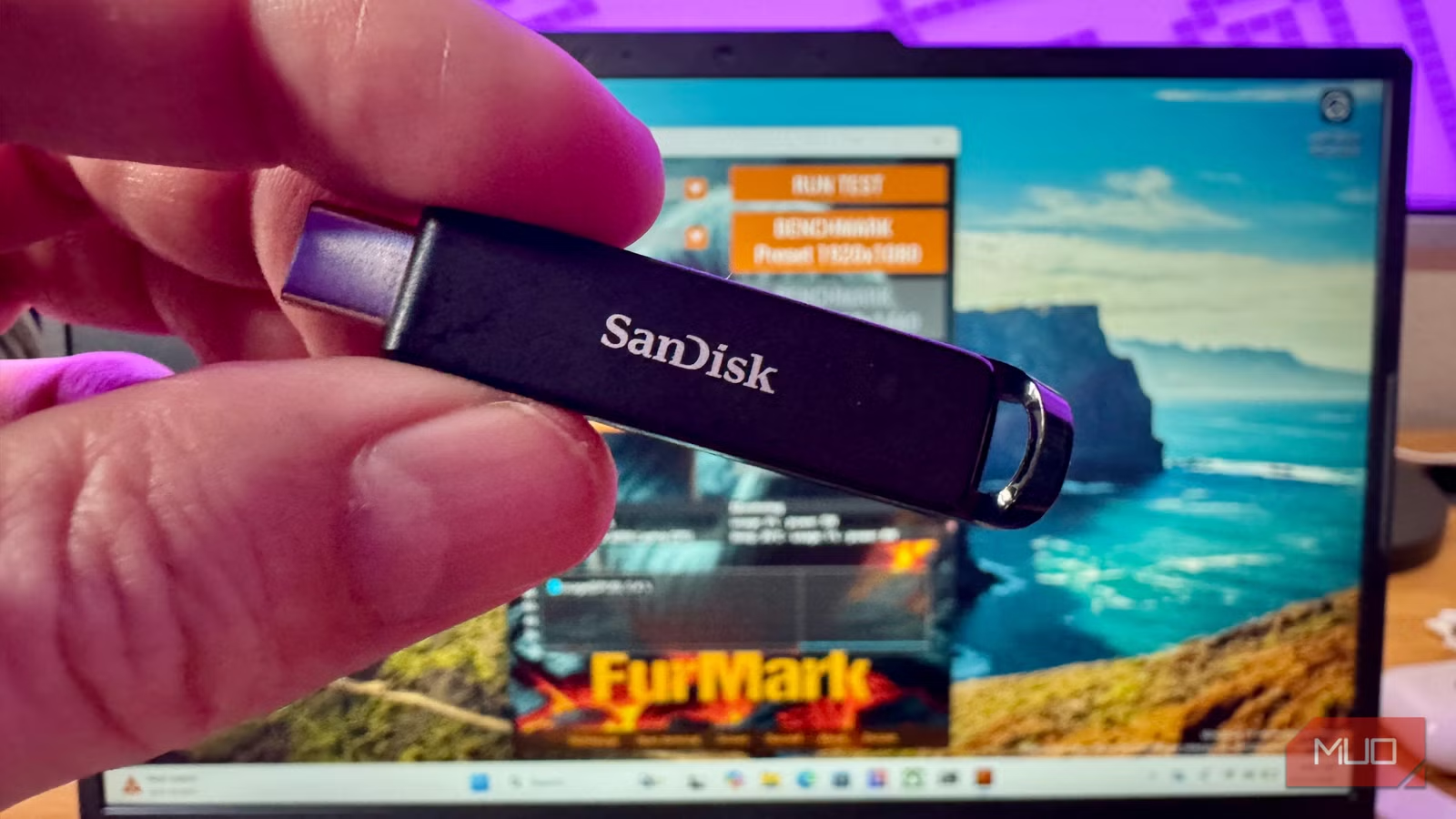
The solution is a USB stick loaded with portable benchmark tools. These utilities extract to a folder, run directly from the drive, and leave nothing behind when you're done. MakeUseOf's Rob LeFebvre, who has spent 15 years reviewing consumer technology, recently documented his preferred toolkit for exactly this purpose.
Logicity's Take
CrystalDiskMark: Storage Speed Testing
CrystalDiskMark is the benchmark behind countless SSD reviews. The portable ZIP version, available from crystalmark.info, extracts to a folder and runs without any installer or registry entries.
The tool measures sequential and random read/write speeds across multiple queue depths. This matters because single-threaded file copies behave differently than multi-queue NVMe workloads. You can test file sizes from 16 MiB to 64 GiB, select any connected drive from a dropdown, and hit Run All.
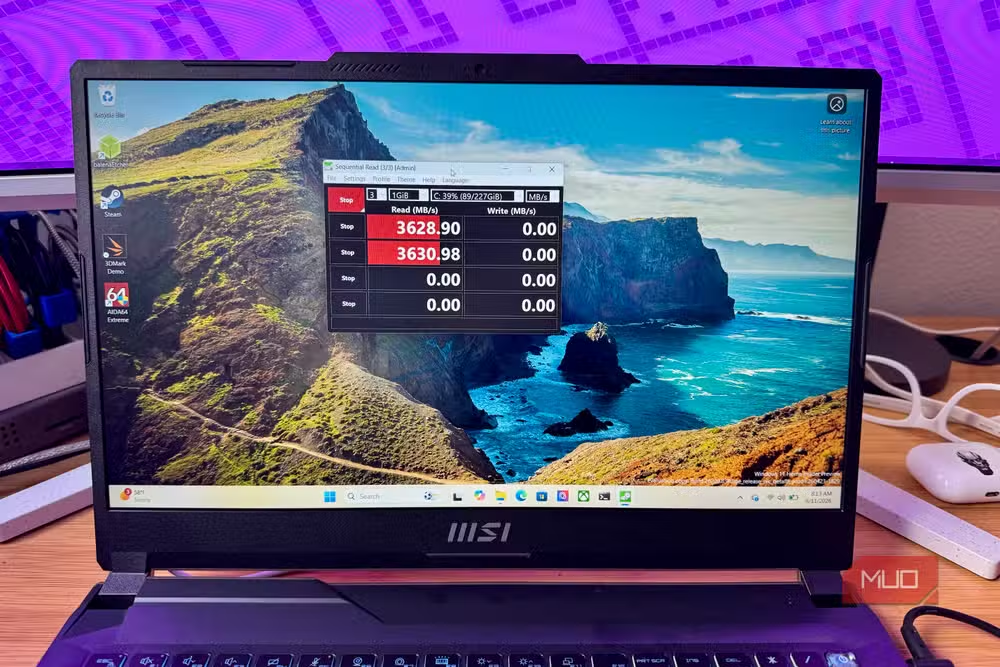
The NVMe SSD preset adjusts queue depth and thread count to match the settings used in professional reviews. This lets you compare your results directly against published benchmarks. The current version is 9.0.3 from May 2026, uses Microsoft's DiskSpd under the hood, and supports Windows XP through 11.
One obvious warning: don't benchmark the USB stick you're running the tool from. You'll get the flash drive's speeds, not the target system's.
CPU-Z: Processor and Memory Details
CPU-Z has been around for decades. It pulls detailed information on your processor: architecture, stepping, core speeds, and cache configuration. It also reads memory type, frequency, and timings.
The portable ZIP version from cpuid.com extracts to under 9 MB. Run cpuz.exe directly from your USB stick. It leaves nothing behind on exit.
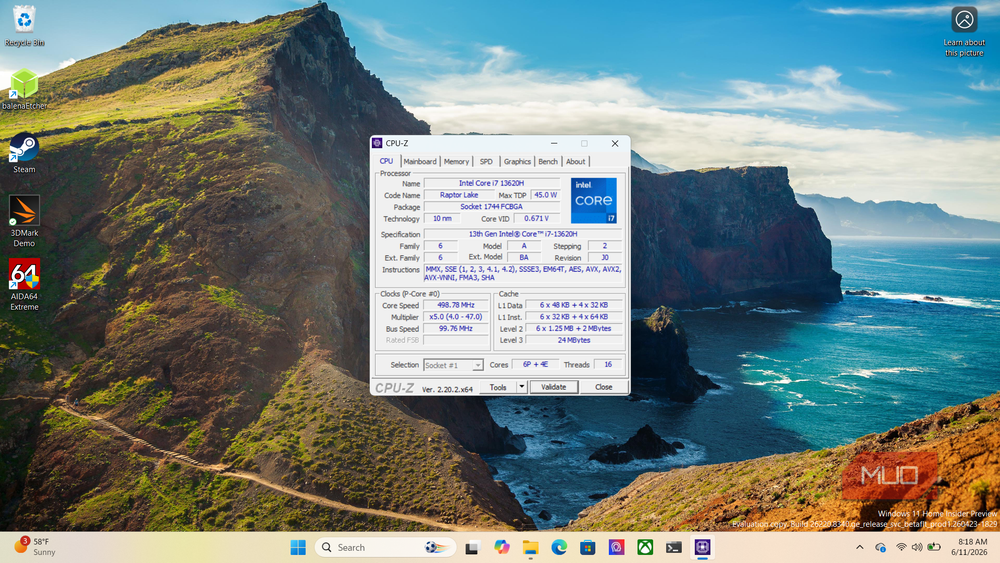
CPUID maintains different builds for various hardware, including newer handheld gaming devices like the ROG Ally. The tool reads data that Windows itself doesn't expose in any accessible interface, making it useful for verifying specs on used hardware before purchase.
GPU-Z: Graphics Card Diagnostics
GPU-Z does for graphics cards what CPU-Z does for processors. It reads GPU model, BIOS version, driver version, memory size, clock speeds, and sensor data including temperature and fan speed.
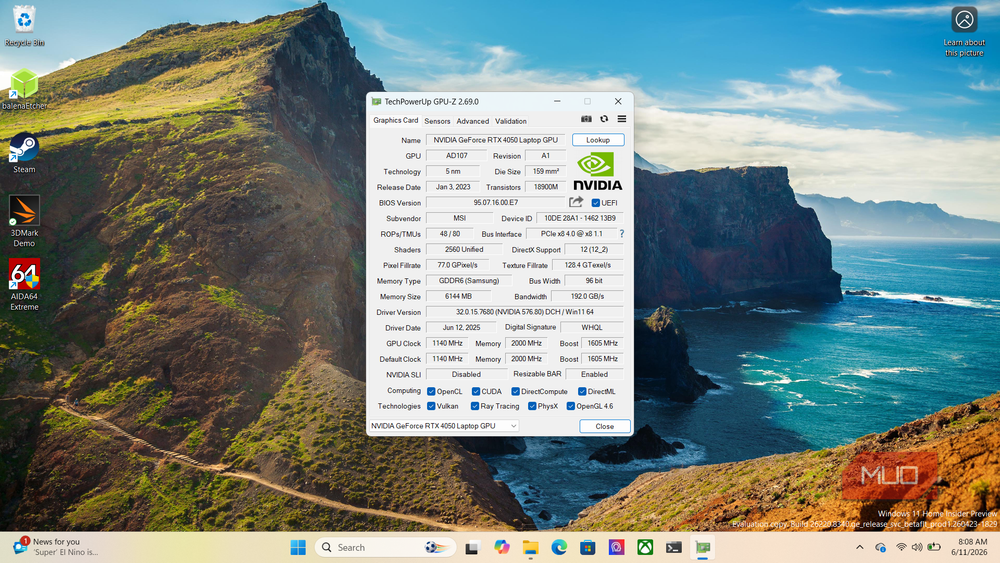
The tool is especially useful for verifying that a used graphics card matches its advertised specs. Counterfeit GPUs exist, and GPU-Z can identify when a card's reported model doesn't match its actual hardware.
HWiNFO64: System-Wide Sensor Monitoring
HWiNFO64 is a comprehensive system information and monitoring tool. It reads sensors across the entire system: CPU temperatures, GPU thermals, fan speeds, voltages, and power draw.
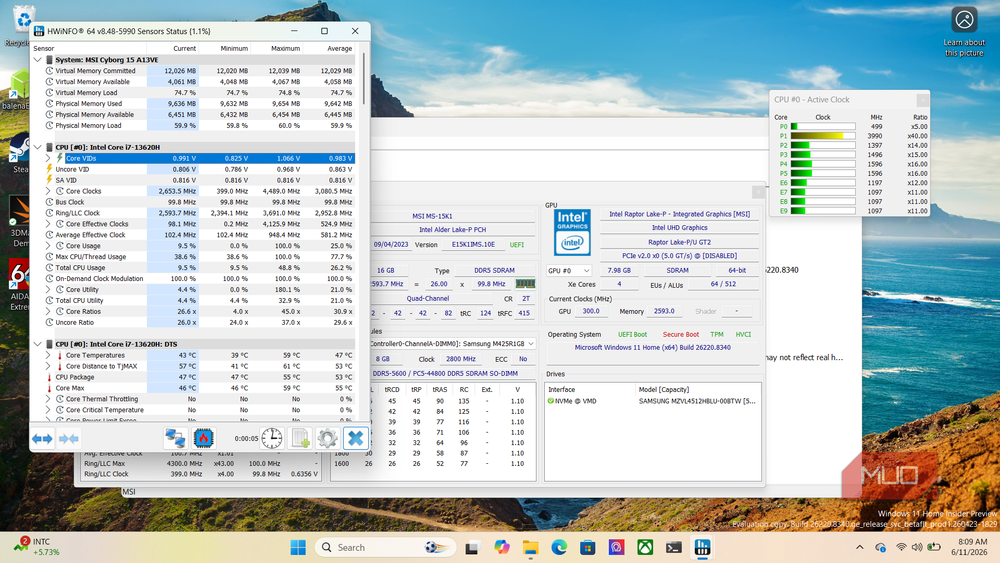
The portable version runs from a USB stick. Note that HWiNFO64 loads kernel drivers temporarily to access hardware sensors. These drivers unload when you close the program and don't persist after removal of the USB stick.
FurMark 2: GPU Stress Testing
FurMark 2 is a GPU stress test that pushes graphics cards to their thermal limits. It's useful for testing cooling performance and stability under sustained load.
Unlike the other tools in this list, FurMark 2 also runs on Linux. This makes it the most cross-platform option for GPU stress testing from a portable drive.
Building the Toolkit
All five tools together occupy minimal space. A basic 4 GB flash drive holds them with room to spare. Download each portable ZIP, extract to separate folders on your USB stick, and you're done.
- CrystalDiskMark: crystalmark.info (portable ZIP)
- CPU-Z: cpuid.com (portable ZIP)
- GPU-Z: techpowerup.com (standalone EXE)
- HWiNFO64: hwinfo.com (portable version)
- FurMark 2: geeks3d.com (portable version)
A community tip from Reddit's r/techsupport: use Ventoy to partition your USB drive. This lets you carry bootable ISOs like Hiren's BootCD or Memtest86 alongside your portable Windows tools. You get a comprehensive diagnostic kit on a single drive.
What to Avoid
UserBenchmark is notably absent from this list. Major tech subreddits have criticized its scoring methodology extensively. The tool weights components in ways that don't reflect real-world performance, and its comparative rankings have drawn accusations of bias.
Another set of portable utilities that avoid cloud dependencies
Frequently Asked Questions
Do these portable benchmark tools leave anything on the host PC?
No permanent files. Some tools like HWiNFO64 load temporary kernel drivers to read sensors, but these unload when you close the program. Nothing persists after you remove the USB stick.
Can I run CrystalDiskMark to benchmark the USB stick itself?
Technically yes, but you'd be measuring the flash drive's performance, not the target system's storage. Test the internal drives instead.
Which of these tools works on Linux?
FurMark 2 runs on both Windows and Linux. The others are Windows-only.
How much USB storage do I need for all five tools?
Under 100 MB total. A basic 4 GB flash drive holds them with room for additional utilities or bootable ISOs.
Can GPU-Z detect fake or counterfeit graphics cards?
Yes. GPU-Z reads the actual hardware identifiers and compares them against its database. It can flag when a card's reported model doesn't match its physical hardware.
Need Help Implementing This?
Source: MakeUseOf
Huma Shazia
Senior AI & Tech Writer
اقرأ أيضاً

رأي مغاير: كيف يؤثر اختراق الأمن الداخلي الأميركي على شركاتنا الخاصة؟
في ظل اختراق عقود الأمن الداخلي الأميركي مع شركات خاصة، نناقش تأثير هذا الاختراق على مستقبل الأمن السيبراني. نستعرض الإحصاءات الموثوقة ونناقش كيف يمكن للشركات الخاصة أن تتعامل مع هذا التهديد. استمتع بقراءة هذا التحليل العميق

الإنسان في زمن ما بعد الوجود البشري: نحو نظام للتعايش بين الإنسان والروبوت - Centre for Arab Unity Studies
في هذا المقال، سنناقش كيف يمكن للبشر والروبوتات التعايش في نظام متكامل. سنستعرض التحديات والحلول المحتملة التي تضعها شركات مثل جوجل وأمازون. كما سنلقي نظرة على التوقعات المستقبلية وفقًا لتقرير ماكنزي

إطلاق ناسا لمهمة مأهولة إلى القمر: خطوة تاريخية نحو استكشاف الفضاء
تعتبر المهمة الجديدة خطوة هامة نحو استكشاف الفضاء وتطوير التكنولوجيا. سوف تشمل المهمة إرسال رواد فضاء إلى سطح القمر لconducting تجارب علمية. ستسهم هذه المهمة في تطوير فهمنا للفضاء وتحسين التكنولوجيا المستخدمة في استكشاف الفضاء.