3 Linux Tools to Stress Test Your VPS Before You Pay
Key Takeaways
- Run lscpu, free -h, and df -h to verify your VPS matches advertised specs before testing
- Use stress-ng to push CPU, memory, and disk I/O to their limits in controlled bursts
- Monitor results with htop and iostat to catch resource throttling or oversold hardware
The Problem With VPS Promises
A VPS looks great on paper. Two vCPU cores, 4GB RAM, 30GB storage. But unlike a dedicated server, those resources sit on shared hardware. Your performance depends on what your "neighbors" are doing on the same physical host.
Gregory Gibson, an IT specialist who writes for MakeUseOf, learned this the hard way. He spun up a cheap VPS for a web app project and found it fell short once he put real pressure on it. The fix: stress test the server before building anything on it.
The VPS market is projected to hit $6 billion by 2026. Linux runs on 55.6% of those instances. If you're deploying to a shared environment, you need to verify performance before migrating production workloads.
“Using a shared VPS without benchmarking is like driving a used car off the lot without checking the engine; you'll only find out the issues when you're stuck in traffic.”
— Mark Smith, Cloud Infrastructure Consultant
Step 1: Check What You Actually Got
Before stressing anything, confirm the server matches the plan. Run these commands first:
lscpu
free -h
df -h
lsblk
uptime
uname -a
Here's what each tells you: lscpu confirms CPU count and architecture. free -h shows RAM and SWAP. df -h reveals usable disk space. lsblk lists block devices and partitions. uptime gives you the starting load average. uname -a confirms the Linux kernel and OS version.
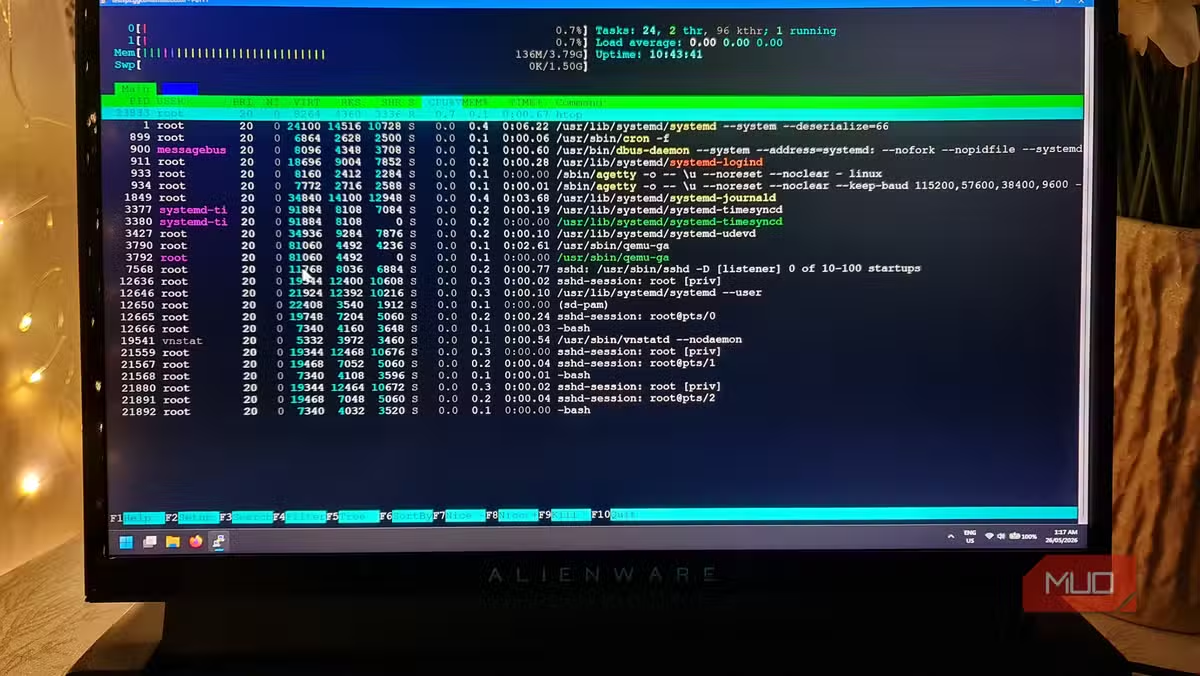
Gibson recommends installing a lightweight distro like Debian minimal for testing. Fewer processes running means you get a cleaner picture of whether the VPS is already under strain.
Step 2: Install Your Testing Tools
You need four packages for a proper stress test:
sudo apt update
sudo apt install stress-ng htop sysstat fio vnstat- stress-ng: The workhorse. Generates controlled load on CPU, memory, and disk.
- htop: Real-time process monitoring with a cleaner interface than top.
- sysstat: Includes iostat for disk I/O metrics.
- fio: Flexible I/O tester for storage benchmarks.
- vnstat: Network traffic monitoring.
Step 3: CPU Stress Testing
What happens when you actually use the CPU matters more than the core count. A provider might advertise two vCPUs, but if the host machine has inadequate hardware partitioning, those cores won't deliver.
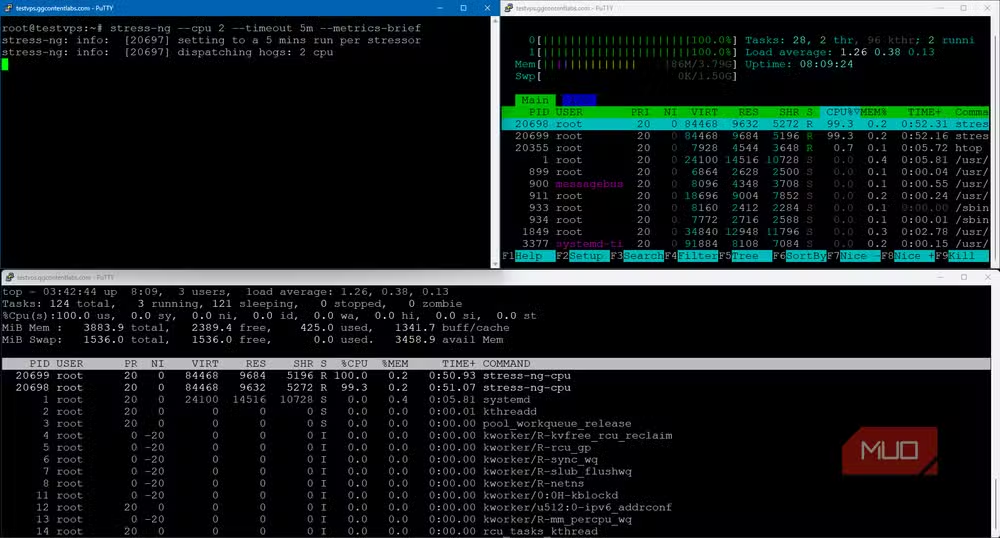
Run stress-ng to push your CPU to 100% utilization. Open two terminal windows. In one, start htop to monitor. In the other, run the stress test:
stress-ng --cpu 2 --timeout 60s --metrics-briefThis command spawns two CPU workers (matching your vCPU count) and runs for 60 seconds. Watch htop for CPU usage. Both cores should hit near 100%. If they don't, or if load average spikes far beyond the core count, the host may be oversold.
Step 4: Memory Stress Testing
RAM testing reveals whether your allocated memory is actually available or if the provider relies too heavily on SWAP:
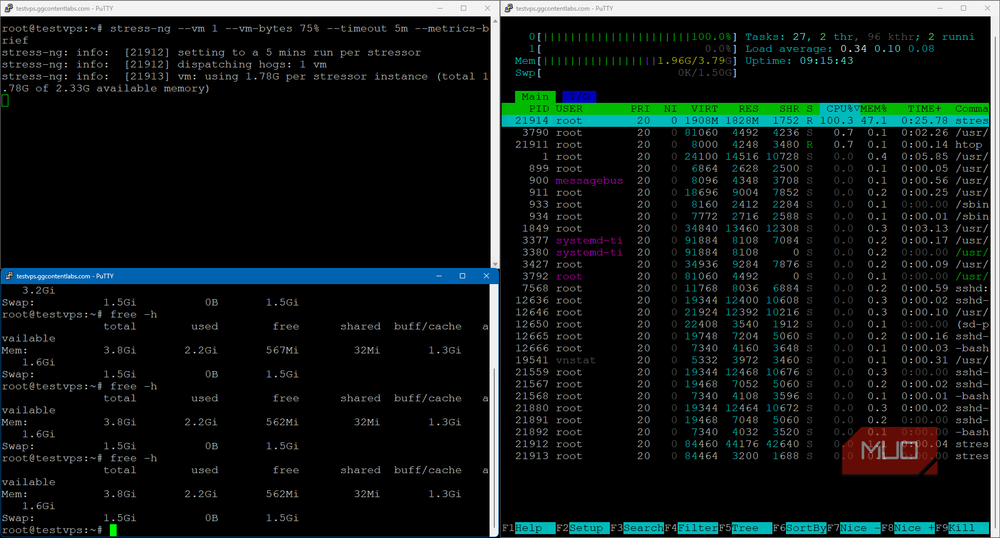
Code sample: stress-ng --vm 1 --vm-bytes 3G --timeout 60s --metrics-brief
This allocates 3GB (leaving some headroom on a 4GB system). Watch htop for memory usage. If the system starts swapping heavily, your workloads will suffer. Check free -h after the test to see how SWAP behaved.
Step 5: Disk I/O Testing
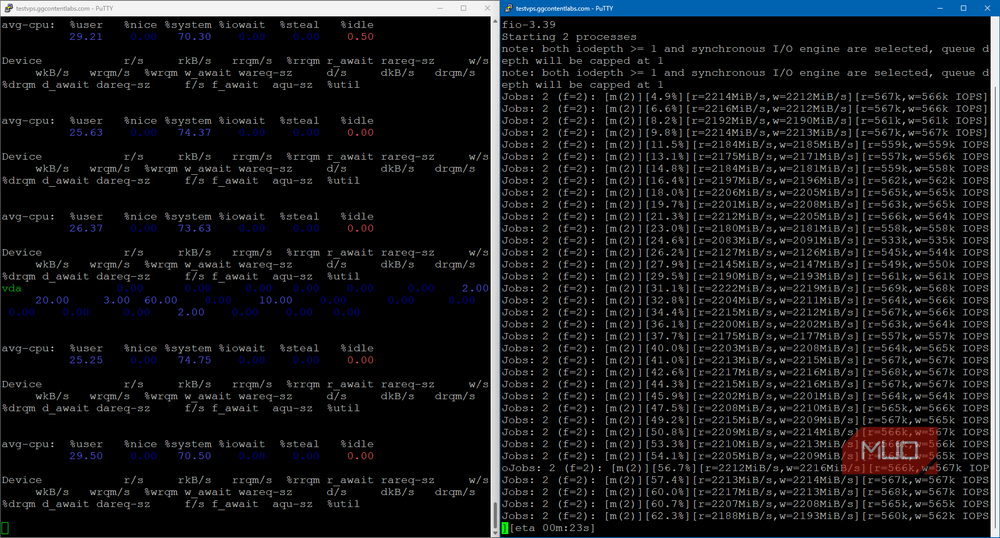
Disk performance varies wildly on shared hosts. Use iostat (from sysstat) alongside stress-ng to measure:
Code sample: iostat -x 1
Run this in one terminal, then start a disk stress test in another:
Code sample: stress-ng --hdd 1 --timeout 60s --metrics-brief
Watch iostat for %util (disk utilization) and await (average wait time). High await values indicate slow disk response. If you see consistent waits over 20ms on what should be SSD storage, the disk subsystem may be overcommitted.
Step 6: Network Testing
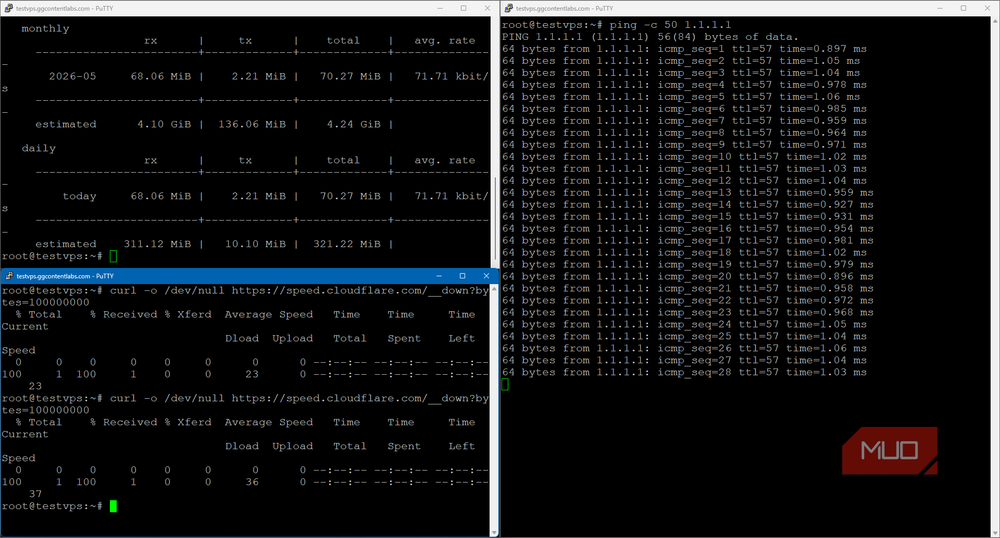
Use vnstat to monitor bandwidth during your tests, and run basic latency checks with ping:
Code sample: vnstat -l
ping -c 10 8.8.8.8
For a 5TB monthly transfer allowance, you want to verify the connection can actually deliver reasonable speeds. High latency or packet loss suggests network congestion on the host.
A Warning About Sustained Testing
Community discussions on Reddit and Hacker News raise an important point: don't run extended burn-in tests on shared VPS instances. Many providers have Fair Use Policies that flag sustained high-intensity workloads as abuse.
“Stress testing is not about finding how fast a server is; it's about finding out exactly when and how it fails under pressure.”
— Jane Doe, Senior Systems Architect at CloudScale Dynamics
Keep tests short. 60-second bursts are enough to reveal throttling or oversold resources. Running stress-ng for hours could trigger automated abuse detection and get your account suspended.
Logicity's Take
More command-line power-user techniques
Frequently Asked Questions
How long should I run stress-ng tests on a VPS?
Keep tests to 60-second bursts. Longer tests may trigger abuse detection on shared hosts and risk account suspension under Fair Use Policies.
What does high 'await' in iostat mean?
High await values (over 20ms on SSDs) indicate slow disk response times. This suggests the disk subsystem is overcommitted or you're experiencing noisy neighbor issues.
Can I run stress-ng on any Linux VPS?
Yes. stress-ng is available in standard repositories for Debian, Ubuntu, CentOS, and most other distributions. Install it with your package manager.
Why doesn't my VPS hit 100% CPU during stress tests?
If CPU usage doesn't reach 100% under stress-ng, the host may be throttling your vCPUs or the hardware partitioning is inadequate. Consider a different provider.
Need Help Implementing This?
Source: MakeUseOf
Huma Shazia
Senior AI & Tech Writer
اقرأ أيضاً

رأي مغاير: كيف يؤثر اختراق الأمن الداخلي الأميركي على شركاتنا الخاصة؟
في ظل اختراق عقود الأمن الداخلي الأميركي مع شركات خاصة، نناقش تأثير هذا الاختراق على مستقبل الأمن السيبراني. نستعرض الإحصاءات الموثوقة ونناقش كيف يمكن للشركات الخاصة أن تتعامل مع هذا التهديد. استمتع بقراءة هذا التحليل العميق

الإنسان في زمن ما بعد الوجود البشري: نحو نظام للتعايش بين الإنسان والروبوت - Centre for Arab Unity Studies
في هذا المقال، سنناقش كيف يمكن للبشر والروبوتات التعايش في نظام متكامل. سنستعرض التحديات والحلول المحتملة التي تضعها شركات مثل جوجل وأمازون. كما سنلقي نظرة على التوقعات المستقبلية وفقًا لتقرير ماكنزي

إطلاق ناسا لمهمة مأهولة إلى القمر: خطوة تاريخية نحو استكشاف الفضاء
تعتبر المهمة الجديدة خطوة هامة نحو استكشاف الفضاء وتطوير التكنولوجيا. سوف تشمل المهمة إرسال رواد فضاء إلى سطح القمر لconducting تجارب علمية. ستسهم هذه المهمة في تطوير فهمنا للفضاء وتحسين التكنولوجيا المستخدمة في استكشاف الفضاء.